Best Handyman Apps in 2026: 9 Apps Compared
By ToolNimba Editorial Team November 7, 2026 9 min read

- Top pick
 TaskRabbit
Hiring help for small jobs
Starting priceFreeCheck out TaskRabbitRead our review - Runner-up
 Thumbtack
Comparing quotes for projects
Starting priceFreeCheck out ThumbtackRead our review - Also great
 Angi
Verified pros for larger projects
Starting priceFreeCheck out AngiRead our review
How we researched this
We compared official pricing and feature pages, app store listings, privacy policies and public user reviews. Prices change, so check the provider's site before you pay.
Key takeaways
- TaskRabbit is our pick for hiring help for small jobs, with hourly Taskers, background checks and in-app payment.
- Thumbtack and Angi suit larger projects, where you compare quotes from local pros before hiring.
- Jobber and Housecall Pro are the best apps for handyman businesses, with scheduling, quoting, invoicing and payments.
- ServiceM8 offers a free plan for solo operators, making it the cheapest way to start running jobs from an app.
- Handyman apps cover two different jobs, hiring help and running a business, so pick the section that matches your goal first.
Quick comparison
| Name | Best for | Starting price | Free plan | |
|---|---|---|---|---|
| TaskRabbit | Hiring help for small jobs | Free | Yes | Visit |
| Thumbtack | Comparing quotes for projects | Free | Yes | Visit |
| Angi | Verified pros for larger projects | Free | Yes | Visit |
 Jobber | Running a handyman business | $29 per month | Free trial | Visit |
 Housecall Pro | Growing home-service teams | $59 per month | Free trial | Visit |
 ServiceM8 | Solo operators on a budget | Free | Yes | Visit |
 Workiz | Home-service scheduling | Free | Yes | Visit |
 Nextdoor | Local referrals and leads | Free | Yes | Visit |
 Handy | Fixed-price home services | See website | No | Visit |
The best handyman apps
The term handyman app covers two different needs. Homeowners want to hire help, handymen want to find work and make money, and business owners want software to run jobs, quotes and invoices. This list covers all three, grouped so you can find your section quickly. We compared official pricing pages, feature pages and public reviews for the apps below.

TaskRabbit is the simplest way to hire help for a small job, from mounting a TV to assembling furniture or patching drywall. You choose a Tasker by hourly rate, reviews and availability, book a time, and pay in the app, with a Trust and Support fee added on top of the hourly rate.
For handymen, TaskRabbit offers work without paying per lead, though Taskers pay a one-time $25 registration fee and set their own rates. The platform suits jobs under a few hundred dollars best, since larger projects usually need a licensed contractor and a written quote. For quick, well-defined tasks, it is our pick.
- Hourly Taskers you choose by price and reviews
- Same-day booking in many areas
- In-app payment and tips
- Best for smaller jobs
- Hourly cost varies by Tasker and city
Thumbtack works differently from TaskRabbit: you describe your project, and local pros who match your needs contact you with quotes. That model suits larger or less standard jobs, such as a bathroom repair, deck work or a full room refresh, where comparing a few quotes matters more than booking an hourly helper.
For pros, Thumbtack is a lead source, not a free job board, since pros pay per lead that matches their preferences, with prices varying by job and area. Homeowners pay nothing to use the platform, but should still check licences, insurance and reviews before hiring, especially for licensed trade work.
- Free for homeowners
- Many service categories
- Pros contact you with quotes
- Quote quality varies
- Pros pay per lead, which can affect pricing
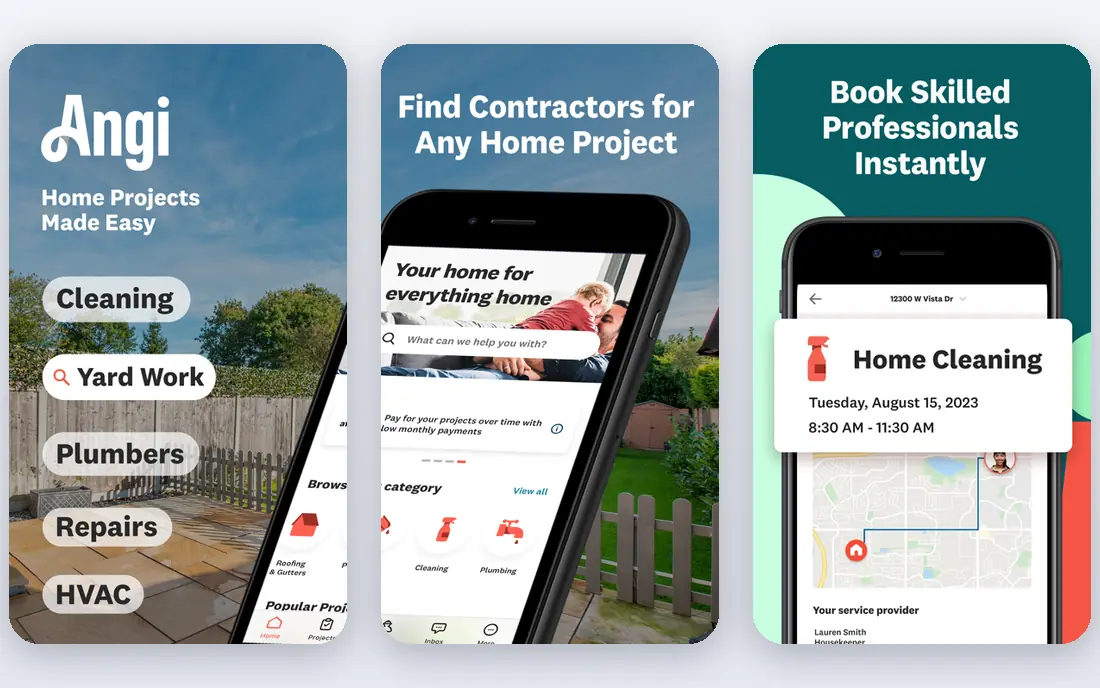
Angi, formerly Angie's List, focuses on larger home projects and contractor hiring, with verified reviews and licence verification in many major markets. Homeowners can search by project type, read detailed reviews with photos, and get guidance on costs and scope before contacting a pro.
The platform is free for homeowners at a basic level, with an optional membership, while pros pay for matches or memberships. Read the protection terms carefully: Angi's guarantees generally apply only when you book and pay through Angi, not when you pay a contractor directly on a later visit.
- Verified reviews and licence checks in many markets
- Wide contractor network
- Project guidance
- Lead and membership models can be confusing
- Protections apply only when you book and pay through Angi
Jobber is the best handyman app for running the business side of the work, rather than finding the next job. It covers scheduling, quotes, invoices, payments, client communication and reminders, so a solo handyman or small crew can manage jobs from a phone without spreadsheets and paper invoices.
Pricing starts at $29 per month billed annually for its Core plan, with higher plans for larger teams. A 14-day trial lets you test it on real jobs first. If you already get work through TaskRabbit or Thumbtack, Jobber helps you keep that work organised and get paid faster.
- Scheduling, quoting, invoicing and payments in one app
- Client reminders
- Easy for small crews
- Price rises with team size
- Some features sit on higher plans
Housecall Pro suits handyman and home-service businesses that are growing past solo work into small teams. It offers drag-and-drop scheduling, dispatch, invoicing, payments and customer communication, plus marketing and review tools that help bring in repeat work.
Basic pricing starts at $59 per month billed annually for one user, with higher plans for larger teams, and card processing fees are separate. Housecall Pro is a step up in price from Jobber, but teams that need dispatch and marketing in one place may find the extra cost worthwhile.
- Scheduling and dispatch
- Invoicing and payments
- Marketing and review tools
- Higher starting price than Jobber
- Payment processing fees are separate
ServiceM8 is the budget pick for solo handymen who want proper job software without a monthly bill to start. Its free plan covers one user and a limited number of jobs, with paid tiers from $29 per month for more jobs, and higher tiers for larger volumes.
That job-based pricing means a busy month costs more than a quiet one, but solo operators still pay less than on many per-user platforms. ServiceM8 covers scheduling, quoting, invoicing and client communication, making it a strong starting point for a new handyman business.
- Free plan for one user and limited jobs
- Job management and invoicing
- Unlimited users on paid tiers
- Paid tiers are job-based, so busy months cost more
- Smaller marketing toolkit than rivals
Workiz helps home-service businesses manage jobs, schedules, invoices and payments, with extra tools for phone calls, messaging and follow-up. Its Lite plan is free for up to two users, which makes it easy to test on a small team before paying for a higher tier.
Paid plans are listed without clear public dollar prices in some comparisons, so check the current pricing page and ask what is included before comparing it with Jobber or Housecall Pro. Workiz suits teams that want scheduling plus call handling in one system, rather than scheduling alone.
- Scheduling, invoicing and payments
- Free Lite plan for up to two users
- Phone and messaging tools
- Paid plan prices are not published as clearly
- Some AI and marketing tools cost extra
Nextdoor is not a handyman management app, but it is one of the best free ways for handymen to find local work and make money. A free business page lets neighbours find you, recommend you and message you, and local posts often lead to repeat work in the same area.
Homeowners also use Nextdoor to ask neighbours for recommendations, which can be more trustworthy than a cold search. Nextdoor does not handle scheduling, quoting or invoicing, so pair it with Jobber, ServiceM8 or another business app once jobs start coming in.
- Free business page
- Local referrals from neighbours
- Paid ads optional
- Not a job management tool
- Lead quality varies by neighbourhood
Handy offers fixed-price bookings for common home services, including cleaning, furniture assembly and smaller handyman tasks. That fixed price removes the uncertainty of hourly billing, since you see the cost before you book, and payment happens in the app.
The trade-off is flexibility. Handy suits standard, well-defined jobs better than custom projects that need a site visit and a written quote. Pricing varies by service and city, so check the price for your exact job in the app before booking, and compare it with TaskRabbit for hourly work.
- Fixed-price bookings for common services
- Vetted pros
- In-app payment
- Pricing varies by service and city
- Less flexible for custom projects
How we picked these
We compared official pricing pages, feature pages and public reviews, and we favoured apps that are still operating in the US, publish a price or a clear plan structure, and clearly fit hiring, finding work or running a handyman business. We included marketplaces, business software and a local referral app, since the search terms cover all three needs. We did not claim hands-on testing, and prices vary by city, team size and plan, so check the vendor pricing page before you buy.
How to choose the right handyman app
Start with your goal. If you need help at home, choose TaskRabbit for small hourly jobs, Thumbtack or Angi for larger quoted projects, and Handy for fixed-price standard services. If you are a handyman looking for work, use TaskRabbit, Thumbtack and Nextdoor to find jobs, and check lead costs and registration fees before committing.
Running the business
If you already have work, pick business software based on team size and budget. Solo operators should start with ServiceM8's free plan or Workiz Lite, while growing teams should compare Jobber and Housecall Pro on scheduling, dispatch and payment features. Check licences and insurance rules for your state and trade, since apps do not replace those requirements, and always get a written quote for larger or licensed work.
Sources
Frequently asked questions
What is the best handyman app?
TaskRabbit is our pick for hiring help for small jobs, while Thumbtack and Angi are better for larger quoted projects. For running a handyman business, Jobber is the best all-round choice, with Housecall Pro close behind for growing teams.
What is the best handyman app to make money?
TaskRabbit, Thumbtack and Nextdoor are the strongest options for finding paid handyman work, with different models: TaskRabbit charges a registration fee but no per-lead fee, Thumbtack charges per lead, and Nextdoor offers free referrals. The best choice depends on your city, skills and how much you want to spend on leads.
What is the best app for handyman businesses?
Jobber is our pick for most small handyman businesses, thanks to scheduling, quoting, invoicing and payments in one app from $29 per month. ServiceM8 is cheaper for solo operators, while Housecall Pro suits larger teams that need dispatch and marketing tools.
What is the best app to hire a handyman?
TaskRabbit suits small, hourly jobs with same-day booking in many areas, while Thumbtack and Angi suit larger projects where you want to compare quotes. Handy suits fixed-price standard services. Always check reviews, licences and insurance before hiring for licensed trade work.
Is TaskRabbit or Thumbtack better?
TaskRabbit is better for quick, hourly jobs you can define clearly, since you pick a Tasker by rate and reviews. Thumbtack is better for larger projects, since pros send quotes for the whole job. Many homeowners use both, depending on the job size.