Best Home Maintenance Apps in 2026: 8 Apps Compared
By ToolNimba Editorial Team October 29, 2026 8 min read

- Top pick
 HomeZada
All-round home management
Starting price$59 per yearCheck out HomeZadaRead our review - Runner-up
 Homer
Appliance tracking
Starting priceSee websiteCheck out HomerRead our review - Also great
 HomeKeepr
Home records and reminders
Starting priceSee websiteCheck out HomeKeeprRead our review
How we researched this
We compared official pricing and feature pages, app store listings, privacy policies and public user reviews. Prices change, so check the provider's site before you pay.
Key takeaways
- HomeZada is our pick for homeowners who want one place for schedules, inventory, budgets and projects.
- Homer is the best successor for appliance tracking after Centriq shut down in early 2026.
- Thumbtack and Angi are better for booking a pro than for tracking, so pair one with a scheduling app.
- A simple app you actually open beats a feature-heavy platform you abandon after a month.
- Free plans cover basic reminders well, and paid plans mainly add inventory, budgets and multi-home support.
Quick comparison
| Name | Best for | Starting price | Free plan | |
|---|---|---|---|---|
| HomeZada | All-round home management | $59 per year | Yes | Visit |
| Homer | Appliance tracking | See website | Yes | Visit |
| HomeKeepr | Home records and reminders | See website | Yes | Visit |
 Thumbtack | Booking local pros | Free | Yes | Visit |
 Angi | Booking pros and projects | Free | Yes | Visit |
 TaskRabbit | Hiring help for small jobs | Free | Yes | Visit |
 Cozi | Family schedules and lists | Free | Yes | Visit |
 Tody | Cleaning and chore schedules | Free | Yes | Visit |
The best home maintenance apps
We compared official feature pages, pricing pages, app store listings and public reviews for eight home maintenance apps and services. Note that Centriq, once a popular appliance tracker, shut down on January 31, 2026, so it is not on this list.
HomeZada is the most complete home maintenance platform on this list. It builds a maintenance calendar from your home systems and location, sends reminders when tasks are due, and lets you log completed work with costs. Inventory, renovation projects and household budgets sit in the same dashboard, so you can see the full picture of your home in one place.
The breadth is also the weakness. HomeZada takes time to set up, and homeowners who only want seasonal reminders may find it more app than they need. Pricing starts at about 59 dollars a year for Premium, with a free basic tier and a Family plan for up to five homes. If you want one system for everything, HomeZada is our pick.
- Custom maintenance calendar
- Inventory and project budgets in one place
- AI task suggestions
- Learning curve for new users
- Some public reviews complain about billing and support
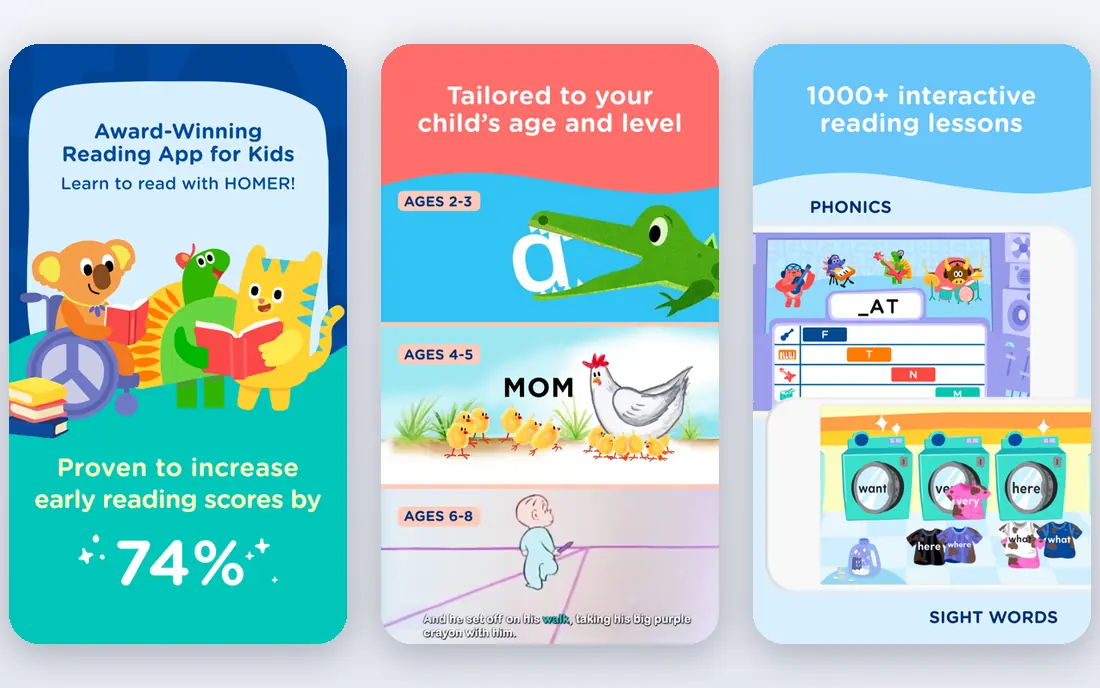
Homer is the app many former Centriq users moved to after Centriq closed. It focuses on appliances and home systems, keeping manuals, model details and maintenance records together so you are not hunting through paper files when something breaks. Recall alerts and maintenance reminders are the core value here.
The limit is scope. Homer does not cover roof work, gutter cleaning or other property-level jobs in the way HomeZada does, so many homeowners will pair it with a broader scheduler. Used for what it does best, appliance tracking, it is a calm and practical replacement.
- Appliance manuals and records in one place
- Recall and maintenance alerts
- Migration path for ex-Centriq users
- Narrower than HomeZada
- Property-level tasks need another tool
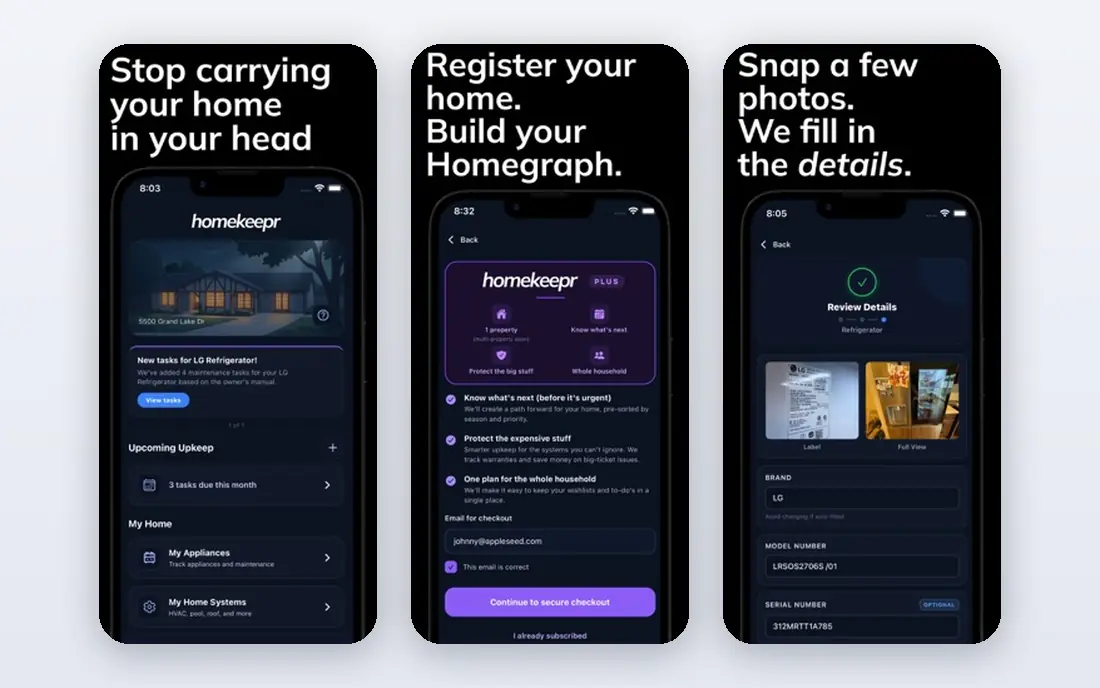
HomeKeepr sits between a simple reminder app and a full home platform. It stores home records and documents, tracks maintenance tasks, and sends reminders, which suits homeowners who want their paperwork organised alongside their schedule. Real estate agents also use it to stay in touch with past clients, which explains its design.
The trade-off is depth. HomeKeepr does not match HomeZada on project budgets or inventory detail, and pricing varies, so check the current plan in the app or on the site. For homeowners who mainly want records and reminders without a steep learning curve, it is a good middle ground.
- Home records, documents and reminders in one place
- Useful for owners and agents
- Simple dashboard
- Less depth on budgets and projects than HomeZada
- Pricing varies by plan
Thumbtack is not a maintenance scheduler, but it solves the other half of the problem: finding someone to do the job. You describe the work, get quotes from local pros, compare reviews, and book through the app. It covers plumbers, electricians, cleaners, painters and many other trades.
The honest catch is that Thumbtack will not remind you that the gutters are due. Pair it with a scheduling app such as HomeZada or Tody, and use Thumbtack when a job needs a pro. Used that way, it saves the time spent calling around for quotes.
- Easy quotes from local pros
- Reviews and price estimates
- Covers most home services
- Not a maintenance tracker
- Quality varies by pro and area
Angi, formerly Angie's List, is another strong route to a local pro. It offers a large network, project guides that explain what a job should cost, and reviews to help you compare. The app also lets you book and manage projects, which suits homeowners planning a bigger job such as a bathroom update.
Like Thumbtack, Angi is a booking service rather than a maintenance calendar. It will not track your HVAC filter schedule on its own. Use it for hiring, and keep your schedule in a dedicated app, and you will cover both sides of home maintenance.
- Large pro network
- Project guides and cost estimates
- Reviews and booking in one place
- Not a maintenance tracker
- Pro availability varies by area
TaskRabbit is the best fit for small, everyday home jobs. Need furniture assembled, a shelf mounted, boxes moved or a minor repair done, TaskRabbit lets you book a vetted helper by the hour. The app shows profiles, reviews and rates, so you can compare before you book.
The limit is scope. TaskRabbit is not the place for licensed electrical or plumbing work, and availability varies by city. For the long tail of small jobs that pile up around a house, it is faster and simpler than calling a full trade firm.
- Fast booking for small jobs
- Clear hourly pricing
- Good for mounting, moving and minor repairs
- Not for licensed trade work
- Availability varies by city
Cozi is a family organiser that works surprisingly well for home maintenance. Its shared calendar, to-do lists and shopping lists let a household assign chores, track recurring jobs and keep everyone on the same page. If the problem is that nobody remembers whose turn it is to change the filter, Cozi fixes that.
The catch is that Cozi knows nothing about your boiler, roof or appliances. It tracks tasks, not systems, so it pairs well with Homer for appliance records. For a family that needs shared lists more than a property database, Cozi is free, simple and easy to adopt.
- Shared family calendar
- Shopping and to-do lists
- Simple and familiar for families
- Not built for home systems or inventory
- Gold plan needed for extra features
Tody takes a smart approach to cleaning and routine chores. Instead of fixed dates, it schedules tasks based on how dirty a room or item is likely to be, and it shows progress visually so the whole household can see what is due. That makes it a good fit for the weekly and monthly jobs that keep a home in shape.
The limit is focus. Tody will not track your HVAC service, roof inspections or appliance manuals, so it is a complement to HomeZada or Homer rather than a replacement. For cleaning and chores, it is the most motivating app on this list.
- Smart cleaning schedules based on need
- Household member tracking
- Simple visual progress
- Focused on cleaning, not repairs or systems
- Some features need a paid plan
How we picked these
We compared official feature pages, pricing pages, app store listings and public reviews, and we kept only apps and services that are live in the US in October 2026. We excluded Centriq because it shut down in January 2026, and we favoured apps with clear free tiers and honest limits. We did not claim hands-on testing that did not happen, and prices reflect the vendor pages we checked, so confirm the current price before you buy.
How to set up a system that lasts
Start with the jobs that cost money when missed, such as HVAC servicing, gutter cleaning, smoke alarm batteries and water heater checks. Put those in a scheduling app first, and only then add inventory, budgets and projects. A system with ten tracked jobs that you actually follow beats a system with a hundred jobs you ignore.
Pair a tracker with a booking app
No single app does everything well. A good setup is a scheduler such as HomeZada or Tody for reminders, Homer for appliance records, and Thumbtack or Angi when a job needs a pro. Keep the setup simple, review it each season, and drop any app you have not opened in a month.