6 Top Internet Speed Test Tools Compared (2026)
By ToolNimba Editorial Team November 18, 2026 6 min read
We did not test these tools hands-on. Picks are based on vendor documentation and public information. Read our editorial policy and disclosure.
- Top pick
 Opensignal
Mobile testing
Starting priceFreeCheck out OpensignalRead our review - Runner-up
 Waveform
Bufferbloat grading
Starting priceFreeCheck out WaveformRead our review - Also great
 Speedtest by Ookla
Overall standard
Starting priceFreeCheck out Speedtest by OoklaRead our review
How we researched this
We compared official pricing and feature pages, app store listings, privacy policies and public user reviews. Prices change, so check the provider's site before you pay.
Key takeaways
- Opensignal sits first on this list: Mobile testing.
- 6 of the 6 tools have a free plan, including Opensignal, Waveform, Speedtest by Ookla and TestMy.net.
- Measurement Lab suits open source testing.
- Opensignal comes with a trade-off: Mobile-focused, so desktop testing is thinner.
Direct answer
Our first pick is Opensignal, best for Mobile testing. Look at Waveform for Bufferbloat grading, and at Speedtest by Ookla for overall standard. Details, prices and limits for the rest of the 6 tools are below.
Quick comparison
| Name | Best for | Starting price | Free plan | |
|---|---|---|---|---|
| Opensignal | Mobile testing | Free | Yes | Visit |
| Waveform | Bufferbloat grading | Free | Yes | Visit |
| Speedtest by Ookla | Overall standard | Free | Yes | Visit |
 TestMy.net | Accuracy | Free | Yes | Visit |
 Fast.com | Easiest streaming test | Free | Yes | Visit |
 Measurement Lab | Open source testing | Free | Yes | Visit |
6 internet speed test tools in detail
Choosing internet speed test tools usually comes down to price, fit and limits. This ToolNimba guide sets 6 tools side by side on those three points, with the facts kept short and checkable.
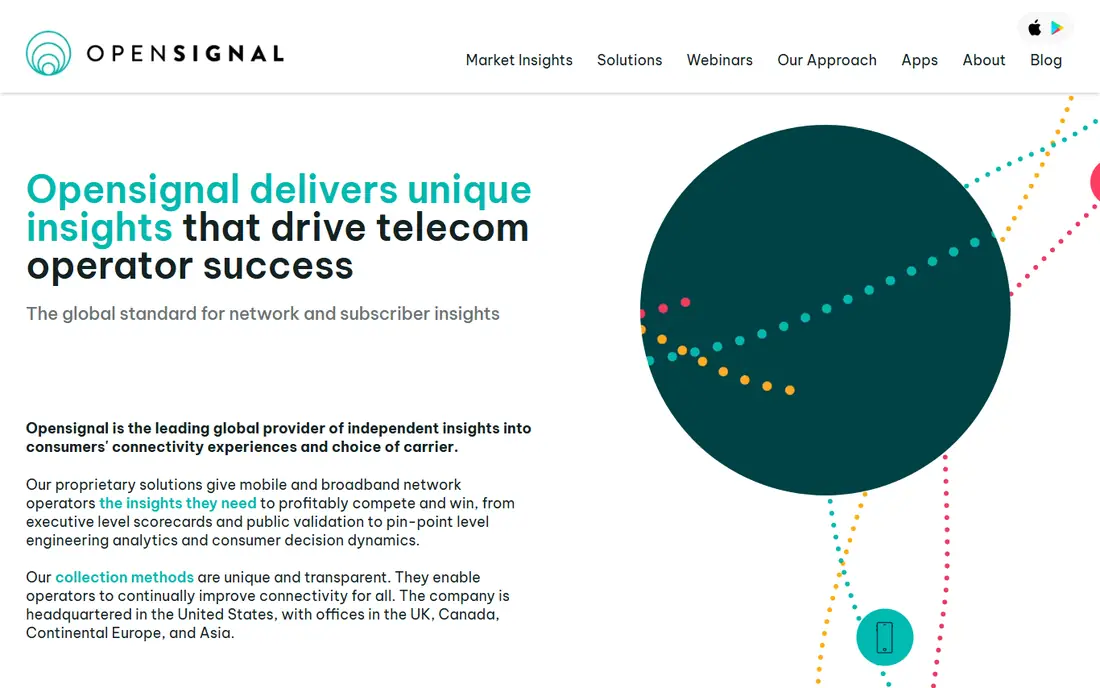
For Mobile testing, Opensignal is a natural candidate. Opensignal is the best mobile speed test pick in guides, free with no ads in United States store listings.
It pairs speed results with carrier coverage data, which helps users judge whether a slow result is a carrier problem or a location problem. The starting price for Opensignal: Free. Free access exists with Opensignal.
What to check first: Mobile-focused, so desktop testing is thinner.
- Free with no ads in United States store listings
- Coverage and speed data for carriers
- Fewer diagnostics than Ookla
Waveform is built with Bufferbloat grading in mind. It reports a letter grade from A-plus to F, measures latency under load in separate download and upload phases, and supplies a shareable results page.
Price to start with Waveform: Free. You can start on Waveform without paying.
Limits to weigh: No jitter reporting in guides.
- Latency under load measured in download and upload phases
- Shareable results page
- Fewer metrics than Ookla
Choose Speedtest by Ookla for overall standard. An in-app purchase called Permanent Ad Removal is listed at $0.99 in United States store listings.
Drawbacks to consider: Account needed for full history.
For everyday use, for ISP dispute documentation and wide server choice, Speedtest remains the standard. Worth adding: the free level runs ads with VPN upsells, and its data collection is broader than most competitors, which pulled down its privacy scores in one guide. Speedtest by Ookla cost at the entry level: Free. Speedtest by Ookla offers a free plan.
- Manual and automatic server selection
- Saved history for tracking performance over time
- Broader data collection than most rivals
TestMy.net targets accuracy. For users who suspect their ISP flatters speed-test results, TestMy.net is the most trustworthy cross-check.
Its manual test choices let advanced users control test size and server choice, which produces more honest sustained-rate figures than burst-friendly tests. Price to start with TestMy.net: Free. TestMy.net includes a free tier.
What to check first: Interface is plainer than Ookla or Fast.com.
- Tests against real servers without ISP quick lanes
- Accuracy pick in guides
- Fewer mobile app features
Fast.com works best for easiest streaming test. Its answer is elegant, since it tests against Netflix own CDN.
Points against: No history without additional steps.
So the number approximates your actual streaming experience instead of a best-case server nearby. It supplies fewer diagnostics than Ookla or Cloudflare, with no built-in history, and a single-CDN test cannot present whether a network treats speed-test traffic more gently than real traffic. Entry price for Fast.com: Free. Fast.com includes a free tier.
- Simplest interface of any test here
- Free with no ads
- Fewer diagnostics than Ookla or Cloudflare
For open source testing, Measurement Lab is a natural candidate. Its hosted tests need no account and no tracking. Its data is published openly for researchers and regulators, which makes it the most transparent testing choice here.
Where Measurement Lab stands out: Open source with no tracking in its hosted tests.
In practice, the server network is smaller than Ookla. The interface is research-oriented instead of consumer-polished, with fewer features for example history or mobile apps. Measurement Lab starts at: Free. Free access exists with Measurement Lab.
Points against: Smaller server network than Ookla; Interface is research-oriented.
- No account required
- Research-grade data published openly
- Fewer consumer features like history or apps
How the list was put together
Pricing pages, product documentation and feature lists were the main sources, and every entry carries at least one honest drawback. Prices and plan limits come from vendor pages and can change, so confirm them on the vendor site before you buy. Order on the page follows fit for the typical buyer first, then price transparency and free access. Your own requirements should decide the final pick.
What to check before you buy
- Confirm the entry price on the vendor page for Opensignal and the others: seat counts and billing terms change the total.
- Read the fine print on the free plans from Opensignal, Waveform, Speedtest by Ookla and others; seat, project and feature caps differ.
- Before choosing Opensignal, weigh its main limit: Mobile-focused, so desktop testing is thinner.
- Work out what Opensignal costs with your real seat count, add-ons and usage, not just the entry price.
- Test how quickly Waveform answers a pre-sales question; it hints at how support will feel later.
Sources
Frequently asked questions
Do these tools publish their prices?
Yes. Every tool from Opensignal to Measurement Lab shows a starting price, though seats, add-ons and billing terms still change the final cost.
What is the best internet speed test tool overall?
The first pick on this list is Opensignal, because it suits Mobile testing. Waveform is better for Bufferbloat grading, and Speedtest by Ookla for overall standard. Check price and limits against your own needs before choosing.
What speed do I need for working from home?
Guides suggest 25 Mbps for working from home or online learning, 3 to 40 Mbps for streaming based on quality, and 1 Mbps for browsing and email.
How are the tools for internet speed test tools ordered?
Opensignal sits first and Measurement Lab last because the order follows typical fit for internet speed test tools, then price clarity and free access. It is a judgement call, so read each profile for fit and limits.
Is Opensignal the right pick for everyone comparing internet speed test tools?
No single tool suits every team. Opensignal comes first because it fits Mobile testing, while Waveform suits Bufferbloat grading and Speedtest by Ookla suits overall standard. Match the tool to your own size, budget and workflow before deciding.
Why do speed tests show different results?
Different servers, test methods, and network conditions produce different numbers. Tests that pick the nearest server flatter results, tests against a real service like Netflix present streaming reality, and congestion varies by time of day. Run multiple tests and compare the pattern, not one number.