Best IT Asset Management Software in 2026: 9 Tools Compared
By ToolNimba Editorial Team October 31, 2026 10 min read

- Top pick
 ServiceNow IT Asset Management
Enterprise lifecycle governance
Starting priceSee websiteCheck out ServiceNow IT Asset ManagementRead our review - Runner-up
 Lansweeper
Automatic network discovery
Starting priceFreeCheck out LansweeperRead our review - Also great
 Freshservice
Service desk plus asset management
Starting price$19 per agent per monthCheck out FreshserviceRead our review
How we researched this
We compared official pricing and feature pages, app store listings, privacy policies and public user reviews. Prices change, so check the provider's site before you pay.
Key takeaways
- Lansweeper and Freshservice are strong starting points for discovery and service desk use, while ServiceNow and Flexera suit enterprise licence governance.
- Snipe-IT is the best free self-hosted option for teams that want asset tracking without a licence fee.
- Pricing models differ sharply: per agent, per asset, per node and quote-based, so price your real asset count and technician count.
- Free tiers help small estates, but check asset limits, because a free tier that covers 100 assets will not cover 2,000.
- Good ITAM needs discovery, licence tracking, contracts and lifecycle data together, not just a list of devices.
Quick comparison
| Name | Best for | Starting price | Free plan | |
|---|---|---|---|---|
| ServiceNow IT Asset Management | Enterprise lifecycle governance | See website | No | Visit |
| Lansweeper | Automatic network discovery | Free | Yes | Visit |
| Freshservice | Service desk plus asset management | $19 per agent per month | Yes | Visit |
 ManageEngine AssetExplorer | Full ITAM with a free edition | See website | Yes | Visit |
 Snipe-IT | Free self-hosted asset tracking | Free | Yes | Visit |
 Asset Panda | Mobile barcode and QR tracking | See website | Free trial | Visit |
 Flexera One | Software licence optimisation | See website | No | Visit |
 Ivanti Neurons for ITAM | Endpoint and licence management | See website | No | Visit |
 SolarWinds Service Desk | SMB service desk with assets | $39 per technician per month | Free trial | Visit |
The best IT asset management software
IT asset management, or ITAM, tracks hardware, software, licences, contracts and cloud assets through their lifecycle, from purchase to disposal. The right tool depends on estate size, licence complexity and whether you also need a service desk. We compared official pricing pages, discovery methods, licence features and free tiers.
ServiceNow IT Asset Management
Best for: Enterprise lifecycle governance
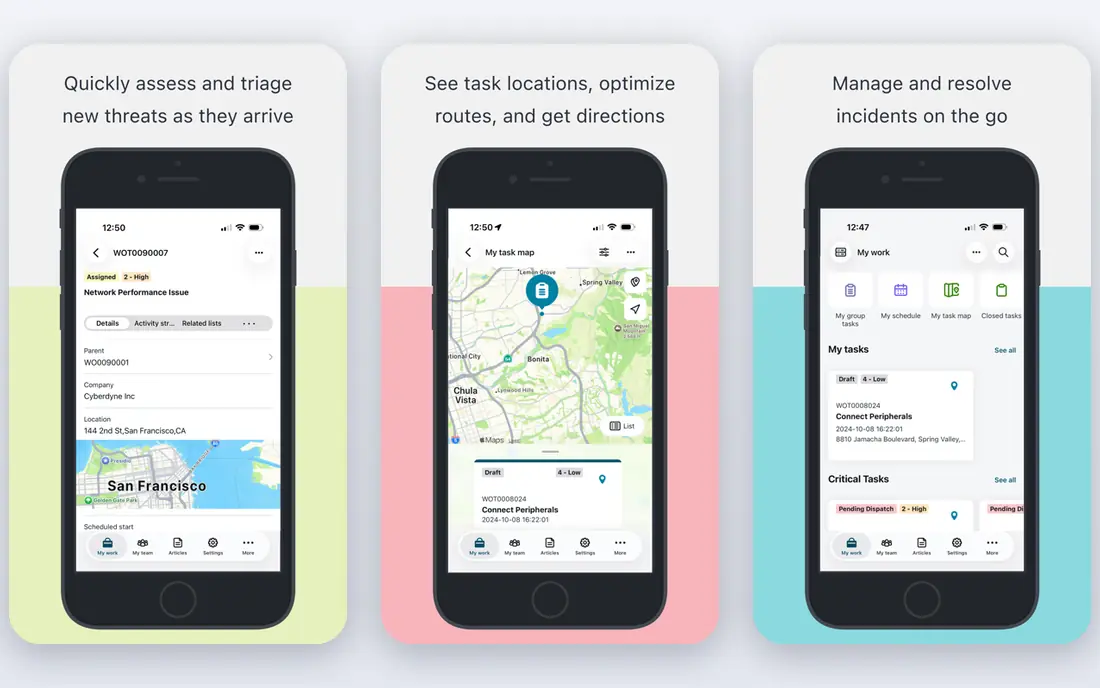
ServiceNow ITAM is built for large organisations that need governance, not just a device list. It tracks hardware, software and cloud assets, links them to a configuration management database, manages contracts and licences, and automates lifecycle workflows such as procurement, deployment, refresh and disposal. That depth helps enterprises control licence costs and audit risk.
The cost is scope and setup. Pricing is by quote, modules are priced separately in many cases, and implementation often takes months with trained administrators. ServiceNow suits enterprises that already use ServiceNow for service management. Smaller teams should start with Lansweeper, Freshservice or Snipe-IT instead.
- Hardware, software and cloud asset lifecycles in one platform
- CMDB integration
- Strong workflow automation
- Quote-based pricing
- Implementation can take months and needs trained administrators
Lansweeper's strength is discovery. It scans the network, finds devices, software and users, and builds an inventory without manual entry for every machine. That visibility helps IT teams find unauthorised devices, outdated software and shadow IT, and it gives a reliable base for licence and lifecycle work. The free tier covers up to 100 assets, which suits small estates and trials.
Paid pricing is asset-based, so a growing estate can become costly, and Lansweeper is lighter on purchase, depreciation and contract finance than a full ITAM platform. It is our pick for teams whose first problem is not knowing what they own, and it pairs well with a service desk or finance tool for lifecycle costs.
- Automatic discovery of devices on the network
- Free tier for up to 100 assets
- Risk and shadow IT visibility
- Paid plans rise with asset count
- Financial lifecycle features are lighter than full ITAM suites
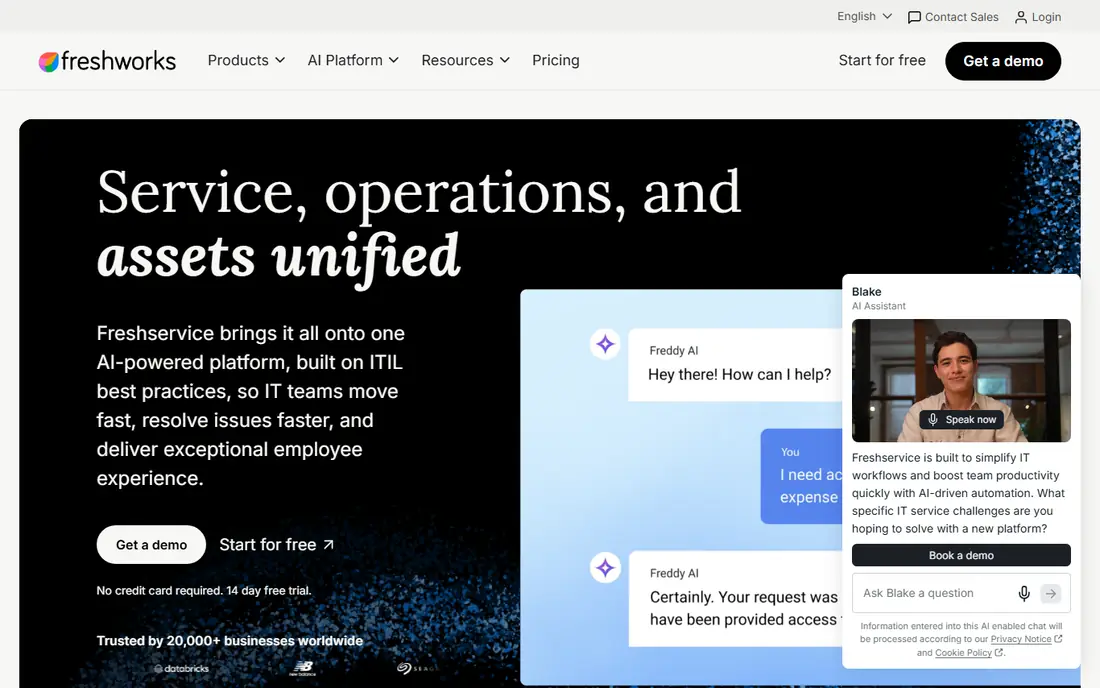
Freshservice, from Freshworks, combines IT service management with asset management, so tickets, incidents and assets live in the same system. Agents can see asset history when a user reports a problem, link incidents to devices and update the CMDB from discovery data. The free plan for up to three agents lets a tiny IT team test the service desk before paying.
Asset depth varies by plan. Starter covers basic asset tracking, while fuller ITAM features, including asset units and deeper lifecycle controls, sit on higher plans or add-ons. Freshservice suits small and mid-size IT teams that want one tool for support and assets, rather than two separate systems.
- Ticketing and asset management in one system
- Free plan for up to three agents
- Automated CMDB updates
- Deeper ITAM features need higher plans
- Per-agent pricing adds up for large support teams
ManageEngine AssetExplorer
Best for: Full ITAM with a free edition
ManageEngine AssetExplorer is a full ITAM platform with a genuinely free edition for small estates, covering a limited number of nodes on cloud or on-premises deployments. Paid editions add more nodes, software metering, licence compliance and purchase and contract management. It suits IT teams that want a complete ITAM tool without starting on an enterprise quote.
The learning curve is real, and paid pricing depends on node count, so larger estates need a quote. AssetExplorer is a good middle ground between a simple tracker and ServiceNow: more depth than Snipe-IT for licence and contract work, but more accessible than an enterprise platform for mid-size teams.
- Free edition for small estates
- Network scanning and agent-based discovery
- Software licence and contract tracking
- Paid pricing is quoted by node count
- Interface feels dense to new users
Snipe-IT is the best free option for teams that mainly need to track who has what. It handles assets, licences, accessories, consumables and components, with check-in and check-out, audits, custom fields and barcode support. The self-hosted open-source edition is free, and hosted plans start from $39.99 per month for teams that do not want to run a server.
Discovery is the limit. Snipe-IT does not automatically scan a network in the same way as Lansweeper, so teams must import or enter assets and keep them updated. It also lacks a full service desk. For a small IT team that wants a clean, low-cost asset register, Snipe-IT is hard to beat.
- Free open-source self-hosted edition
- Asset check-in and check-out
- Barcode and QR support
- Hosted plans available
- You handle hosting, updates and backups
- Discovery is weaker than Lansweeper
- No built-in service desk
Asset Panda suits teams tracking physical assets across locations: laptops, tools, furniture, medical equipment and other items that move between people and sites. Its mobile app scans barcodes and QR codes, records photos and signatures, and supports custom fields, audits and check-in workflows. That mobile focus makes audits faster than spreadsheet-based tracking.
Pricing is by quote, and Asset Panda is less deep on software licence optimisation than Flexera or ServiceNow. It is best for operations and IT teams whose main problem is physical custody and location, rather than software licence compliance alone.
- Mobile app with barcode and QR scanning
- Configurable fields and checklists
- Check-in and check-out workflows
- Quote-based pricing
- More focused on physical assets than software licence optimisation
Flexera One is a leading software asset management platform. It helps large organisations discover installed software, match it to licence entitlements, find unused licences, plan renewals and reduce audit risk. That optimisation can save significant money for companies with many vendors, complex licence terms and cloud subscriptions.
Flexera is an enterprise product with quote-based pricing and a serious implementation effort. Small teams will not need its depth, and its cost only makes sense when licence spend is large enough to justify optimisation. For enterprises with licence risk, it is one of the strongest ITAM choices on this list.
- Strong software asset management
- Licence optimisation and renewal insight
- Cloud and on-premises visibility
- Quote-based enterprise pricing
- Implementation needs data and licence expertise
Ivanti Neurons for ITAM combines endpoint visibility with software and hardware asset management, drawing on Ivanti's endpoint management heritage. It helps teams discover devices, track software usage, manage licences and automate lifecycle tasks such as patching and refresh planning. That endpoint depth suits organisations with many managed desktops and laptops.
Pricing is by quote, and Ivanti's broad product range can make scoping harder for new buyers. Ivanti suits mid-market and enterprise teams that already use Ivanti for endpoint management, or that want endpoint and ITAM data in one system rather than in separate tools.
- Endpoint discovery and management
- Software licence tracking
- Automation for patching and lifecycle tasks
- Quote-based pricing
- Product breadth can make setup complex
SolarWinds Service Desk gives small and mid-size IT teams a service desk with asset management built in. Technicians can link tickets to assets, track hardware and software, manage changes and use a knowledge base, all from one system. Per-technician pricing from $39 per month makes costs predictable for small support teams.
Licence optimisation depth is lighter than Flexera or ServiceNow, and some asset pricing is by quote. SolarWinds Service Desk suits SMBs that want a capable service desk first, with solid asset tracking alongside it, rather than a dedicated enterprise ITAM platform.
- Service desk and asset tracking together
- Per-technician pricing
- Change and incident workflows
- Deeper asset pricing is by quote
- Less licence depth than Flexera or ServiceNow
How we picked these
We compared official pricing pages, discovery methods, licence and contract features, free tiers and service desk integration. We kept a mix of free, per-agent, per-asset and quote-based tools, because ITAM pricing models differ more than most software categories. Where a vendor does not publish a price, we say so rather than repeating an unverified third-party figure as fact.
How to choose ITAM software
Start with discovery, then licences
If you do not know what you own, start with a discovery tool such as Lansweeper. Once the inventory is reliable, add licence, contract and lifecycle tracking. Buying a licence optimisation platform before you have a clean inventory will waste time, because the data underneath it will be wrong.
Price your real estate, not the headline tier
Count devices, users, technicians and software titles, then price each tool on those numbers. A per-agent tool can be cheap for a small support team but costly for a large one, while a per-asset tool can be cheap for a small estate but costly at scale. Check free tier asset limits and whether discovery agents count toward the total.
Test audits and lifecycle workflows
Run a real audit: check out a laptop, move it between users, retire an old device and renew a licence. Watch whether the tool records custody, history and costs cleanly, and whether reports are useful for finance and audit. A tool that only lists devices will not help when an auditor asks who had an asset, when and under which contract.