Best ITSM Software Comparison Guide in 2026: 8 Platforms Compared
By ToolNimba Editorial Team October 31, 2026 10 min read

- Top pick
 ServiceNow
Large enterprises with complex workflows
Starting priceSee websiteCheck out ServiceNowRead our review - Runner-up
 Jira Service Management
Atlassian and dev-aligned IT teams
Starting priceFreeCheck out Jira Service ManagementRead our review - Also great
 Freshservice
Mid-market teams that want fast setup
Starting price$19 per agent per monthCheck out FreshserviceRead our review
How we researched this
We compared official pricing and feature pages, app store listings, privacy policies and public user reviews. Prices change, so check the provider's site before you pay.
Key takeaways
- ServiceNow suits large enterprises with complex workflows, while Jira Service Management and Freshservice fit smaller teams at a lower starting price.
- Freshservice starts at $19 per agent per month and Jira Service Management is free for up to 3 agents, so small teams can start without a large contract.
- ITIL coverage matters most when you need incident, problem, change, and asset management in one place, and all eight tools here cover that core set to some degree.
- Quote-only pricing is a warning sign for small teams, since it usually means multi-year contracts and implementation help.
- The best service management software for your team is the one your agents will actually use daily, not the one with the longest feature list.
Quick comparison
| Name | Best for | Starting price | Free plan | |
|---|---|---|---|---|
| ServiceNow | Large enterprises with complex workflows | See website | No | Visit |
| Jira Service Management | Atlassian and dev-aligned IT teams | Free | Yes | Visit |
| Freshservice | Mid-market teams that want fast setup | $19 per agent per month | Free trial | Visit |
 ManageEngine ServiceDesk Plus | Budget-conscious IT teams | See website | Yes | Visit |
 BMC Helix ITSM | Regulated large enterprises | See website | No | Visit |
 SolarWinds Service Desk | Asset-focused mid-market teams | $39 per technician per month | Free trial | Visit |
 SysAid | AI-led mid-market teams | $89 per agent per month | Free trial | Visit |
 Zendesk | Customer-facing IT support teams | $19 per agent per month | Free trial | Visit |
The best ITSM software
We compared official pricing pages, feature pages, and public reviews for each platform below. The list mixes enterprise platforms with mid-market tools, so you can match the choice to your team size and budget.
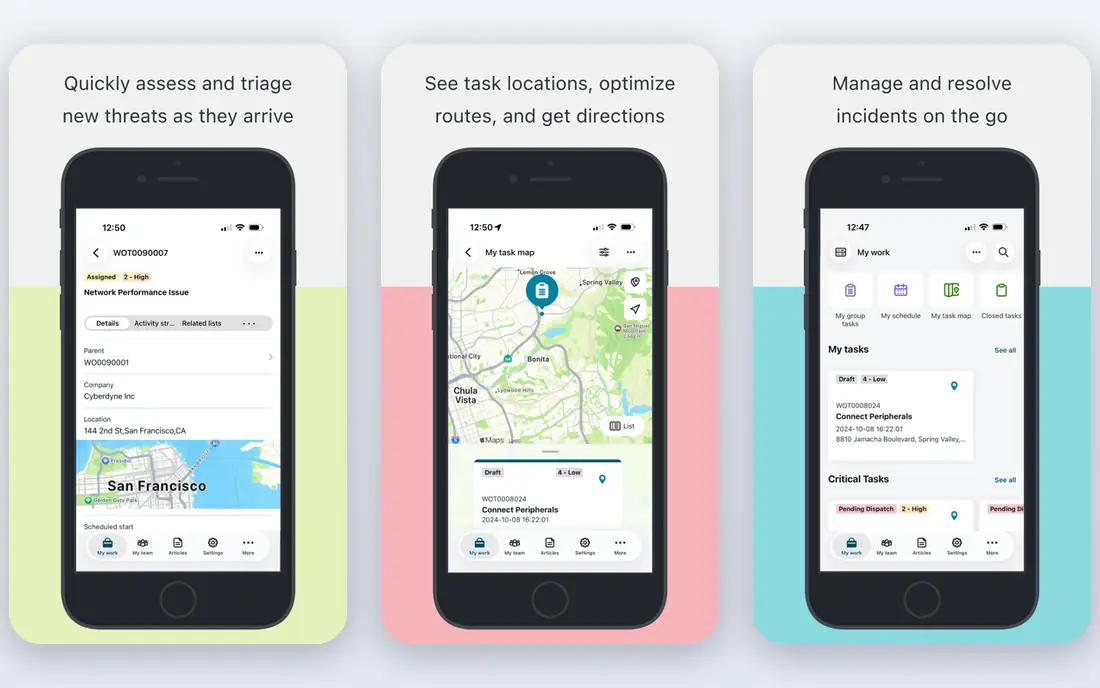
ServiceNow is our pick for large organizations where service management spans many departments, regions, and compliance rules. Its Now Platform lets teams model almost any IT or business process, and its module catalog is far larger than any mid-market rival. If your organization already runs several ServiceNow products, adding ITSM keeps data and workflows in one place.
The honest catch is cost and effort. Pricing is quote-only, contracts are typically multi-year, and most deployments involve a partner. For a team of 3 to 15 technicians, that is almost always more than you need. Buy ServiceNow when your complexity genuinely exceeds what smaller tools handle, not because the brand is familiar.
- Covers incident, problem, change, asset, and configuration management on one data model
- Extends into HR, security, and custom apps
- Deep enterprise references
- Quote-only pricing
- Usually needs dedicated admins and an implementation partner
Jira Service Management
Best for: Atlassian and dev-aligned IT teams

Jira Service Management is the natural choice if your developers already live in Jira. Tickets, incidents, changes, and service requests sit next to development work, so handoffs between IT and engineering need fewer tools and fewer status meetings. Its portal, knowledge base links, and automation rules cover the daily work of most IT teams without extra products.
The free tier for up to 3 agents makes it easy to pilot with a small team before paying. The catch is that costs grow as you add agents, and a heavily customized setup can become hard to maintain. Keep the configuration close to the defaults at first, and add complexity only when a real request pattern demands it.
- Free for up to 3 agents
- Native links to Jira Software and Confluence
- ITIL 4 verified practices
- Paid plans rise with agent count
- Setup takes care if you customize heavily
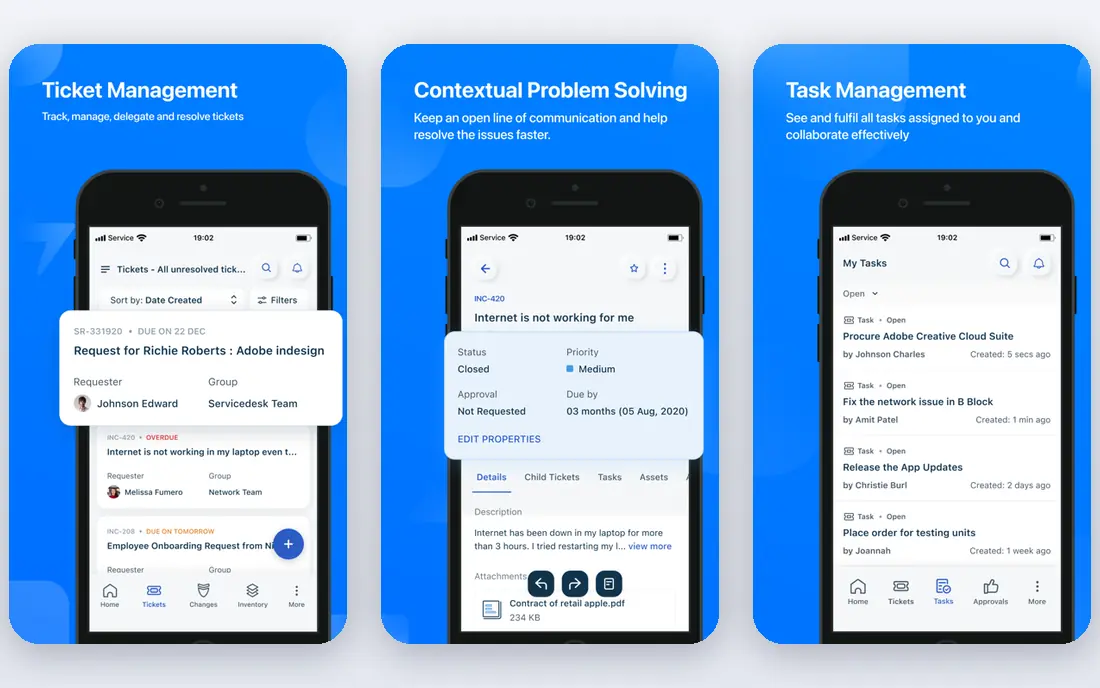
Freshservice is our pick for most standalone IT teams that want a modern tool without a long project. Basic ticketing can be running within a day, and built-in asset management means you do not need a separate product to track laptops, licenses, and contracts. Its service catalog and self-service portal help employees solve common requests on their own.
The catch is automation pricing. Heavy automation users should check how orchestration transactions are counted before committing, since overages can add up. AI help is also tiered, so read the plan details if Freddy AI is a main reason for buying. For most mid-market teams, the Starter plan still covers the core work well.
- Built-in asset management
- Freddy AI for triage and suggestions
- Quick setup for basic ticketing
- Some automation is metered through orchestration transactions
- AI features sit on higher tiers or add-ons
ManageEngine ServiceDesk Plus
Best for: Budget-conscious IT teams
ManageEngine ServiceDesk Plus is a strong choice when budget matters and you want a choice of cloud or on-premises deployment. The free edition for up to 5 technicians lets a small team run real incident, problem, and change processes without paying at all. Its asset management and CMDB features are solid for the price, and it suits organizations that prefer to host data themselves.
The trade-off is polish. The interface is more functional than pretty, and comparing editions takes care because features and prices differ between cloud and on-premises versions. If your team values low cost and deployment control over a slick design, this is hard to beat.
- Cloud and on-premises options
- Free edition for up to 5 technicians
- Broad ITIL coverage
- Interface feels dated next to newer rivals
- Pricing varies by edition and deployment
BMC Helix ITSM is built for large enterprises that need strict process control and heavy automation. Its cognitive automation and AIOps features aim to predict incident impact and route work without manual triage, which matters when ticket volume is high. Regulated industries also value its mature change and configuration management.
The catch is the same as with ServiceNow: quote-only pricing and a serious implementation effort. Small and mid-market teams will find the sales process slow and the total cost high. Choose BMC Helix when you need enterprise scale and automation depth, and you have the staff to run it.
- Full ITIL coverage with strong automation
- AIOps and predictive features
- Cloud and on-premises options
- Quote-only pricing
- Implementation can be lengthy for complex estates
SolarWinds Service Desk suits mid-market teams that want asset management and a service catalog without enterprise complexity. Requesters are unlimited, so the whole company can raise tickets while you pay only per technician. That pricing model is fair for organizations with many employees and a small IT team.
The starting price of $39 per technician per month is higher than Freshservice or Jira Service Management, so compare the total bill for your technician count, not just the headline rate. AI features also require higher tiers. If asset tracking and a clean catalog matter most, the price is justified by what is included.
- Unlimited requesters on paid plans
- Strong asset and service catalog features
- Fast implementation
- Higher starting price than some rivals
- AI features sit on higher tiers
SysAid pitches itself as an AI-first service desk for mid-market teams, with a copilot and prebuilt agents that draft replies, suggest fixes, and automate routine tickets. Built-in remote control is a practical plus, since agents can help users without switching to another tool. Deployment is simpler than a full enterprise platform, which suits teams without a dedicated ITSM administrator.
The price is the catch. At $89 per agent per month as a starting point in recent comparisons, SysAid costs more than Freshservice or Jira Service Management. Check what is included in the quoted plan before comparing, since AI features and agent counts change the total. It fits teams that will actually use the AI daily.
- Built-in AI copilot and prebuilt agents
- Remote control included
- Simpler deployment than enterprise platforms
- Higher starting price
- Quote details vary by plan and agent count
Zendesk is best known for customer support, but it also works for internal IT teams that already use it or need one tool for both audiences. Its ticketing, knowledge base, and automation are mature, and its integration catalog covers chat, phone, and common business apps. Teams that handle employee requests alongside customer queries get one queue and one set of reports.
The honest limit is ITSM depth. Problem, change, and asset management are not as deep as in ServiceNow, BMC Helix, or ManageEngine, so strict ITIL shops may find gaps. Add-ons for AI and advanced features also push the price up. Pick Zendesk when support experience and breadth matter more than strict ITIL process depth.
- Mature ticketing and self-service tools
- Wide integration catalog
- AI add-ons available
- ITSM depth is lighter than dedicated ITSM platforms
- Costs rise with add-ons
How we picked these
We compared official feature pages, pricing pages, and app listings, plus public reviews, for each platform. We favored tools with real incident, problem, change, and asset coverage, published or quotable pricing, and a current cloud or on-premises product. We left out tools that only do basic ticketing, since this guide is about service management, not a simple help desk.
What to check before you buy ITSM software
Start with team size and ticket volume, then match the billing unit. Some tools charge per agent, some per technician, and some per fulfiller, so a low headline price can still mean a high total bill. Ask for a quote based on your real agent count, and check whether requesters are free or paid.
Next, test the portal as an employee, not just as an agent. If raising a request is confusing, ticket volume will shift to email and chat instead, and the tool will fail no matter how good the agent view is. Run a short pilot with real requests, a real knowledge article, and one automation rule, then judge speed and clarity.
Finally, check integrations and data control. Confirm links to your identity provider, chat tool, asset sources, and monitoring tools, and ask where data is hosted and how exports work. A tool that cannot connect to your stack will create manual work every week.