Best Keyword Difficulty Tool in 2026: 8 Tools Compared
By ToolNimba Editorial Team November 7, 2026 11 min read

- Top pick
 Ahrefs
Difficulty backed by link data
Starting price$129 per monthCheck out AhrefsRead our review - Runner-up
 Semrush
Difficulty inside a full suite
Starting price$139 per monthCheck out SemrushRead our review - Also great
 Moz
Clear scores for beginners
Starting price$99 per monthCheck out MozRead our review
How we researched this
We compared official pricing and feature pages, app store listings, privacy policies and public user reviews. Prices change, so check the provider's site before you pay.
Key takeaways
- Ahrefs and Semrush offer the most trusted difficulty scores for professional teams, backed by large backlink and SERP data.
- Moz and KWFinder suit beginners and smaller sites, with clearer scores and lower prices than premium suites.
- SE Ranking and Serpstat suit agencies that want difficulty plus tracking, audits and reporting in one plan.
- Ubersuggest and Keywords Everywhere suit quick checks and low budgets, but scores need SERP review before you commit to a keyword.
Quick comparison
| Name | Best for | Starting price | Free plan | |
|---|---|---|---|---|
| Ahrefs | Difficulty backed by link data | $129 per month | No | Visit |
| Semrush | Difficulty inside a full suite | $139 per month | Free trial | Visit |
| Moz | Clear scores for beginners | $99 per month | Free trial | Visit |
 KWFinder | Low competition keywords on a budget | See website | Free trial | Visit |
 SE Ranking | Difficulty plus tracking and audits | $129 per month | Free trial | Visit |
 Ubersuggest | Simple cheap difficulty checks | See website | Yes | Visit |
 Serpstat | Value suite with difficulty data | See website | Free trial | Visit |
 Keywords Everywhere | Difficulty data while you browse | See website | Yes | Visit |
The best keyword difficulty tools
We compared official feature pages, pricing pages and public reviews for tools that score how hard it is to rank for a keyword. Every tool below calculates difficulty differently, so a score is an estimate, not a verdict. The list mixes premium suites, budget tools and browser tools, so you can pick by budget, site authority and how much SERP detail you need.

If professional SEOs who judge difficulty from links is the main job, Ahrefs deserves a close look. Its Keywords Explorer pairs a difficulty score with referring domains, traffic and domain ratings for every ranking page. That approach suits teams that repeat the same task each week and want fewer manual steps.
In day to day use, Ahrefs works best for professional SEOs who judge difficulty from links. Link based difficulty scoring is the reason most buyers pick it over a generic editor or a manual process. The value shows up when you repeat the same job often, because saved settings and templates cut repeat work and keep output consistent.
The catch is casual users may find cheaper tools sufficient. That limit does not rule it out, but it does mean you should test it on a real job before you pay. Check the free plan or trial where one is offered, try a sample that matches your real work, and compare it with one rival before you commit.
- Difficulty score from backlink data
- Detailed SERP overview
- Large keyword database
- Premium price
- No free full plan

Semrush stands out for difficulty with research and PPC data. It shows difficulty alongside search volume, intent, trend and competitor data, which helps teams pick keywords for SEO and ads together. It also helps when one person handles design, copy and publishing, because less switching is needed.
In day to day use, Semrush works best for teams that combine SEO and PPC research. Difficulty with research and ppc data is the reason most buyers pick it over a generic editor or a manual process. The value shows up when you repeat the same job often, because saved settings and templates cut repeat work and keep output consistent.
The catch is difficulty only buyers may overpay for the suite. That limit does not rule it out, but it does mean you should test it on a real job before you pay. Check the free plan or trial where one is offered, try a sample that matches your real work, and compare it with one rival before you commit.
- Keyword difficulty plus volume, intent and PPC data
- Strong SERP analysis
- Entry plan limits and price are high for difficulty alone
- Suite can feel heavy
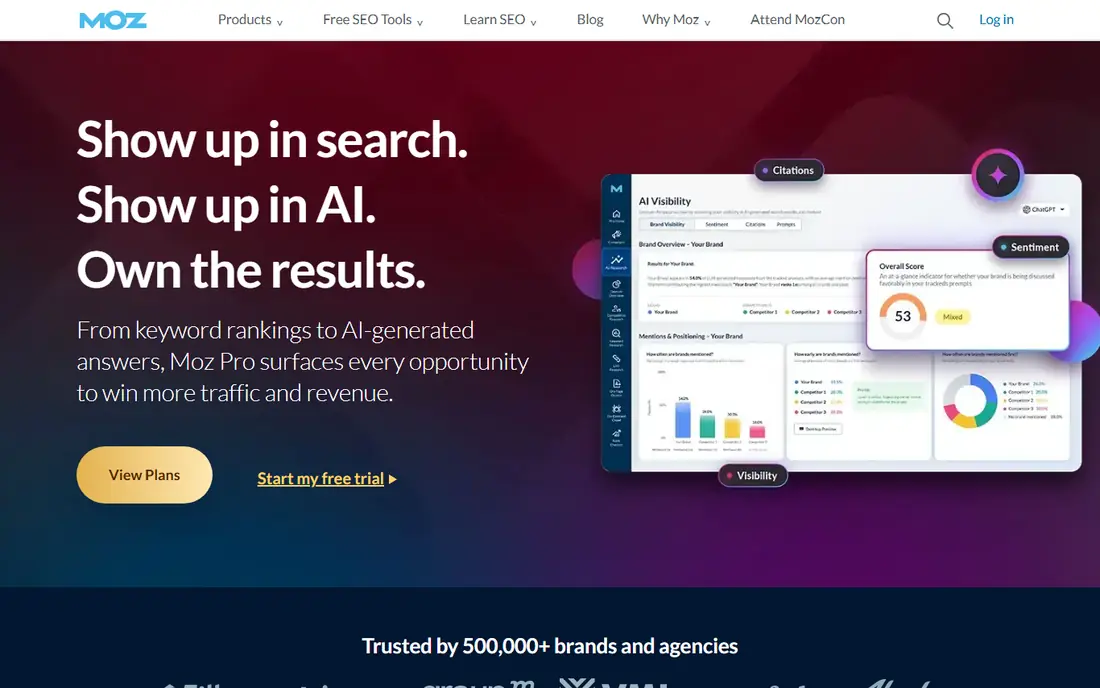
Teams that want beginner friendly difficulty scores without a long setup often land on Moz. Its Keyword Explorer gives a difficulty score plus a Priority score that blends volume, difficulty and opportunity for beginners. The benefit is clearest on a tight deadline, when a usable first draft beats a blank page.
In day to day use, Moz works best for beginners and local businesses. Beginner friendly difficulty scores is the reason most buyers pick it over a generic editor or a manual process. The value shows up when you repeat the same job often, because saved settings and templates cut repeat work and keep output consistent.
The catch is large agencies may need deeper data. That limit does not rule it out, but it does mean you should test it on a real job before you pay. Check the free plan or trial where one is offered, try a sample that matches your real work, and compare it with one rival before you commit.
- Clear difficulty and Priority scores
- Domain authority
- Simple reports
- Database and link depth are below Ahrefs
- Keyword allowances are modest
For solo SEOs and bloggers on a budget, KWFinder offers a practical mix of speed and control. It is part of Mangools, with a simple interface, difficulty scores and SERP checks that help solo SEOs find low competition terms. For small teams, that kind of focus keeps costs down and keeps the work moving.
In day to day use, KWFinder works best for solo SEOs and bloggers on a budget. Budget difficulty research for solo seos is the reason most buyers pick it over a generic editor or a manual process. The value shows up when you repeat the same job often, because saved settings and templates cut repeat work and keep output consistent.
The catch is enterprise teams may need larger databases. That limit does not rule it out, but it does mean you should test it on a real job before you pay. Check the free plan or trial where one is offered, try a sample that matches your real work, and compare it with one rival before you commit.
- Clear difficulty scores
- Simple SERP analysis
- Mangools suite bundle
- Data depth is below premium suites
- Large lists need higher plans
SE Ranking is a good fit when agencies that want research plus tracking matters more than having every extra feature. It pairs keyword difficulty with rank tracking, site audits and client reporting, so research and tracking stay in one plan. It works well as a starting point, and you can refine the result by hand where it matters most.
In day to day use, SE Ranking works best for agencies that want research plus tracking. Difficulty inside an agency suite is the reason most buyers pick it over a generic editor or a manual process. The value shows up when you repeat the same job often, because saved settings and templates cut repeat work and keep output consistent.
The catch is quick check users need only a simpler tool. That limit does not rule it out, but it does mean you should test it on a real job before you pay. Check the free plan or trial where one is offered, try a sample that matches your real work, and compare it with one rival before you commit.
- Difficulty scores with tracking, audits and reporting
- Good agency value
- Price is high for difficulty alone
- Interface has many settings
Start with Ubersuggest if beginners and bloggers on a low budget is your priority and you want a result quickly. It offers keyword ideas, difficulty scores and content suggestions in a plain interface that beginners learn fast. That balance is useful when quality matters but you cannot wait days for each new version.
In day to day use, Ubersuggest works best for beginners and bloggers on a low budget. Simple difficulty checks for beginners is the reason most buyers pick it over a generic editor or a manual process. The value shows up when you repeat the same job often, because saved settings and templates cut repeat work and keep output consistent.
The catch is professional teams may need deeper link data. That limit does not rule it out, but it does mean you should test it on a real job before you pay. Check the free plan or trial where one is offered, try a sample that matches your real work, and compare it with one rival before you commit.
- Simple interface
- Free tier
- Difficulty, volume and content ideas
- Data depth is below Ahrefs and Semrush
- Free tier limits daily searches
What sets Serpstat apart is value difficulty research in a suite, paired with a workflow that stays simple. It offers keyword difficulty, research, audits and competitor analysis at a lower suite price than premium rivals. It keeps the core job in one place, which makes training a new team member simpler.
In day to day use, Serpstat works best for small businesses that want suite value. Value difficulty research in a suite is the reason most buyers pick it over a generic editor or a manual process. The value shows up when you repeat the same job often, because saved settings and templates cut repeat work and keep output consistent.
The catch is teams that need top tier link data should compare Ahrefs. That limit does not rule it out, but it does mean you should test it on a real job before you pay. Check the free plan or trial where one is offered, try a sample that matches your real work, and compare it with one rival before you commit.
- Difficulty scores plus research, audits and competitor data
- Fair suite pricing
- Interface can feel busy
- Link data is below Ahrefs
When budget and speed both matter, Keywords Everywhere is worth testing for writers who check keywords while browsing. It adds difficulty, volume and related keywords directly to search results, which helps writers check terms without opening a separate tool. That simplicity is the point, and it is why many smaller teams prefer it to a larger suite.
In day to day use, Keywords Everywhere works best for writers who check keywords while browsing. Inline difficulty data in the browser is the reason most buyers pick it over a generic editor or a manual process. The value shows up when you repeat the same job often, because saved settings and templates cut repeat work and keep output consistent.
The catch is deep research still needs a full suite. That limit does not rule it out, but it does mean you should test it on a real job before you pay. Check the free plan or trial where one is offered, try a sample that matches your real work, and compare it with one rival before you commit.
- Browser extension shows difficulty, volume and CPC on Google and YouTube
- Low cost credits
- Not a full research suite
- Data depth depends on credits and plan
How we picked these
We compared official feature pages, pricing pages and public reviews for each tool, and we kept only tools that publish a keyword difficulty score in October 2026. We checked how each score is calculated, what SERP data sits behind it, keyword database size, volume data and price. We did not claim hands-on testing that did not happen. Prices below are starting prices from vendor pricing pages or, where a price could not be verified, marked as See website. This guide also covers best keyword difficulty software, which buyers often search for under that name.
How to use a keyword difficulty score well
Treat the score as a filter, not a verdict
A low score does not guarantee a ranking, and a high score does not make a keyword impossible, especially if your page matches intent better than current results. Use difficulty to shortlist ideas, then look at the actual top ten pages: their authority, content depth, freshness and intent match. That SERP review tells you more than any single number.
Compare scores across tools with care
Each tool uses a different scale and data source, so a score of 30 in one tool is not equal to 30 in another. Pick one tool as your main source for consistency, and use a second tool only to spot disagreements worth checking. Also check search volume, intent and click potential, because a low difficulty keyword with no clicks wastes effort.
Match difficulty to your site strength
New sites should target lower difficulty, long tail keywords with clear intent, then build authority before chasing competitive head terms. Established sites can target medium difficulty terms where content quality can win. Track results for each keyword group, and move up in difficulty only when lower groups start ranking and bringing traffic.
Sources
Frequently asked questions
What is the best keyword difficulty tool?
Ahrefs is a strong default for professionals because its difficulty score is backed by backlink data and a detailed SERP overview. Semrush is close for teams that need PPC plus SEO, while KWFinder suits solo SEOs on a budget. Pick one main tool and use it consistently.
What is the best keyword difficulty software for beginners?
Moz Keyword Explorer and KWFinder suit beginners because scores are clear and interfaces are simple. Ubersuggest also suits beginners with a free tier and plain language reports. Start with one of these, learn volume, intent and difficulty, then move to a premium suite only when needed.
How is keyword difficulty calculated?
Most tools estimate difficulty from the backlinks, authority and content strength of pages already ranking for the keyword. Some tools add SERP features, domain strength and content signals. Because methods differ, scores vary across tools, so always check the SERP behind the score.
Is there a free keyword difficulty tool?
Yes, Ahrefs offers a free keyword difficulty checker for limited lookups, Ubersuggest offers a free tier, and Keywords Everywhere offers low cost credits. Free tools suit occasional checks, but regular research, larger lists and full SERP data usually need a paid plan.
What is a good keyword difficulty score to target?
It depends on your site authority and content strength. New sites should start with lower scores and long tail terms, while established sites can target medium scores. There is no universal good number, because scales differ, so compare scores within one tool and against your own past wins.