Best Knowledge Base Software in 2026: 8 Tools Compared
By ToolNimba Editorial Team October 29, 2026 9 min read

- Top pick
 Notion
Internal wikis and projects
Starting price$10 per user per monthCheck out NotionRead our review - Runner-up
 Confluence
Jira-linked company wikis
Starting priceSee websiteCheck out ConfluenceRead our review - Also great
 Zendesk Guide
Support help centers
Starting price$55 per agent per monthCheck out Zendesk GuideRead our review
How we researched this
We compared official pricing and feature pages, app store listings, privacy policies and public user reviews. Prices change, so check the provider's site before you pay.
Key takeaways
- Notion and Confluence suit internal wikis that also support projects, while Document360 and Helpjuice suit public help centers.
- Guru and Slab focus on getting verified answers to people quickly, which helps support and sales teams more than a simple wiki.
- Free plans from Notion, Confluence, and Slab cover small teams well, but customer help centers usually need a paid plan.
- Check who can read, edit, and verify content, because stale knowledge is worse than no knowledge when staff trust it blindly.
- Our pick for most teams is Notion for internal knowledge, with Document360 for customer-facing help centers.
Quick comparison
| Name | Best for | Starting price | Free plan | |
|---|---|---|---|---|
| Notion | Internal wikis and projects | $10 per user per month | Yes | Visit |
| Confluence | Jira-linked company wikis | See website | Yes | Visit |
| Zendesk Guide | Support help centers | $55 per agent per month | Free trial | Visit |
 Document360 | Dedicated help centers | See website | Free trial | Visit |
 Helpjuice | Branded help centers with analytics | $120 per month | Free trial | Visit |
 Guru | Verified answers inside workflows | See website | Free trial | Visit |
 Slab | Clean internal wikis | $6.67 per user per month | Yes | Visit |
 GitBook | Technical and product documentation | See website | Yes | Visit |
The best knowledge base software
Knowledge base software stores answers, guides, and procedures so customers and staff can find them without asking the same question twice. Some tools are built for internal teams, others for public help centers, and a few cover both.
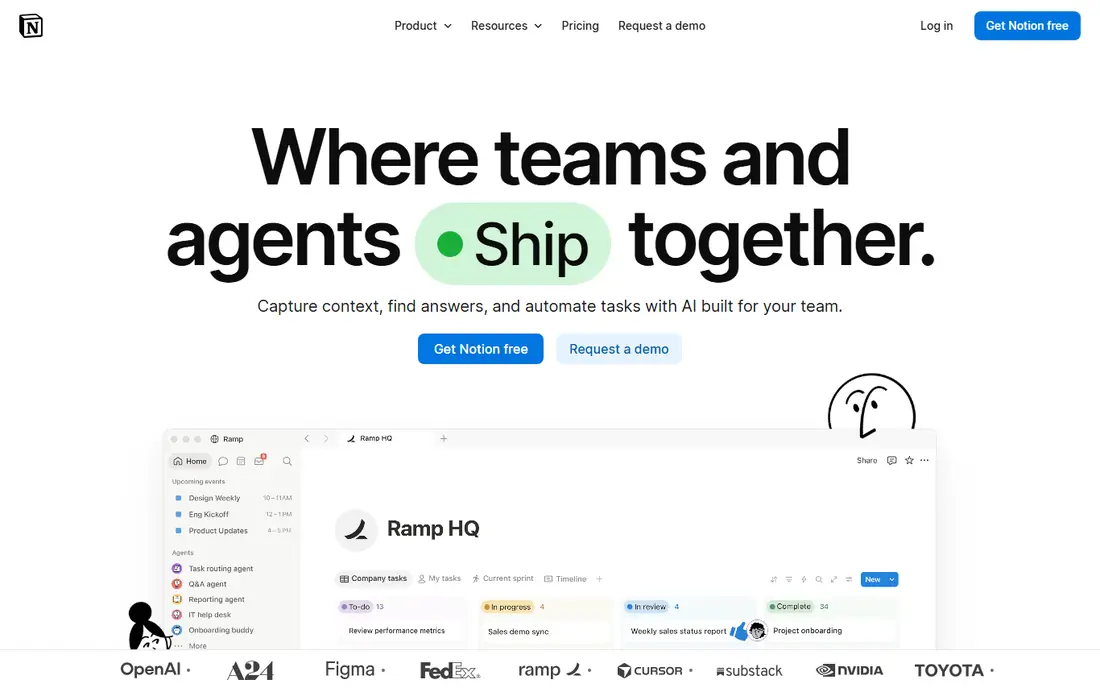
Notion is the wiki most teams actually maintain, because editing feels like writing a document, not learning a CMS. Pages, databases, templates, and project boards sit together, so a procedure can link to a project, a meeting note, and a database of decisions. The Plus plan, reported at $10 per user per month billed annually, adds the controls most teams need.
The weakness is governance. Without owners, templates, and regular reviews, a Notion workspace grows messy and staff stop trusting it. Public help centers also need more structure than Notion offers out of the box. For internal knowledge that lives alongside daily work, Notion is the easiest tool to adopt and the hardest to abandon.
- Flexible pages, databases, and wikis in one workspace
- Easy for non-technical staff to maintain
- Free plan for individuals and small teams
- Can become messy without ownership and structure
- Public help center features are lighter than dedicated tools

Confluence is the company wiki for teams already using Jira. Docs link to issues, projects, and releases, so engineering and product teams keep specs, decisions, and runbooks near the work itself. The free plan covers up to 10 users, which lets a small team start without cost, and permissions and version history help larger organizations control sensitive pages.
For non-technical teams, Confluence can feel heavier than Notion or Slab, with more menus and setup. Pricing also varies by tier, so teams should check the current Atlassian page for their user count. If your work already lives in Atlassian tools, Confluence is the natural wiki choice. If it does not, a simpler tool may get used more.
- Deep Jira and Atlassian integration
- Free plan for up to 10 users
- Strong permissions and page history
- Interface feels heavier than Notion or Slab
- Pricing varies by tier and user count
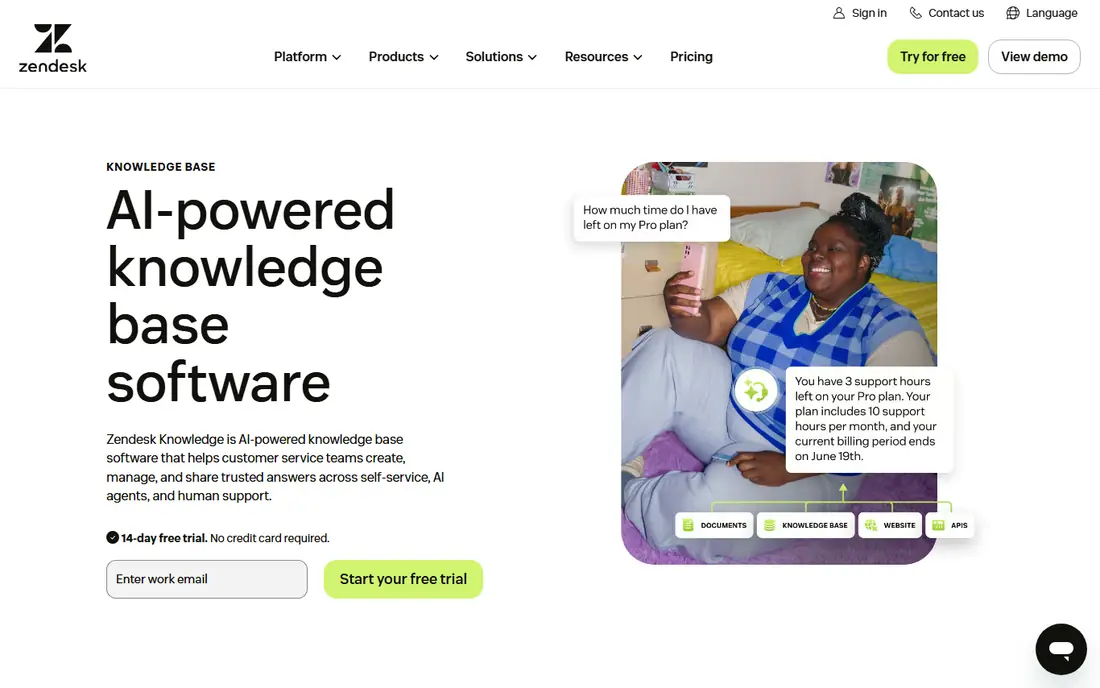
Zendesk Guide is the help center for teams already using Zendesk Support. Customers search articles, find answers, and only raise a ticket when self-service fails, which reduces repeat questions. Articles link to tickets, so support teams can see which help content actually deflects work and which gaps need new articles.
Cost follows the support model. Pricing reported around $55 per agent per month in public summaries means a large support team pays significantly, and Guide is less flexible as a general internal wiki than Notion or Confluence. For a support-led business, though, the ticket integration is the reason to choose Guide over a standalone wiki.
- Help center tied directly to Zendesk tickets
- Strong search and customer self-service
- Scales with support teams
- Pricing is per agent and adds up
- Internal wiki use is less flexible than Notion
Document360 is a dedicated knowledge base platform, not a wiki added to a project tool. It supports both internal and customer-facing sites, with categories, publishing workflows, version control, and analytics that show which articles help and which are ignored. That structure suits product teams and IT companies that must keep documentation accurate and auditable.
Small teams may find Document360 more than they need, and pricing requires a quote, with a 14-day free trial for evaluation. For a company whose help center is a product surface, not an afterthought, Document360 gives the governance and search quality that general wikis lack.
- Built for internal and customer knowledge bases
- Publishing workflows and version control
- Strong search and analytics
- Pricing is quote based
- More than a small team needs for a simple internal wiki
Helpjuice focuses on a help center that looks like your brand and actually gets used. Customization is straightforward, search is prominent, and analytics show which articles customers read, which searches fail, and where support tickets still come from. That feedback loop helps teams improve content instead of guessing.
The entry price around $120 per month in public summaries is steep for a tiny team with few articles. Larger support teams will find it reasonable compared with per-agent pricing, especially when ticket deflection is the goal. Choose Helpjuice when the public help center matters to customers and you want clear data on what it achieves.
- Polished, branded help centers
- Analytics on article use and ticket deflection
- Easy customization without heavy code
- Monthly price is high for very small teams
- Internal collaboration features are lighter than Notion
Guru solves a different knowledge problem: answers that reach people where they already work. Instead of opening a wiki, staff get verified cards in Slack, in a browser extension, or inside other tools, with experts confirming content stays current. That verification step matters for support and sales teams, where an outdated answer can cost a customer.
Pricing is quote based and sold as a package, so small teams should request a quote early and compare it with Slab or Notion. Guru is also not the best public help center tool. For internal teams that repeat the same questions in chat all day, Guru reduces interruptions and keeps answers consistent.
- Verified answers surface in Slack, browsers, and workflows
- Expert verification keeps content trustworthy
- AI search across tools
- Pricing is quote based and package led
- Less suited to a simple public help center
Slab is the focused wiki on this list. It does one job well: organized, searchable internal documentation with a clean editor and clear topics. The Startup plan, reported at $6.67 per user per month billed annually, and a free plan for up to 10 users, make it affordable for small teams that want a wiki without project management extras.
Teams that want databases, project boards, and flexible pages will miss Notion. Slab also offers less for public help centers than Document360 or Helpjuice. For an internal team that wants docs to stay tidy, searchable, and easy to maintain, Slab is the cleanest dedicated option.
- Clean, focused wiki experience
- Free plan for up to 10 users
- Fast search and simple organization
- Fewer project and database features than Notion
- Public help center options are limited
GitBook suits teams that document products, APIs, and developer tools. The editor is polished, Git sync lets technical teams treat docs like code, and published sites look professional without heavy design work. A free plan helps small technical teams start, with paid plans based on sites and seats.
General company wikis, HR policies, and sales playbooks fit less naturally in GitBook than in Notion or Confluence. Pricing also varies, so teams should check the current GitBook page for their site and seat needs. For technical documentation that must stay in step with code, GitBook is a strong, purpose-built choice.
- Polished editor with Git sync for technical teams
- Good for product and API docs
- Free plan for getting started
- Pricing varies by site and seats
- Less suited to general company wikis outside technical docs
How we picked these
We compared official pricing pages and public pricing summaries checked in 2026, internal versus customer use cases, search, permissions, verification, and publishing features. We kept only tools that exist today and are built for knowledge bases, wikis, or help centers, not general note apps with no sharing or search structure. We did not claim hands-on testing we did not do, and where pricing is quote based we marked it as See website.
How to keep a knowledge base useful after launch
Assign an owner to every section, not just to the whole wiki. An owner reviews their pages on a schedule, removes outdated steps, and confirms links still work. Without that habit, a knowledge base fills with confident-sounding answers that no longer match the product, and staff learn to ask a colleague instead of searching.
Next, write for the searcher, not the author. Use the words customers and staff actually type, put the answer near the top, and keep steps short and in order. Track failed searches and repeat questions, because those are your missing articles. Finally, make the knowledge base the default answer in support and chat: link to it first, update it when a new question appears twice, and treat a repeat question as a content gap, not just a ticket to close.
Sources
- https://www.notion.so
- https://www.atlassian.com/software/confluence
- https://www.zendesk.com/guide
- https://www.document360.com
- https://www.helpjuice.com
- https://www.getguru.com
- https://www.slab.com
- https://www.gitbook.com
- https://www.productlift.dev/best-knowledge-base-software/
- https://www.flozic.ai/blog/alternatives/confluence-alternatives
- https://rankite.com/blog/best-knowledge-management-platform