Best Landscaping Software in 2026: 9 Tools Compared
By ToolNimba Editorial Team November 7, 2026 9 min read

- Top pick
 SketchUp
Flexible 3D yard modeling
Starting priceSee websiteCheck out SketchUpRead our review - Runner-up
 Realtime Landscaping Pro
Detailed realistic 3D designs
Starting price$279 one-timeCheck out Realtime Landscaping ProRead our review - Also great
 iScape
Fast photo-based yard design
Starting price$29.99 per monthCheck out iScapeRead our review
How we researched this
We compared official pricing and feature pages, app store listings, privacy policies and public user reviews. Prices change, so check the provider's site before you pay.
Key takeaways
- SketchUp Free is the best free starting point for flexible 3D yard modeling, though it takes longer to learn.
- Realtime Landscaping Pro at $279 one-time is the strongest value for detailed, realistic 3D yard designs without a subscription.
- iScape wins on speed, because you design over a photo of your own yard from your phone.
- Contractors should compare PRO Landscape and VizTerra, which are built for proposals and client presentations.
Quick comparison
| Name | Best for | Starting price | Free plan | |
|---|---|---|---|---|
| SketchUp | Flexible 3D yard modeling | See website | Yes | Visit |
| Realtime Landscaping Pro | Detailed realistic 3D designs | $279 one-time | Free trial | Visit |
| iScape | Fast photo-based yard design | $29.99 per month | Yes | Visit |
 Planner 5D | Easy 3D layouts on any device | $4.99 per month | Yes | Visit |
 PRO Landscape | Contractor proposals and sales | See website | No | Visit |
 VizTerra | 2D plans and 3D in one file | See website | Free trial | Visit |
 SmartDraw | Scaled 2D site plans | See website | Free trial | Visit |
 Gardena myGarden | Free starter garden planning | Free | Yes | Visit |
 Live Home 3D | Affordable 3D design with terrain | See website | Yes | Visit |
The best landscaping software
Good yard design software helps you test ideas before you buy plants or hire a crew. Some tools model in full 3D, some sketch over a photo of your yard, and some produce scaled 2D plans a contractor can build from. Pick by your project: a homeowner preview, a planting plan, or a client proposal.

SketchUp is the most flexible tool on this list, because it models almost anything in 3D with exact dimensions. The free web version covers personal projects, while paid Go and Pro versions add desktop apps, iPad use and professional output. You can model a house, patio, fence and planting beds together, then view the result from any angle.
The trade-off is learning time and plant content. SketchUp has no built-in plant library, so you size and place models yourself, and beginners need practice before designs look polished. For users willing to learn, it is the most capable free starting point.
- Free web version for personal use
- Exact dimensions
- Huge model library
- Steeper learning curve
- No built-in plant library
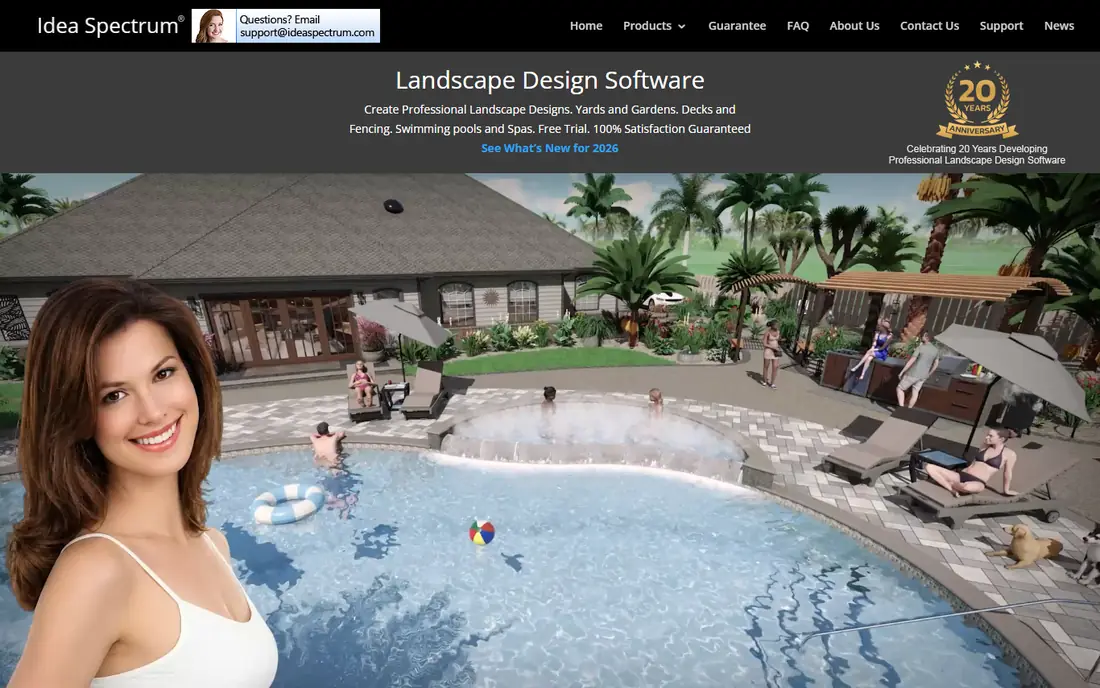
Realtime Landscaping Pro is built specifically for yard and garden design, with realistic 3D walkthroughs, plant growth previews and a large library of plants, materials and outdoor objects. You can design a full yard, walk through it in 3D, and see how plants may look as they grow. The $279 one-time purchase avoids a monthly bill, which makes it strong long-term value.
It runs on Windows only, and the depth of its libraries means new users need time to explore them. For homeowners who want a detailed, realistic design without a subscription, it is our pick.
- Realistic 3D walkthroughs
- Plant growth previews
- One-time purchase with no subscription
- Windows only
- Large plant and material libraries take time to learn
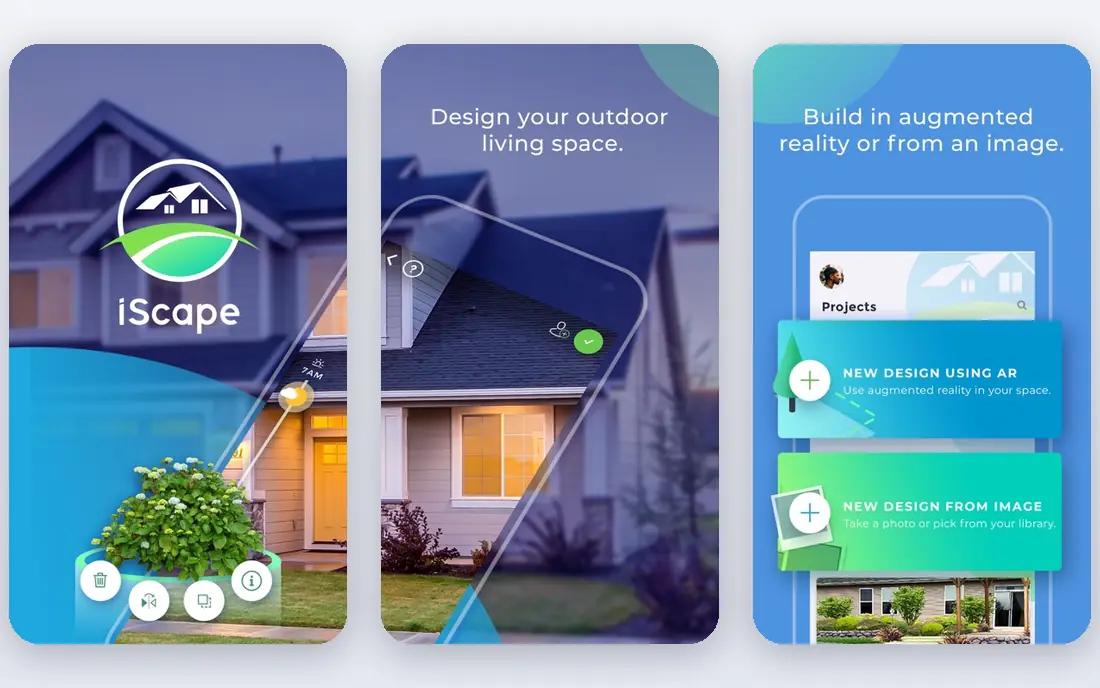
iScape is the fastest way to see an idea on your own property. Take a photo of your yard, add plants, pavers and furniture over that photo, and use augmented reality to preview items in place from your phone. Sharing a design with a partner or contractor takes seconds, which helps decisions move faster.
The free version is limited, and full features differ by device, with iOS offering more than Android. Pro costs $29.99 per month, so it suits a focused project or a professional who uses it weekly, rather than a one-off sketch you revisit yearly.
- Designs over a photo of your own yard
- AR preview on a phone
- Easy sharing
- Full 2D and 3D features run on iOS, with Android limited to 2D
- Full plant library needs Pro
Planner 5D suits beginners who want a quick 3D preview without learning a modeling program. You draw a layout in 2D, switch to 3D, and furnish outdoor areas with objects from its catalog. Premium at $4.99 per month billed annually adds the full catalog and AI design help, which speeds up early ideas.
Free users get about half the catalog, and Planner 5D is not a precision CAD tool for construction documents. For a homeowner testing patio, deck and planting layouts, it is fast, friendly and cheap.
- Works on web, Windows, Mac, iOS and Android
- Easy 2D to 3D layouts
- AI design help on Premium
- Catalog limits on the free plan
- Less precise than CAD-style tools
PRO Landscape is made for contractors who sell yard projects, not just design them. It combines photo-based imaging, CAD planning and proposal tools, so a contractor can show a client a realistic preview, price the job and close the sale from the same workflow. That sales focus sets it apart from homeowner tools.
There is no free plan, and pricing is professional-grade, so it fits businesses rather than casual DIY users. If you run a yard design or install business, PRO Landscape is worth a demo against VizTerra before you choose.
- Built for contractors
- Photo imaging plus CAD planning
- Proposal and sales tools
- No free plan
- Professional pricing and learning curve
VizTerra keeps 2D plans and 3D visuals in a single file, so a change to the plan updates the presentation automatically. Designers get realistic renders, plant libraries and presentation tools without exporting between separate apps. That single-file workflow saves time on client revisions.
Pricing is quote-based, which makes budgeting less transparent than a published price. VizTerra fits design professionals and firms that present often and want plan and presentation to stay in sync.
- 2D and 3D design in one file
- Realistic renders
- Made for design professionals
- Quote-based pricing
- Needs time to learn fully
SmartDraw is the pick when you need a clean, scaled 2D site plan to hand to a contractor or a planning office. Its symbol libraries cover site, garden and outdoor elements, and plans print to scale with measurements intact. Sharing and export options make it easy to pass a plan to others on a project.
It is not a 3D presentation tool, so clients who need a realistic preview will want a companion app. For permits, contractor quotes and clear documentation, SmartDraw is practical and fast.
- Precise scaled 2D plans
- Large symbol libraries
- Easy sharing and export
- 2D focus means weaker 3D presentation
- Subscription pricing
Gardena myGarden is a free browser planner for simple garden layouts. You place beds, paths, lawn areas and watering elements on a grid, which helps a beginner sketch a workable plan before buying plants. Being free and web-based means there is nothing to install and no cost to try.
Plant symbols are generic, and there is no 3D view or detailed planting schedule. myGarden suits a first sketch or a simple vegetable and flower bed plan, with a stronger tool taking over when detail matters.
- Free to use
- Simple 2D layouts on a grid
- From a trusted garden brand
- Generic plant symbols
- No 3D presentation
- Limited detail
Live Home 3D covers house and yard design together at an affordable price, with terrain editing that helps on sloped sites. You can model rooms, outdoor areas and terrain in one project, then view the result in 3D. It runs on Mac, Windows and iOS, which suits households with mixed devices.
Its plant library is smaller than tools built only for yard design, and the Pro version adds the full feature set. Live Home 3D fits users who want one app for a house and yard project, rather than a specialist planting planner.
- Affordable 3D design
- Terrain editing
- Works on Mac, Windows and iOS
- Plant library is smaller than specialist tools
- Advanced features need the Pro version
How we picked these
We compared official feature pages and pricing pages for yard design tools, plus public comparisons of 3D quality, plant libraries, platform support and free tiers. We favored tools that are actively maintained in 2026, produce usable plans or presentations, and state their pricing or free tier clearly. Where pricing is quote-based, we say so instead of guessing.
What to check before you choose yard design software
Start with the output you need. A photo preview helps a homeowner decide, a scaled 2D plan helps a contractor build, and a 3D walkthrough helps sell a larger project. Check device support too, since several tools are stronger on iOS or Windows than on other platforms.
Test plant libraries against your climate and project type, because a library that looks large may lack the plants you actually plan to use. A design tool does not confirm that a plant suits your soil, light or hardiness zone, so check those details separately. Finally, try a free plan or trial on your own property before paying, and confirm export options for sharing with contractors.
Sources
- https://www.sketchup.com
- https://www.ideaspectrum.com
- https://www.iscapeapp.com
- https://planner5d.com
- https://www.prolandscape.com
- https://www.vizterra.com
- https://www.smartdraw.com
- https://www.gardena.com
- https://www.livehome3d.com
- https://rankite.com/blog/best-garden-design-software
- https://rankite.com/blog/best-exterior-design-software
Frequently asked questions
What is the best free landscaping software?
SketchUp Free is the best free option for flexible 3D modeling, while Planner 5D and Gardena myGarden cover simpler layouts free. Choose SketchUp if you will learn 3D modeling, and Planner 5D or myGarden if you want a quick plan with less learning.
Can landscaping software create a plan a contractor can build from?
Some can. SmartDraw and VizTerra produce scaled plans and documentation, while photo-based tools like iScape are better for previews than construction documents. Confirm scale, measurements and export formats before relying on a plan for building work.
Is Realtime Landscaping Pro a subscription?
No. Realtime Landscaping Pro costs $279 as a one-time purchase, with a Plus version at a lower one-time price for simpler projects. That makes it good long-term value compared with monthly tools, though it runs on Windows only.
Does yard design software check plant suitability?
No, not reliably. Plant libraries show size and appearance, but they do not confirm suitability for your climate, soil, light or water conditions. Check plant needs with a local nursery or extension source before buying.
What is the best landscaping app for a phone?
iScape is the best phone-first option, because you design over a photo of your own yard and preview items with AR. Planner 5D also works well on phones for simple 3D layouts, while full 3D modeling still suits a computer better.
Do I need paid software for a small garden project?
Usually not. Free tools such as Gardena myGarden, SketchUp Free and Planner 5D cover simple beds, paths and patio layouts. Pay when you need realistic 3D presentations, contractor proposals or detailed planting plans.