Best Learning Apps for Kids Free in 2026: 10 Apps Compared
By ToolNimba Editorial Team October 31, 2026 11 min read

- Top pick
 Khan Academy Kids
All-round early learning ages 2-8
Starting priceFreeCheck out Khan Academy KidsRead our review - Runner-up
 Duolingo ABC
Phonics and early reading
Starting priceFreeCheck out Duolingo ABCRead our review - Also great
 PBS KIDS Games
Short educational games ages 2-8
Starting priceFreeCheck out PBS KIDS GamesRead our review
How we researched this
We compared official pricing and feature pages, app store listings, privacy policies and public user reviews. Prices change, so check the provider's site before you pay.
Key takeaways
- Khan Academy Kids and Duolingo ABC are the strongest fully free starting points, with no ads and no paid tier pressure.
- Free does not always mean ad-free, so check each app for ads, in-app purchases, and data practices before handing it to a child.
- Match the app to the skill: reading, math, coding, and creativity each have a different best free pick.
- Short sessions with a parent nearby work better than long solo sessions, especially for children under eight.
- For older children, Scratch, Prodigy, and PBS KIDS Games offer more depth without requiring payment.
Quick comparison
| Name | Best for | Starting price | Free plan | |
|---|---|---|---|---|
| Khan Academy Kids | All-round early learning ages 2-8 | Free | Yes | Visit |
| Duolingo ABC | Phonics and early reading | Free | Yes | Visit |
| PBS KIDS Games | Short educational games ages 2-8 | Free | Yes | Visit |
 Starfall | Phonics and reading basics | Free | Yes | Visit |
 Scratch | Creative coding ages 8-16 | Free | Yes | Visit |
 Prodigy Math | Gamified math practice | Free | Yes | Visit |
 ABCmouse | Broad preschool curriculum | See website | Free trial | Visit |
 Lingokids | Play-based learning ages 2-8 | See website | Free trial | Visit |
 SplashLearn | Math and reading practice | See website | Free trial | Visit |
 Epic | Digital library for young readers | See website | Free trial | Visit |
The best learning apps for kids free
These apps were chosen for free access, clear age guidance, and honest privacy notes. We compared official app pages, privacy policies where available, and app store listings, and we favoured apps with no ads or limited purchase pressure where possible.

Khan Academy Kids is the easiest first download in this list, because it is free, has no ads, and has no in-app purchases to pressure a child. It covers early literacy, math, creative expression, and social-emotional learning for ages 2 to 8, with characters that guide children through activities. Parents can follow progress and choose activities by subject. The main limit is age range. Older children may outgrow the style, and the app works best as a daily short session rather than a full curriculum. For younger children, though, the combination of free access, no ads, and broad coverage is hard to beat, and the nonprofit model explains why the free tier is genuinely free.
- Completely free with no ads
- Covers reading, math, and social-emotional learning
- Adaptive paths
- Content can feel young for advanced older children
- Needs an adult to set up the account
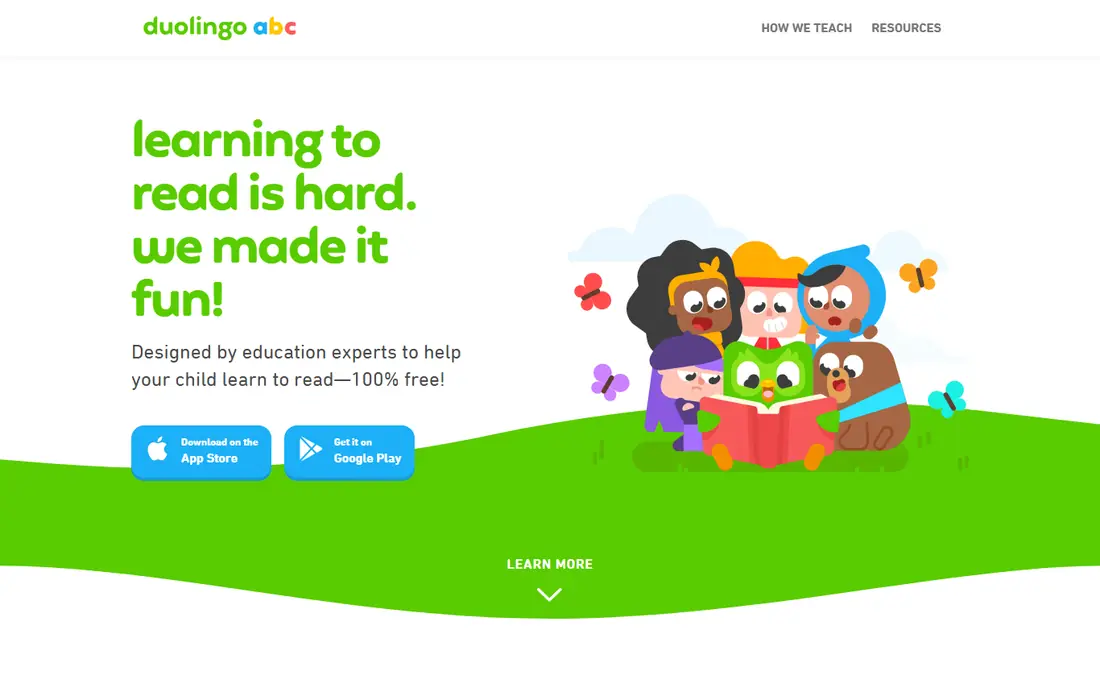
Duolingo ABC is separate from the main Duolingo language app, and it focuses on learning to read in English for ages 3 to 8. Short lessons cover phonics, sight words, vocabulary, letter tracing, and interactive stories, which suits early readers who need frequent, bite-size practice. The kids product is described as having no ads or in-app purchases, which removes a common worry for parents. Because it teaches English reading only, it will not cover math or science, so pair it with Khan Academy Kids for broader learning. Duolingo ABC works best as a daily reading add-on, ten minutes at a time, with a parent nearby to help with new sounds and words.
- Free with no ads or purchases on the kids product
- Short phonics lessons
- Letter tracing and stories
- English reading only
- Narrower than an all-round app

PBS KIDS Games bundles many short games featuring characters children already know from PBS shows, covering math, reading, science, art, and social skills. The variety helps parents find games that match what a child is learning at school, rather than forcing one curriculum. Many games are short, which fits the attention span of younger children. Quality varies, since each game is made separately, so preview a game before letting a child play alone. Availability and offline options can also differ by country and device. Still, as a free, low-pressure source of educational games, PBS KIDS Games is a useful addition to Khan Academy Kids.
- Free games across math, reading, and science
- Familiar PBS characters
- Offline options for some games
- Quality varies by game
- Availability can differ outside the United States
Starfall has been used in early reading for years, and its free content covers phonics, letter sounds, and early reading in a calm, simple style. That simplicity helps pre-readers who may be overwhelmed by busy animations and rewards in other apps. Teachers and parents often use Starfall for letter practice and first words. The free tier does not include everything, and a paid membership opens more content, so check what is free before promising a child full access. Starfall is best as a focused phonics supplement, especially for children who are just starting to connect letters and sounds.
- Free basic phonics and reading content
- Simple, calm design
- Good for pre-readers
- Full content needs a paid membership
- Design feels older than newer apps
Scratch, from MIT, lets children create stories, games, and animations by snapping coding blocks together, which teaches logic and problem solving without typing complex code. It is free, works in a browser, and suits ages 8 to 16, though younger children can try ScratchJr for ages 5 to 7. The creative freedom is the point: children learn by making something they care about. Scratch is not a drill app, so it needs more adult guidance at first, and the online community should be supervised. Parents should review sharing settings and community rules together with their child. For older children who are ready to move beyond games, Scratch is one of the best free learning tools available.
- Completely free
- Creative coding with stories, games, and animations
- Large community
- Needs guidance for younger children
- Online community needs parental supervision
Prodigy Math turns math practice into a fantasy adventure, where children answer curriculum-aligned questions to progress in the game. That game structure motivates many children who find worksheets dull, and teachers can set assignments that match classroom topics. The core game is free, which makes it easy to test. Parents should decide in advance about the paid membership, since it adds extras that children may ask for. The game rewards can also distract from the math if sessions run too long. Used in short, focused sessions, and with a clear rule about purchases, Prodigy is a strong free math supplement for ages 6 to 14.
- Core math game is free
- Curriculum-aligned questions
- Engaging fantasy adventure
- Paid membership adds extras and can create purchase pressure
- Game rewards can distract
ABCmouse offers a broad early learning curriculum for ages 2 to 8, with a step-by-step learning path across reading, math, science, art, and music. The structure helps parents who want a guided path rather than a set of separate games. Activities, books, and songs give children many ways to practise the same skill. ABCmouse is not fully free, so treat it as a trial first and check the current subscription price on the official site. Some children find the rewards and activities busy, so short sessions work best. It fits families who want a complete preschool program and are willing to pay after testing the trial.
- Very broad curriculum for ages 2-8
- Structured learning path
- Many activities and books
- Subscription needed after trial
- Can feel busy for some children
Lingokids uses play-based games, songs, and videos for children ages 2 to 8, with a focus on English and early academic skills. The activities are colourful and short, which suits younger children, and parents get progress reports to see what a child has practised. It is a good option for families who want English exposure through play. Free access is capped, so Lingokids is best seen as a free trial rather than a fully free app. Check the current plan on the vendor site, and watch for purchase prompts if a child uses the app alone. Pair the trial with Khan Academy Kids to cover the subjects Lingokids does not offer for free.
- Play-based activities across subjects
- English learning focus
- Progress reports for parents
- Free access is limited
- Full content needs a subscription
SplashLearn offers adaptive games for math and reading for ages 2 to 11, with difficulty that adjusts to a child's level. Parents and teachers can track progress and assign skills, which makes it useful for homework support and holiday practice. The games are structured enough to feel like learning, not just play. The free tier is limited, so check the current pricing before committing to a subscription. Like Prodigy, SplashLearn uses rewards that can distract if sessions are too long. In short sessions, it is a solid practice tool for children who need extra math or reading repetition.
- Curriculum-aligned math and reading games
- Adaptive difficulty
- Parent and teacher dashboards
- Full access needs a subscription
- Game rewards need managing
Epic is a digital library for children, with books, audiobooks, and videos for ages 4 to 12, including read-to-me books for younger readers. Reading levels, quizzes, and recommendations help children find books that match their ability, and the library is large enough to support daily reading habits. For families without easy library access, Epic fills a real gap. Epic is not fully free, so use the trial to test whether your child reads regularly in the app before paying. Younger children will need help choosing books at the right level. As a reading habit tool, Epic pairs well with Duolingo ABC for early phonics and Khan Academy Kids for broader learning.
- Large library of children's books and videos
- Reading levels and quizzes
- Good for independent reading
- Subscription needed for full library
- Younger children need help choosing books
How we picked these
We compared official app pages, pricing and trial terms, age guidance, and privacy notes, and we read app store listings to check ads and purchase pressure. We favoured apps that are still maintained, offer real free content or a useful trial, and state their age range clearly. For privacy, we noted where an app is ad-free or limits purchases, and we avoided recommending apps that rely on heavy advertising to children.
Choosing an app by age and skill
For ages 2 to 5, start with Khan Academy Kids and PBS KIDS Games, with Duolingo ABC or Starfall for early reading. For ages 5 to 8, add Prodigy or SplashLearn for math, and Epic for reading. For ages 8 and up, Scratch is the standout free pick for creativity and coding, with Prodigy and Epic still useful for practice and reading. Always preview an app yourself first. Check for ads, chat features, and purchase buttons, set up the account with a nickname rather than a full name where possible, and turn on any parental controls the app offers. Read the privacy policy summary for what data is collected, especially for apps that require an account.
Keeping screen time healthy
Set a daily limit, such as 15 to 20 minutes for younger children, and sit nearby for at least part of the session. Ask what the child learned, and connect it to real life, such as counting objects after a math game or finding a letter sound in a picture book. An app should replace a less useful screen, not a walk, a book, or a conversation.