Best Legal Case Management Software in 2026: 9 Tools Compared
By ToolNimba Editorial Team November 7, 2026 9 min read

- Top pick
 Clio
Growing firms that want many integrations
Starting price$49 per user per monthCheck out ClioRead our review - Runner-up
 MyCase
Small firms that want a simple all-in-one tool
Starting price$39 per user per monthCheck out MyCaseRead our review - Also great
 PracticePanther
Firms that want automation without complexity
Starting price$49 per user per monthCheck out PracticePantherRead our review
How we researched this
We compared official pricing and feature pages, app store listings, privacy policies and public user reviews. Prices change, so check the provider's site before you pay.
Key takeaways
- Clio is our pick for most firms that want a broad integration list and room to grow, while MyCase suits smaller firms that want a simpler setup.
- Trust accounting is the feature most likely to push a firm up a pricing tier, so check it before you compare headline prices.
- Filevine and Litify fit firms with heavy litigation or enterprise needs, but both need a sales conversation and more setup time.
- Solo lawyers can often start on a lower tier, but client portals, e-signature, and payment processing should be confirmed on that tier.
Quick comparison
| Name | Best for | Starting price | Free plan | |
|---|---|---|---|---|
| Clio | Growing firms that want many integrations | $49 per user per month | Free trial | Visit |
| MyCase | Small firms that want a simple all-in-one tool | $39 per user per month | Free trial | Visit |
| PracticePanther | Firms that want automation without complexity | $49 per user per month | Free trial | Visit |
 Filevine | Litigation teams with complex case work | See website | No | Visit |
 Smokeball | Firms that want automatic time capture | See website | Free trial | Visit |
 CosmoLex | Firms that want built-in legal accounting | $109 per user per month | Free trial | Visit |
 Actionstep | Firms that want matter and accounting in one place | See website | Free trial | Visit |
 CARET Legal | Small to mid-size firms that want workflow automation | See website | Free trial | Visit |
 Litify | Large firms built on Salesforce | See website | No | Visit |
The best legal case management software
We compared official feature pages, pricing pages, and public reviews to find tools that cover cases, documents, deadlines, billing, and client communication in one place.

Clio covers matter management, time tracking, billing, documents, and client intake across its plans, and it connects with common tools for email, documents, and accounting. That breadth is why we put it first for firms that expect to add staff, practice areas, or outside tools over time. The interface is familiar to many lawyers, and training material is easy to find.
The catch is price structure. The entry tier covers the basics, but firms often need a higher tier for fuller reporting, intake, or advanced features. Payment processing fees and paid add-ons sit on top of the subscription, so a firm should price a realistic setup, not just the entry rate, before signing.
- Broad integration list
- Strong mobile app
- Client portal and payments available
- Lower tier feels limited for growing firms
- Add-ons can raise the total cost
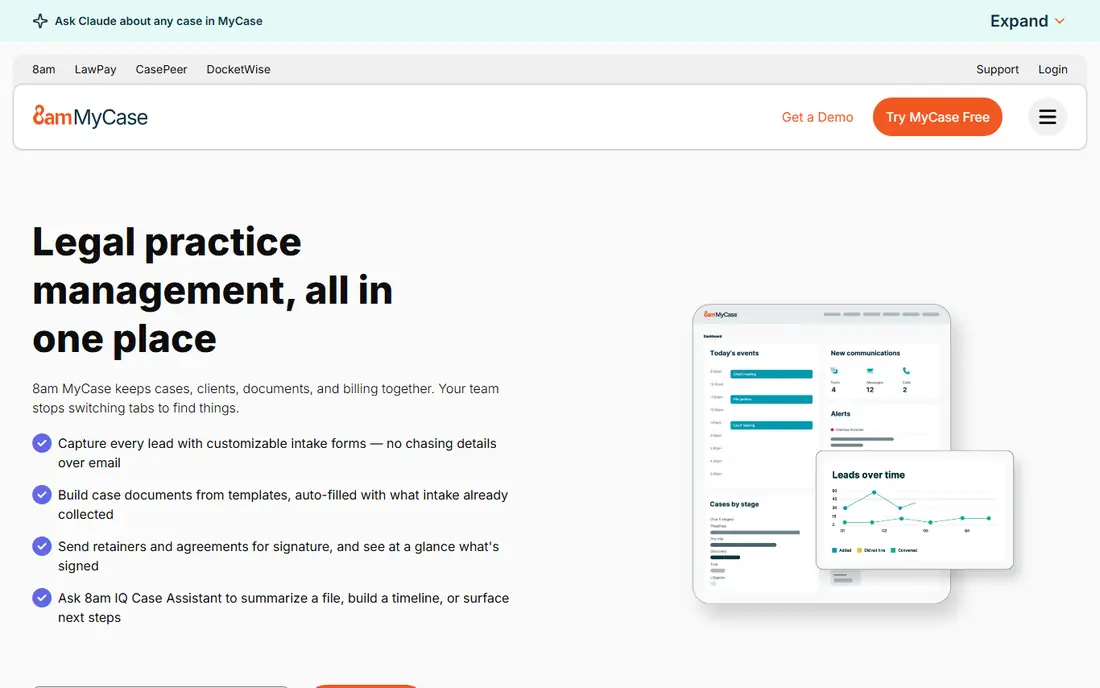
MyCase is the friendliest starting point on this list for a solo lawyer or a small firm moving off spreadsheets. Client communication, case files, billing, and a client portal sit in one system, and the learning curve is short. Support and onboarding get consistent praise in public reviews, which matters when a firm has no IT staff.
The trade-off is depth. Firms with unusual billing rules or complex, multi-stage case workflows may hit limits sooner than they would with a more configurable tool. It is still a strong value choice at the entry price, provided the firm checks that its must-have features are included on the chosen tier.
- Easy onboarding
- Built-in client portal and messaging
- Native trust accounting on higher plans
- Less workflow customization than Clio or Filevine
- Smaller integration list
PracticePanther sits between MyCase and the enterprise tools. It gives firms matter tracking, time and billing, document handling, and automation rules that can move a case forward without custom code. For a growing firm, that automation saves the daily chasing of deadlines and follow-ups.
We would not pick it purely on entry price, since smaller firms may find cheaper basics elsewhere. Its case is stronger for firms that will actually use the automation and CRM features, rather than paying for them and working around them with manual steps.
- Code-free workflow automation
- Clean interface
- Solid billing and CRM features
- Can feel pricey for very small firms
- Some advanced accounting needs an outside tool
Filevine is built for firms that run many cases through defined stages, with documents, tasks, and deadlines tied to each stage. Personal injury and other litigation-heavy practices get particular value from its case timelines and reporting. Teams can shape the system around their own process instead of bending their process around the software.
That power comes with a longer setup. Firms should expect implementation work, training, and a sales-led quote, which makes it a poor fit for a solo lawyer who wants to start this week. For a mid-size litigation firm, the control is worth that effort.
- Deep workflow customization
- Strong document and deadline handling
- Useful reporting
- Quote-only pricing
- Setup takes longer than simpler tools
Smokeball stands out for one practical reason: it can capture time spent on documents and emails automatically, which helps firms bill more of the work they already do. Its built-in legal forms and document automation also cut drafting time for common matters. For a small firm, those two features alone can pay for the switch.
Pricing is not published in a simple list, so firms must request a quote and compare it against a known per-user price elsewhere. Firms that do not bill by the hour will get less value from the time-capture strength and should weigh the form library and billing tools instead.
- Automatic time tracking
- Large built-in form library
- Good billing tools
- Quote-based pricing is less transparent
- Best fit is smaller firms
CosmoLex is the pick for firms that are tired of keeping practice management in one system and accounting in another. Trust accounting, general ledger work, billing, and matter management live together, which reduces reconciliation work and the risk of trust errors. That single-system approach is its main selling point.
The entry price is higher than MyCase or Clio, so a firm should compare the total cost, including any accounting tool it can drop. Firms that already have a settled accounting setup may not need this depth, but firms starting fresh often do.
- Native trust and general accounting
- No separate accounting tool needed
- Integrated billing
- Higher entry price
- Interface feels dated to some users
Actionstep combines matter files, document assembly, time and billing, and accounting in a system aimed at mid-size and larger firms. Its step-based workflows help firms run repeatable matter types the same way each time, which helps with consistency and training new staff.
New users should plan for training time, since the system covers a lot of ground. Pricing is not as transparent as the entry-level tools, so firms should get a written quote for their user count and required modules before deciding.
- Strong matter management
- Built-in accounting and billing
- Good workflow steps
- Steeper learning curve
- Pricing requires a quote or demo
CARET Legal, formerly Zola Suite, offers case management, CRM, billing, and document tools with workflow automation for small to mid-size firms. It suits firms that want a single system for intake through payment without buying several separate tools.
The main drawback is transparency: firms cannot compare a published entry price directly against MyCase or Clio without a quote. It is still worth a demo for firms that value automation and want a guided setup.
- Automated workflows
- Integrated billing and payments
- Document management included
- Pricing is quote-based
- Smaller integration list than Clio
Litify is an enterprise legal platform built on Salesforce, aimed at large firms and legal departments that need scale, automation, and detailed reporting. It handles high case volumes and complex workflows that would strain a small-firm tool.
Small firms should skip it. The cost, implementation effort, and Salesforce dependency only make sense when a firm already works at enterprise scale or plans to. For that buyer, the depth and reporting are hard to match elsewhere on this list.
- Enterprise scale on Salesforce
- Deep automation and reporting
- Strong for large case volumes
- Enterprise pricing and implementation
- Overkill for small firms
How we picked these
We compared official feature and pricing pages, app store listings, and public reviews, and we kept only tools that cover real case work: matters, documents, deadlines, billing, and client communication. We mixed widely used platforms with specialist tools for litigation, accounting, and enterprise firms, and we marked pricing as See website where a vendor does not publish a clear entry price. We did not claim hands-on testing, and prices can change, so readers should confirm the current price on the vendor site before buying.
What to check before you buy
Start with your non-negotiable list. Trust accounting, e-signature, client portal access, payment processing, and document automation often sit on different tiers, so a low headline price can mislead. Ask each vendor which tier includes each item, and get that answer in writing if it affects your budget.
Next, test migration and daily work, not just the demo. Ask how existing matters, documents, and contacts move in, how deadlines and reminders work, and how a client actually uses the portal. A trial with two or three real matters will show friction that a sales demo hides.
Finally, weigh support and exit options. Check contract length, data export, and what happens to client files if you leave. A firm that can export matters and documents cleanly keeps its options open, even if it never uses that option.
Questions to ask on a demo
- Which tier includes trust accounting, the client portal, and e-signature?
- How are matters, documents, and billing data exported?
- What does onboarding cost, and how long does it usually take?
- Which accounting and email tools does it connect with directly?
Sources
Frequently asked questions
What is legal case management software?
It is software that keeps matters, contacts, documents, deadlines, tasks, billing, and client messages in one system. It replaces scattered spreadsheets, email folders, and paper files with a shared case record that the whole firm can follow.
How much does legal case management software cost?
Entry prices on this list range from about $39 to $109 per user per month where published, and several enterprise tools are quote-only. Add-ons, payment fees, and higher tiers for accounting or intake can raise the total, so compare a full setup rather than one headline price.
Is Clio or MyCase better for a small firm?
MyCase is usually simpler and cheaper to start with, while Clio offers more integrations and room to grow. A solo lawyer with basic needs may prefer MyCase, and a firm planning to add staff or tools may prefer Clio.
Do I need trust accounting built in?
Firms that hold client funds need careful trust accounting, and a built-in tool such as CosmoLex reduces reconciliation work. Firms that already use a trusted accounting system may prefer a practice tool that connects to it instead.
Can I try these tools before buying?
Most tools on this list offer a free trial, while Filevine and Litify use a demo and quote process. Use a trial with real matters to test deadlines, billing, and the client portal before committing.
What should a firm migrate first?
Start with active matters, contacts, and key documents, then add billing history and templates. Moving everything at once increases errors, so a staged migration with a short parallel run is safer.