Best Legal Software in 2026: 8 Apps Compared
By ToolNimba Editorial Team November 7, 2026 10 min read

- Top pick
 Clio
All-round law firm management
Starting priceSee websiteCheck out ClioRead our review - Runner-up
 MyCase
Small firms and solos
Starting price$39 per user per monthCheck out MyCaseRead our review - Also great
 PracticePanther
Automation for growing firms
Starting price$49 per user per monthCheck out PracticePantherRead our review
How we researched this
We compared official pricing and feature pages, app store listings, privacy policies and public user reviews. Prices change, so check the provider's site before you pay.
Key takeaways
- Clio is the broadest pick for firms of many sizes, with a large integration list and a full practice management range.
- MyCase suits solos and small firms that want a simple portal, messaging and billing in one place.
- PracticePanther leads on automation for growing firms that want routine tasks handled with less manual work.
- CosmoLex and Rocket Matter are worth a close look when trust accounting or visual matter boards matter most.
- Filevine, Smokeball and LEAP suit litigation, document-heavy or larger firms with specialist workflows.
Quick comparison
| Name | Best for | Starting price | Free plan | |
|---|---|---|---|---|
| Clio | All-round law firm management | See website | Free trial | Visit |
| MyCase | Small firms and solos | $39 per user per month | Free trial | Visit |
| PracticePanther | Automation for growing firms | $49 per user per month | Free trial | Visit |
 CosmoLex | Built-in legal accounting | See website | Free trial | Visit |
 Rocket Matter | Simple visual matter management | $39 per user per month | Free trial | Visit |
 Smokeball | Document automation and time capture | See website | Free trial | Visit |
 Filevine | Litigation and complex cases | See website | Free trial | Visit |
 LEAP | Larger firms needing deep matter tools | $129 per user per month | Free trial | Visit |
The best legal software
Law firm software has to handle matters, documents, time, billing, trust money and client communication without creating compliance risk. We compared official pricing and feature pages, app store listings and public reviews, with a focus on case management, billing, trust accounting, client portals, integrations and the real cost per user as a firm grows.

Clio is the most widely used practice management platform on this list, and its strength is breadth. Matters, contacts, calendars, documents, time tracking, billing and client portals sit in one system, with integrations for accounting, e-signature and document tools. That breadth helps a firm that wants one hub rather than several disconnected apps.
The total cost depends on which add-ons you choose, such as intake, document drafting or accounting tools, so price the full setup, not just the entry tier. For a firm that plans to grow, hire and standardise processes, Clio gives you room to expand without an early migration. Solos may still prefer a simpler tool, but Clio remains the safest default for many firms.
- Largest integration ecosystem in this group
- Matter, billing and document tools in one system
- Strong mobile app
- Add-ons can raise the total cost
- Feature depth can feel large for a solo practice
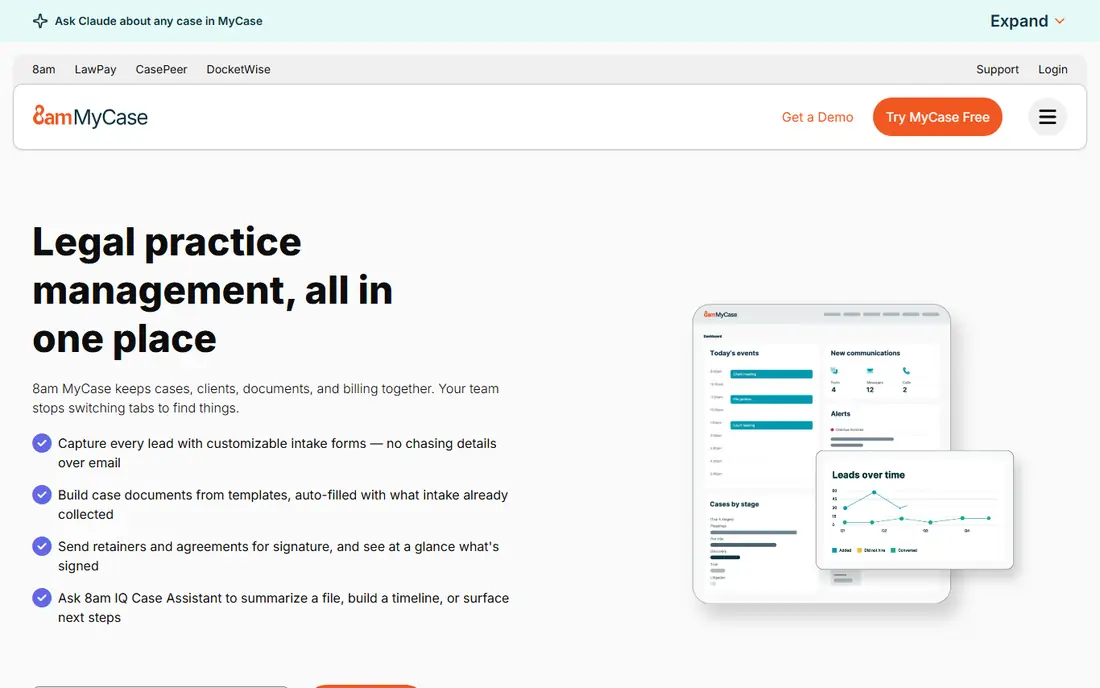
MyCase is built for solos and small firms that want clients to message, share documents and pay without endless email threads. The portal, built-in texting and online payments reduce admin time, while case management, calendars and billing stay simple enough for a small team to learn quickly. That focus makes it a strong pick for the best law office management software for a new practice.
Larger firms with complex workflows may want deeper automation or reporting, and some features sit on higher tiers. For a small firm that values clear client communication and a fast start, MyCase offers a good balance of price, simplicity and everyday usefulness.
- Built-in client portal and texting
- Simple billing and payments
- Easy setup for small teams
- Advanced customisation is thinner than larger platforms
- Some features need higher tiers

PracticePanther stands out for automation that a non-technical team can set up. You can create rules for intake, tasks, reminders, documents and billing, so routine work moves forward without constant manual chasing. The interface is clean, which helps new staff learn it quickly, and the CRM and matter tools cover the full client journey.
Costs rise on higher tiers, and you should check which automation and reporting features sit on the plan you would actually buy. For a growing firm that is losing time to repeatable admin, PracticePanther can pay for itself in saved hours. It is a strong middle ground between a simple solo tool and a large enterprise system.
- Strong no-code automation
- Clean interface
- CRM, billing and trust accounting tools
- Higher tiers add cost for advanced features
- Payment processing fees apply separately
CosmoLex is the pick when accounting accuracy matters as much as case management. Trust accounting, business accounting, billing and matter management are built into one system, so you do not need to sync a separate accounting app to keep trust ledgers correct. That integration helps firms that hold client funds and need three-way reconciliation and clear audit trails.
The price reflects that depth, and the interface feels more accounting-led than a simple portal tool. For litigation, real estate and family law firms that handle trust money regularly, CosmoLex reduces compliance risk and manual reconciliation. Check your state rules and confirm that the plan includes the reports your firm needs.
- Native trust and business accounting
- No separate QuickBooks subscription needed
- Compliance-focused reports
- Pricing varies by plan and is higher than simple tools
- Interface is more accounting-led
Rocket Matter suits visual thinkers, with Kanban boards that let you drag matters and tasks through stages instead of working from lists alone. Time tracking, invoicing and document handling are straightforward, and the system is quick to set up for a small or mid-sized firm. That clarity helps a team see bottlenecks at a glance.
Firms that need complex workflow automation may find PracticePanther or Clio deeper. For a firm that wants a clean, visual way to run matters and get paid on time, Rocket Matter is a practical, affordable choice, especially for solos and small teams moving from spreadsheets.
- Kanban-style matter boards
- Fast invoicing and time tracking
- Simple setup
- Fewer deep automation options than PracticePanther
- Advanced accounting needs higher tiers
Smokeball is built for document-heavy firms that lose billable time to admin. Its automatic time tracking captures work as you open documents and emails, which helps recover hours that manual timers miss. A large library of legal forms and strong Office integration also speeds up drafting for common matter types.
Pricing is quote-based, so you will need a demo and proposal to confirm cost. Smaller firms with simple matters may find it more powerful than they need. For a firm where documents and billable time are the daily work, Smokeball can improve both accuracy and revenue capture.
- Automatic time and activity tracking
- Large legal form library
- Strong Microsoft Office integration
- Quote-based pricing makes budgeting harder
- May be more than a simple firm needs
Filevine is designed for litigation-heavy practices and firms handling complex, multi-stage cases. Custom workflows, deadlines, document organisation and reporting help a team track many moving parts without losing a deadline or a file. Personal injury and mass tort teams often value its case timelines and task structures.
That depth comes with a longer setup and custom pricing, so it is not the best first tool for a solo general practice. For a litigation firm that needs control over complex cases and clear oversight across a team, Filevine offers a specialist system that simpler tools cannot match.
- Deep case tracking for litigation
- Custom workflows and medical timelines
- Strong reporting
- Custom pricing
- Setup and training take longer than simpler tools
LEAP is a full practice management system for firms that want matter management, document automation, accounting and client tools in one cloud platform. Its form library and workflow depth suit firms with varied practice areas and a need for consistent documents across the team. Cloud access also helps a firm with remote staff or multiple offices.
The starting price is higher than MyCase or Rocket Matter, and implementation takes planning. For a larger firm that wants a complete system and can invest in setup, LEAP is a strong contender. Smaller firms should compare its total cost with a simpler tool plus separate accounting before committing.
- Deep matter, document and accounting tools
- Large legal form library
- Cloud-based for remote teams
- Higher starting price
- Setup and training need more time than entry-level tools
How we picked these
We compared official pricing and feature pages, trial terms, trust accounting claims and public reviews for tools that serve real law firms, not just general project software. A product stayed on the list if it could manage matters, documents, time and billing, and if it addressed a distinct need, from solo simplicity to litigation depth or built-in accounting. We gave weight to client portals, trust accounting, automation, integrations and total cost per user.
We did not claim hands-on testing we did not do. Instead, we weighed vendor documentation against independent comparisons and user feedback, and we used See website where pricing is quote-based or varies by plan. That approach helps a firm shortlist tools by fit first, then confirm price and compliance details in a demo.
How to choose legal software for your firm
Start with your practice area and your trust accounting needs, since those two factors narrow the list faster than any feature table. A firm that holds client funds needs different controls from a firm that only bills for advice.
Check trust accounting and billing in a demo
Ask to see trust ledgers, three-way reconciliation, invoice creation and payment handling with your own example matter. Confirm how payment processing fees work and whether accounting reports meet your state requirements. A clean demo with your data is more useful than a generic sales walkthrough.
Test the client portal with a real workflow
Send a test document, message and invoice through the portal, and check how a client experiences it on a phone. A portal that clients actually use reduces email, missed documents and payment delays. If clients ignore it, the firm gains little from that feature.
Price the full system for your team size
Multiply the per-user price by your team, then add intake, drafting, accounting and payment costs. A low entry tier can look cheap until add-ons are included. Choose a plan you can stay on for at least a year, and check data export terms so you can leave cleanly if your needs change.
Sources
Frequently asked questions
What is the best legal software for a small law firm?
MyCase and Rocket Matter are strong small firm picks, with simple portals, billing and matter tools at a lower entry price. Clio is also worth a look if you want a larger integration list and room to grow into a bigger team.
What is the best software for law firms that handle trust accounts?
CosmoLex is a strong pick for built-in trust and business accounting, since it avoids a separate accounting sync. Clio, MyCase and PracticePanther also include trust accounting, so check reconciliation reports and your state rules in a demo before you decide.
What is the best law firm management software for solos?
MyCase and Rocket Matter suit solos well, because setup is fast and the core tools cover matters, billing and client communication without enterprise complexity. PracticePanther is a good step up if you want more automation as caseload grows.
What is the best practice management software legal teams use for litigation?
Filevine is a strong litigation pick, with custom workflows, case timelines and reporting for complex cases. Smokeball is also useful for document-heavy litigation work, thanks to automatic time capture and a large form library.
How much does legal software cost per user?
Many firms pay from about $39 to $129 per user per month on entry and mid tiers, plus payment processing and add-ons. Quote-based tools like Filevine and Smokeball vary more, so always price the full team and the features you need.
Is there free legal software for law firms?
Most leading legal tools offer a free trial but no permanent free plan, so budget for a subscription after the trial. A general tool may be free, but it will lack trust accounting, matter controls and legal billing features that a firm needs for compliance.