Best LMS Platforms in 2026: 9 Platforms Compared
By ToolNimba Editorial Team October 31, 2026 8 min read

- Top pick
 Moodle
Open-source academic and corporate learning
Starting priceFreeCheck out MoodleRead our review - Runner-up
 Canvas
Schools and universities at scale
Starting priceSee websiteCheck out CanvasRead our review - Also great
 TalentLMS
Small and mid-sized team training
Starting price$119 per monthCheck out TalentLMSRead our review
How we researched this
We compared official pricing and feature pages, app store listings, privacy policies and public user reviews. Prices change, so check the provider's site before you pay.
Key takeaways
- Moodle and Canvas lead for academic use, TalentLMS leads for small-team training on a fixed budget, and Docebo and Absorb lead for enterprise scale.
- LearnWorlds leads for selling courses, while LearnDash suits WordPress owners and Google Classroom suits simple school classes.
- Per-active-user pricing can cost far less than per-registered-user pricing when only part of your audience trains each month.
Quick comparison
| Name | Best for | Starting price | Free plan | |
|---|---|---|---|---|
| Moodle | Open-source academic and corporate learning | Free | Yes | Visit |
| Canvas | Schools and universities at scale | See website | Free trial | Visit |
| TalentLMS | Small and mid-sized team training | $119 per month | Yes | Visit |
 Docebo | Enterprise learning with AI features | See website | Free trial | Visit |
 LearnWorlds | Selling courses with a branded school | $29 per month | Free trial | Visit |
 LearnDash | WordPress-based course delivery | $199 per year | Free trial | Visit |
 Absorb LMS | Corporate training with client portals | See website | Free trial | Visit |
 360Learning | Collaborative and peer-driven learning | $8 per user per month | Free trial | Visit |
 Google Classroom | Simple classroom learning with Google tools | Free | Yes | Visit |
The best lms platforms
A learning management system, or LMS, delivers courses, tracks progress, and reports completions. The right platform depends first on who learns, whether students, employees, customers, or course buyers, because academic, corporate, and commerce platforms solve different problems.
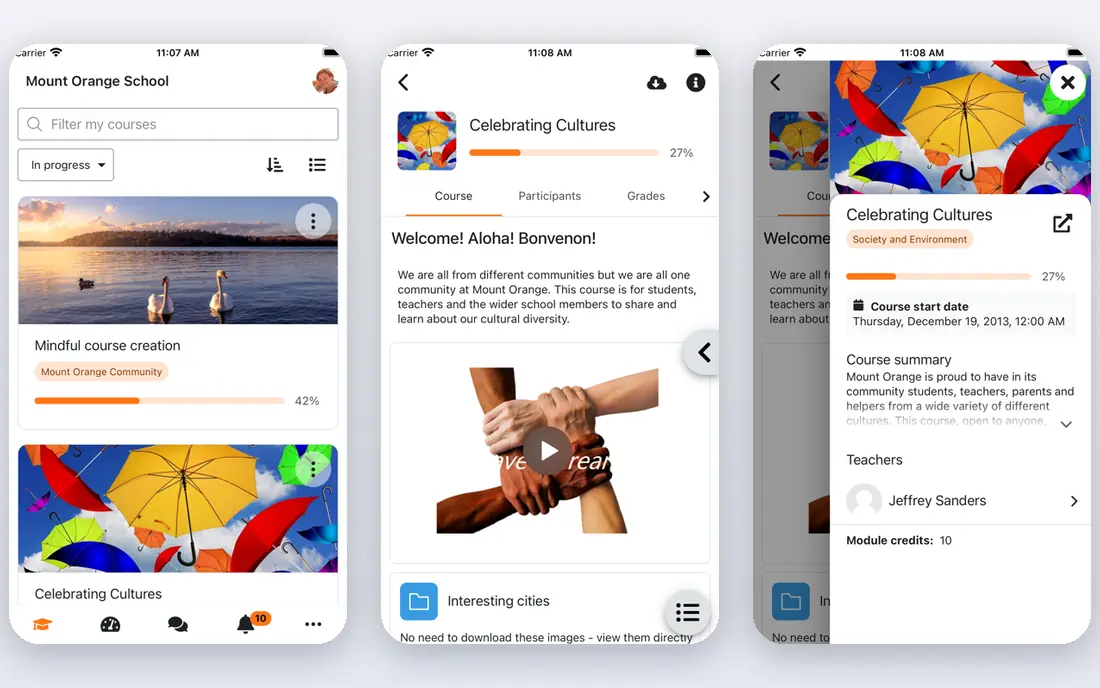
Moodle fits schools and organizations with technical capacity that want full control over courses, data, and customization. Its open-source core supports courses, quizzes, gradebooks, and forums, with plugins for almost every extra need. Control and cost are the strengths, since the license itself is free. The catch is total cost, because hosting, updates, and plugin care still take staff time or a partner. Check the export or sharing step early, because a tool that feels fast while you edit can still add friction at delivery.
- Free open-source core
- Huge plugin library
- Multilingual and flexible
- Hosting and admin work fall on you
- Setup needs technical skill
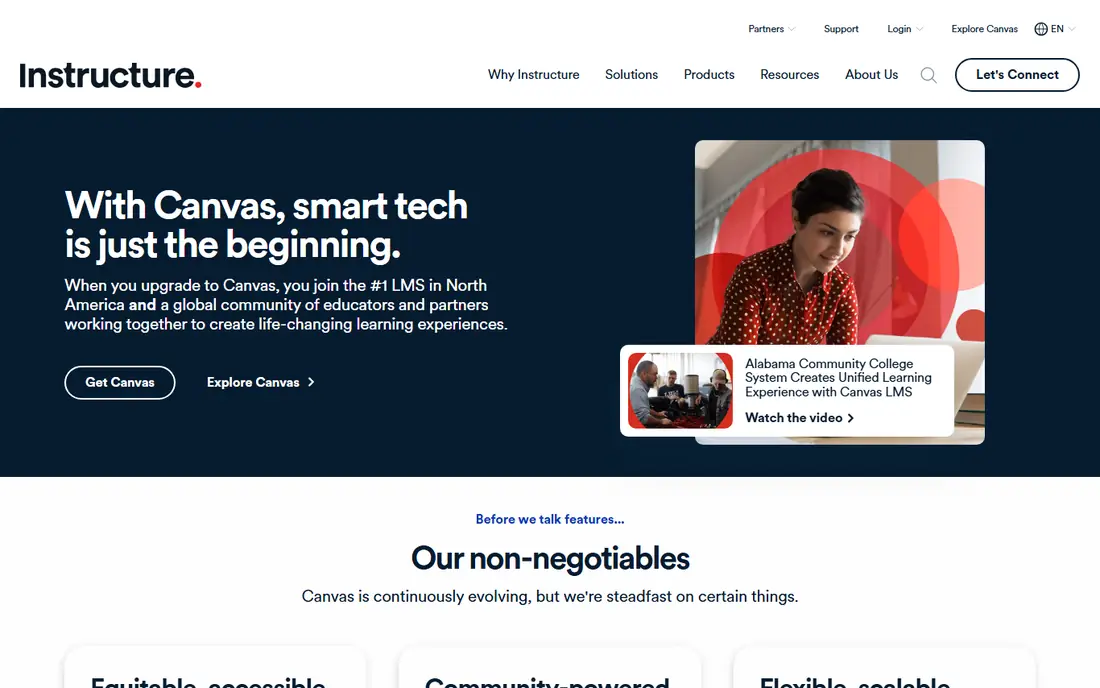
Canvas fits schools, colleges, and universities that need semester workflows, gradebooks, and assignment management at scale. Instructors get familiar course tools, while institutions get integrations with student systems and content providers. Its academic depth is hard to match with a corporate-first platform. The catch is pricing and setup, since contracts are quote-based and implementation takes planning. Try the free tier or trial on a small job first, and note what is locked behind a paid plan before you build a workflow around it.
- Strong academic workflows
- Gradebook and assignments
- Large ecosystem
- Quote-only pricing
- Implementation can be heavy for small teams
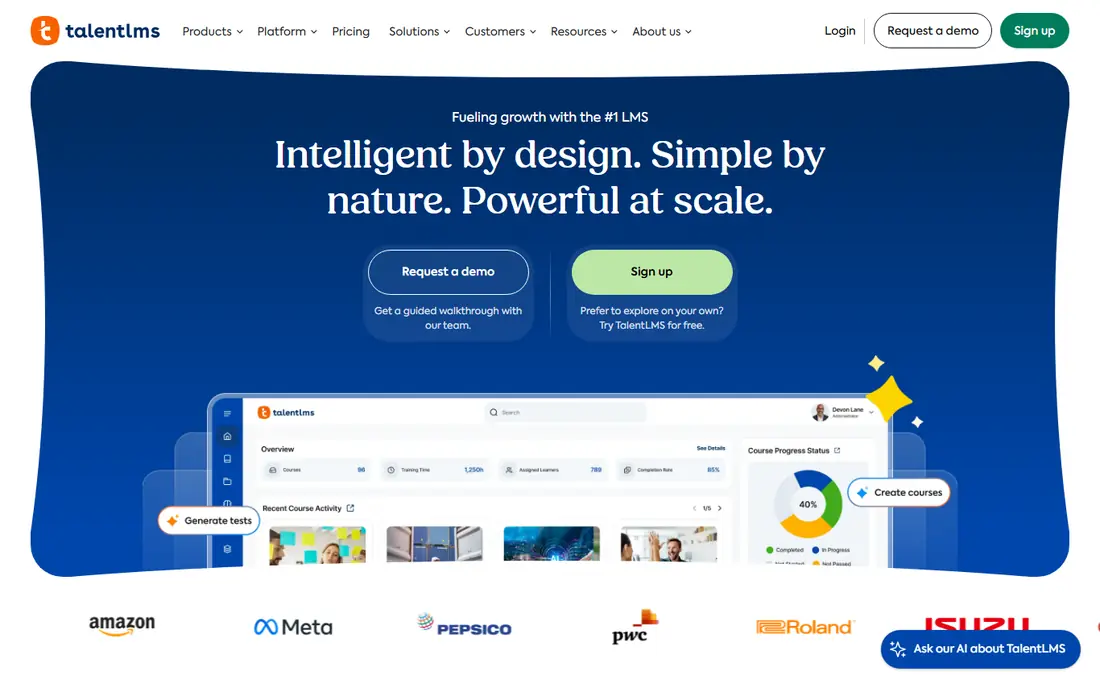
TalentLMS fits small and mid-sized companies that want to launch employee training quickly without a long implementation. It offers course creation, branches for teams, gamification, and a free plan for very small groups. Predictable monthly pricing helps budgeting, especially for teams under a few hundred learners. The catch is tier jumps, since crossing a user limit moves you to the next price band. Before you commit, test it on one real project with your usual files and export settings, so you can see where it slows down before it matters.
- Clear pricing tiers
- Branches and gamification
- SCORM support
- Tier jumps at user limits
- Advanced reporting sits on higher plans
Docebo fits large organizations that need enterprise learning across employees, partners, and customers. It supports multiple portals, AI-driven recommendations, and deep integrations, with compliance and reporting for large learner counts. Scale and governance are the main reasons enterprises choose it. The catch is cost and complexity, since smaller teams will find quote-only pricing and setup heavier than they need. Check the export or sharing step early, because a tool that feels fast while you edit can still add friction at delivery.
- Enterprise depth
- AI personalization
- Extended enterprise portals
- Quote-only pricing
- Best value at enterprise scale
LearnWorlds fits training companies and creators who sell courses and want a branded school, not just a course file. It combines course creation, a website builder, and ecommerce, so you can sell subscriptions and bundles without separate tools. That commerce focus saves time for course businesses. The catch is academic depth, since schools needing full gradebook and accreditation workflows may prefer Canvas or Moodle. Try the free tier or trial on a small job first, and note what is locked behind a paid plan before you build a workflow around it.
- White-label schools
- Built-in ecommerce
- Interactive course player
- Transaction and plan limits vary
- Academic features lag Canvas
LearnDash fits WordPress site owners who want to add courses to a site they already run. It adds lessons, quizzes, drip-fed content, and certificates to WordPress, with control over design and pricing. For WordPress teams, that integration avoids moving content to a new platform. The catch is maintenance, since hosting, updates, and add-ons remain your responsibility. Before you commit, test it on one real project with your usual files and export settings, so you can see where it slows down before it matters.
- Runs on WordPress
- Drip content and quizzes
- One-site license from $199 per year
- Needs WordPress hosting and care
- Add-ons add cost
Absorb LMS fits companies training employees, customers, and partners from separate branded portals. It supports ecommerce, content libraries, and reporting that managers can share with clients and stakeholders. Multi-portal control is valuable for training companies serving several clients. The catch is pricing transparency, since costs require a sales conversation and depend on learner volume. Check the export or sharing step early, because a tool that feels fast while you edit can still add friction at delivery.
- Extended enterprise portals
- Ecommerce
- Strong reporting
- Quote-only pricing
- Implementation needs planning
360Learning fits companies that want employees to create and share courses, not just complete assigned training. Its collaborative tools let subject experts build courses quickly, with peer feedback and discussion built in. That peer model captures internal knowledge that outside catalogs miss. The catch is per-user cost, since pricing grows with every learner, even occasional ones. Try the free tier or trial on a small job first, and note what is locked behind a paid plan before you build a workflow around it.
- Peer course creation
- Collaborative learning
- Strong for internal expertise
- Per-user pricing adds up
- Less suited to pure course commerce
Google Classroom fits schools and small classes that already use Google Docs, Drive, and Gmail. Teachers can post assignments, collect work, and give feedback without learning a complex platform. Simplicity and cost make it an easy starting point for classrooms. The catch is depth, since corporate compliance, ecommerce, and advanced reporting need a fuller LMS. Before you commit, test it on one real project with your usual files and export settings, so you can see where it slows down before it matters.
- Free for schools
- Simple setup
- Works with Google Docs and Drive
- Limited corporate training features
- Reporting is basic
How we picked these
We compared official feature pages, current pricing pages, app store listings, privacy policies where they mattered, and public reviews. We kept only products that exist and work today, and that fit the topic directly rather than loosely. Where a price was unclear or changed by plan, we used See website instead of guessing, and we treated free tiers as useful only when they cover real work, not just a demo. We also weighed the honest trade-offs. A strong feature set means less when the price, the learning curve, or the export options make everyday use harder. That is why each write-up below names a catch alongside the strengths, so you can match the tool to your budget, skill level, and the kind of output you actually need.
How to choose an LMS platform
Pick your category first
Academic platforms center on semesters, gradebooks, and assignments. Corporate platforms center on assigned training, deadlines, and audit reports. Commerce platforms center on selling courses. Choosing the wrong category costs more in workarounds than the right license.
Check standards and reporting
Confirm SCORM or xAPI support if you buy outside content, and test the reports managers actually need, such as completion by team, overdue training, and certificates. A pretty course player does not help if reporting is weak.
Trial with real learners
Run a pilot course with real learners, including mobile access, assignments, and a completion report. That pilot reveals admin effort, learner friction, and support quality before you sign a contract.