Best Logo Maker App in 2026: 9 Apps Compared
By ToolNimba Editorial Team October 31, 2026 10 min read

- Top pick
 Canva
All round design and logos
Starting priceFreeCheck out CanvaRead our review - Runner-up
 Looka
Logo plus brand kit
Starting price$20 one-timeCheck out LookaRead our review - Also great
 Adobe Express
Free PNG logos and Adobe workflow
Starting priceFreeCheck out Adobe ExpressRead our review
How we researched this
We compared official pricing and feature pages, app store listings, privacy policies and public user reviews. Prices change, so check the provider's site before you pay.
Key takeaways
- Canva is the best all round logo maker for most small businesses, because you can design a logo and then use it across social posts, presentations and print.
- Looka is the best dedicated logo and brand kit tool, with a clear one time price for logo files and a broader kit for coordinated branding.
- Adobe Express suits Creative Cloud users and anyone who wants free PNG downloads with a familiar Adobe workflow.
- Vector files and full commercial rights usually sit behind a paid plan, so check export formats and licensing before you pay.
- A logo maker is best for a fast, affordable start, while a human designer remains better for a unique, trademark ready brand mark.
Quick comparison
| Name | Best for | Starting price | Free plan | |
|---|---|---|---|---|
| Canva | All round design and logos | Free | Yes | Visit |
| Looka | Logo plus brand kit | $20 one-time | No | Visit |
| Adobe Express | Free PNG logos and Adobe workflow | Free | Yes | Visit |
 Wix Logo Maker | Website first branding | See website | No | Visit |
 Tailor Brands | Logo plus business branding | See website | No | Visit |
 Brandmark | Minimalist logo concepts | $25 one-time | No | Visit |
 LogoAI | One time logo purchase | See website | No | Visit |
 DesignEvo | Low cost logo templates | Free | Yes | Visit |
 Design.com | Logo plus business tools | See website | Yes | Visit |
The best logo maker apps
Logo makers differ in how they generate ideas, how much you can edit, what files you can download and what rights you get. Some are template based, some use AI to suggest concepts, and some sit inside a wider design platform. We compared official pricing pages, export options, licensing terms, editing tools and public reviews, and we favoured tools that are active and clearly priced in October 2026.

Canva is the most useful logo maker for most small businesses because a logo is rarely the end of the job. You can design a logo, then apply it to social posts, business cards, presentations, a website header and print materials in the same account. That wider design workflow saves time compared with a logo only tool.
The trade off is originality. Canva logos start from templates and shared assets, so your mark may resemble other logos, and vector export requires Pro. For a fast, affordable brand start, Canva is excellent. For a unique mark you plan to trademark, consider a designer after you test Canva concepts.
- Huge template library
- Full design editor for social, print and web
- Free PNG downloads
- Logo concepts are template based
- Vector SVG export needs Pro
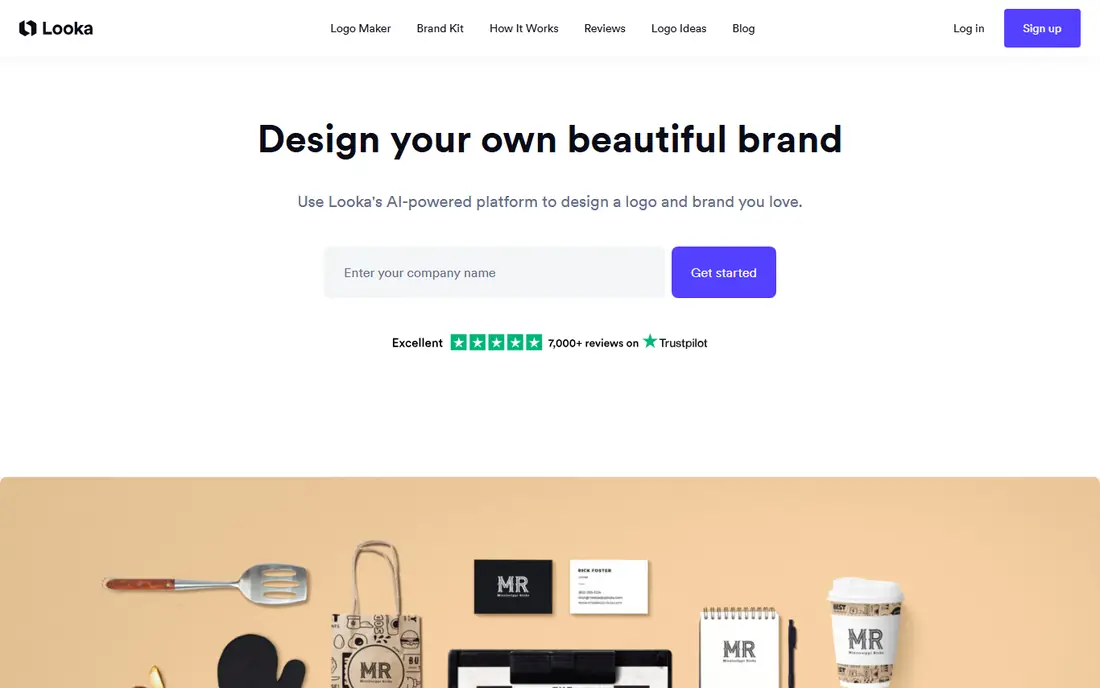
Looka guides you through industry, style and colour choices, then generates logo concepts you can refine by font, colour and layout. Logo packages start at $20 one time, with higher packages adding vector files and full commercial rights, and a brand kit subscription adds social templates and coordinated assets. That clear pricing helps small businesses budget.
You can design for free, but you pay to download high quality files, so test concepts carefully before buying. Looka outputs can also converge around common industry patterns, because they draw on shared symbols. For a polished logo plus brand kit at a predictable price, Looka is a strong dedicated choice.
- AI generated logo concepts
- Coordinated brand kit options
- Clear one time logo pricing
- Design is free but downloads are paid
- Template based icons can look similar across brands

Adobe Express suits users who already know Adobe tools or want a free logo with decent editing. Its free plan lets you create and download PNG logos, and its template library covers social posts, flyers and presentations. That makes it a good bridge between a simple logo maker and a full design suite.
Dedicated logo features are less deep than Looka, and premium assets and some exports need a paid plan. If you already use Adobe products, Express fits naturally into your workflow. If you want a logo only tool with brand kit depth, Looka may be a better fit.
- Free plan with PNG downloads
- Familiar Adobe design tools
- Templates for social and marketing
- Vector and premium assets may need a paid plan
- Less logo specific than Looka
Wix Logo Maker asks about your business and style, then generates logo options you can edit in detail. It works best if you also plan to build a Wix website, because your logo, colours and fonts can flow into your site design. That website first workflow saves setup time for new businesses.
High resolution and vector files require a paid package, so the free design stage is only a preview. If you do not use Wix, Looka or Canva may offer better value. If your logo and website launch together, Wix Logo Maker is a convenient, integrated choice.
- AI guided logo creation
- Integrates with Wix websites
- Full logo editor after purchase
- Design is free but high resolution downloads are paid
- Best value inside Wix
Tailor Brands goes beyond a logo by bundling business branding tools, such as social assets, business cards and domain guidance, around your logo. That bundle suits new founders who want a coordinated brand without hiring several services. The guided setup asks about your business and style, then builds a consistent look.
The main cost issue is subscription pricing. You design for free, but downloads require a paid plan, and keeping that plan long term costs more than a one time logo purchase. If you want a short term brand launch bundle, Tailor Brands is useful. If you only need a logo file, a one time tool may be cheaper.
- Logo plus business tools in one place
- Brand kit and social assets
- Guided setup
- Downloads require a subscription
- Total cost rises if you keep the subscription long term
Brandmark focuses on clean, minimalist logos, which suits tech, consulting and service businesses that want a simple mark. You enter your business name and preferences, review generated concepts, and refine colours and layouts. One time pricing starts at $25, with higher packages adding vector files and brand assets.
Editing is more limited than a full design editor such as Canva, and downloads are paid. Brandmark is best when you want a simple, modern logo quickly and do not need ongoing design tools. For a logo plus full marketing design, pair it with Canva after purchase.
- Clean minimalist concepts
- One time pricing
- Vector files on higher packages
- Design is free but downloads are paid
- Editing is more limited than Canva
LogoAI generates logo concepts from your business name, industry and style preferences, then lets you edit colours, fonts and layouts. Its one time purchase model appeals to buyers who dislike subscriptions, and brand kit options add social and business assets. That clarity helps small businesses compare total cost.
As with other AI logo tools, outputs draw on shared design patterns, so uniqueness is limited. Check the package details for vector files and commercial rights before buying, because those vary by tier. LogoAI is a solid one time option if you want AI concepts without a monthly fee.
- AI generated logo options
- One time purchase model
- Brand kit options
- Downloads are paid
- Template based output can limit uniqueness
DesignEvo suits beginners who want to browse thousands of templates by industry and customise a logo quickly. Its editor is simple, with text, icon, shape and colour controls that do not require design experience. Free low resolution downloads let you test ideas before paying for high resolution files.
Paid plans include high resolution, transparent and vector files, which most businesses need for print and professional use. Template based designs also mean your logo may share elements with other brands. For a low cost starting point and easy editing, DesignEvo is a practical choice.
- Large template library
- Free low resolution downloads
- Easy editing for beginners
- High resolution and vector files are paid
- Template based designs limit originality
Design.com combines a logo maker with wider business tools, including business name ideas, website options and marketing assets. That bundle helps new businesses move from a name to a logo to a basic online presence in one place. The free design stage lets you explore concepts without payment.
Full high resolution files and premium assets may require payment, and licensing terms vary by asset, so read them before using a logo commercially. If you want a logo plus a business launch toolkit, Design.com is worth trying. If you only need a logo file, compare its total cost with Looka or Brandmark first.
- Logo maker plus business name and website tools
- Free design stage
- Varied templates
- Premium assets and full files may need payment
- Licensing terms need careful reading
How we picked these
We compared official pricing pages, export formats, licensing terms, editing tools and public reviews. We looked at whether downloads were free or paid, whether vector files were included, whether a brand kit was offered, and whether the tool was actively available in October 2026. We did not claim hands on testing that we did not carry out, and we excluded tools that had closed or were no longer reliably available as a logo maker.
Choosing a logo maker for your business
Start with how you will use the logo. A social media profile needs a clear PNG that reads at small sizes. Print, signage and packaging need vector files such as SVG or EPS. A website header needs a transparent PNG. Check those export options before you fall in love with a concept, because the cheapest plan may not include the file you need.
Free versus paid logo downloads
Truly free downloads usually mean low resolution or PNG only, while vector files and full commercial rights usually require payment. That is normal, but it affects total cost. Compare the paid package that includes the files and rights you need, not just the free design stage, when you compare tools.
When to hire a designer instead
Hire a designer if you need a unique, trademark ready mark, a full brand identity system, or a logo that must stand out in a crowded market. Logo makers are best for a fast, affordable start, a side project, or a first version you plan to refine later. Many businesses start with a logo maker, then invest in custom design once revenue grows.