Best Marketing Project Management Software in 2026: 9 Tools Compared
By ToolNimba Editorial Team November 7, 2026 9 min read

- Top pick
 Asana
Cross-team task coordination
Starting price$10.99 per user per monthCheck out AsanaRead our review - Runner-up
 monday.com
Visual boards and workflows
Starting price$9 per user per monthCheck out monday.comRead our review - Also great
 ClickUp
Most features per dollar
Starting price$7 per user per monthCheck out ClickUpRead our review
How we researched this
We compared official pricing and feature pages, app store listings, privacy policies and public user reviews. Prices change, so check the provider's site before you pay.
Key takeaways
- Asana, monday.com and ClickUp lead for most marketing teams, with entry prices from $7 to $10.99 per user per month.
- Wrike and Workzone suit larger marketing and creative operations that need approvals, intake forms and resource planning.
- Free plans help small teams start, but timelines, automations and reporting usually sit on paid plans.
- The best tool follows your workflow, so test campaign planning, content calendars and approvals with real projects.
Quick comparison
| Name | Best for | Starting price | Free plan | |
|---|---|---|---|---|
| Asana | Cross-team task coordination | $10.99 per user per month | Yes | Visit |
| monday.com | Visual boards and workflows | $9 per user per month | Yes | Visit |
| ClickUp | Most features per dollar | $7 per user per month | Yes | Visit |
 Wrike | Marketing and creative operations | $10 per user per month | Yes | Visit |
 Workzone | Marketing teams that want support | $8 per user per month | No | Visit |
 Smartsheet | Spreadsheet-style planning | $9 per user per month | Free trial | Visit |
 Trello | Simple kanban boards | $5 per user per month | Yes | Visit |
 Teamwork | Agencies and client work | See website | Free trial | Visit |
 Zoho Projects | Budget-friendly tracking | $4 per user per month | Yes | Visit |
The best marketing project management software
We compared official pricing pages, campaign planning features and collaboration tools for software used by marketing teams. Marketing work is different from software development, so we favored tools with content calendars, campaign templates, approvals, asset sharing and client visibility. The right pick depends on team size, client work and how much structure your campaigns need.

Asana is our pick for most marketing teams that need clarity across many campaigns at once. Tasks, projects, timelines and calendars come together in an interface most people learn quickly. The Starter plan at $10.99 per user per month billed yearly adds timelines, dashboards and automations that the free plan lacks, which matters for recurring campaign work.
The catch is price at scale. A 50-person marketing team pays real money on per-user pricing, and portfolio views for leadership sit on higher tiers. Asana still suits cross-functional teams that need everyone aligned on who owns what, from content to design to paid media. For pure simplicity, Trello may be cheaper, but Asana gives more structure.
- Clear task ownership and timelines
- Portfolios for campaign rollups
- Strong automations from Starter plan
- Per-user cost adds up for large teams
- Advanced portfolios sit on higher tiers
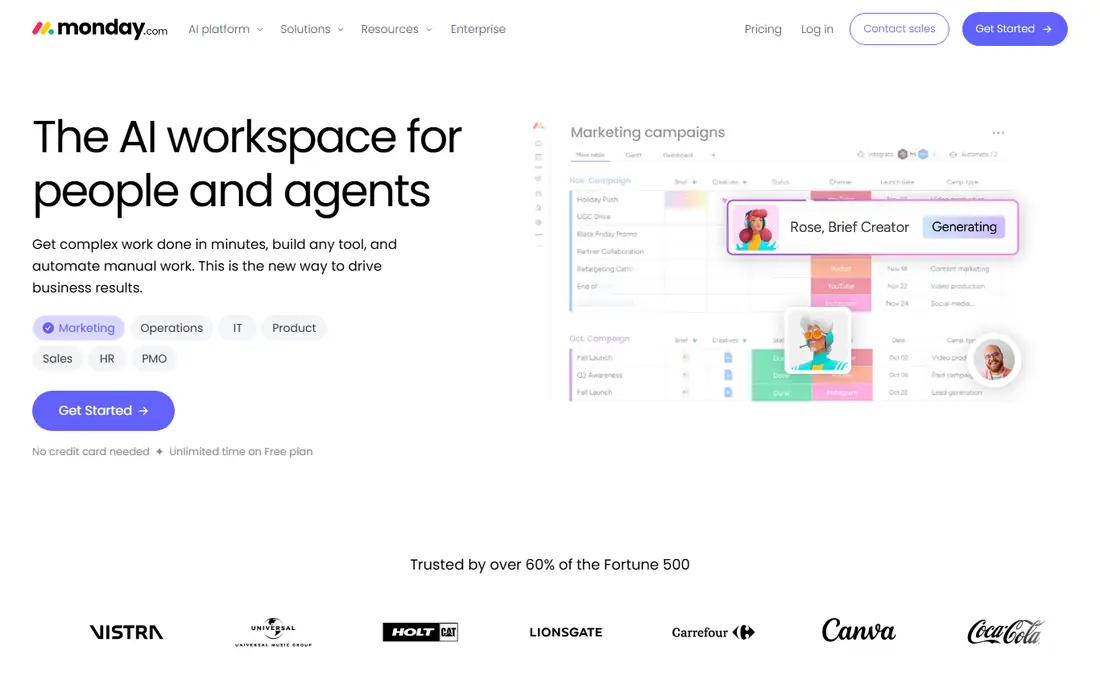
monday.com suits visual marketing teams that want to see campaigns, content calendars and budgets on boards rather than lists. Its templates cover campaign planning, content pipelines and social media calendars, and dashboards give managers a quick view of progress. The Basic plan starts at $9 per seat per month billed yearly, with a free plan for up to two seats.
Automations are the main limit on lower plans. Basic has no automations, and Standard includes a limited monthly allowance, so teams that rely on automatic status changes and notifications may need Pro. monday.com is still a strong pick for creative teams that value visual planning and easy customization over strict task structure.
- Highly visual boards and dashboards
- Flexible no-code customization
- Strong marketing templates
- Automations are limited on Basic plan
- Costs rise quickly with add-ons and higher tiers
ClickUp gives marketing teams the most features per dollar on this list. The Unlimited plan at $7 per user per month billed yearly includes tasks, docs, goals, dashboards and automations that rivals reserve for higher tiers. Its free plan is also generous enough for small teams to test real campaign work before paying.
Breadth is also the drawback. New users can feel overwhelmed by views, custom fields and settings, and a poorly planned setup can slow adoption. Teams that invest a day in templates and naming rules usually get the most from ClickUp. For budget-conscious marketing teams that want one tool for tasks, docs and reporting, it is hard to beat.
- Broad feature set for the price
- Docs, goals and dashboards included
- Generous free plan
- Feature breadth can feel overwhelming
- Setup takes time to get right
Wrike suits marketing and creative operations teams that handle high volumes of assets and approvals. Proofing, intake forms, resource planning and detailed reporting help larger teams manage campaigns, design requests and content production in one place. The Team plan starts at $10 per user per month billed yearly, with a free plan for small teams.
Wrike takes longer to set up well than simpler tools, and its depth can overwhelm small teams. It earns its price when approval chains, workload planning and cross-team reporting are central to your work. Small content teams may prefer Asana or ClickUp, while large creative operations teams will use more of what Wrike offers.
- Strong approvals and proofing for creative work
- Resource management
- Scalable for large marketing teams
- Setup is complex
- Learning curve is steeper than Asana or Trello
Workzone is built for marketing, agency and operations teams that want human support rather than self-serve onboarding. Its Starter plan is listed at $8 per user per month billed yearly, with Team at $20 per user per month, and Enterprise pricing by quote. Unlimited training and support are included, which helps teams that have struggled with adoption in the past.
There is no free plan, so you must trial or demo it before committing. Workzone also has less marketplace buzz than Asana or monday.com, so fewer third-party guides are available. For marketing teams that value a guided rollout and responsive support, Workzone is a practical and often overlooked choice.
- All-inclusive pricing with unlimited training and support
- Marketing-focused templates
- Intake forms and approvals
- No free plan
- Detailed pricing needs direct contact for larger plans
Smartsheet suits marketing managers who think in spreadsheets. Campaign plans, budgets, content calendars and timelines can live in grid views that feel familiar, while Gantt charts and dashboards add structure. The Pro plan starts at $9 per user per month billed yearly, with a free trial for testing.
Creative teams that prefer kanban boards and visual asset workflows may find Smartsheet less inspiring than monday.com or Wrike. It is strongest for planning, reporting and cross-functional coordination rather than for design approvals. Marketing operations teams that live in spreadsheets will feel at home quickly.
- Familiar spreadsheet interface
- Strong reporting and dashboards
- Good for campaign budgets and timelines
- Less intuitive for creative workflows
- Collaboration feels less visual than board tools
Trello is the simplest pick here, and that is its strength. A marketing team can set up a content calendar, campaign board or social pipeline in an afternoon, with almost no training. The free plan is excellent, and Standard at $5 per user per month billed yearly adds more boards, checklists and automation.
Trello struggles with complex marketing operations. Reporting, workload planning and multi-project portfolios are limited compared with Asana, Wrike or Workzone. Trello suits small teams, solo marketers and simple campaign boards. Larger teams usually outgrow it and move to a more structured tool.
- Very easy to learn
- Excellent free plan
- Quick setup for content calendars and campaign boards
- Limited reporting and resource planning
- Large campaigns need add-ons or another tool
Teamwork suits agencies and marketing firms that manage client projects, retainers and billable time. Client views let customers see progress without seeing internal detail, and time tracking helps agencies link work to invoices. A 14-day free trial lets agencies test real client workflows before paying.
Pricing is by quote or plan page rather than a single headline price, so agencies should confirm costs for their team size. In-house marketing teams that do not bill clients may get better value from Asana or ClickUp. For client services, Teamwork's agency focus is a real advantage.
- Client-facing project views
- Time tracking and billing support
- Strong agency workflows
- Pricing is less transparent than rivals
- Less suited to in-house-only teams
Zoho Projects is the budget pick for marketing teams that need solid project tracking without a high per-user cost. The Premium plan starts at $4 per user per month billed yearly, with a free plan for small teams. Tasks, milestones, Gantt charts and time tracking cover the core needs of most campaign plans.
The interface is less polished than leading rivals, and marketing-specific templates are thinner. Teams already using Zoho CRM, Mail or Books get extra value from integration. For small marketing teams on a tight budget, Zoho Projects delivers the essentials at a price rivals cannot match.
- Lowest entry price on this list
- Solid tasks, Gantt charts and time tracking
- Zoho app integration
- Interface is less polished than Asana or monday.com
- Marketing templates are thinner
How we picked these
We compared official pricing pages, campaign planning features and collaboration tools for project software used by marketing teams. We favored tools with content calendars, templates, approvals and reporting, and we weighted free plan value for small teams. We did not claim hands-on testing, and we treated vendor prices as billed yearly where the vendor states that term.
How to choose marketing project management software
Start with your campaign workflow, not with a feature list. Map one real campaign from brief to publish, including design, review, approval and reporting, then test that flow in two or three tools. A tool that looks good in a demo can still fail on approvals or client visibility, which are the steps that usually break.
Then check cost for your real team size, including viewers and clients who may need paid seats. Some tools charge for every user, while others offer free viewers or collaborators. Also confirm integrations with your design, email and analytics tools, because marketing work rarely lives in one app alone. Pick the tool your team will actually use daily, even if it is not the most powerful option.
Sources
Frequently asked questions
What is the best project management software for marketing teams?
Asana is our pick for most marketing teams because it balances task structure, timelines and automations. monday.com suits visual teams, ClickUp suits budget-conscious teams that want many features, and Wrike suits large creative operations. Test your campaign workflow in two tools before you decide.
Is there free project management software for marketing?
Yes, Asana, monday.com, ClickUp, Wrike, Trello and Zoho Projects all offer free plans. Free plans usually limit automations, timelines and reporting, so small teams can start free and upgrade when campaign volume grows. Trello and ClickUp have the most generous free plans for simple marketing work.
How much does marketing project management software cost?
Entry paid plans on this list range from $4 to $10.99 per user per month billed yearly. Total cost depends on team size, whether clients need paid seats, and which tier you need for automations and reporting. Always price for your full team, not just for a few managers.
Should marketing agencies use different software from in-house teams?
Agencies often benefit from client-facing views, time tracking and billing, which Teamwork and Wrike handle well. In-house teams usually prioritize campaign planning, content calendars and cross-team coordination, which Asana and monday.com handle well. Some agencies use one tool for internal work and client views in the same platform to avoid double entry.
Can marketing project management software replace spreadsheets?
For campaign planning, yes, most tools here can replace spreadsheets for tasks, timelines and status tracking. Spreadsheets still suit detailed budgets and ad hoc analysis, and Smartsheet bridges both worlds with a grid interface. Keep spreadsheets for analysis, and use project software for ownership, deadlines and approvals.