How to Pick Mood Board Software: 7 Tools Compared
By ToolNimba Editorial Team November 18, 2026 7 min read
We did not test these tools hands-on. Picks are based on vendor documentation and public information. Read our editorial policy and disclosure.

- Top pick
 FigJam
Figma users who require a whiteboard
Starting price$3 a month (Collab seat, billed yearly)Check out FigJamRead our review - Runner-up
 Conceptboard
GDPR-friendly team whiteboarding
Starting price5 EUR per user/month (Starter)Check out ConceptboardRead our review - Also great
 Canva
Fast boards inside a design suite
Starting price$15 per month ($120 a year billed yearly)Check out CanvaRead our review
How we researched this
We compared official pricing and feature pages, app store listings, privacy policies and public user reviews. Prices change, so check the provider's site before you pay.
Direct answer
For Figma users who require a whiteboard, FigJam is where this list starts. For a different need, Conceptboard covers GDPR-friendly team whiteboarding and Canva covers fast boards inside a design suite. The remaining 4 options are covered below with prices and limits.
Key takeaways
- FigJam is the opening pick, best for Figma users who require a whiteboard.
- A fair warning about Canva: boards feel generic next to dedicated tools.
- 7 out of 7 tools include a free plan, among them FigJam, Conceptboard, Canva and Morpholio Board.
- Niice fits brand hubs for remote teams.
- Starting prices begin at $3 per month with FigJam.
Quick comparison
| Name | Best for | Starting price | Free plan | |
|---|---|---|---|---|
| FigJam | Figma users who require a whiteboard | $3 a month (Collab seat, billed yearly) | Yes | Visit |
| Conceptboard | GDPR-friendly team whiteboarding | 5 EUR per user/month (Starter) | Yes | Visit |
| Canva | Fast boards inside a design suite | $15 per month ($120 a year billed yearly) | Yes | Visit |
 Morpholio Board | Interior designers on iPad | Free (5 projects); in-app purchases from $4.99 | Yes | Visit |
 Pinterest | Free visual discovery | Free | Yes | Visit |
 Milanote | Client-facing creative boards | $9.99 per person/month (billed yearly) | Yes | Visit |
 Niice | Brand hubs for remote teams | $83.25 a month (Basic) | Yes | Visit |
Mood Board Software profiles
Choosing mood board software usually comes down to price, fit and limits. This ToolNimba guide sets 7 tools side by side on those three points, with the facts kept short and checkable.
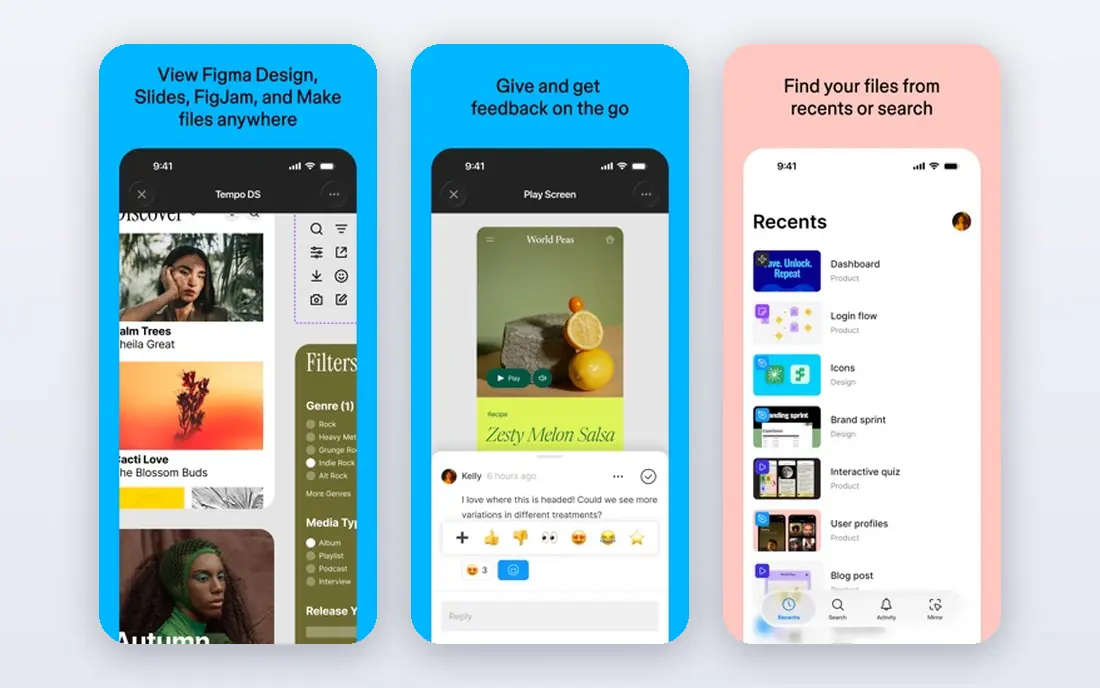
FigJam is designed for Figma users who need a whiteboard. For client-facing creative boards, Milanote presents better. As for the details, if your studio lives in Figma, stop reading and use FigJam.
Points against: Stickies and stamps feel entry-level next to Miro's toolkit.
It is one click from your design files, which means crits, flows and mood boards happen in the same place. On top of that, the free Starter plan lets 3 FigJam boards, enough for occasional use. FigJam pricing: $3 per month. FigJam has a free plan.
- Open sessions let clients join for 24 hours with no account
- Sits one click from your Figma design files
- Free plan caps at 3 boards
Choose Conceptboard for GDPR-friendly team whiteboarding. Data residency in Germany, ISO 27001 certification and public-sector procurement suitability make it the pick for European firms, agencies handling sensitive clients, and government-adjacent work.
What to check first: Smaller template and integration ecosystem than Miro.
Worth adding: pricing begins at 5 EUR per user a month for Starter, with a free plan handling restricted boards. Starting cost for Conceptboard: 5 EUR per user/month. A free plan is available with Conceptboard.
- Ample free level for individuals
- Data hosted in Germany with ISO certification
- Live sync can lag on big projects
Canva was built for fast boards inside a design suite. Canva Whiteboards provide you an infinite canvas with sticky notes, images and templates. The same account hands you the full design suite: background remover, Magic Resize, 610,000 templates and over 100 million stock assets on Pro.
The main drawbacks: Boards feel generic next to dedicated tools.
From a buyer's view, if the board itself is the deliverable a client judges you on, a dedicated tool presents better. From a buyer's view, the old Teams plan was rebranded to Canva Business at roughly $20 per person a month. Worth adding: the pricing history is messy, so check the current page. You probably already have Canva, which is exactly the argument for using it. Pro now costs $15 a month or $120 a year. Canva pricing: $15 per month. Canva offers a free plan.
- Whiteboards plus full design tools in one place
- Huge template library and stock assets
- Team pricing changed several times, so verify before budgeting
Morpholio Board was built for interior designers on iPad. This is the specialist. Morpholio Board is made for interior designers and it displays: curated galleries from brands like Knoll, Herman Miller and Blu Dot, automatic shopping lists and furniture books generated from your boards, and AR that drops furniture into a real room at scale.
A board can become a client presentation, a color chart or a cutsheet without leaving the app. Essentials, Premium and Pro subscriptions open up more projects, export to Excel, PDF and PSD, presentation mode and smart layers, with in-app purchases starting around $4.99. If your team mixes devices, look elsewhere. As for the details, the free level includes up to 5 projects, which is enough to test properly. What you pay to start with Morpholio Board: Free. Morpholio Board has a free plan.
Strengths: AR furniture preview on device. Points against: Advanced features locked behind subscription levels; Apple devices only.
- Color charts and shopping lists
- Turns boards into presentations
- Overkill if you do not work in interiors
Pinterest makes the most sense for free visual discovery. Pinterest belongs on every mood board list and in none of the workflows. But a Pinterest board is not a deliverable.
Honest limits: just a discovery feed; No client presentation features.
Worth adding: then build the actual board in Milanote, Canva or Morpholio. There is no layout control, no annotations worth mentioning, no export to PDF, and no way to present it professionally. Starting cost for Pinterest: Free. Pinterest has a free plan.
- Secret boards for private collecting
- The largest free collection of visual references on earth
- Not a board tool
Milanote works best for client-facing creative boards. Drop images, notes, links and files onto a board and they stay where you put them. The pricing gap is the thing to know.
Downsides: Weak mobile apps and no real offline mode.
A team bundle for up to 10 people runs about $49 a month. On top of that, boards nest inside boards, so a big branding project splits into neat sections without losing the overview. Entry price for Milanote: $9.99 per person/month. Free access exists with Milanote.
- Boards nest inside boards for clean project structure
- Refined client sharing with comments
- Free plan caps at 100 items with no middle level
Choose Niice for brand hubs for remote teams. If you are a freelancer making inspiration boards, this is massive overkill.
In daily use, if you run brand for a distributed team and need boards, asset management and approvals in one place, the cost starts to make sense. Price to start with Niice: $83.25 per month. You can start on Niice without paying.
Honest limits: By far the most pricey tool here.
- Slack and Google Slides
- Merges boards with digital asset management
- Feature depth exceeds what a straightforward mood board needs
Selection criteria
Pricing pages, product documentation and feature lists were the main sources, and every entry carries at least one honest drawback. Figures are shown as the vendors publish them. Billing terms, seat minimums and add-ons can change the real cost. Position on the page reflects fit for a typical buyer first, with price clarity and free access breaking ties. Treat it as a guide, not a ruling.
What to check before you buy
- Prices are a starting point; FigJam shows $3 per month to start, so verify what your seat count would cost.
- Check what the free option really includes: FigJam, Conceptboard, Canva and others offer a free plan, and usage caps differ.
- Before choosing FigJam, weigh its main limit: only makes sense inside a Figma workflow.
- Confirm that Canva connects to the apps your team already uses, on the plan you would actually buy.
- Find out what support Milanote includes on your plan, and whether onboarding help costs extra.
Sources
Frequently asked questions
Which options for mood board software have a free plan?
7 of the 7 tools have a free plan, including FigJam, Conceptboard, Canva and Morpholio Board. Free plans usually cap users, projects or features, so check the limits on the vendor page.
Is FigJam the right pick for everyone comparing mood board software?
No single tool suits every team. FigJam comes first because it fits Figma users who need a whiteboard, while Conceptboard suits GDPR-friendly team whiteboarding and Canva suits quick boards inside a design suite. Match the tool to your own size, budget and workflow before deciding.
How are the tools for mood board software ordered?
FigJam sits first and Niice last because the order follows typical fit for mood board software, then price clarity and free access. It is a judgement call, so read each profile for fit and limits.
Do these tools publish their prices?
Yes. Every tool from FigJam to Niice shows a starting price, though seats, add-ons and billing terms still change the final cost.