Best Noise Meter Apps in 2026: 8 Apps Compared
By ToolNimba Editorial Team October 29, 2026 9 min read

- Top pick
 NIOSH Sound Level Meter
Trusted free readings on iPhone
Starting priceFreeCheck out NIOSH Sound Level MeterRead our review - Runner-up
 Decibel X
Cross-platform detail
Starting priceFreeCheck out Decibel XRead our review - Also great
 SPLnFFT Noise Meter
Advanced iPhone analysis
Starting priceSee websiteCheck out SPLnFFT Noise MeterRead our review
How we researched this
We compared official pricing and feature pages, app store listings, privacy policies and public user reviews. Prices change, so check the provider's site before you pay.
Key takeaways
- NIOSH Sound Level Meter is our pick for iPhone users who want a lab-checked, free reading, while Decibel X is the stronger choice across both iPhone and Android.
- A phone app gives a useful indicator, not a compliance-grade measurement, so do not use one for legal or workplace enforcement decisions.
- Android accuracy varies more by phone model and microphone than iPhone accuracy does, so calibration and a steady hand matter.
- Free apps cover quick checks well, but history, export, and frequency detail usually sit behind a paid upgrade.
Quick comparison
| Name | Best for | Starting price | Free plan | |
|---|---|---|---|---|
| NIOSH Sound Level Meter | Trusted free readings on iPhone | Free | Yes | Visit |
| Decibel X | Cross-platform detail | Free | Yes | Visit |
| SPLnFFT Noise Meter | Advanced iPhone analysis | See website | No | Visit |
 Sound Meter | Simple free Android checks | Free | Yes | Visit |
 SoundPrint | Finding quiet venues | Free | Yes | Visit |
 Decibel Pro | Alerts and photo overlays | Free | Yes | Visit |
 Too Noisy | Classrooms and group settings | Free | Yes | Visit |
 Noise Capture | Open community noise mapping | Free | Yes | Visit |
The best noise meter apps
A good meter app answers one plain question: how loud is it right here, right now. The picks below cover that job in different ways, from workplace-style dose tracking to a quick glance before you pick a table in a cafe.
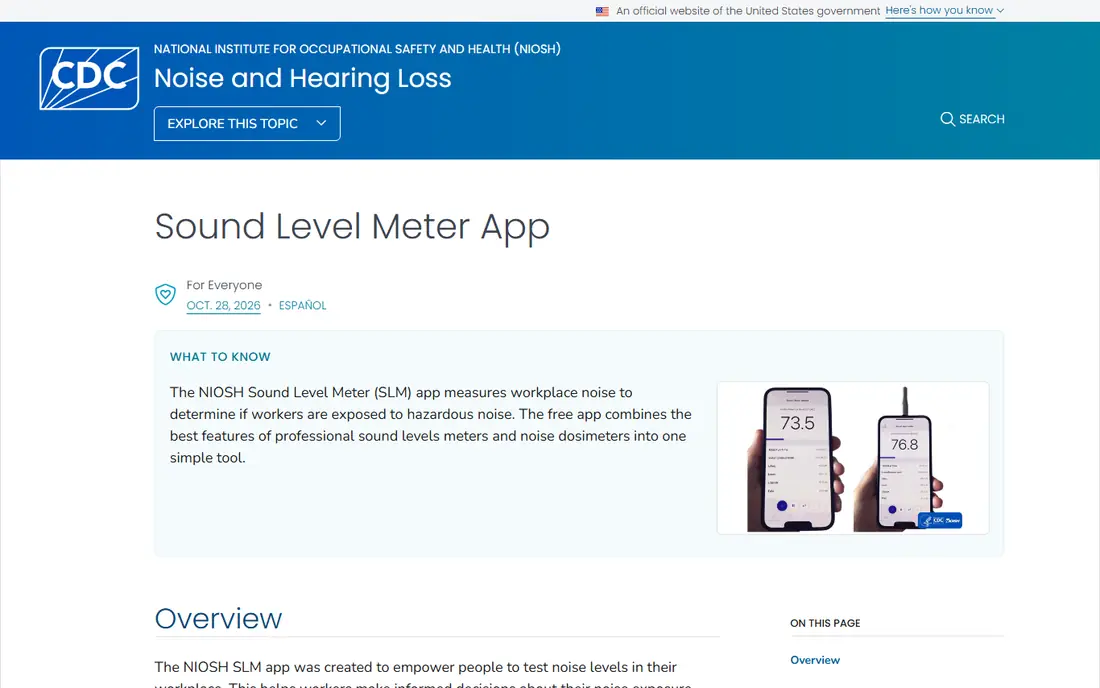
For most iPhone users, this is where we would start. The app was developed by the National Institute for Occupational Safety and Health, and its lab testing found results within about 2 decibels of a reference meter in the original study. That background makes it more credible than a typical free meter, especially for people checking workshop, gym, or concert noise.
The layout focuses on exposure over time, not just a single number. You see the current level, the equivalent level over the run, the maximum, and an estimated dose, which helps you judge whether a loud spell was brief or sustained. The trade-off is platform: there is no Android version, and the app itself states it is not meant to replace a professional sound level meter for compliance work.
- Developed by NIOSH
- Reports dose, time-weighted average, and peak levels
- Clear hearing guidance
- IPhone only
- Not a replacement for a professional meter
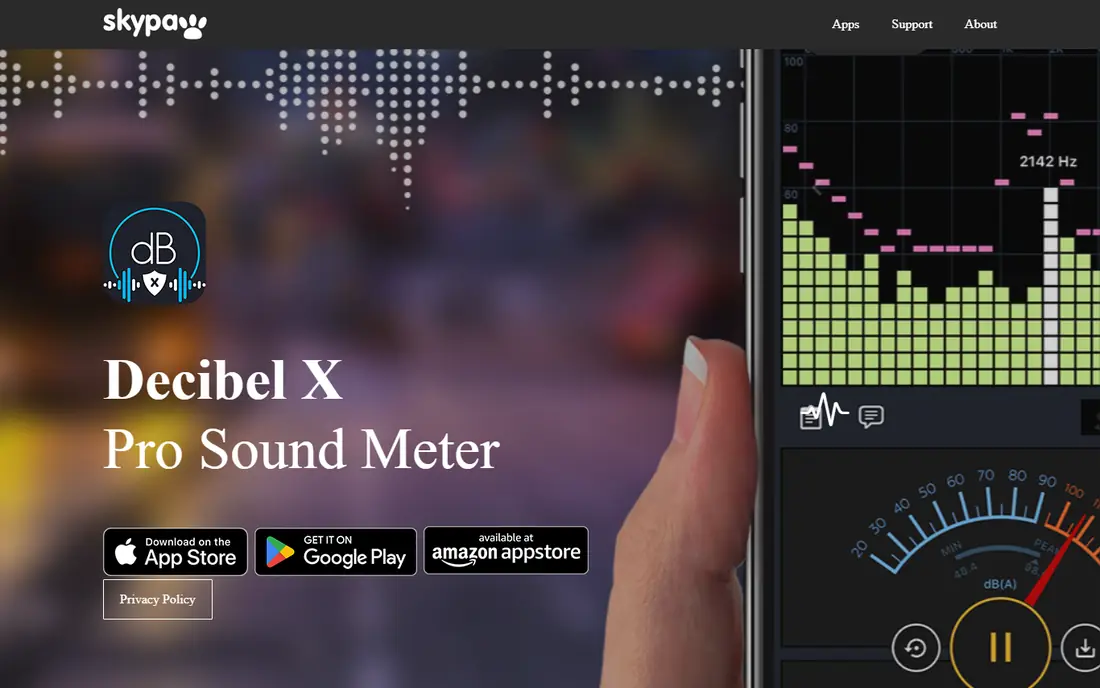
Decibel X is the most complete all-round pick if your household uses both iPhone and Android. It shows live levels, frequency analysis, and history, and it lets you export a record as an image or a CSV file. That export option matters if you want to show a landlord, a manager, or a venue what you measured and when.
Calibration is another strength, since you can adjust the reading against a known reference. The free version covers basic checks, while the paid version adds more of the analysis tools. As with any Android meter, treat the number as an estimate, and repeat a check in the same spot before you draw a firm conclusion.
- Works on iPhone and Android
- A, C, and other weightings
- History export as graphs or CSV
- Full features need a paid upgrade
- Android results depend on the phone microphone
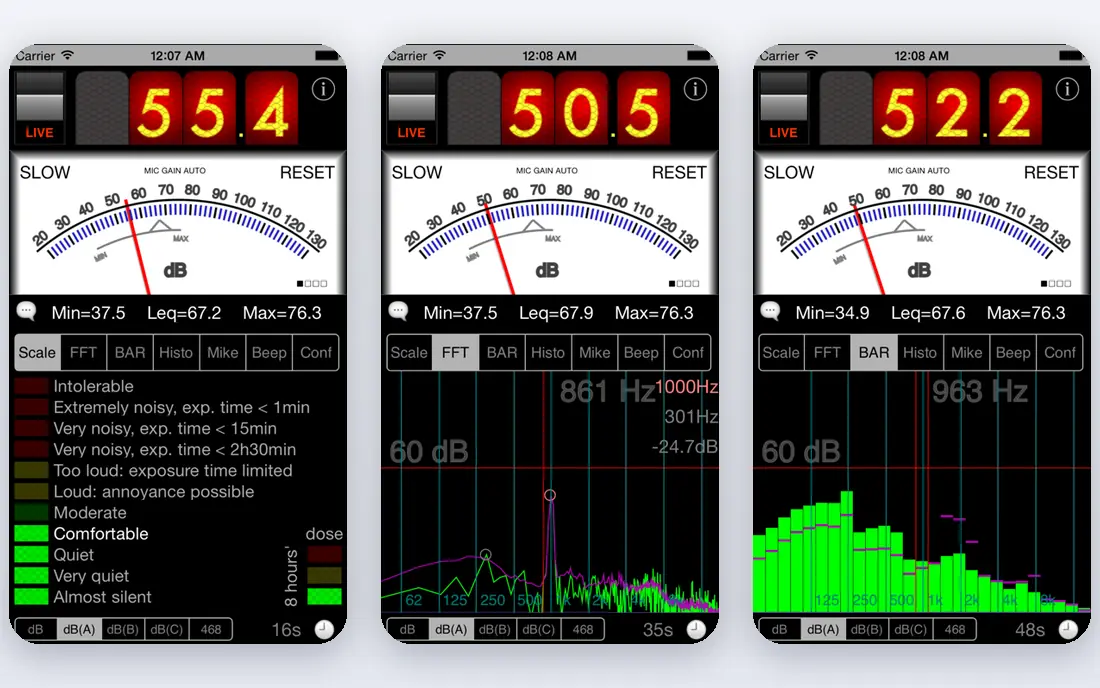
SPLnFFT suits people who want more than a single decibel number. It provides spectrum views and statistical measures that help audio workers and keen hobbyists see which frequencies dominate a noisy room. In published NIOSH-related testing, it performed very well among the apps studied, which is why it still appears in serious discussions years after launch.
That depth comes with a learning curve. Casual users may find the controls and graphs more than they need for a quick check at a restaurant. If you only want to know whether a room is loud, one of the simpler free apps above will do the job with less setup.
- Detailed spectrum and statistical measures
- Long history in the field
- Precise controls
- IPhone only
- Interface feels technical for casual users
Sound Meter is a plain, practical choice for Android users who want a fast answer. The large display makes it easy to read from a short distance, and the app includes reference points that help you place a number in context, such as a quiet room compared with busy traffic. That context helps first-time users who do not yet know what 70 or 85 decibels feels like in daily life.
It does not try to match the analysis depth of SPLnFFT or Decibel X, and it lacks the institutional backing of NIOSH. For a quick check before you move seats, start a recording, or put on hearing protection, that simplicity is a point in its favour rather than a flaw.
- Easy to read at a glance
- Free to start
- Calibration option
- Android only in this form
- Fewer analysis tools than Decibel X
SoundPrint answers a different question from the other apps here. Instead of only measuring your current room, it builds a shared map of how loud restaurants, bars, and cafes tend to be. You can search before you go out, which is useful for people with hearing sensitivity, tinnitus, or a need to hold a conversation without shouting.
Because the database relies on user submissions, coverage is stronger in some cities than in others. The project itself notes that its readings are approximate and not a substitute for a professional device. Use it as a planning aid, then take your own reading when you arrive if the exact level matters.
- Crowdsourced venue noise database
- Helps you choose quieter places
- Free to use
- Coverage depends on local submissions
- Readings are approximate
Decibel Pro stands out for people who want the app to warn them, not just display a number. You can set a threshold, and the app can alert you when noise passes it, which helps in a workshop, a nursery, or a shared office where levels creep up during the day. The history view also makes it easier to spot patterns, such as a noisy period each afternoon.
The photo and video overlay is a neat extra for documenting a noisy event, since the level appears on the image itself. As with every phone meter, the reading is only as good as the microphone and the placement, so keep the phone uncovered and pointed toward the sound source for the most consistent results.
- Custom noise thresholds with alerts
- Measurement history
- Photo and video overlays
- Paid features needed for full export
- Accuracy still limited by the phone microphone
Too Noisy is less of a meter and more of a classroom tool, and that is exactly why it earns a place here. It shows a clear visual signal when a room gets too loud, which gives teachers and group leaders a shared, neutral way to ask for quieter voices. Children tend to respond to the graphic faster than to repeated verbal reminders.
Do not use it to judge hearing risk or to settle a noise complaint. It is designed to guide behaviour in the moment, not to produce a calibrated record. For that narrower job, though, its simplicity beats a technical app that a whole class cannot read at a glance.
- Visual cue that groups understand at once
- Works on iPhone and Android
- Fun for children
- Built for behaviour cues, not precise measurement
- Paid version needed for full features
Noise Capture comes from a research-led project that turns phones into contributors to shared noise maps. If you like the idea behind SoundPrint but want an open, research-focused tool, this is the closer fit. You can measure, tag, and share results, which helps local groups build a picture of noisy streets and quiet routes.
The interface feels more like a research tool than a polished consumer app, so first-time users may need a few minutes to get comfortable. Coverage also depends on how many people in your area take part. Still, for community projects and curious users, the open approach is a genuine strength.
- Open source approach
- Contributes to community noise maps
- No paid wall for core measuring
- Interface is more research focused
- Community maps vary by area
How we picked these
We compared official feature pages, app store listings, pricing pages, and public reviews, and we gave weight to apps with a clear measurement method, a usable free version, or a distinct job such as venue finding or classroom use. We favoured apps that state their limits plainly, since a meter that admits it is an estimate is more useful than one that promises lab precision from a phone microphone. We did not claim hands-on lab testing, and we treated phone readings as indicators rather than compliance results.
What to check before you trust a reading
A meter app is only useful if you use it in a consistent way. Small habits make a real difference, and they cost nothing.
Calibrate when you can
If an app offers calibration, use it against a known source or compare two phones in the same spot. A single uncalibrated reading can mislead you, while repeated readings in the same place show whether a change is real.
Mind the microphone
Remove a thick case, keep the microphone uncovered, and point it toward the sound. Wind, handling noise, and a hand over the mic can all shift the result, especially outdoors.
Read the average, not just the peak
A brief clap or door slam can spike the display without meaning the room is unsafe. Look at the average and the time spent above 85 decibels, which is the level NIOSH uses as a reference for an 8-hour exposure.