Best Organization Apps in 2026: 8 Apps Compared
By ToolNimba Editorial Team October 29, 2026 10 min read

- Top pick
 Todoist
Fast capture for most people
Starting priceFreeCheck out TodoistRead our review - Runner-up
 TickTick
Tasks plus calendar and habits
Starting priceFreeCheck out TickTickRead our review - Also great
 Notion
Custom workspaces and notes
Starting priceFreeCheck out NotionRead our review
How we researched this
We compared official pricing and feature pages, app store listings, privacy policies and public user reviews. Prices change, so check the provider's site before you pay.
Key takeaways
- Todoist is our pick for most people because fast capture, cross-platform sync and a usable free tier cover daily organization without setup work.
- Notion is best if you want tasks, notes, docs and databases in one customizable workspace, though it takes longer to set up.
- TickTick gives you tasks, calendar, habits and a timer in one app, which replaces several tools for a lower price.
- The best system is the one you open daily, so pick for capture speed and simplicity over feature count.
Quick comparison
| Name | Best for | Starting price | Free plan | |
|---|---|---|---|---|
| Todoist | Fast capture for most people | Free | Yes | Visit |
| TickTick | Tasks plus calendar and habits | Free | Yes | Visit |
| Notion | Custom workspaces and notes | Free | Yes | Visit |
 Microsoft To Do | Microsoft 365 users | Free | Yes | Visit |
 Google Tasks | Gmail and Calendar users | Free | Yes | Visit |
 Trello | Visual boards and teams | Free | Yes | Visit |
 Things 3 | Apple users wanting polish | $9.99 one-time | No | Visit |
 ClickUp | All-in-one team projects | Free | Yes | Visit |
The best organization apps
We compared official pricing pages, feature lists and public reviews for the apps below. Organization means different things to different people: a to-do list for daily tasks, a calendar for time, a workspace for notes and projects, or a board for team work. The apps here cover those jobs, and we note which job each one does best so you can pick by your actual bottleneck.
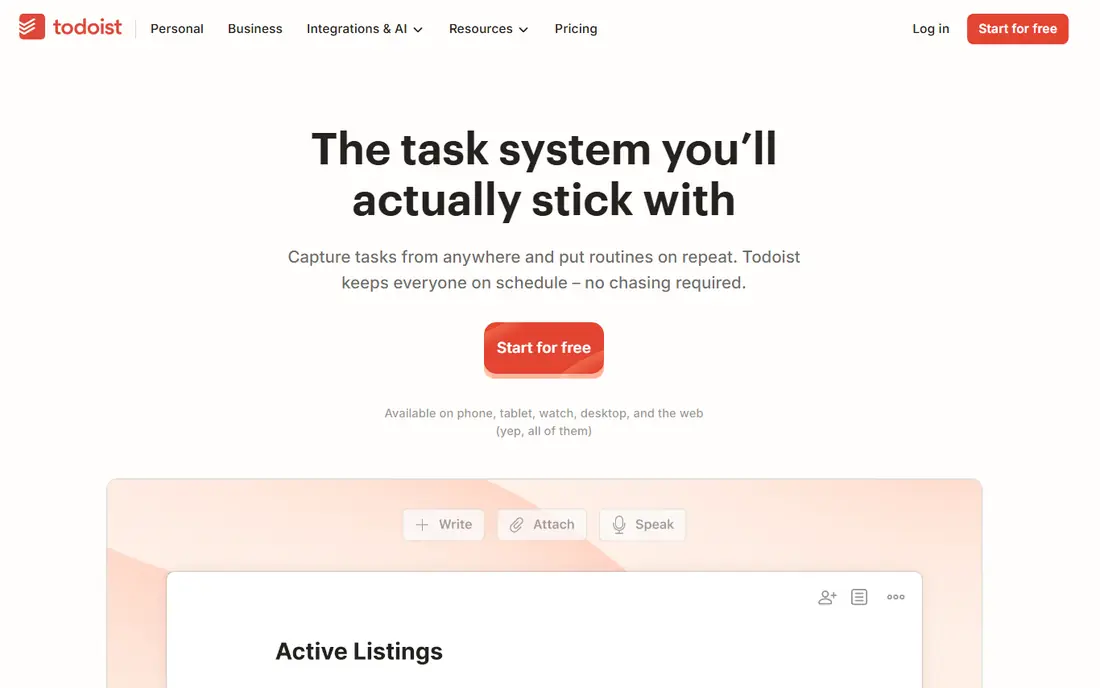
Todoist wins on the habit that matters most: getting a task out of your head and into a trusted list in seconds. You type a sentence with a date in it, and Todoist schedules it correctly, with priorities, labels and projects to organize it later. That capture speed is why it remains the default recommendation in most to-do comparisons, and it works the same on phone, desktop and web.
The free plan covers basic task management with a limited number of projects, while Pro, at about $4 per month billed annually in many listings and $7 monthly in others, adds unlimited projects, reminders, calendar views and AI features. The interface is clean rather than flashy, and integrations cover calendars, email and hundreds of other tools. If you want one app for daily organization, start here.
- Natural-language task capture
- Works identically on every platform
- Wide integration list
- Free tier caps projects and omits reminders
- Advanced views need the paid plan
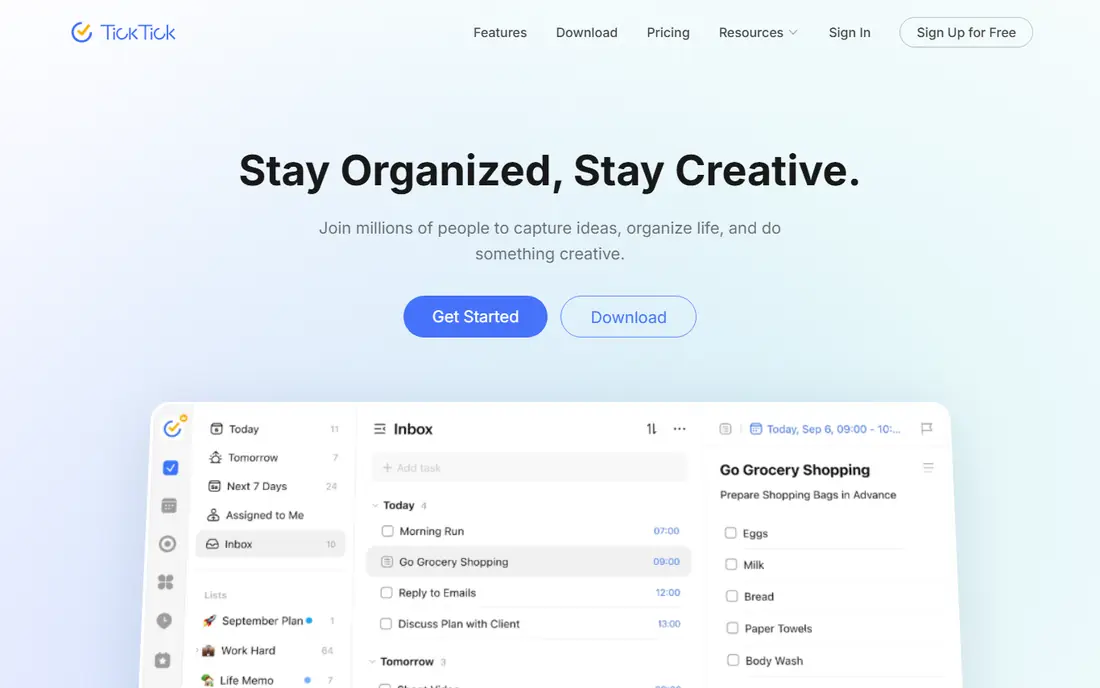
TickTick is the value pick for people who want more than a list. It bundles tasks with a calendar view, habit tracking and a Pomodoro timer, which for many users removes the need for two or three separate apps. The free tier is more generous than Todoist's, and Premium costs about $35.99 to $49.99 per year depending on the listing and billing route, which undercuts Todoist Pro on annual billing.
The trade-off is polish. The interface packs more features onto each screen, so it feels busier, and some users report occasional sync lag. If you want a single app for tasks, habits and focused work sessions, TickTick is the better deal. If you want the cleanest possible list, Todoist still leads.
- Tasks, calendar, habits and Pomodoro timer in one app
- Generous free tier
- Lower annual price than Todoist Pro
- Interface is busier than Todoist
- Sync can lag occasionally in public reviews
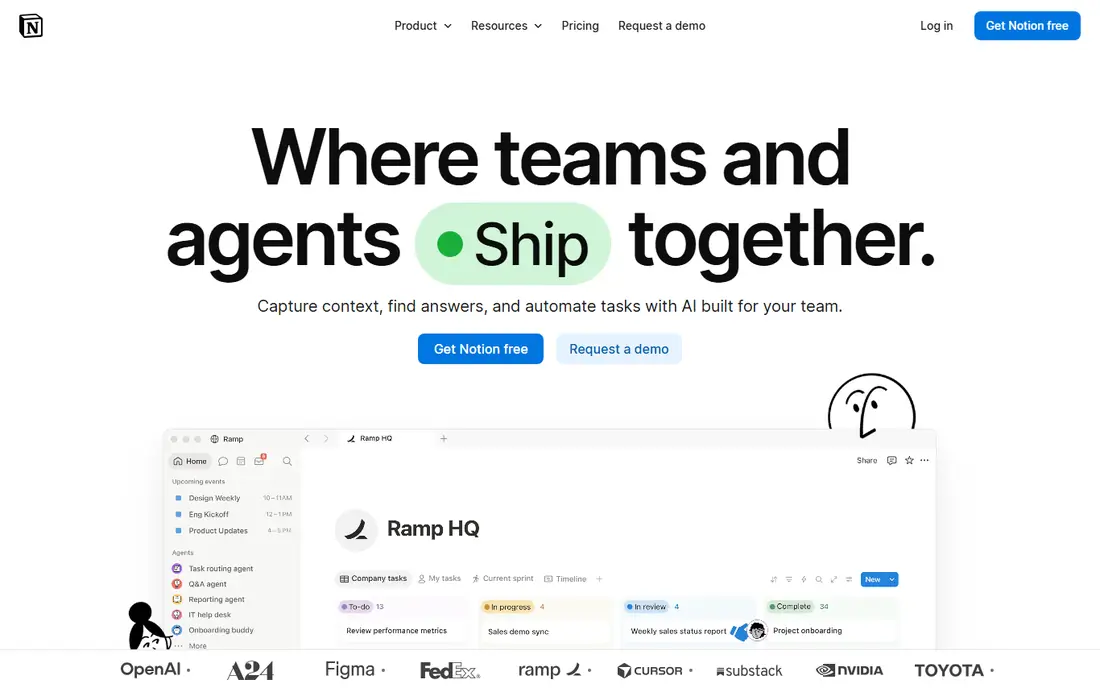
Notion is not just a to-do app. It is a workspace where tasks, notes, documents, wikis and databases live together, with linked views that let you see the same work as a list, a board, a calendar or a table. That flexibility suits students, creators and small teams that want one home for plans, research and projects rather than a separate app for each job.
The cost of that flexibility is setup time. Building a good Notion system takes hours, and capturing a quick task is slower than typing it into Todoist. The free plan covers personal use well, while Plus starts at $10 per user per month billed annually. Pick Notion if you want a system you design yourself, and pick Todoist if you want a list that works in five minutes.
- Tasks, notes, docs and databases in one workspace
- Highly customizable views
- Free for personal use
- Setup takes time and capture is slower than Todoist
- Paid plans cost $10 per user per month and up
Microsoft To Do is the obvious pick if you already live in Outlook and Microsoft 365. It is free with a Microsoft account, syncs with Outlook tasks and flagged email, and offers a My Day view that helps you pick today's focus from your lists. For office workers whose tasks arrive by email, that integration saves more time than any extra feature in a rival app.
The limits are depth. Projects, filtering and recurring rules are simpler than Todoist or TickTick, and power users will miss custom views. That simplicity is also a strength for casual users who want a clean list without a learning curve. If your work already runs through Microsoft tools, use the free app that fits them rather than paying for a separate system.
- Free with a Microsoft account
- Syncs with Outlook tasks and flagged email
- Simple My Day planning view
- Limited projects and filtering compared with Todoist
- Basic recurring rules
Google Tasks is the lightest app in this list, and that is its appeal. It lives inside Gmail and Google Calendar, so a task created from an email appears in your calendar sidebar without a new login or a new app to learn. It is free with any Google account and covers simple lists, due dates and subtasks.
What it lacks is everything a power user wants: priorities, tags, custom views, rich collaboration and detailed recurring rules. That makes it a poor fit for project management, but a good fit for personal errands and simple daily lists. If your organization problem is "I forget small tasks from email," Google Tasks solves it for free. If your problem is managing a project, look at Todoist, Trello or ClickUp instead.
- Free with a Google account
- Built into Gmail and Google Calendar
- Simplest possible lists
- No advanced projects, priorities or collaboration features
- Web and mobile views are basic
Trello organizes work as cards on boards, which suits visual thinkers and small teams. You drag a card from "To do" to "Doing" to "Done," add checklists, due dates and attachments, and see the whole project at a glance. That board view is clearer than a long list when work moves through stages, such as content production, hiring or home projects.
The free tier covers basic boards and collaboration, while Standard starts at $5 per user per month billed annually. Trello is weaker as a personal daily list, since it lacks the fast capture and priority system of Todoist, and larger projects can need paid Power-Ups. Pick Trello when work is a pipeline, not a list, and when a team needs to see status without a meeting.
- Visual Kanban boards that are easy to learn
- Free tier for small teams
- Butler automation on paid plans
- Weak for personal task lists compared with Todoist
- Larger projects need paid features and Power-Ups
Things 3 is the best-designed task app on Apple platforms, and many Apple users call it the nicest app they own. Its Today, Upcoming and Anytime views make daily planning feel calm, headings and tags organize projects cleanly, and the app is fast on Mac, iPhone and iPad. Pricing is a one-time purchase per device, starting at $9.99 for iPhone and $49.99 for Mac in many listings, rather than a subscription.
The limits are platform and cost structure. Things 3 is Apple only, so Android or Windows users cannot use it, and buying each platform separately costs more than a single subscription over time. If you live entirely in the Apple ecosystem and value design and speed above cross-platform sync, Things 3 is worth the one-time cost. Everyone else should pick a cross-platform app.
- Beautiful, fast design
- One-time purchase per device, not a subscription
- Excellent Today and Upcoming views
- Apple only
- Buying each platform separately adds up
ClickUp tries to replace several tools at once: tasks, docs, goals, calendars, time tracking and team chat live in one workspace. The free tier is generous for small teams, and paid Unlimited plans start at $7 per user per month billed annually in many listings. Views include lists, boards, calendars and Gantt charts, so a team can see the same project in the format that suits each role.
That breadth is also the drawback for solo users. ClickUp has more settings, menus and options than a personal organizer needs, and setting it up well takes time. Small teams and startups that want one tool for projects, docs and goals will get value from it, while a single user who just needs a daily list will be happier with Todoist. Pick ClickUp when team coordination, not personal capture, is the bottleneck.
- Generous free tier
- Many views including lists, boards, calendars and Gantt
- Docs and goals in the same tool
- Feature depth can overwhelm solo users
- Setup takes longer than Todoist or Trello
How we picked these
We compared official pricing pages, feature lists and public reviews, and we favored apps that are available now, work on current phones and desktops, and offer a clear free tier or a one-time purchase where claimed. Prices vary by billing term and region, so we used the most commonly listed annual or one-time figures and marked where monthly billing costs more.
How to build a system you will keep
Start with capture, not with a perfect system. Pick one app, put it on your phone home screen, and use it for every task for two weeks before adding a second tool. A system you open daily beats a beautiful workspace you avoid, which is why Todoist and TickTick lead this list for most people despite Notion's greater power.
Next, add one weekly review. Each week, clear overdue tasks, move unfinished work to a real date, and delete tasks that no longer matter. That review is what keeps any app from turning into a graveyard of old lists. Finally, keep the tool count low: one app for tasks, one calendar and, if needed, one notes workspace is enough for most people. Adding a fourth app usually creates more organizing work than it saves.