Best Payroll Services for Nonprofits in 2026: 10 Services Compared
By ToolNimba Editorial Team November 7, 2026 10 min read

- Top pick
 Gusto
Small to midsize nonprofits
Starting price$49 per monthCheck out GustoRead our review - Runner-up
 OnPay
Simple flat pricing
Starting price$49 per monthCheck out OnPayRead our review - Also great
 Patriot Software
Tight budgets
Starting price$37 per monthCheck out Patriot SoftwareRead our review
How we researched this
We compared official pricing and feature pages, app store listings, privacy policies and public user reviews. Prices change, so check the provider's site before you pay.
Key takeaways
- Nonprofit payroll needs tax-exempt handling, grant or fund coding, and clean reports for boards and auditors, not just pay runs.
- Gusto and OnPay both start at $49 per month plus $6 per person, making them the clearest published prices for small nonprofits.
- The best payroll services for nonprofits for larger teams are usually quote-based, so ask for a written quote at your real headcount and state mix.
- If staff are paid from more than one grant, test salary splitting and fund reports during a trial before you commit.
Quick comparison
| Name | Best for | Starting price | Free plan | |
|---|---|---|---|---|
| Gusto | Small to midsize nonprofits | $49 per month | No | Visit |
| OnPay | Simple flat pricing | $49 per month | Free trial | Visit |
| Patriot Software | Tight budgets | $37 per month | Free trial | Visit |
 Square Payroll | Teams already on Square | $35 per month | No | Visit |
 SurePayroll | Small teams and household staff | $29 per month | No | Visit |
 QuickBooks Payroll | QuickBooks Online users | See website | Free trial | Visit |
 Rippling | Growing nonprofits needing HR depth | See website | No | Visit |
 Paychex Flex | Dedicated specialist support | See website | No | Visit |
 ADP Run | Compliance-first growing teams | See website | No | Visit |
 Justworks | PEO benefits for small teams | See website | No | Visit |
The best payroll services for nonprofits
These services handle employee and contractor pay, tax filings and year-end forms for US nonprofits. We compared official product and pricing pages and public reviews, and we favored services with clear tax filing, fund or class tracking, and integrations with accounting tools nonprofits already use.
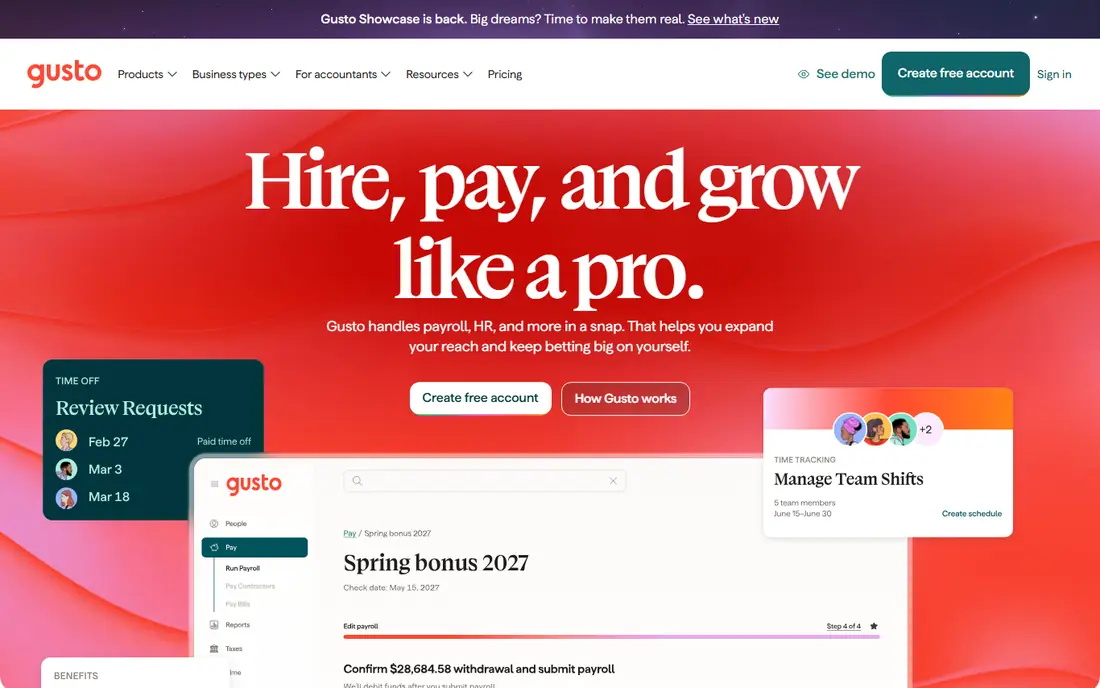
Gusto is our pick for most small to midsize nonprofits. The Simple plan starts at $49 per month plus $6 per person, and it covers full-service payroll, tax filings, contractor payments and benefits administration. Integrations with Aplos fund accounting and QuickBooks help link payroll to grant accounting without manual re-entry.
The limit to test is fund allocation. If a staff member is paid from two grants, you will need to check whether your plan supports that split or whether you need a higher tier. For teams where each person maps to one funding source, Gusto is simple, well priced and easy for non-payroll staff to run.
- Clear published pricing
- Automated tax filings
- Integrations with Aplos and QuickBooks
- Salary splitting across grants needs higher plans
- No permanent free plan
OnPay keeps pricing simple: one plan at $49 per month plus $6 per worker, with payroll tax services and filings included. That clarity helps a nonprofit board approve a budget without guessing at add-on fees. Unlimited pay runs also suit teams with stipends, part-time staff and irregular schedules.
The platform is less deep on HR extras than Rippling or Paychex, so larger nonprofits may outgrow it. For a small nonprofit that wants payroll done well and priced plainly, OnPay is one of the best choices in this list.
- One simple plan
- All states included
- Unlimited pay runs
- Fewer HR extras than larger platforms
- Grant splitting still needs a workaround for some teams
Patriot Software suits churches, tiny nonprofits and community groups watching every dollar. Full Service Payroll starts at $37 per month plus $5 per worker paid, and it includes tax filings and year-end forms. That price beats most rivals for teams of five or more.
Multi-state payroll adds $12 per month per extra state, so check that cost if staff work across state lines. Time tracking and HR features are add-ons rather than built-ins, but for a payroll-first buyer, Patriot Software offers strong value.
- Low full-service price
- Year-end filings included
- Simple setup for small teams
- Multi-state filing costs extra per state
- HR and time tools are separate add-ons
Square Payroll is a practical choice for nonprofits that already use Square for donations, events or a shop. Full-service payroll starts at $35 per month plus $6 per person paid, and timecard data can flow into pay runs. A contractor-only plan at $6 per contractor paid suits teams with many stipend workers.
It is not built around fund accounting in the way Gusto or QuickBooks Payroll are, so check how payroll data reaches your accounting system. For Square-based teams, the convenience often outweighs that gap.
- Low base price
- Ties into Square point of sale and timecards
- Contractor-only option
- Fewer nonprofit-specific accounting links
- Benefits options are partner-based
SurePayroll, owned by Paychex, serves small employers with full-service payroll starting at $29 per month plus $7 per employee. It also offers a dedicated household plan, which helps nonprofits that employ household or caregiving staff alongside program staff. Multi-state payroll is available for a flat monthly fee rather than a per-state charge.
Watch the year-end filing fee, which is charged per form on top of the monthly price. For very small teams, that fee can erase the lower base price, so compare total annual cost, not just the monthly headline.
- Low full-service base price
- Household payroll option
- Multi-state flat fee option
- Year-end filing fees are extra
- Per-worker price rises faster than Patriot at larger sizes
QuickBooks Payroll is the natural fit for nonprofits that already run their books in QuickBooks Online. Payroll data flows into the same system used for fund classes, program tracking and board reports, which cuts down on reconciliation work. Contractor payments and tax filings are included on full-service plans.
Pricing depends on the QuickBooks Online bundle, and the class-based fund split may need a higher tier of both payroll and accounting. If your books are already in QuickBooks, ask for a combined quote and test the class workflow before you switch.
- Payroll inside QuickBooks Online
- Class and program tracking for funds
- Contractor payments
- Published pricing varies by bundle
- Fund splitting may need higher QuickBooks tiers
Rippling suits nonprofits that have outgrown a payroll-only tool. It combines payroll, benefits, time tracking and device management, with reporting that helps finance teams track labor costs by department or program. That depth matters once headcount passes fifty or staff span many states.
Pricing is quoted, so a small nonprofit cannot judge value from a price page alone. Ask for a quote at your current headcount, confirm what is included, and compare it with Gusto or OnPay plus separate HR tools before deciding.
- Payroll, HR and IT in one system
- Strong reporting
- Scales to multi-state teams
- Quote-based pricing
- More system than a tiny nonprofit needs
Paychex Flex is a good fit for nonprofits that want a named specialist and strong compliance support. It handles multi-state filings, benefits and HR services, and it integrates with general ledger systems used for fund reporting. That support helps when tax rules, grant reporting or audits get complex.
The trade-off is price transparency. Paychex Flex is quoted per organization, so budgeting needs a sales conversation. It suits compliance-heavy teams more than tiny nonprofits that just need simple, published pricing.
- Dedicated payroll specialist option
- Nonprofit compliance support
- General ledger integrations
- Quote-based pricing
- Setup can feel heavy for very small teams
ADP Run serves nonprofits that plan to grow and want compliance handled by a large, established provider. It covers multi-state tax filing, labor benchmarking and 403(b) retirement plans, which many nonprofits offer staff. Its compliance alerts help teams stay ahead of changing state rules.
Like Paychex, ADP quotes each organization, so small teams should get a written quote before comparing it with published-price rivals. If your nonprofit is scaling fast or operates in many states, ADP Run is worth that extra step.
- Strong compliance tools
- Multi-state expertise
- 403(b) retirement plan support
- Quote-based pricing
- Can feel large and formal for small teams
Justworks works as a professional employer organization, which means it co-employs your staff for benefits and compliance purposes while you keep day-to-day control. That model gives small nonprofits access to health benefits and compliance support that are hard to get alone. Payroll, tax filings and benefits administration sit in one system.
The PEO model is not for every nonprofit, since it changes the employment relationship and adds a layer between you and some HR decisions. If benefits access is your main problem, Justworks is worth a close look. If you only need payroll, a payroll-only service will be simpler.
- PEO model gives access to larger-group benefits
- Multi-state compliance help
- Simple per-employee pricing structure
- PEO means Justworks co-employs staff
- Less direct control than a payroll-only tool
How we picked these
We compared official product and pricing pages and public reviews, focusing on nonprofit-relevant needs: 501(c)(3) tax handling, contractor and stipend payments, fund or class tracking, and accounting integrations. We wrote See website where pricing is quoted rather than published, and we flagged where a key feature needs a higher plan.
What to check before you buy
Start with your funding structure. List every grant or program that pays staff, and note which staff are split across funds. Then test that exact split in a trial or demo, and ask how the split appears in reports for auditors and funders. A tool that cannot show the split cleanly will create manual work at year end.
Next, confirm tax handling for your state mix. Nonprofits are generally exempt from federal unemployment tax, but state rules and local filings still apply, and multi-state staff add complexity. Ask the vendor to confirm in writing how it handles your exemption and your states, and check whether multi-state filing costs extra.
Budget for total cost, not just the base price
Add per-person fees, multi-state fees, year-end form fees and any HR or time add-ons you need. A low base price with high per-person or filing fees can cost more than a higher base price with fees included. Get the total for your current headcount in writing, and ask what changes when you add five staff.
Plan the switch around a clean pay period
Switch payroll at the start of a quarter if you can, and run parallel checks on tax filings, direct deposit and year-to-date totals. Keep old pay records accessible for audits, and confirm who files W-2s and 1099s for the transition year. A rushed switch in mid-quarter creates the kind of errors that take months to unwind.
Sources
Frequently asked questions
What is the best payroll software for nonprofit organizations?
Gusto is our pick for most small to midsize nonprofits, thanks to clear pricing and Aplos and QuickBooks integrations. OnPay is a close second for teams that want one simple price. Larger nonprofits should also quote Rippling, Paychex Flex and ADP Run.
What is the best payroll service for nonprofits on a tight budget?
Patriot Software offers the lowest full-service price in this list for most small teams, at $37 per month plus $5 per worker paid. SurePayroll and Square Payroll are also low-cost, but check year-end and multi-state fees before comparing totals.
Do payroll services handle nonprofit tax exemptions?
Most services in this list handle federal and state payroll tax filings, and they can apply nonprofit exemptions where they apply. Confirm your 501(c)(3) status and state rules with the vendor before the first pay run, since exemption handling varies by state and by service.
Can payroll software track grants and restricted funds?
Some can, with limits. QuickBooks Payroll with QuickBooks Online classes and Gusto with Aplos are the clearest paths in this list. If staff are split across grants, test the split and the resulting reports during a trial, and keep time records that support the allocation for federal awards.
Should a nonprofit use a PEO like Justworks?
A PEO can help a small nonprofit offer stronger benefits and get compliance support, but it changes the employment relationship and adds cost. It suits teams where benefits access is the main problem. Teams that only need payroll should choose a payroll-only service instead.
When should a nonprofit switch payroll providers?
Switch at the start of a quarter when possible, after testing tax handling, fund reporting and year-end forms. Avoid switching mid-quarter unless the current provider is failing, since mid-quarter moves raise the risk of filing and year-to-date errors.