Best Project Management Software for Small Business in 2026: 9 Tools Compared
By ToolNimba Editorial Team November 7, 2026 11 min read

- Top pick
 Asana
structured workflows and timelines
Starting price$10.99 per user per monthCheck out AsanaRead our review - Runner-up
 monday.com
visual customizable boards
Starting price$9 per seat per monthCheck out monday.comRead our review - Also great
 ClickUp
most features for the price
Starting price$7 per user per monthCheck out ClickUpRead our review
How we researched this
We compared official pricing and feature pages, app store listings, privacy policies and public user reviews. Prices change, so check the provider's site before you pay.
Key takeaways
- Trello and ClickUp are the cheapest ways to start, with free plans that cover small teams and simple work.
- Asana is our pick for structured small teams that need timelines, custom fields, and clear ownership without enterprise complexity.
- monday.com suits visual teams that want customizable boards, but paid plans start at three seats, which matters for very small teams.
- Basecamp is the flat-fee outlier, since its pricing does not rise with every new team member in the same way per-seat tools do.
Quick comparison
| Name | Best for | Starting price | Free plan | |
|---|---|---|---|---|
| Asana | structured workflows and timelines | $10.99 per user per month | Yes | Visit |
| monday.com | visual customizable boards | $9 per seat per month | Yes | Visit |
| ClickUp | most features for the price | $7 per user per month | Yes | Visit |
 Trello | simple kanban boards | $5 per user per month | Yes | Visit |
 Notion | docs and tasks in one workspace | $10 per member per month | Yes | Visit |
 Basecamp | flat-fee simplicity for whole teams | $15 per user per month | Free trial | Visit |
 Teamwork | client services and billable work | $9.99 per user per month | Free trial | Visit |
 Smartsheet | spreadsheet-style planning | $9 per member per month | Free trial | Visit |
 Todoist | solo and small-team task lists | $4 per month | Yes | Visit |
The best project management software for small business
We compared official pricing pages and recent independent comparisons, focusing on price per user, free plan limits, and the first limit that forces an upgrade. Small businesses should judge these tools on the plan they will actually use, not only on the cheapest headline price.

Asana hits a useful middle ground for small businesses that have outgrown a simple board. Tasks have owners, due dates, and dependencies, projects can be viewed as lists, boards, or timelines, and custom fields let a team track status, priority, or client without a spreadsheet. The free Personal plan is generous for a small team, and Starter at $10.99 per user per month billed annually adds Timeline, advanced search, and private teams.
The limit is the upgrade path. Portfolios, workload planning, and budget features sit in Advanced at $24.99 per user per month billed annually, so a growing business should budget for that jump. Asana is best when work has clear owners and deadlines, and less ideal when a team only needs a shared to-do list.
- Free plan covers up to 15 users with unlimited tasks and projects
- Timeline view makes deadlines visible
- Strong integrations with common business tools
- Portfolios, workload, and budgets require higher tiers
- Per-user price adds up as a team grows
- Setup takes longer than Trello
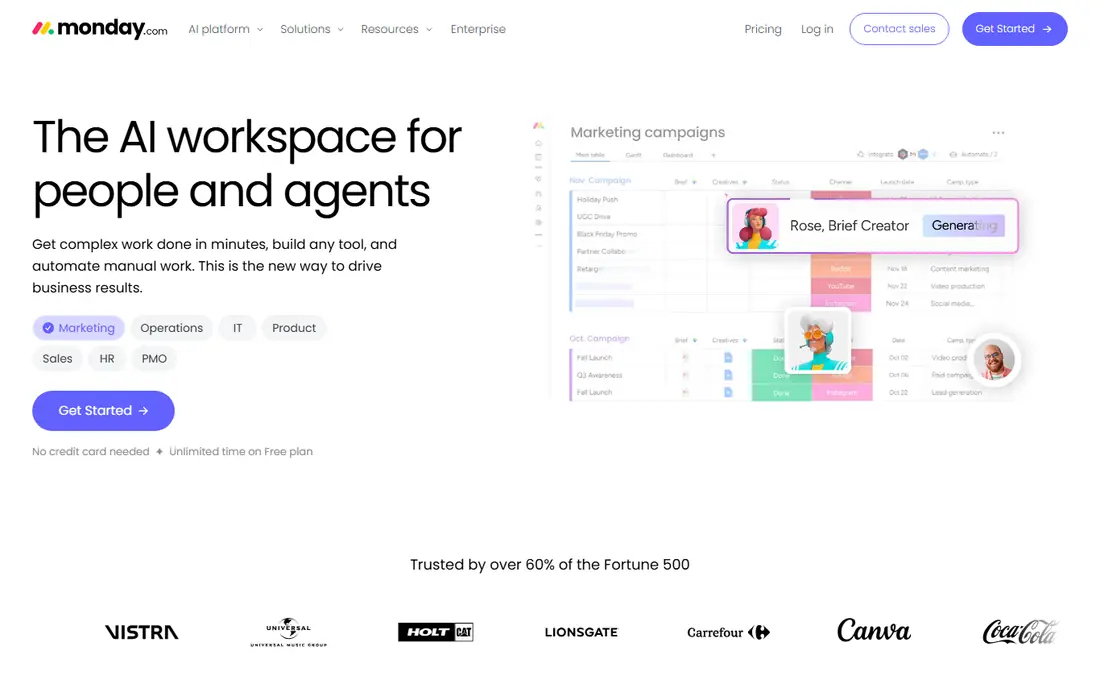
monday.com suits teams that think in boards and colors rather than lists. Work is organized into groups and items, status columns make progress obvious, and automations can move items, notify owners, or archive finished work without manual steps. Basic starts at $9 per seat per month billed annually, Standard at $12, and Pro at $19, with a free plan for up to two seats.
Small teams should check the seat minimum first. A two-person business can use the free plan, but a three-person team moves straight to paid pricing, and automation limits can push a busy team to Standard or Pro. For visual planning and client-facing boards, that price is often worth it, but a solo owner should compare Trello or ClickUp first.
- Highly visual boards that are easy to read at a glance
- Automations reduce manual updates
- Many views including kanban, timeline, and Gantt
- Paid plans generally start at three seats
- Free plan is limited to two seats
- Costs rise with automations and higher tiers
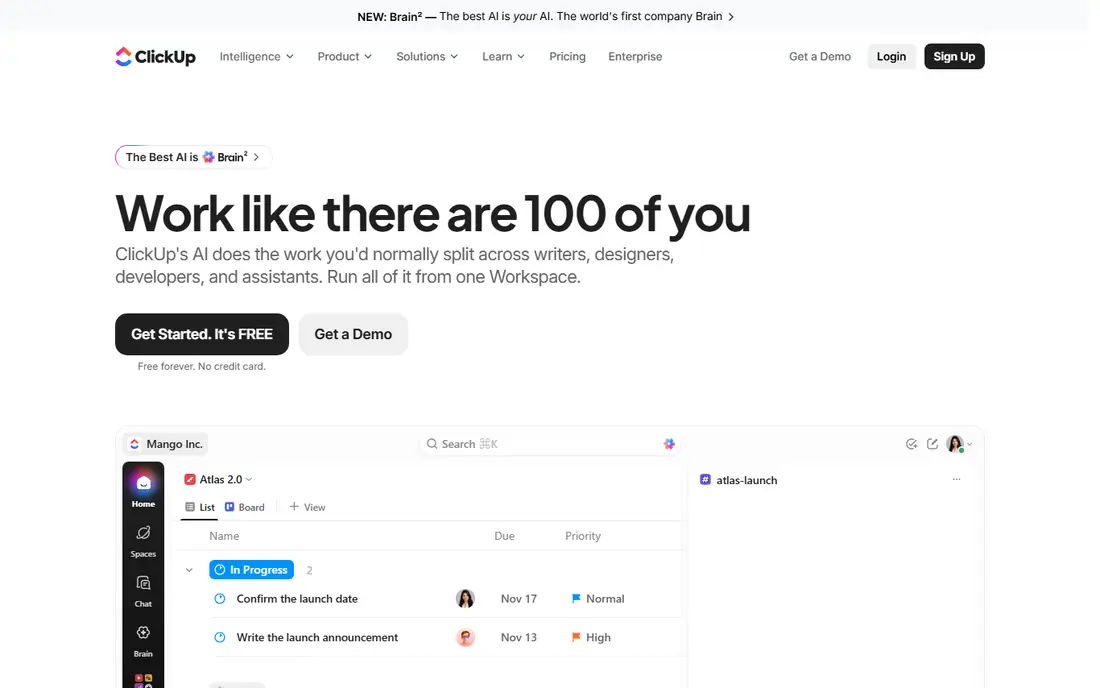
ClickUp packs the most into its lower tiers. The free plan covers unlimited tasks and members for personal use, while Unlimited at $7 per user per month billed annually adds unlimited storage, integrations, dashboards, and Gantt charts. For a small business that wants docs, chat, time tracking, and goals without buying several tools, that breadth is hard to beat.
Breadth is also the risk. New teams often spend too long configuring ClickUp instead of doing work, and the interface has more menus than Trello or Todoist. Start with one project type and a small set of views, and expand only when the team asks for a feature, rather than turning everything on at once.
- Generous free plan
- Tasks, docs, goals, and dashboards in one workspace
- Unlimited plan is cheaper than Asana or monday.com equivalents
- Many features can overwhelm new users
- Setup and customization take time
- Some advanced features require higher tiers
Trello is a digital board of lists and cards, and that simplicity is why it still wins for small teams. A card holds a task, a checklist, a due date, and attachments, and dragging it across lists shows progress without training. Standard costs $5 per user per month billed annually, Premium $10, and Enterprise $17.50, with a free plan for small workspaces.
Trello struggles when work needs dependencies, workload planning, or detailed reporting. Teams that outgrow it often move to Asana or ClickUp, but that move should only happen when card limits actually slow work down. For a shop, studio, or small service team with straightforward projects, Trello is often enough.
- Easiest board to learn in this list
- Free plan for up to 10 collaborators per workspace
- Power-Ups add calendars, automation, and integrations
- Weak for complex dependencies and reporting
- Automation limits appear on lower tiers
- Large projects become hard to manage on cards alone
Notion suits small businesses where project work and knowledge live together. A project page can hold the brief, the task list, the timeline, and the meeting notes, so a new hire can find context without hunting through email and drives. Plus costs $10 per member per month, Business $20, with a free plan for personal and small-team use.
Notion is a toolkit more than a ready-made project system. Teams must design their databases, views, and templates, and that setup time can frustrate a team that wants Asana-style structure on day one. It fits knowledge-heavy businesses, such as consultancies and creative studios, better than teams that mainly need strict scheduling.
- Tasks live beside docs, wikis, and meeting notes
- Flexible databases suit many workflows
- Free plan is useful for individuals and small teams
- Project features are less structured than Asana out of the box
- Building a good system takes effort
- Offline work is limited
Basecamp deliberately does less than its rivals, and that restraint is its appeal. Each project has message boards, to-do lists, a schedule, docs, and file storage, with no maze of custom fields or automation rules to maintain. Pro costs $15 per user per month, while Pro Unlimited costs $299 per month flat, which can save money once a team passes about 20 users.
The missing features matter for some work. Basecamp has no native Gantt view or dependency chain, and its reporting is lighter than Asana or Smartsheet. It fits client-facing small businesses that value clear communication over complex planning, and it is a poor fit for engineering or construction schedules.
- Flat-fee Pro Unlimited plan at $299 per month suits larger small teams
- Messages, to-dos, schedules, and files in one place
- Client access is simple
- No Gantt charts or dependency planning
- Per-user Pro plan is $15 per month
- Fewer automations than monday.com or ClickUp
Teamwork is made for agencies, consultancies, and service businesses that bill by the hour or by project. Tasks link to time entries, budgets, and retainers, so a project manager can see whether work is on budget before an invoice goes out. The Basics plan starts at $9.99 per user per month, while Accelerate, at $24.99, adds the fuller budgeting and invoicing toolkit.
Small service teams should price the plan they will actually need, not just the entry tier. Basics covers core project work, but billing-heavy teams often land on Accelerate. For a business that lives on client work, that jump is still cheaper than patching together separate project, time, and invoicing tools.
- Built for client projects with budgets, retainers, and time tracking
- Invoicing features suit agencies
- Clear client-facing project views
- Entry plan lacks some features agencies need, pushing teams to higher tiers
- Interface is busier than Trello
- Per-user cost rises with team size
Smartsheet feels like a spreadsheet that learned project management. Rows hold tasks, columns hold owners, dates, and status, and the same sheet can be viewed as a grid, Gantt chart, cards, or calendar. Pro starts at $9 per member per month billed annually, with Business at higher tiers for more automation and reporting.
That spreadsheet comfort is also a limit for informal teams. Smartsheet expects structured data and dates, so a team that only wants a quick to-do board may find it heavy. It fits operations, events, and production teams that already plan in sheets and want scheduling and reporting without learning a new system from scratch.
- Familiar grid view for spreadsheet users
- Gantt, card, and calendar views on the same data
- Strong for plans with many rows and dates
- Member limits and automation caps force upgrades
- Less friendly for casual task lists
- Pricing is per member with minimums on some plans
Todoist is a task manager first, and it excels at personal and small-team lists. You can type a task with a date in plain language, set priorities and labels, and clear a day's work from any device. Pro costs $4 per month, with a free plan for basic lists and a Business plan for teams.
Do not expect Todoist to run a complex project. It has boards and filters, but no real portfolio, resource planning, or dependency management. It is the right pick for a solo owner, a freelancer, or a tiny team that needs reliable task lists, and a stepping stone to Asana or ClickUp when projects grow more complex.
- Fastest task capture in this list
- Natural language dates make entry quick
- Works well on phone, desktop, and web
- Not a full project management system
- No native Gantt or workload views
- Team features are lighter than Asana or ClickUp
How we picked these
We compared official pricing pages and recent independent comparisons, and checked free plan limits, seat minimums, and the first feature that forces an upgrade. We favored tools available now in the US, with clear per-user or flat pricing, and we mixed simple boards, structured suites, docs-first tools, and client-focused options. We did not claim hands-on testing, and prices should be checked at checkout because plans and seat minimums change.
What to check before you pay
Count seats honestly, including contractors and clients who need more than view access. A $7 tool for 20 people costs more than a $299 flat plan, while a $5 tool for three people is cheaper than any flat plan. Also check whether the free plan limits collaborators, projects, or automation runs, since those limits often force an upgrade sooner than the marketing suggests.
Test with one real project before migrating everything. Create a project, assign owners, set dates, and run a weekly review in the trial or free plan. If the team avoids the tool after two weeks, a cheaper or simpler option will serve you better than a powerful suite nobody opens. The best tool is the one your team actually updates.
Sources
Frequently asked questions
What is the best project management software for a small business?
Asana is our pick for structured small teams, Trello for the simplest boards, and ClickUp for the most features per dollar. The right answer depends on team size, whether you bill clients, and whether you need timelines or only task lists.
Is there free project management software for small business?
Yes. Trello, ClickUp, Asana, Notion, and Todoist all offer free plans that suit small teams or solo owners. Free plans usually limit collaborators, automation, or advanced views, so check those limits against your actual workload.
How much does project management software cost per user?
Entry paid plans in this list range from $4 per month for Todoist Pro to $15 per user per month for Basecamp Pro, with most suites between $5 and $11 per user per month billed annually. Flat-fee options such as Basecamp Pro Unlimited at $299 per month can be cheaper for larger teams.
Do I need monday.com, Asana, or ClickUp?
monday.com suits visual teams that want customizable boards and automations. Asana suits teams that need clear structure, timelines, and ownership. ClickUp suits teams that want many features, including docs and goals, in one workspace at a lower price.
Can a small business use Todoist instead of a project tool?
Yes, if work is mainly task lists with owners and dates. Todoist is fast and cheap, but it lacks Gantt charts, workload planning, and portfolio views. Move to Asana, ClickUp, or Teamwork when projects need dependencies, budgets, or client reporting.