Best Reading Apps for Kids in 2026: 9 Apps Compared
By ToolNimba Editorial Team October 29, 2026 10 min read

- Top pick
 Epic
Large library of books and audiobooks
Starting price$13.99 per monthCheck out EpicRead our review - Runner-up
 Reading Eggs
Structured lessons for ages 2 to 13
Starting price$13.99 per monthCheck out Reading EggsRead our review - Also great
 Khan Academy Kids
Free early learning for ages 2 to 8
Starting priceFreeCheck out Khan Academy KidsRead our review
How we researched this
We compared official pricing and feature pages, app store listings, privacy policies and public user reviews. Prices change, so check the provider's site before you pay.
Key takeaways
- Khan Academy Kids and Duolingo ABC are the strongest free starting points for younger children.
- Reading Eggs and HOMER suit families that want a structured path with lessons, games, and progress tracking.
- Epic is best for children who already read and want a large library of books and audiobooks.
- Match the app to reading stage first, then check price, ads, and whether a parent dashboard is included.
Quick comparison
| Name | Best for | Starting price | Free plan | |
|---|---|---|---|---|
| Epic | Large library of books and audiobooks | $13.99 per month | Yes | Visit |
| Reading Eggs | Structured lessons for ages 2 to 13 | $13.99 per month | Free trial | Visit |
| Khan Academy Kids | Free early learning for ages 2 to 8 | Free | Yes | Visit |
 HOMER | Personalized learning for ages 2 to 8 | See website | Free trial | Visit |
 Starfall | Early phonics on a low budget | $35 per year | Yes | Visit |
 Teach Your Monster to Read | Phonics games for ages 3 to 6 | Free | Yes | Visit |
 Raz-Kids | Leveled reading for school-age children | See website | Free trial | Visit |
 ABCmouse | Broad early curriculum for ages 2 to 8 | $14.99 per month | Free trial | Visit |
 Duolingo ABC | Free phonics for ages 3 to 7 | Free | Yes | Visit |
The best reading apps for kids
A good reading app does more than keep a child busy. It should match their reading stage, give them books or lessons at the right level, and let parents see progress without a lot of ads or pressure. We compared official pricing pages, app store listings, and publisher descriptions to build a list that covers free options, structured programs, and large libraries.
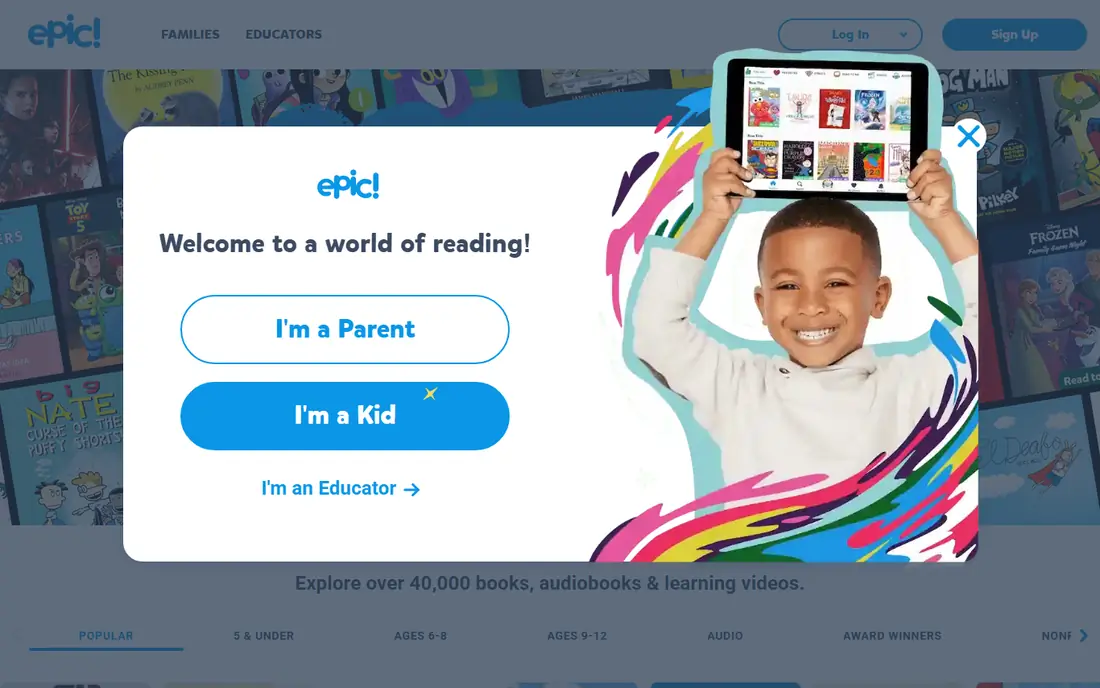
Epic works best for children who can already read a little and want choice. The library includes picture books, chapter books, audiobooks, and videos, so a child can move from short stories to longer books at their own pace. Read-to-me support helps younger readers follow along while they build confidence.
The limit is teaching. Epic does not guide a child through phonics lessons in the same way as a structured program, so it works better as a reading habit builder than as a first learn-to-read course. Families should also check the free tier limits, since full access needs a paid plan. For homes with keen readers, the range is hard to beat.
- Very large library for ages 2 to 12
- Read-to-me books and audiobooks
- Offline reading on supported devices
- Limited free tier
- Less structured teaching than a full reading program
- Price can add up for one child
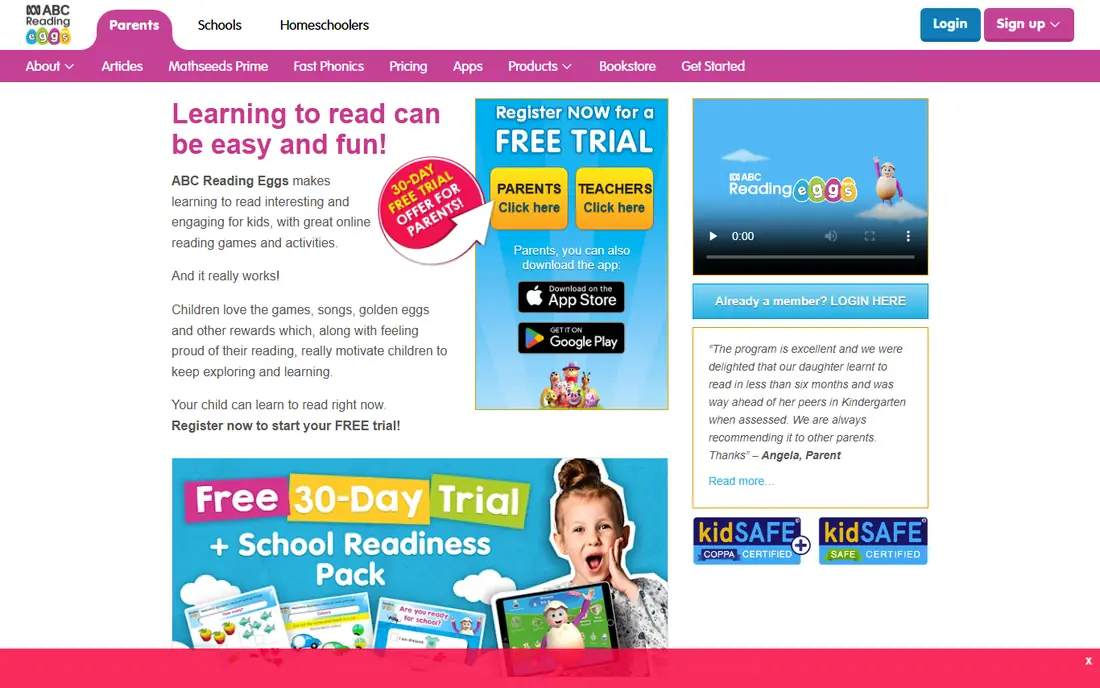
Reading Eggs is a full program rather than a simple library. A placement quiz sets the starting level, then short lessons teach phonics, sight words, and comprehension through games and books. The range from early learning to age 13 also means one subscription can last several years.
Some parents find the rewards and games pull attention away from reading itself, so short, regular sessions work better than long ones. The price is also a real factor, especially compared with free apps. Still, for a family that wants a clear path and progress tracking, this is one of the most complete options on this list.
- Placement test and step-by-step lessons
- Covers phonics, vocabulary, and comprehension
- Up to four child profiles on family plans
- Monthly cost is higher than many rivals
- Game rewards can distract some children
- Screen time needs parent limits

Khan Academy Kids is our pick for families that want to start at no cost. It is free, it has no ads, and it covers early reading alongside math, logic, and social skills. The activities are short and playful, which suits preschool and early elementary children who are still learning letters and sounds.
Older or more advanced readers will outgrow it, since it does not offer the same leveled library as Epic or Raz-Kids. That is a fair trade for a free app with no purchase pressure. Start here if budget matters, then add a paid library or program only when your child needs more challenge.
- Fully free with no ads
- Reading, math, and social learning in one app
- Friendly characters and activities
- Less depth for older readers
- No large chapter-book library
- Progress tools are simpler than paid programs
HOMER builds a personal path based on a child's age, interests, and level. That personal touch can help a reluctant reader, since stories and activities feel chosen for them rather than pulled from a long list. The app also mixes reading with early math and creativity, which suits younger children who learn through play.
The catch is that full access is paid, and the broader curriculum means reading is one part of a larger mix. Families that want reading only may prefer a focused program. For a younger child who likes variety and needs gentle guidance, HOMER is a warm and well-designed choice.
- Learning path adapts to interests and level
- Mix of stories, songs, and activities
- Parent progress views
- Paid plan needed for full access
- Broader than reading alone, so focus varies
- Pricing changes by plan and region
Starfall has taught early phonics for many years, and its strength is still clarity. Letters, sounds, and short words are presented in a simple order, with songs and interactive stories to reinforce them. The yearly membership is also one of the lowest prices in this guide.
The design will not impress a child used to modern games, and older readers will need a bigger library. That said, price and focus make it an easy second app alongside a free option. If your child is in preschool through early elementary and needs steady phonics practice, Starfall is a sensible, low-cost pick.
- Low yearly price
- Clear phonics and early reading activities
- Simple design that suits young children
- Visual style feels dated to some children
- Less content for older readers
- Full access needs membership
Teach Your Monster to Read
Best for: Phonics games for ages 3 to 6
Teach Your Monster to Read turns phonics into a game with a clear purpose. Children create a monster, then work through levels that teach letter sounds, blending, and reading simple words. The game structure makes repetition feel less like drill, which helps beginners who need many short practices.
It is best for the earliest stage. Once a child reads fluently, the game levels run out and a library app becomes more useful. Check the current app store price in your region, since the web version is free while mobile versions have varied. For a beginner, this is one of the most enjoyable free starts available.
- Free to play on the web
- Fun monster character and game levels
- Systematic phonics sequence
- App version may be paid depending on store
- Narrow age range
- Not a full library for fluent readers
Raz-Kids is built around levels. Children read books matched to their level, listen to narration, record themselves, and answer short quizzes. That structure helps parents and teachers see whether a child is ready to move up, rather than guessing from a book cover.
The main drawback for families is access. Raz-Kids is best known as a classroom product, so home pricing and sign-up can feel less direct than a consumer app. The design is also more school-like than game-like, which some children will like and others will not. For a child who needs steady, leveled practice, it is a strong and proven option.
- Large set of leveled books
- Listening, reading, and quiz options
- Teacher and parent assignment tools
- Mainly sold for classrooms
- Home pricing can be harder to compare
- Interface is practical rather than playful
ABCmouse covers more than reading. It offers a learning path with reading, math, science, art, and music activities, plus a digital library. That breadth suits families with a younger child who wants one app for several subjects, and parents can track progress across the path.
Reading-focused families should note the trade-off. The app is not as narrowly focused on phonics as Reading Eggs or Starfall, and the monthly cost is among the highest here. If you want one subscription for early learning in general, ABCmouse is a good fit. If reading is the only goal, a focused app may give better value.
- Very large set of activities across subjects
- Step-by-step learning path
- Progress tracking for parents
- Monthly price is high
- Reading is part of a wider curriculum
- Some families find the volume of content overwhelming
Duolingo ABC applies the short-lesson style of Duolingo to early reading. Children practice letters, sounds, and simple words through quick activities and stories. The app is free, it has no ads aimed at children, and the lessons are short enough for a daily routine.
Its range is narrow by design. It suits ages 3 to 7 and early readers, but it will not carry a fluent reader through chapter books. Use it as a free phonics companion, especially alongside real books and read-aloud time. For a beginner on a zero budget, it is one of the easiest apps to recommend.
- Free with no ads for children
- Short phonics lessons and stories
- Simple design for independent use
- Limited to early reading stages
- Fewer books than a full library
- No paid upgrade path for older readers
How we picked these
We compared official pricing pages, app store listings, and publisher descriptions, and we favored apps that are still available in the United States, state an age range, and explain whether they teach phonics, offer a library, or both. We did not claim hands-on testing. We also noted where free plans are limited, since a free label can hide a small daily limit or a short trial.
How to choose the right reading app
Start with reading stage, not with price or popularity. A beginner needs phonics and short words. A developing reader needs leveled books and read-aloud support. A fluent reader needs choice, longer books, and time to read for pleasure.
Balance screen time with real books
Apps work best as one part of a reading routine. Pair app time with printed books, library visits, and reading aloud together. A short daily session beats a long weekend binge for most young readers.
Check ads, purchases, and privacy
Look for a clear privacy policy, no third-party ads, and a parent gate before purchases. Free apps should state how they make money. If an app pushes extra purchases during a lesson, it is a poor fit for independent use by a young child.
Try before you pay
Use free plans and trials for at least a week. Watch whether your child can use the app without constant help, whether the level feels right, and whether progress is visible to you. Cancel a trial early if the fit is wrong, and keep only the app your child returns to willingly.
Sources
- https://www.getepic.com
- https://readingeggs.com
- https://learn.khanacademy.org/khan-academy-kids
- https://learnwithhomer.com
- https://www.starfall.com
- https://www.teachyourmonster.org
- https://www.raz-kids.com
- https://www.abcmouse.com
- https://abc.duolingo.com
- https://spellingjoy.com/best-apps/reading-apps-for-kids