Best Salon Booking Software in 2026: 8 Tools Compared
By ToolNimba Editorial Team November 8, 2026 9 min read

- Top pick
 Vagaro
Small salons and mixed services
Starting price$30 per monthCheck out VagaroRead our review - Runner-up
 Fresha
Marketplace discovery
Starting price$19.95 per monthCheck out FreshaRead our review - Also great
 Booksy
Stylists with an established book
Starting price$29.99 per monthCheck out BooksyRead our review
How we researched this
We compared official pricing and feature pages, app store listings, privacy policies and public user reviews. Prices change, so check the provider's site before you pay.
Key takeaways
- The best salon booking software combines online booking, automated reminders, payments and a client record in one system, so the front desk stops chasing admin.
- Square Appointments is the only genuine free option here, while Fresha, GlossGenius and Vagaro cover solo stylists and small teams at low monthly prices.
- Marketplace tools bring new clients but charge a commission on those bookings, so compare the total cost at your chair count, not just the monthly fee.
- Check no-show protection, cancellation policies, payment processing rates and contract terms before you move your client list to a new platform.
Quick comparison
| Name | Best for | Starting price | Free plan | |
|---|---|---|---|---|
| Vagaro | Small salons and mixed services | $30 per month | Free trial | Visit |
| Fresha | Marketplace discovery | $19.95 per month | Free trial | Visit |
| Booksy | Stylists with an established book | $29.99 per month | Free trial | Visit |
 Square Appointments | Free booking for Square users | Free | Yes | Visit |
 GlossGenius | Solo stylists and small teams | $24 per month | Free trial | Visit |
 Mindbody | Multi-location studios | $79 per month | No | Visit |
 Mangomint | Growing salons with a busy front desk | $120 per month | Free trial | Visit |
 Boulevard | Premium client experience | See website | No | Visit |
The best salon booking software
We compared official pricing pages, feature documentation and public reviews for tools built for salons, barbershops and spas. The list below covers solo stylists, small teams, multi-location groups and premium boutiques, with honest notes on commissions and add-on costs.
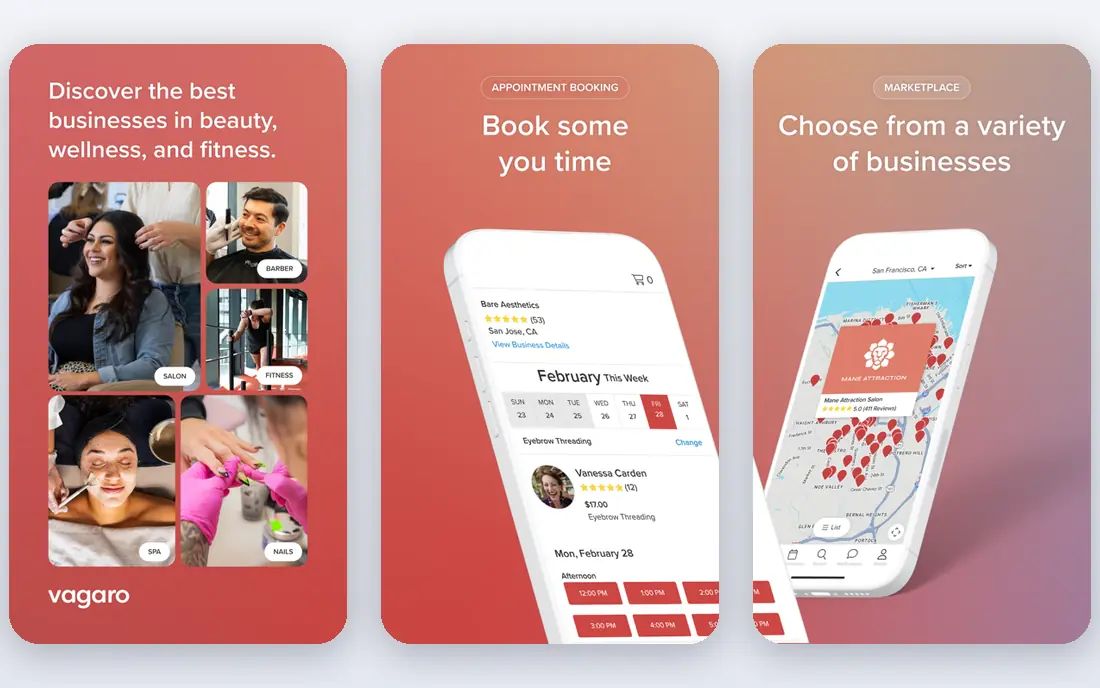
Vagaro is a strong all-round pick for salons with three to seven chairs that want booking, payments and marketing in one place. The base plan costs 30 dollars per month for one bookable calendar, with 10 dollars per extra calendar, and the total is capped for larger teams. A marketplace helps new clients find you, and payroll, forms and marketing tools can be added as needed.
The add-ons are where the bill grows: forms, text marketing and a branded site each cost extra, so model the full package before you compare. For a mixed beauty and wellness business that needs scheduling plus discovery, Vagaro remains one of the most complete options at a predictable base price.
- All-in-one booking, payments, payroll and marketing
- Marketplace discovery
- Cost ceiling for larger teams
- Add-ons for forms, text marketing and branded site raise the bill
- Marketing tools limited during trial
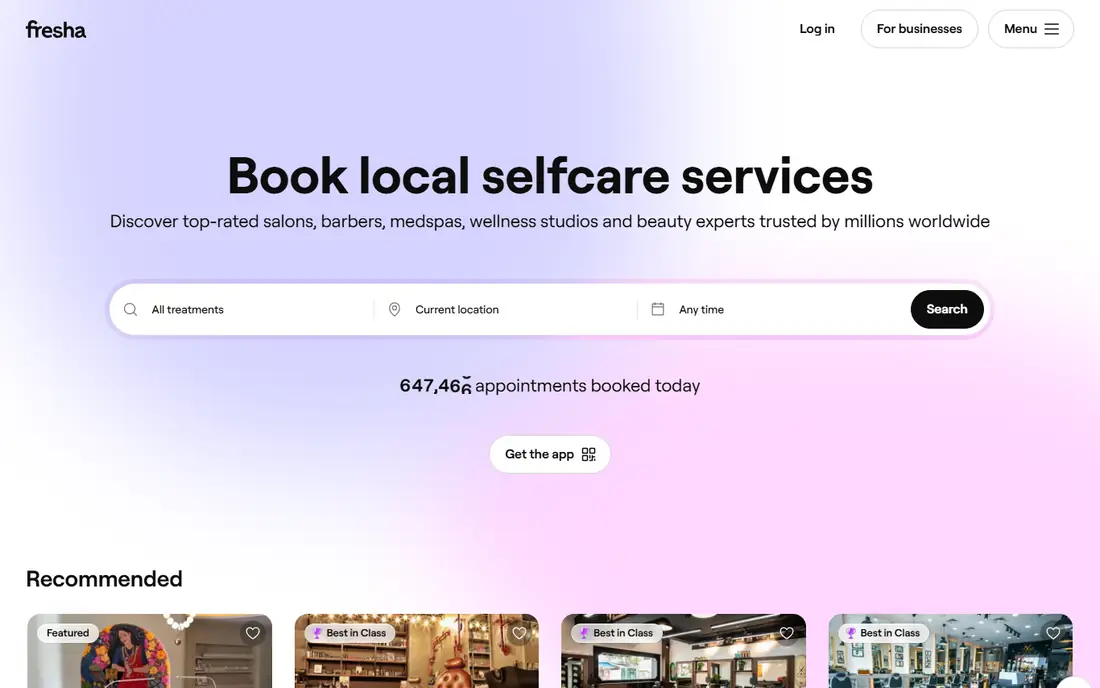
Fresha is the cheapest paid route to marketplace discovery. The Independent plan costs 19.95 dollars per month for a solo provider, and the Team plan costs 14.95 dollars per bookable team member per month. Your own clients and bookings from your own website carry no commission, but new clients who find you through Fresha carry a one-time 20 percent commission.
That commission is the real cost to model. If the marketplace fills otherwise empty chairs, it acts as a marketing budget. If your book is already full of regulars, a cheaper non-marketplace tool may save money. Fresha suits early-stage businesses that need discovery more than cost predictability.
- Lowest fixed cost among paid marketplace tools
- Marketplace brings new clients
- Low card processing rate reported
- No longer free
- 20 percent commission on new marketplace clients
- Trial lasts only 7 days
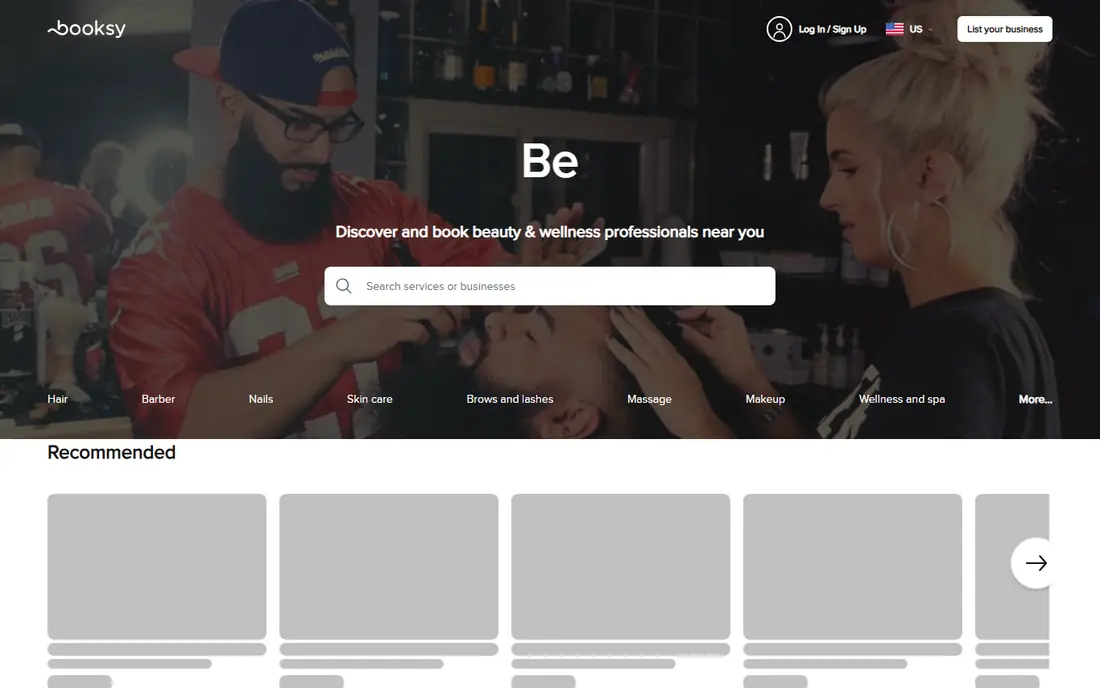
Booksy is popular with independent stylists and barbers who already have a book and want to fill gaps. Booksy Biz costs 29.99 dollars per month for a solo provider, plus 20 dollars per extra team member. Clients book easily from the app, reminders cut no-shows, and the Boost feature promotes empty slots to nearby clients.
Boost carries a commission on first visits from promoted clients, so treat it as paid marketing rather than free discovery. For stylists whose reputation already brings repeat clients, Booksy is a polished, reliable booking system. For a brand-new salon, Fresha costs less for similar discovery.
- Strong marketplace for stylists and barbers
- Easy client booking and reminders
- Boost feature for filling empty slots
- Higher monthly price than Fresha
- Boost commissions apply to new clients gained through promotion
Square Appointments is the only genuine free option in this list. The free plan includes online booking, calendar sync and email reminders, which is enough for many solo stylists. Paid plans start at 49 dollars per month per location for Plus and 149 dollars for Premium, adding waitlists, no-show fees and marketing tools.
The catch is that Square already runs your payments, so processing fees apply on top of any plan. Salons already using Square hardware or retail will find bookings, payments and inventory share one system, which saves double entry. For a new salon on a tight budget, the free tier is the obvious starting point.
- Genuine free tier with online booking and reminders
- Tight Square POS and payments integration
- No monthly fee to start
- Waitlist, no-show fees and email marketing need paid plans
- Processing fees apply on every plan
GlossGenius is the design-led pick for solo stylists and small teams. Standard costs 24 dollars per month on annual billing, with booking, payments and email marketing included, which makes it one of the cheapest all-in options for stylists who use marketing. Booking pages look polished, which helps a solo brand feel professional from the first click.
Higher-tier features such as rooms, waivers and waitlists need a more expensive plan, so check the tier that includes your must-haves. For teams of two to nine people who want one predictable bill and a beautiful client experience, GlossGenius is a strong choice.
- Polished booking pages and client experience
- Marketing included on Standard
- Predictable flat pricing
- Rooms, waivers and waitlist sit on higher tiers
- Less suited to large multi-location groups
Mindbody suits multi-location businesses where memberships, packages and class-style scheduling matter as much as appointments. The Starter plan is reported from 79 dollars per month per location, with Accelerate and Ultimate tiers quote-based. That structure fits studios and salon groups that sell memberships and need reporting across locations.
Solo stylists should not start here: the price, setup and contract terms are built for larger operations. For a growing group with several locations, Mindbody offers the scale, membership tools and integrations that smaller salon apps lack.
- Built for multi-location studios, gyms, spas and salon groups
- Membership and package selling
- Broad integrations
- Upper tiers are quote-only
- Cost and complexity exceed what a solo stylist needs
Mangomint targets growing salons where the front desk is the bottleneck. Pricing is reported at 120 dollars per month per location plus 10 dollars per user, with a 14-day free trial. Automation covers reminders, intake forms, rebooking prompts and client communication, which frees front-desk staff for in-person service.
The cost floor is high for a solo stylist, so Mangomint only makes sense once you have at least a few staff and a busy book. For salons in that growth stage, the time saved on admin often justifies the price. Compare the total at your staff count, including the per-user fee, before you sign.
- Strong automation for reminders, forms and front-desk work
- Single clear pricing structure
- Good for 2 to 20 staff
- High cost floor for very small teams
- Per-user fee adds up for larger teams
Boulevard is built for upscale and boutique salons where the client experience is part of the brand. Booking, payments, client profiles and marketing are designed to feel premium, and the platform suits salons that sell high-value services and want a polished checkout. Pricing is not openly published and requires a demo call, with reported tiers starting above mid-market tools.
That opacity and the reported contract length are the main drawbacks. Boulevard suits established salons that can justify a premium platform and want a partner for growth. Smaller salons should start with GlossGenius or Vagaro and revisit Boulevard when the client experience becomes a selling point in itself.
- Premium booking and checkout experience
- Strong for upscale and boutique salons
- Detailed client profiles
- Demo call required and tiers not openly published
- Reported 12-month contracts
- Higher price than mid-market tools
How we picked these
We compared official pricing pages, feature documentation and public reviews for booking tools built for salons and spas, not generic schedulers. We favored tools with published pricing where available, and marked quote-only products as See website. We noted marketplace commissions, per-staff fees and add-on costs, since those decide the real monthly bill.
What to check before you switch
Model the total cost at your chair count. Add the base fee, per-staff or per-calendar fees, payment processing rates, marketplace commissions and any add-ons you need for forms, marketing or payroll. A tool that looks cheap at one chair can become expensive at seven, and a tool with a higher base fee may cap out cheaper for a larger team.
Check no-show protection carefully. Confirm whether you can require cards on file, set cancellation fees, take deposits on high-value services such as color, and send automated reminders by text and email. Also confirm data export: you should be able to take your client list, appointment history and product records with you if you switch later. Ask about contract length and exit terms before you sign.
Marketplace or just booking
If you need new clients, a marketplace tool such as Fresha or Booksy puts you in front of people actively searching, but you pay a commission for each new client gained that way. If your book is full of regulars, skip the marketplace and buy the cheapest solid booking tool. Compare the commission honestly against what local ads or search would cost for the same client.
Test the client booking flow
Book an appointment yourself on a phone, as a client would. Check how many taps it takes, whether service times and prices are clear, and whether reminders arrive correctly. A booking flow that loses even a few clients a month can cost more than the monthly fee. Ask a regular client to test it too, since they will spot friction you miss.
Sources
Frequently asked questions
What is the best salon booking software?
For most small salons, Vagaro offers the best all-round balance of booking, payments and marketing. Solo stylists should also consider GlossGenius for a polished, predictable bill, and Fresha for marketplace discovery. Square Appointments is best if you want a free start and already use Square.
What is the best booking software for salons with a small team?
GlossGenius and Vagaro suit teams of two to nine people, with flat or capped pricing that stays predictable as you add chairs. Mangomint suits larger, busier teams where front-desk automation matters most. Model the total at your exact staff count, since per-user fees change the ranking.
Is Fresha still free?
No. Fresha ended its free-forever model and now charges 19.95 dollars per month for a solo Independent plan, or 14.95 dollars per bookable team member on the Team plan. It also takes a one-time 20 percent commission on new clients who find you through its marketplace. Your own clients carry no commission.
What is the cheapest salon booking software?
Square Appointments Free costs nothing per month for basic booking, though payment processing fees still apply. Among paid tools, Fresha Independent at 19.95 dollars per month is the cheapest marketplace option, and GlossGenius Standard at 24 dollars per month is the cheapest all-in option with marketing included.
Can I switch salon software without losing my client list?
Most platforms offer import tools, but the quality varies. Before you switch, export your client list, appointment history and service records from your current tool, and ask the new vendor to confirm what imports cleanly. Test the import with a small group first, and keep your old export as a backup until the new system is running well.