Best Security Software in 2026: 9 Tools Compared
By ToolNimba Editorial Team October 29, 2026 10 min read

- Top pick
 Norton 360
Families and identity protection
Starting price$29.99 per yearCheck out Norton 360Read our review - Runner-up
 Bitdefender
Strong all-round protection
Starting price$29.99 per yearCheck out BitdefenderRead our review - Also great
 McAfee
Many devices in one home
Starting price$49.99 per yearCheck out McAfeeRead our review
How we researched this
We compared official pricing and feature pages, app store listings, privacy policies and public user reviews. Prices change, so check the provider's site before you pay.
Key takeaways
- First-year prices are often much lower than renewal prices, so check both before you commit to a suite.
- Device count matters as much as features, since a five-device plan may not cover a household with phones, tablets, and laptops.
- Free antivirus covers basic malware protection, while paid suites add VPN, parental controls, backup, and identity monitoring.
- No software replaces safe habits, such as strong passwords, updates, and caution with links and attachments.
Quick comparison
| Name | Best for | Starting price | Free plan | |
|---|---|---|---|---|
| Norton 360 | Families and identity protection | $29.99 per year | Free trial | Visit |
| Bitdefender | Strong all-round protection | $29.99 per year | Free trial | Visit |
| McAfee | Many devices in one home | $49.99 per year | Free trial | Visit |
 Malwarebytes | Cleaning infected devices | $44.99 per year | Yes | Visit |
 ESET | Light system impact | $29.99 per year | Free trial | Visit |
 Avast One | Capable free tier | Free | Yes | Visit |
 Kaspersky | Privacy-focused protection | $39.99 per year | Free trial | Visit |
 Trend Micro | Web and phishing protection | $74.95 per year | Free trial | Visit |
 Sophos Home | Simple family protection | $44.99 per year | Free trial | Visit |
The best security software
Security software in this list covers consumer antivirus and full suites for Windows, Mac, Android, and iOS. The right choice depends on device count, whether you need a VPN or parental controls, and how much you are willing to pay at renewal, not only in year one.
Norton 360 remains a popular family suite because it bundles protection with extras many households actually use. AntiVirus Plus starts at $29.99 per year for one device, while 360 Standard at $39.99 covers three devices and adds a VPN, and 360 Deluxe at $49.99 covers five devices and adds parental controls and 50 GB of cloud backup. Higher tiers add LifeLock identity protection in the US.
The renewal jump is the main warning. Deluxe renews around $124.99 per year in published comparisons, which is far above the first-year price. Norton suits families that want VPN, backup, and identity monitoring in one subscription and who will check the renewal price before auto-renew. If you only need antivirus, a cheaper or free option may cover the same core protection.
- Real-time malware and ransomware protection
- VPN and password manager on most tiers
- Dark web monitoring and identity features on higher tiers
- Renewal prices rise sharply after year one
- Interface can feel busy
- Some features are US-focused
Bitdefender is our pick for most people who want strong protection without a heavy system slowdown. Antivirus Plus starts around $29.99 per year for one device in published comparisons, while Total Security, often listed around $59.99 in year one, covers five devices and adds a firewall, parental controls, and anti-theft tools. Premium Security adds an unlimited VPN and a password manager.
The VPN limit deserves attention. Base plans cap VPN use at 200 MB per day, which is enough for occasional public Wi-Fi use but not for daily VPN browsing. Renewal prices also rise, with Total Security renewing around $109.99 per year. For core malware protection at a fair price, Bitdefender is hard to beat. For unlimited VPN use, check Premium Security or Norton Deluxe.
- Strong detection scores in independent lab tests
- Low system impact
- Firewall, ransomware protection, and parental controls on higher tiers
- VPN is limited to 200 MB per day on base plans
- Renewal prices are higher than first-year offers
- Interface can feel crowded
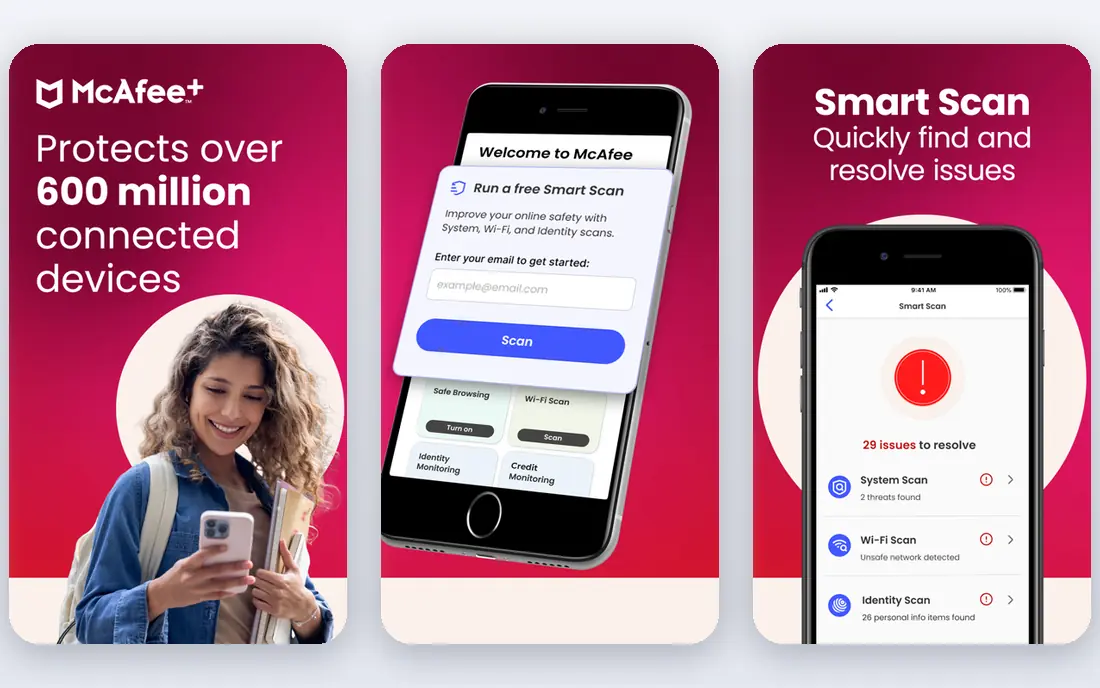
McAfee suits households with many devices, since its Total Protection plans cover unlimited devices on higher tiers. Published comparisons put first-year pricing around $49.99 for unlimited-device plans, with features including antivirus, scam detection, a no-log VPN, a password manager, and identity monitoring. That breadth helps a family that wants one subscription for phones, tablets, and computers.
The cost at renewal is less predictable than some rivals, so check the renewal rate in your account before the first year ends. McAfee also bundles many features, which can feel like overkill for a single-device user. For a large household, however, the per-device cost is among the lowest in this list, which makes McAfee a practical value pick.
- Unlimited-device options for large households
- AI scam detection
- VPN, password manager, and identity monitoring included
- Renewal prices vary and can rise sharply
- Some features differ by region
- App can feel heavy on older devices
Malwarebytes earned its reputation as a cleanup tool, and that strength still matters. The free version scans and removes malware on demand, which helps when a device already shows signs of infection. Premium starts at $44.99 per year for one device and adds real-time protection, ransomware protection, and web protection.
The free version is not a full replacement for real-time antivirus, since it only acts when you run a scan. Premium also offers fewer extras than full suites, with no VPN or parental controls in the core plan. Malwarebytes suits users who want a second-opinion scanner alongside another antivirus, or a simple real-time tool without suite clutter. For a full family suite, Norton or Bitdefender may offer more.
- Strong at removing existing malware
- Free scanner for on-demand checks
- Light and simple to use
- Free version does not include real-time protection
- Fewer suite extras than Norton or Bitdefender
- Premium price is per device
ESET is known for running quietly in the background, which matters for gamers, older laptops, and work computers where slowdowns are noticeable. Entry pricing is listed around $29.99 per year for one device in published comparisons, with higher tiers adding firewall, parental controls, and password management. Its NOD32 core remains a favorite among performance-sensitive users.
The trade-off is polish and extras. ESET does not bundle as many lifestyle features as Norton, such as cloud backup or identity monitoring, and its interface feels more technical. For a user who values speed and solid detection above extras, ESET is a strong choice. For a family that wants one suite for everything, a broader product may fit better.
- Very light on system resources
- Strong malware detection
- Good option for gamers and older computers
- Interface is less polished than some rivals
- Suite extras are fewer at entry level
- Premium tiers cost more for full features
Avast One is the best free starting point in this list for users who do not want to pay yet. The free tier covers antivirus, web protection, and basic ransomware defense, while paid plans start around $49.99 per year in published comparisons and add a VPN, identity monitoring, and cleanup tools. Setup is simple, which helps less technical users.
Free antivirus always comes with trade-offs, and Avast is no exception. Expect prompts to upgrade, and check privacy settings during setup, since Avast has faced criticism in the past over data handling. For basic protection on a tight budget, Avast Free is useful. For a household that needs parental controls, backup, or identity cover, a paid suite is a better fit.
- Free antivirus covers core protection
- Paid tiers add VPN and identity tools
- Simple setup for new users
- Free version includes upsell prompts
- VPN and premium features require paid plans
- Privacy concerns have been raised about past data practices
Kaspersky offers strong technical protection, with first-year pricing around $39.99 per year in published comparisons for its standard plan. It includes real-time antivirus, anti-phishing, ransomware protection, and privacy tools, with higher tiers adding a VPN, parental controls, and password management. Detection scores in independent tests are consistently strong.
Trust and availability are the factors to weigh personally. Some governments and organizations restrict Kaspersky use, and availability differs by country, so check local guidance and your own comfort level before buying. For buyers who are comfortable with the vendor, Kaspersky offers solid protection at a fair price. For buyers who prefer a US or EU vendor, Bitdefender or Norton may feel simpler.
- Strong detection and web protection
- Privacy tools such as webcam protection
- Clear tier structure
- Availability and trust concerns vary by region and buyer
- Higher tiers needed for full suite extras
- VPN limits apply on lower tiers
Trend Micro focuses on web threats, which suits users who shop, bank, and click links online every day. Maximum Security, its main consumer suite, is listed around $74.95 in year one for five devices in published comparisons, renewing around $104.95. It includes antivirus, ransomware protection, web threat defense, parental controls, and identity tools on higher tiers.
The price is higher than Bitdefender or Norton at entry, which makes Trend Micro harder to recommend on value alone. Its strength is web and email protection, where it performs well in independent tests. For a household that prioritizes safe browsing and phishing defense over the lowest price, Trend Micro is worth considering. For budget buyers, start with Bitdefender or Avast Free.
- Strong web and phishing defense
- Good for online shopping and banking
- Parental controls and identity tools on higher tiers
- Higher entry price than many rivals
- Renewal around $104.95 per year for Maximum Security
- Interface can feel dated
Sophos Home Premium covers up to 10 devices for around $44.99 in year one, renewing around $59.99, which makes it a good value for a family with many computers and phones. It includes real-time malware protection, ransomware defense, web filtering, and parental controls, all managed from a simple web dashboard. That simplicity helps parents who do not want to manage each device separately.
The suite is narrower than Norton or Bitdefender, with no VPN, cloud backup, or identity monitoring in the core plan. Sophos Home suits families that want straightforward protection across many devices at a predictable price. If you need a VPN or identity cover as well, pair it with a separate tool or choose a broader suite.
- Simple management for up to 10 devices
- Strong malware and ransomware protection
- Web filtering and parental controls
- Fewer extras than larger suites
- No VPN or backup in the core plan
- Smaller consumer support footprint than Norton or McAfee
How we picked these
We compared official pricing pages, plus published antivirus comparisons and independent lab results, and we favored products that still serve US consumers in 2026. We checked device limits, real-time protection, VPN and parental features, free tiers, and first-year versus renewal prices. We did not claim hands-on testing, and antivirus prices change with promotions, so check the renewal price in your account before the first term ends.
What to check before you buy
Start with device count, including phones and tablets, since a plan that covers only three devices will leave some devices unprotected. Then check the renewal price, not only the first-year offer, since that is the price you will pay in year two and beyond. Next, decide which extras you need: a VPN for public Wi-Fi, parental controls for children, backup for important files, or identity monitoring for financial accounts.
Also keep the built-in protection in mind. Windows includes Microsoft Defender for free, and Mac and mobile systems include their own protections, so a paid suite should add clear value beyond those basics. Finally, turn on automatic updates and two-factor authentication on important accounts, since software alone cannot stop every scam or phishing attempt.