Best SEO Report Software in 2026: 9 Tools Compared
By ToolNimba Editorial Team November 7, 2026 9 min read

- Top pick
 Semrush
All-in-one SEO reporting
Starting price$139 per monthCheck out SemrushRead our review - Runner-up
 Ahrefs
Backlink and rank reporting
Starting price$129 per monthCheck out AhrefsRead our review - Also great
 SE Ranking
Affordable agency reporting
Starting priceSee websiteCheck out SE RankingRead our review
How we researched this
We compared official pricing and feature pages, app store listings, privacy policies and public user reviews. Prices change, so check the provider's site before you pay.
Key takeaways
- The best SEO reporting tools combine rank tracking, site audits, and backlink data in one scheduled report, so clients see progress without manual spreadsheets.
- Semrush and Ahrefs suit teams that need deep data, while AgencyAnalytics and Whatagraph suit agencies that need clean client dashboards.
- Looker Studio is free and flexible, but it needs connectors and setup, so it suits teams that already work with Google data.
- Report quality depends on data freshness and clear explanations, not just charts, so shortlist tools that label estimates clearly.
Quick comparison
| Name | Best for | Starting price | Free plan | |
|---|---|---|---|---|
| Semrush | All-in-one SEO reporting | $139 per month | Yes | Visit |
| Ahrefs | Backlink and rank reporting | $129 per month | Yes | Visit |
| SE Ranking | Affordable agency reporting | See website | Free trial | Visit |
 Moz Pro | Straightforward rank and audit reports | See website | Free trial | Visit |
 AgencyAnalytics | Client dashboards for agencies | See website | Free trial | Visit |
 Whatagraph | Visual cross-channel reports | See website | Free trial | Visit |
 Databox | KPI dashboards across tools | See website | Yes | Visit |
 Looker Studio | Free custom Google reports | Free | Yes | Visit |
 Raven Tools | Small agency reporting | See website | Free trial | Visit |
The best SEO report software
We compared official feature pages, pricing pages, and public reviews, focusing on scheduled reports, white-label options, and how clearly each tool explains its numbers. These tools all produce real SEO reports, not just raw data exports.

Semrush is the broadest reporting suite on this list. It pulls keyword rankings, site audit issues, backlink changes, and traffic estimates into reports you can schedule, customise, and share. For an in-house team that wants one subscription to cover research and reporting, that breadth saves time. The cost is the main drawback. Entry pricing is already substantial, and extra users and add-ons add up. Smaller sites may find a cheaper rank tracker plus Looker Studio covers their needs, but teams that report on many keywords and competitors will use more of what Semrush offers.
- Wide keyword, audit, and backlink data
- Scheduled and custom reports
- Strong competitor comparison in reports
- Price rises quickly with seats and add-ons
- Limited free account covers only a few searches per day
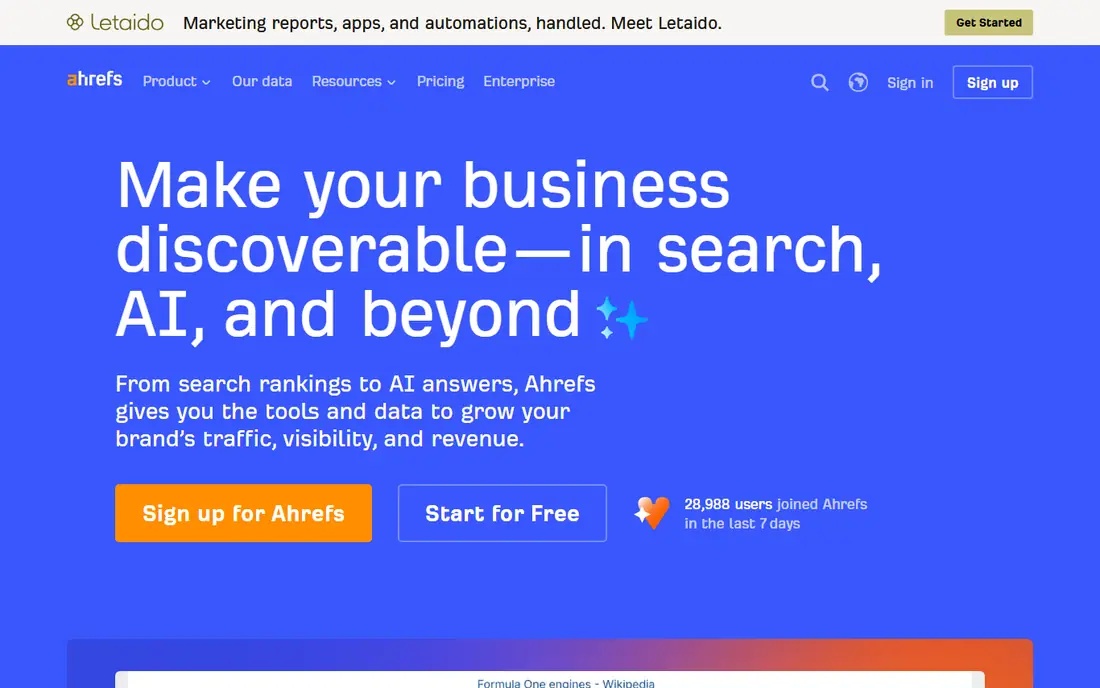
Ahrefs is best known for backlinks, and its reports reflect that strength. Link growth, lost links, referring domains, and anchor patterns are easy to track over time, alongside rank movements and audit issues. That makes it a strong choice for link-building and content teams that need to show earned links clearly. Reporting is less agency-dashboard focused than dedicated tools such as AgencyAnalytics. You can export and share reports, but agencies that need branded client portals may prefer a dedicated dashboard tool on top of Ahrefs data.
- Deep backlink index for link reports
- Clear rank tracking and site audit views
- Free tools for basic checks
- Higher tiers are expensive for agencies
- Some advanced features are add-ons or metered
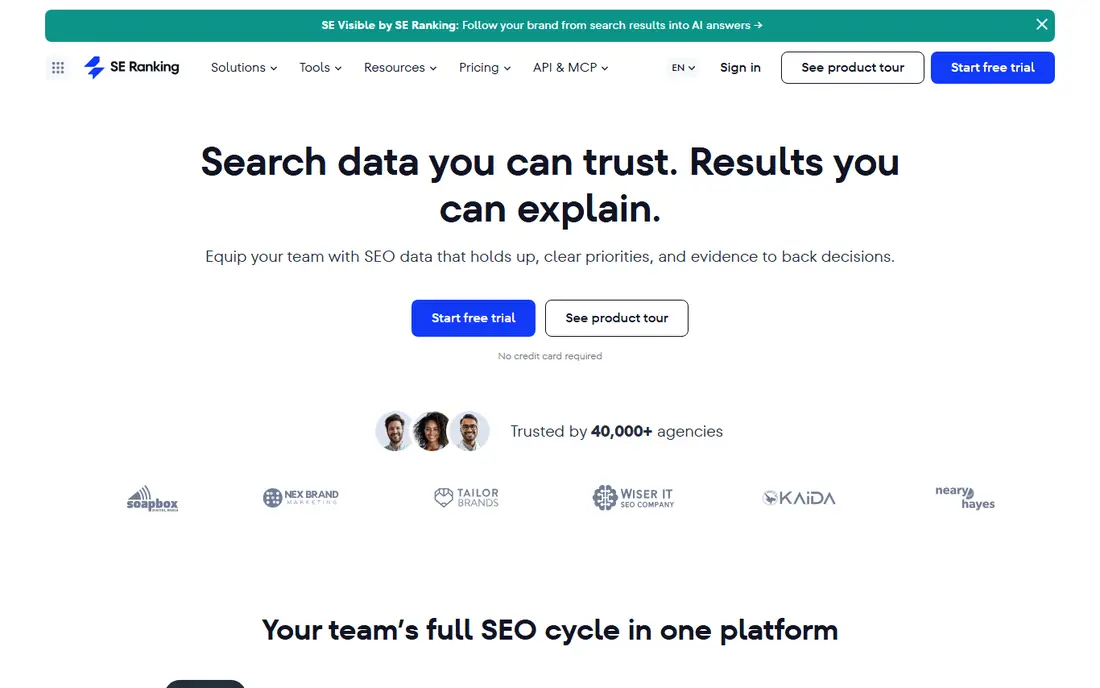
SE Ranking appeals to agencies and freelancers who need solid reports without an enterprise bill. It covers the core SEO report set: rankings, site health, backlinks, and competitor movement, with white-label options for client-facing documents. That combination makes it easy to send a professional monthly report from one account. It may not match the largest suites on every niche database or historical depth. For most small and mid-size client work, though, the balance of price, features, and report presentation is strong. Check current plan limits before committing, since rank and audit allowances vary by tier.
- Rank tracking, audit, and backlink tools in one plan
- White-label reports for agencies
- Competitive pricing for multi-site work
- Data depth can trail Semrush and Ahrefs on some markets
- Higher limits require higher tiers
Moz Pro is a good fit when reports go to clients or managers who are not SEO specialists. Its reports explain rankings, site issues, and link metrics in plain terms, and its Domain Authority score gives readers a familiar benchmark, even though it is a third-party estimate rather than a Google metric. Specialist teams may want deeper backlink or keyword data from another suite. Moz works best as a clear, dependable reporting core for small teams, especially when paired with Google Search Console for first-party traffic and impression data.
- Easy-to-read reports for non-specialists
- Domain Authority and ranking metrics clients recognise
- Site crawl and keyword tools included
- Backlink index is smaller than Ahrefs in some comparisons
- Pricing details vary by plan and should be checked on site
AgencyAnalytics is built for the reporting job itself, not for crawling the web. It pulls data from Google Analytics, Search Console, rank trackers, and other tools into dashboards that clients can open at any time. Agencies can add their logo, schedule PDF reports, and set goals that clients can follow. Because it is a dashboard layer, it does not replace a full SEO suite for research. The value is presentation and time saved: one branded report instead of several screenshots and spreadsheets. Check the current per-client pricing, since agency costs depend on how many dashboards you run.
- Branded client dashboards and scheduled reports
- Integrations with Google, social, and SEO tools
- Easy client login and report sharing
- You still need SEO data sources for some metrics
- Cost scales with clients and dashboards
Whatagraph suits agencies that report SEO alongside paid ads, social, and web analytics. Its templates look polished, and cross-channel reports help clients see how organic work fits with other marketing. Automated scheduling removes the monthly scramble to assemble slides and exports. Solo site owners will likely find it too costly for a single site. It also relies on connected sources for much of its SEO data, so pair it with a rank tracker and Search Console. For multi-channel agency reporting, the visual quality and time saved can justify the price.
- Polished visual reports across channels
- Templates for SEO, ads, and social in one report
- Automated scheduling and sharing
- Priced for agencies rather than solo site owners
- SEO depth depends on connected sources
Databox is a dashboard tool that works well when SEO is one of several KPIs on a wall or in a weekly meeting. You can combine rankings, traffic, leads, and sales metrics from different tools into one view, and share it with a team without building a spreadsheet. The free plan lets small teams test the workflow. It is not a replacement for an SEO research suite. Use Databox to present numbers, and keep Semrush, Ahrefs, or Search Console for the underlying analysis. That split keeps reporting fast while keeping the data trustworthy.
- Wide integration library
- Live KPI dashboards for teams
- Free plan for basic dashboards
- SEO-specific analysis is thinner than dedicated suites
- Advanced features and data history need paid plans
Looker Studio, formerly Data Studio, is the free route to custom SEO reports. It connects directly to Google Search Console and Google Analytics, so you can build dashboards showing clicks, impressions, average position, and page performance without a subscription. Reports update as the underlying data updates. The catch is effort. Building a polished, client-ready report takes design and data work, and third-party SEO data often needs a paid connector. Teams with time and Google data skills get a powerful free tool. Teams that want ready-made SEO templates should choose a paid dashboard instead.
- Free to use with Google accounts
- Flexible charts from Search Console and Analytics
- Easy sharing with clients and teams
- Setup takes time and connector knowledge
- Non-Google data often needs paid connectors
Raven Tools has long served small agencies that need research and reporting in one place. It covers site audits, rank tracking, backlink checks, and social data, then turns those results into scheduled, white-label reports. For a small agency, that all-in-one scope keeps tool costs down. Newer dashboards look more modern, and the largest suites offer deeper data. Raven still fits agencies that value a single workflow and simple client reports over the deepest possible index. Confirm current pricing on the vendor site, since plans have changed over the years.
- SEO audit, rank, and link tools plus reporting
- White-label reports for clients
- Manage multiple sites from one account
- Interface feels dated next to newer dashboards
- Data depth trails the largest suites
How we picked these
We compared official feature pages, pricing pages, and public reviews, and we favoured tools with scheduled reports, clear data sources, and export or sharing options. We treated Google Search Console as the first-party check for traffic claims, since third-party traffic estimates are modelled. We did not claim hands-on testing, and we avoided tools that only export raw data without a reporting view.
How to choose an SEO report tool
Match the tool to the reader
A client report needs plain explanations and a clear summary, while an in-house report needs detail and drill-down. Agency dashboards win for clients, while suites win for analysts. If both audiences matter, use a suite for analysis and a dashboard for presentation.
Check data sources and limits
Ask where each number comes from, how often it updates, and what happens when you hit a limit. Rank trackers, audit crawlers, and backlink indexes all have caps. A report that stops updating mid-month is worse than a simpler report that stays current.
Test the monthly workflow
Run one full monthly cycle before committing: connect sources, schedule the report, and send it to a real reader. Check how long setup takes, whether charts label estimates clearly, and whether you can explain every figure without extra spreadsheets.
Sources
Frequently asked questions
What is the best SEO report software for agencies?
AgencyAnalytics and Whatagraph are strong agency choices because they focus on branded dashboards and scheduled client reports. SE Ranking and Raven Tools also work well for smaller agencies that want research and reporting in one subscription.
What are the best SEO reporting tools for small businesses?
Looker Studio is the best free starting point when paired with Google Search Console. Moz Pro and SE Ranking offer clearer all-in-one reporting for small teams that want scheduled reports without building dashboards from scratch.
Is there free SEO report software?
Yes. Looker Studio is free, Google Search Console is free, and Semrush, Ahrefs, and Databox offer limited free tiers. Free plans cover basic checks and small dashboards, while paid plans add history, scheduled reports, and white-label options.
How often should SEO reports be sent?
Monthly reports suit most clients and small teams, with weekly rank checks in between for active campaigns. Daily reports often add noise, since rankings and traffic move naturally. Focus on trends over several months rather than single-day changes.
Should SEO reports include traffic estimates from third-party tools?
They can, but label them as estimates. Google Search Console gives first-party clicks and impressions for your own site, while third-party traffic figures are modelled. A trustworthy report shows both, and explains the difference to the reader.
What should a good SEO report include?
A good report includes a short summary, rank movement for target keywords, site health issues fixed and outstanding, backlink changes, and traffic from Search Console. It should also list next actions, so the reader knows what will happen before the next report.