Best Small Business Apps in 2026: 9 Apps Compared
By ToolNimba Editorial Team October 29, 2026 10 min read

- Top pick
 QuickBooks Online
Full accounting
Starting price$38 per monthCheck out QuickBooks OnlineRead our review - Runner-up
 Xero
Multi-user accounting
Starting price$25 per monthCheck out XeroRead our review - Also great
 Wave
Free accounting start
Starting priceFreeCheck out WaveRead our review
How we researched this
We compared official pricing and feature pages, app store listings, privacy policies and public user reviews. Prices change, so check the provider's site before you pay.
Key takeaways
- Most small businesses need only five tools at first: accounting, invoicing, payments, project tracking, and team communication.
- Free tiers cover a surprising amount, especially for accounting, invoicing, design, and team chat, so start free before buying a suite.
- Per-user pricing is the hidden cost for team tools, since a low headline price can double or triple as staff join.
- Pick tools that share data cleanly, such as accounting linked to payments, rather than buying the most features in each category.
Quick comparison
| Name | Best for | Starting price | Free plan | |
|---|---|---|---|---|
| QuickBooks Online | Full accounting | $38 per month | Free trial | Visit |
| Xero | Multi-user accounting | $25 per month | Free trial | Visit |
| Wave | Free accounting start | Free | Yes | Visit |
 FreshBooks | Service invoicing | $23 per month | Free trial | Visit |
 Zoho Books | Budget accounting | Free | Yes | Visit |
 Square | In-person and online payments | Free | Yes | Visit |
 Asana | Project and task tracking | Free | Yes | Visit |
 Slack | Team communication | Free | Yes | Visit |
 Canva | Marketing design | Free | Yes | Visit |
The best small business apps
A small business app should save time on a job you repeat every week, whether that is sending invoices, taking payments, tracking a project, or answering a team message. The apps below cover the core jobs without requiring an enterprise system.
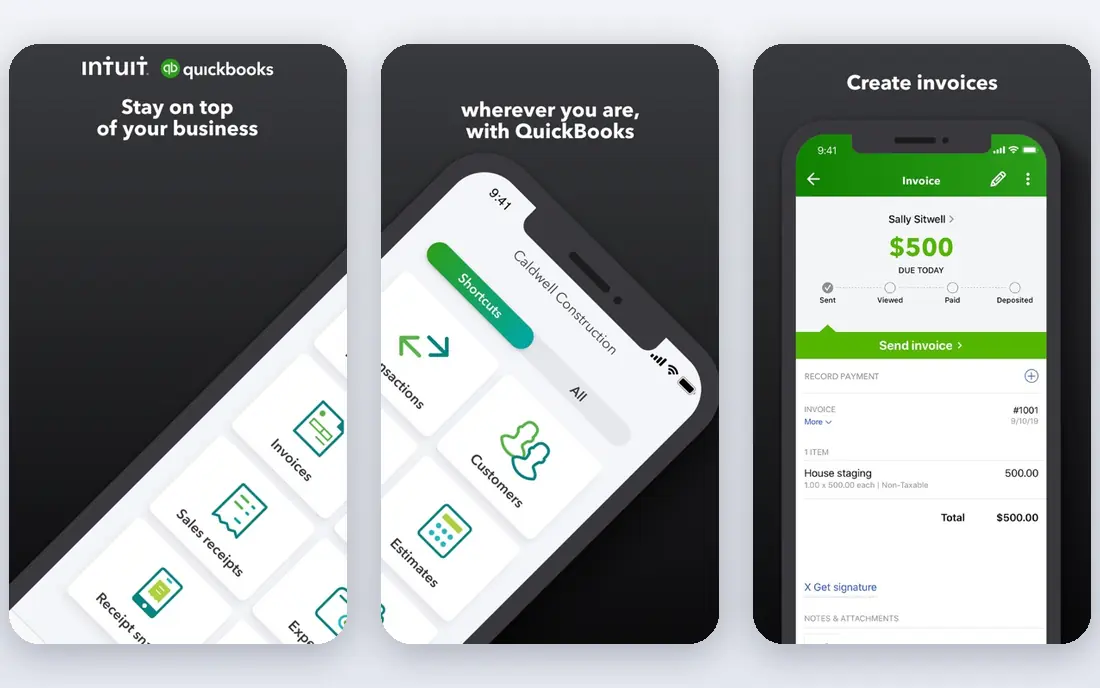
QuickBooks Online is the default accounting choice for many US small businesses, largely because accountants already know it. Simple Start costs $38 per month and includes invoicing, bank feeds, expense tracking, and financial reports, while higher tiers add inventory, project tracking, and more users. Payroll is available as an add-on.
The price and complexity are the drawbacks. A solo owner may find Wave or Zoho Books enough, and QuickBooks can feel heavy for simple income and expense tracking. For a growing business that works with a CPA, needs 1099 handling, or expects to scale, QuickBooks is still the safest long-term pick. Use the trial to confirm the workflow fits your bookkeeping habits.
- Deepest US accounting features and accountant network
- Invoicing, bank feeds, and tax reports in one place
- Many integrations
- Higher price than rivals
- Learning curve for new users
- Per-user limits on lower tiers
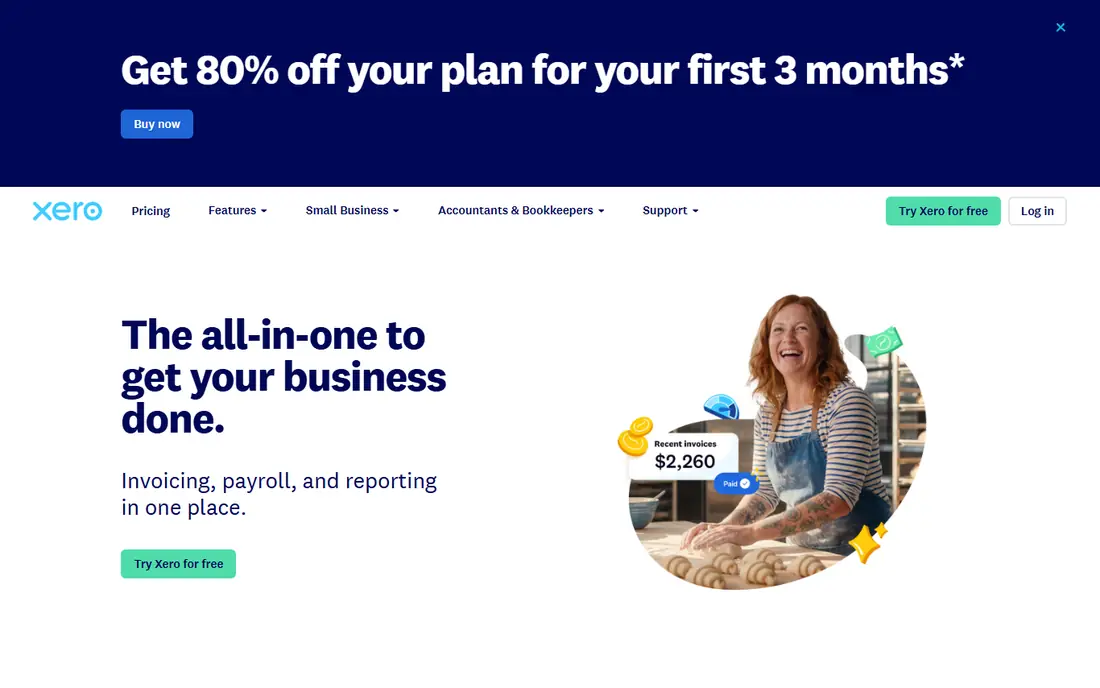
Xero suits teams where several people need access without paying per seat. Early costs $25 per month and includes 20 invoices and 5 bills per month, along with bank reconciliation and reports, while Growing at $55 removes many of those caps. Unlimited users is a real advantage for a team of three or more, since QuickBooks and FreshBooks charge for extra seats past a point.
The entry caps are the main limit. A business sending more than 20 invoices a month will need Growing, which changes the price comparison. Xero also handles US payroll through partners rather than natively. For a multi-user, multi-currency business, Xero is an excellent choice. For a US business tied to a QuickBooks accountant, QuickBooks may be simpler.
- Unlimited users on every plan
- Strong bank reconciliation
- Good multi-currency handling
- Entry plan caps invoices and bills
- US payroll needs a partner such as Gusto
- Fewer US accountants use it than QuickBooks
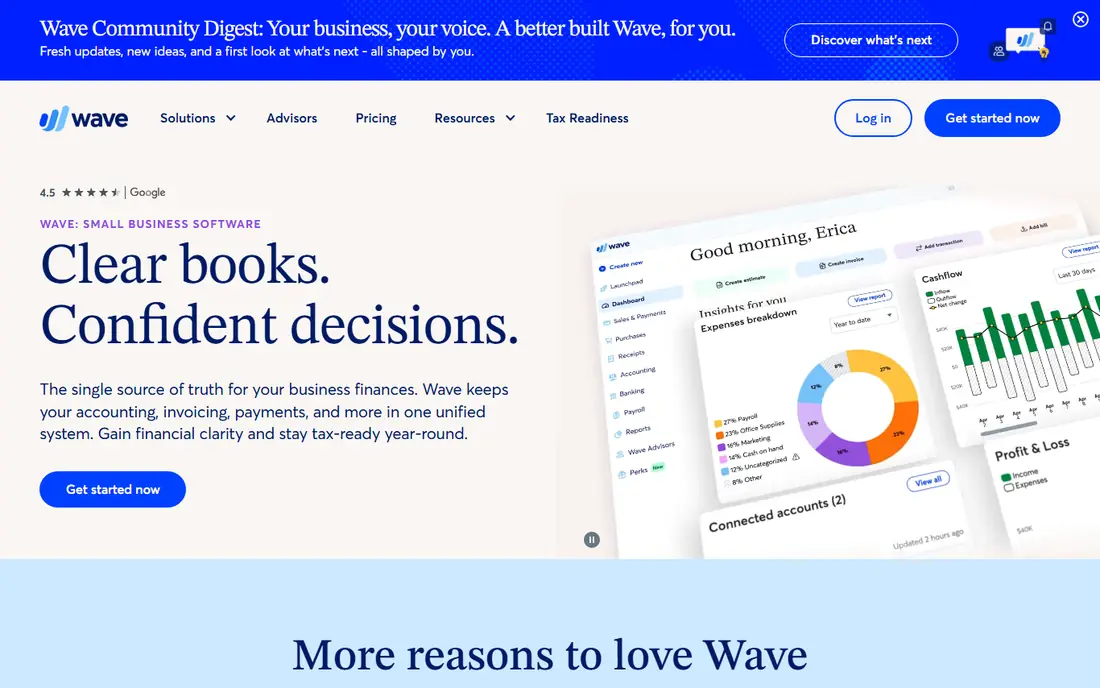
Wave is the best free accounting start for a solo owner or a very small service business. Starter is free and includes unlimited invoices, estimates, bills, and bookkeeping records, with no revenue cap. That covers the core job for many side hustles and freelancers without a monthly fee.
Pro at $19 per month adds automatic bank feeds, receipt capture, and other time-saving features, which many owners will want once transaction volume grows. Payroll is also an add-on. Wave suits a business that wants real double-entry accounting at zero cost to start. For inventory, complex reporting, or a large team, QuickBooks or Xero may scale better.
- Free Starter plan with unlimited invoices and bookkeeping
- Simple setup for solopreneurs
- No revenue cap on the free tier
- Automatic bank feeds require the Pro plan at $19 per month
- Payroll is an add-on
- Reporting depth is lighter than QuickBooks
FreshBooks is built around billing clients, which makes it ideal for freelancers, agencies, and service businesses. Lite costs $23 per month for up to 5 clients and includes invoicing, expense tracking, time tracking, and reports, while Plus at $43 covers more clients. Invoices look professional, clients can pay online, and tracked time flows into invoices without manual re-entry.
The client cap is the key limit. A business with many small clients will outgrow Lite quickly, and accounting features are lighter than a full double-entry system. FreshBooks suits service work where invoicing and time are the core jobs. For product inventory or complex accounting, pair it with another tool or choose QuickBooks or Xero.
- Best-in-class invoicing and client portal
- Time tracking linked to invoices
- Clean interface for service businesses
- Client limits on lower tiers
- Accounting depth is lighter than QuickBooks
- Extra seats cost more
Zoho Books offers the most accounting per dollar for budget-conscious owners. Its free tier covers businesses with annual revenue under $50,000, including invoicing, bank reconciliation, and expense tracking. Standard costs $20 per month, or $15 billed annually, and adds bank feeds, more users, and automation.
The free tier limits are the catch, since revenue, user, and invoice caps apply, and payroll support covers only select US states. Zoho Books suits a small business that already uses Zoho apps, or a cost-conscious owner who wants full accounting without paying at first. For a US business with complex payroll needs, QuickBooks with a payroll add-on may be simpler.
- Free tier for businesses under $50,000 in annual revenue
- Full double-entry accounting
- Strong automation for the price
- Free tier has revenue and user limits
- Full value comes inside the wider Zoho ecosystem
- US payroll support is limited to select states
Square started as a card reader for phones and now covers in-person, online, and invoice payments for small businesses. The basic point-of-sale app is free, with no monthly fee, and you pay transaction fees on sales instead. That model suits shops, cafes, market stalls, and service businesses that take card payments in person.
Transaction fees are the real cost, so compare them with your average sale size and volume before committing. Square also sells hardware, appointments, and online store tools as add-ons, which can raise costs for a larger setup. For a small business that needs to take payments quickly without a monthly subscription, Square is a practical first choice.
- Free point-of-sale app
- No monthly fee for basic payments
- Hardware options for shops, markets, and pop-ups
- Transaction fees apply to every sale
- Advanced features and hardware cost extra
- Less suited to complex B2B invoicing alone
Asana helps a small team track who is doing what, by when, without relying on email threads. Its free Personal plan covers unlimited tasks, projects, and messages for up to 10 collaborators, with list, board, and calendar views. Paid plans start at $13.49 per user per month billed annually in published listings and add timelines, reporting, and portfolios.
The free plan is generous for a small team, but larger teams will hit paid limits quickly, and per-user pricing adds up. Asana suits service businesses, agencies, and shops with repeatable projects, such as client onboarding or event planning. For a solo owner, a simple task list may be enough, and Asana may be more structure than needed.
- Free Personal plan for small teams
- Clear task, project, and timeline views
- Many integrations with other business tools
- Advanced reporting and portfolios require paid plans
- Can feel complex for a team of one or two
- Per-user pricing rises with team size
Slack replaces scattered email and group texts with organized channels for topics, projects, and clients. Its free plan covers unlimited messages for 90 days of history, up to 10 integrations, and one-on-one calls, which suits a small team getting started. Pro costs around $8.75 per user per month billed annually in published listings and adds full history, unlimited integrations, and group calls.
Message history is the main free-plan limit, since older messages become hard to search after 90 days. Per-user pricing also means a growing team should budget carefully. Slack suits teams that communicate daily and need quick answers, file sharing, and app alerts in one place. For a team of two that rarely messages, email and a shared task list may be enough.
- Free plan for small teams
- Channels keep topics organized
- Many integrations with accounting, project, and file tools
- Free plan limits message history
- Paid plans cost per user
- Chat can become noisy without channel rules
Canva lets a small business create social posts, flyers, menus, presentations, and simple videos without hiring a designer for every job. Its free plan includes thousands of templates, basic photo editing, and collaboration, while Pro costs $12.99 per month for one user in published listings and adds premium templates, a brand kit, and background removal.
The free plan is enough for occasional posts and flyers, but brand consistency tools sit behind Pro. Canva suits shops, restaurants, and service businesses that post regularly and need quick, clean visuals. For complex print work or a full brand identity, a professional designer or a dedicated design tool may still be needed, but Canva covers daily marketing well.
- Free plan with many templates for social posts, flyers, and menus
- Easy drag-and-drop design
- Brand kit and team tools on Pro
- Free plan limits premium templates, photos, and brand tools
- Pro costs per user for teams
- Not a replacement for professional design software
How we picked these
We compared official pricing and feature pages, plus published small business app comparisons, and we favored apps that still serve US small businesses in 2026. We checked free tiers, per-user costs, core jobs covered, and integration options, and we avoided enterprise tools that small teams rarely need. We did not claim hands-on testing, and prices change with promotions and team size, so check the vendor pricing page for your exact user count before buying.
What to check before you buy
Start with the jobs you repeat weekly, not with a long feature list. Accounting, invoicing, payments, projects, and communication cover most small business needs, and a free tier often covers the first three. Next, count users, since per-user pricing is the fastest way a cheap tool becomes expensive.
Also check integrations. Accounting linked to payments saves hours of manual entry, and a project tool linked to team chat keeps work visible. Finally, trial one tool at a time for two weeks with real work, since a tool that looks good in a demo may not fit your daily routine. Keep the tools you use weekly and drop the rest.