Best Social Media Reporting Tools in 2026: 10 Tools Compared
By ToolNimba Editorial Team November 8, 2026 9 min read

- Top pick
 Sprout Social
Deep analytics and listening
Starting price$79 per seat per monthCheck out Sprout SocialRead our review - Runner-up
 Hootsuite
Enterprise analytics and monitoring
Starting price$99 per user per monthCheck out HootsuiteRead our review - Also great
 Buffer
Simple analytics for small teams
Starting price$5 per channel per monthCheck out BufferRead our review
How we researched this
We compared official pricing and feature pages, app store listings, privacy policies and public user reviews. Prices change, so check the provider's site before you pay.
Key takeaways
- Sprout Social and Hootsuite offer the deepest analytics and listening, but per seat pricing makes them costly for small teams.
- Metricool and Buffer are the best free starting points for social media analytics, with Metricool offering deeper native analytics.
- SocialPilot and Sendible give agencies flat pricing and white label client reports at a lower total cost than per seat suites.
- Later and Loomly suit visual brands and approval heavy teams, but their reporting depth differs from analytics-first tools.
- Our pick for most small teams is Metricool, with Sprout Social as the best choice for larger teams that need depth.
Quick comparison
| Name | Best for | Starting price | Free plan | |
|---|---|---|---|---|
| Sprout Social | Deep analytics and listening | $79 per seat per month | Free trial | Visit |
| Hootsuite | Enterprise analytics and monitoring | $99 per user per month | Free trial | Visit |
| Buffer | Simple analytics for small teams | $5 per channel per month | Yes | Visit |
 Agorapulse | Inbox plus reporting | $79 per user per month | Free trial | Visit |
 SocialPilot | Flat priced agency reporting | $30 per month | Free trial | Visit |
 Metricool | Analytics-first reporting | $20 per month | Yes | Visit |
 Later | Visual planning and analytics | $25 per month | Free trial | Visit |
 Sendible | White label agency reports | $35 per month | Free trial | Visit |
 Loomly | Approval workflows and reports | $49 per month | Free trial | Visit |
 Zoho Social | Zoho users needing basic analytics | See website | Yes | Visit |
The best social media reporting tools
These are the best tools for social media reporting and analytics, from free analytics dashboards to enterprise suites. We compared official pricing pages and published feature lists, focusing on report quality, channel coverage, and total cost for a real team.
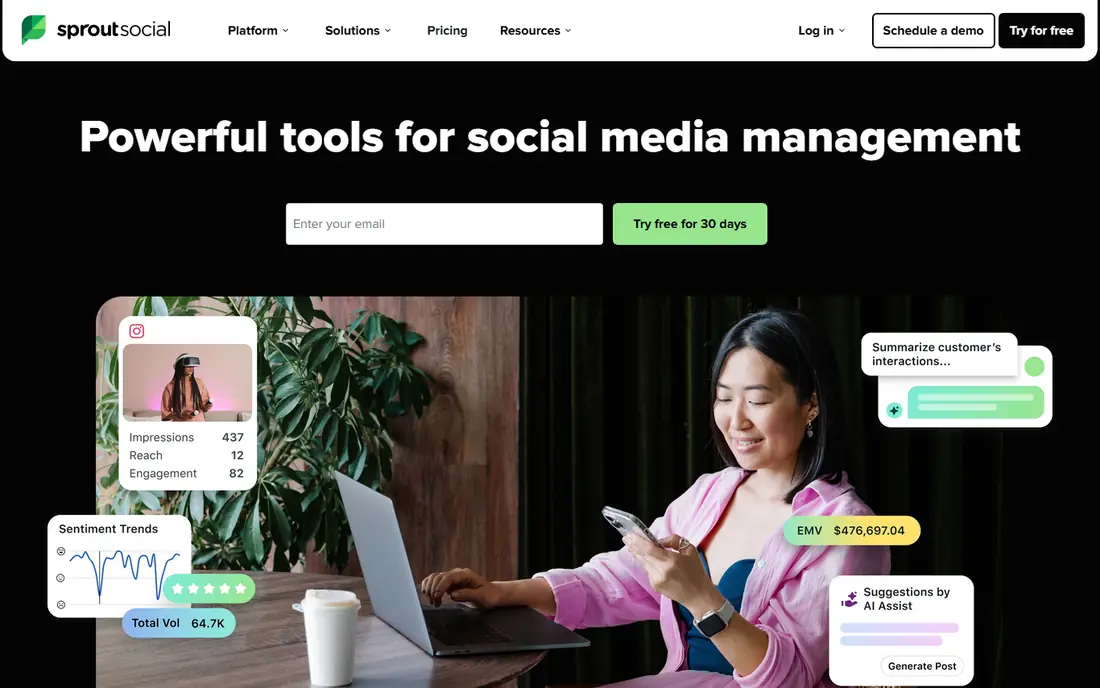
Sprout Social is the reporting leader for teams that need to prove results. Its reports cover engagement, audience growth, publishing performance, and team activity in a format that reads well in a client meeting or board update. Custom report builders let you pick the metrics that matter for each channel or campaign.
The cost is the honest catch. Every seat pays the full plan price, and social listening can add to the bill. For a solo manager or small team, that total can be hard to justify. For larger teams that live in their reports, the depth is worth it.
- Strong cross-channel reports
- Social listening on higher tiers
- Clean, client-ready dashboards
- Per seat pricing adds up fast
- Listening is a separate add-on on some plans

Hootsuite remains the default enterprise choice for social reporting. It connects many networks, tracks competitors, and turns streams, publishing, and analytics into one workflow. Its reports suit teams that need governance, roles, and consistent reporting across regions or brands.
Small teams should check the total before committing. Per user pricing means a three person team pays three seats, and there is no permanent free plan. If you need enterprise scale and monitoring, Hootsuite earns its price. If you need simple monthly reports, a cheaper tool will do.
- Broad network coverage
- Streams and monitoring
- Strong analytics and competitor tracking
- Per user pricing
- Approvals and advanced reports sit on higher tiers
Buffer is the simplest tool in this list, and that is its strength. You schedule posts, check a clean analytics view, and see what worked without learning a complex suite. The free plan covers three channels with limited scheduled posts, which is enough for a solo creator to test the workflow.
Reporting depth is the limit. Buffer shows the core metrics well, but it does not match Sprout for custom reports or Metricool for deep native analytics. It suits creators and small brands that want clarity over complexity.
- Very easy to use
- Free plan for up to three channels
- Clear basic analytics
- Per channel pricing grows with accounts
- Reporting depth is lighter than Sprout or Metricool
Agorapulse pairs a strong social inbox with solid reporting, which suits teams that reply to customers all day and report on that work. Its reports cover publishing, engagement, and audience, with ROI reporting that links social activity to business results on higher plans. The inbox keeps comments and messages in one queue, which reduces missed replies.
Like Sprout, it charges per user, so team cost rises with headcount. For community focused teams, the inbox plus reports combination justifies the price. For reporting only, a flat priced tool may cost less.
- Unified social inbox
- Strong reports including social ROI
- Good approval workflows
- Per user pricing
- Entry plan limits some advanced reporting features
Metricool is our pick for most small teams because it puts analytics first. The dashboard shows growth, engagement, reach, and best posting times across networks, plus ads analytics for Google, Meta, and TikTok. Competitor tracking helps small brands see how they compare without buying an enterprise suite.
The free plan is genuinely useful, though it excludes LinkedIn and X, and X needs a paid add-on. Even with those limits, Metricool gives small brands more analytics per dollar than most rivals. Start free, then move to Starter when you need LinkedIn.
- Deep native analytics
- Free plan includes analytics
- Competitor tracking and best time to post
- Free plan excludes LinkedIn and X
- X add-on costs extra on paid plans
Later suits visual brands that plan Instagram and TikTok content around a grid or calendar. Its analytics cover post performance, audience, and Link in Bio clicks, which helps creators show what drives traffic. The visual planner makes it easy to see how a feed will look before publishing.
For deep cross-channel reporting, Later is thinner than Sprout or Metricool. It is best for brands where visual planning is the main job and reporting is the second job, not the other way around.
- Visual planner and Link in Bio
- Instagram and TikTok friendly analytics
- Clean reports
- Reporting is lighter than analytics-first tools
- Social sets pricing can grow with accounts
Sendible is built for agencies that send reports to clients. Unlimited users on plans helps agencies add team members without a per seat penalty, and white label dashboards let clients see reports under the agency brand. Publishing, monitoring, and reporting sit in one workspace.
Check the plan details for report customization, since some white label features sit on higher tiers. For agencies that need client-ready reports and flexible team access, Sendible is a practical, predictable choice.
- Unlimited users on plans
- White label dashboards and reports
- Strong agency workflows
- Analytics depth varies by plan
- White label reporting on higher tiers needs care in plan choice
Loomly suits teams where every post needs review before it goes live. Approval workflows, version history, and comments are built in from the entry tier, which is unusual and useful for regulated or brand sensitive teams. Reports cover account and post performance in a clear format for managers.
The entry price is higher than simpler tools, and analytics do not match Sprout for depth. If approvals are your main pain point, Loomly is the right tool. If reporting depth is the priority, start with Metricool or Sprout instead.
- Structured approvals from the entry tier
- Clean post and account reports
- Good for teams with reviewers
- Higher entry price than Buffer or Metricool
- Analytics depth is moderate
Zoho Social is the sensible choice for teams already in the Zoho ecosystem. It covers scheduling, monitoring, and basic analytics without adding another vendor, and the free plan lets small teams start at no cost. For a Zoho CRM user, seeing social activity alongside customer records is a real plus.
Standalone reporting buyers will find it thinner than Metricool or Sprout. It is best as a convenient add-on for Zoho users, not as a dedicated reporting suite for agencies.
- Free plan available
- Simple scheduling and monitoring
- Fits teams already using Zoho apps
- Reporting depth is lighter than specialists
- Fewer advanced analytics features
How we picked these
We compared official pricing pages and feature lists for tools that offer real social media analytics and reporting, not just scheduling. We included free options, flat priced agency tools, and enterprise suites, and we checked whether reporting features sit on the entry plan or a higher tier. Prices are entry figures from recent vendor listings, and we used See website where pricing varies by region or plan structure.
How to choose a reporting tool
Start with who reads the report. A solo creator needs a clear dashboard and a few core metrics, while an agency needs white label PDFs, scheduled reports, and per client views. Enterprise teams need listening, competitor tracking, and governance, which cost more for a reason.
Next, count the total cost for your team and channels. Per seat tools look affordable for one user and expensive for five, per channel tools grow with accounts, and flat tools grow with profile limits. Test the report itself before you buy: export a real month, check whether the metrics match what your clients ask for, and confirm that the networks you use are covered. A tool that cannot report on your main channel is not a bargain at any price.
Sources
Frequently asked questions
What is the best free social media analytics tool?
Metricool has the strongest free analytics plan in this list, with native analytics, competitor tracking, and best time data, though it excludes LinkedIn and X on the free tier. Buffer also has a free plan, but its analytics are simpler.
What is the best social media reporting tool for agencies?
SocialPilot and Sendible are the best agency picks for flat pricing and white label client reports. Sprout Social offers deeper reports, but per seat pricing makes it much more expensive for larger agency teams.
What is the best social media analytics software for small business?
Metricool is our pick for most small businesses because it combines a free plan, deep native analytics, and a low paid entry price. Buffer is simpler and cheaper for very small accounts, while Later suits visual brands.
Do I need a paid tool for social media reporting?
Not always. Native analytics inside Instagram, Facebook, TikTok, and LinkedIn cover basic performance for free. A paid tool earns its cost when you need cross-channel reports, scheduled client reports, competitor tracking, or one dashboard for many accounts.
Which tool has the best social media reporting templates?
Sprout Social and Sendible offer the most polished, client-ready report formats in this list. Metricool and SocialPilot also offer useful scheduled reports, but with less customization than Sprout.
SocialPilot
Best for: Flat priced agency reporting
SocialPilot is the agency value pick. Flat pricing means the plan price does not multiply with every team member in the same way per seat tools do, and white label reports let agencies send client reports under their own brand. Bulk scheduling and approval workflows help small agencies manage many clients at once.
The analytics are solid but not as deep as Sprout or Hootsuite for listening and competitor work. If your main need is clean monthly client reports at a predictable price, SocialPilot is a strong choice.