Best Software for Dance Video Editing in 2026: 8 Tools Compared
By ToolNimba Editorial Team November 8, 2026 9 min read

- Top pick
 CapCut
Social dance clips
Starting priceFreeCheck out CapCutRead our review - Runner-up
 VN Video Editor
Precise mobile editing
Starting priceFreeCheck out VN Video EditorRead our review - Also great
 LumaFusion
Multi-angle dance edits
Starting priceSee websiteCheck out LumaFusionRead our review
How we researched this
We compared official pricing and feature pages, app store listings, privacy policies and public user reviews. Prices change, so check the provider's site before you pay.
Key takeaways
- CapCut is the fastest choice for dance clips on social platforms, with beat sync, templates and auto captions built in.
- VN Video Editor and LumaFusion give dance creators more timeline control for multi-angle choreography and precise cuts on the beat.
- Filmora and PowerDirector suit desktop dance edits where templates, effects and audio cleanup matter.
- InShot and KineMaster are strong mobile options for quick vertical dance reels with text, filters and speed changes.
- Always check music rights before posting a dance video, since platform licences differ from commercial use licences.
Quick comparison
| Name | Best for | Starting price | Free plan | |
|---|---|---|---|---|
| CapCut | Social dance clips | Free | Yes | Visit |
| VN Video Editor | Precise mobile editing | Free | Yes | Visit |
| LumaFusion | Multi-angle dance edits | See website | No | Visit |
 Wondershare Filmora | Desktop dance edits | See website | Yes | Visit |
 CyberLink PowerDirector | AI-assisted dance edits | See website | Yes | Visit |
 InShot | Quick vertical reels | Free | Yes | Visit |
 KineMaster | Layered mobile edits | Free | Yes | Visit |
 Canva | Branded dance promos | Free | Yes | Visit |
The best software for dance video editing
We compared official feature pages, pricing pages and public reviews for eight editors that dancers and dance studios use for rehearsal clips, class promos and social dance videos.

CapCut is built for the kind of dance video that lives on TikTok, Reels and Shorts. Beat sync aligns cuts to the music, templates give you a ready-made rhythm for a trend, and auto captions add lyrics or instructions without manual typing. Speed curves let you slow a move down for a tutorial moment, then snap back to full speed for the chorus. The free version covers most dance needs, though some effects and templates sit behind a paid plan. CapCut is less suited to long recital films or multi-camera studio edits, where a full timeline editor gives more control. For daily dance content, it is the fastest tool in this list and the one most dancers already know.
- Beat sync and auto-cut for music-led edits
- Large template and effect library
- Auto captions in many languages
- Best for short-form video
- Some premium effects need a paid plan
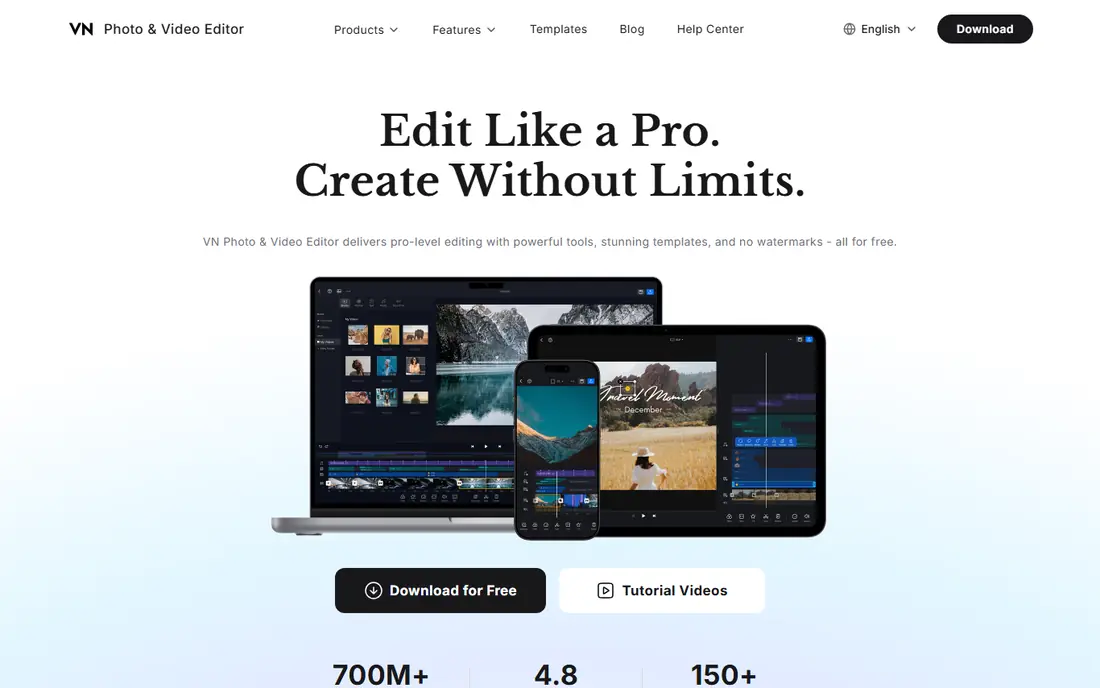
VN Video Editor gives mobile dancers a timeline that feels closer to a desktop editor. Multiple video and audio tracks let you layer a wide shot, a close-up and a clean music track, while keyframes control speed ramps, zooms and position changes frame by frame. That control matters when a cut must land exactly on a beat. The interface takes longer to learn than CapCut templates, but the payoff is precision. Dance studios that film the same routine from two angles can cut between them cleanly, and solo creators can build a polished reel without moving to a computer. VN is the best mobile pick for dancers who want control rather than templates.
- Multi-track timeline on mobile
- Keyframe control for movement and speed
- Exports without a watermark on many plans
- Learning curve is higher than CapCut
- Some advanced features need a paid plan
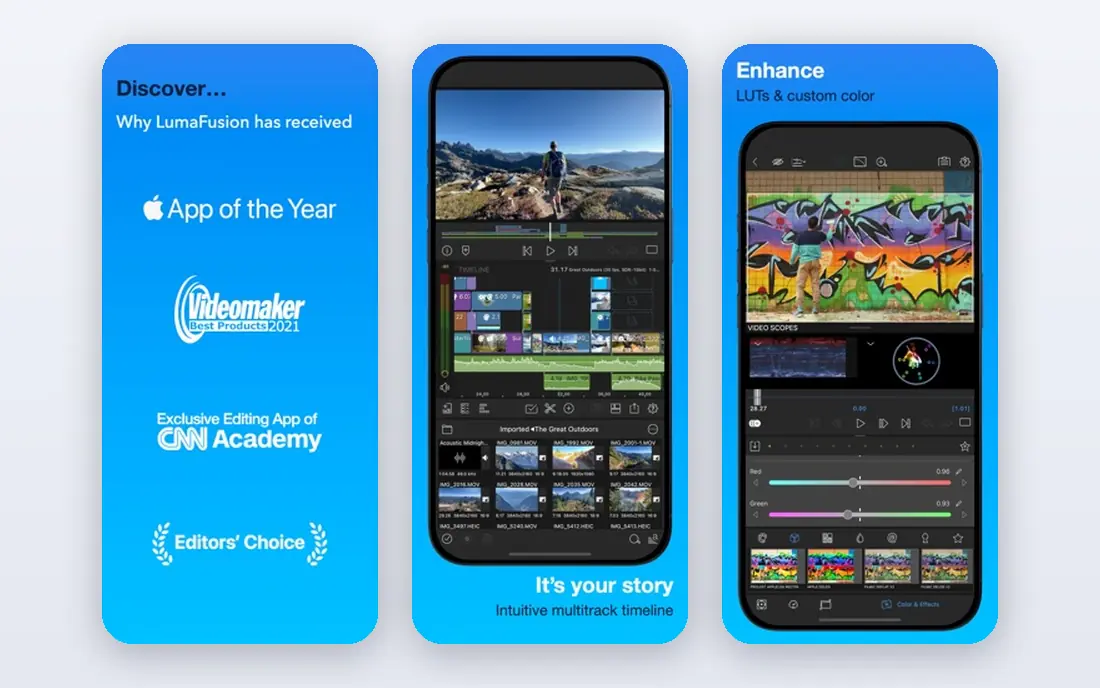
LumaFusion is a full non-linear editor for iPad and iPhone, with up to six video and six audio tracks. A dance studio can stack three camera angles, cut on the beat, adjust exposure per angle and lay a clean studio audio track underneath, all on a tablet. Colour tools and audio mixing go well beyond template editors. It is a paid app, and it is mainly an Apple platform product, with Android support on selected devices. That cost and platform limit are the main drawbacks. For creators who treat dance reels as portfolio pieces or client work, the precision is worth it, and project export lets you finish on a desktop editor if needed.
- Up to six video and six audio tracks
- Advanced colour and audio mixing
- Project export for desktop finishing
- Paid app with no free plan
- Mainly for iOS and Apple silicon Macs
Filmora works well for dance creators who prefer a desktop workflow. Its timeline is easy to learn, templates cover dance intros and transitions, and AI tools handle captions, background removal and audio cleanup. That mix suits class promos, recital highlights and YouTube dance covers that need more polish than a phone edit. The free version adds a watermark, so publishing needs a paid plan. AI credits can also run out on heavy projects. If you edit dance videos weekly on a computer and want a friendly tool with room to grow, Filmora is a strong middle ground between CapCut and professional editors.
- Easy desktop timeline with dance templates
- AI tools for captions, cutout and audio
- Large music and effect library
- Free version adds a watermark
- Some AI features use credits
PowerDirector brings AI help to dance editing on desktop and mobile. Text-based editing, motion tracking and effect templates speed up routine cuts, while fast rendering helps when you need several versions of a routine for different platforms. Music and title templates give class promos a consistent look. The interface packs in many tools, so beginners should allow a few sessions to learn it. A trial covers basic use, but full features need a paid plan. For dance studios that publish often and want AI shortcuts without a professional learning curve, PowerDirector is a practical choice.
- AI tools for editing and object removal
- Fast rendering
- Large template library for social video
- Interface can feel busy
- Full features need a paid plan
InShot remains a favourite for quick vertical dance reels. Canvas controls, speed changes, filters and text are easy to reach, and a single-angle routine can be trimmed, captioned and posted in minutes. It suits dancers who film on a phone and want a neat result without studying editing theory. Free exports add a watermark, and multi-track editing is limited compared with VN or LumaFusion. For occasional reels, a small subscription removes the watermark and opens more features. For daily, multi-angle work, pair InShot with a stronger editor rather than relying on it alone.
- Simple controls for canvas, speed and text
- Filters and music tools for reels
- Fast for single-angle clips
- Free exports add a watermark
- Multi-track control is limited
KineMaster gives mobile editors a layered timeline with blending modes, keyframes and chroma key, which helps dance creators who layer text, stickers and picture-in-picture over a routine. Frame-by-frame trimming supports precise cuts on musical beats, and the asset store adds transitions and effects. The free version adds a watermark and limits asset access, so regular publishers will need the premium plan. The interface is more detailed than InShot, which suits creators who want control on a phone. For layered dance edits without a computer, KineMaster is a strong option.
- Multi-layer timeline with blending and keyframes
- Chroma key and audio tools
- Large asset store
- Free version adds a watermark
- Premium plan needed for full asset access
Canva is not a traditional video editor, but it earns a place for dance studios that need branded promos. A brand kit stores your logo, colours and fonts, so weekly class announcements and recital promos keep a consistent look. Templates let you drop in a finished clip, add text and export a promo quickly. Frame-accurate cutting and complex audio mixing are weak here, so Canva should not be your main dance editor. The best pattern is to cut a sharp routine in CapCut, VN or Filmora, then bring the finished clip into Canva for branded frames, titles and cover images before posting.
- Brand kit for consistent colours and fonts
- Templates for promos and class announcements
- Easy text and layout tools
- Not a full timeline editor
- Weak for frame-accurate cuts and complex audio
How we picked these
We compared official feature and pricing pages for editors used for dance video in October 2026, plus public reviews on beat sync, speed control, multi-track editing and export quality. We kept editors that handle music-led vertical video well, and we left out pure AI generation tools that do not edit real dance footage. Prices were listed as "See website" where plans varied by platform or billing period.
How to edit a dance video well
Start with the music, not the visuals. Mark the beats where moves change, and place your main cuts on those beats so the edit feels musical rather than random. Use speed ramps sparingly: slow down a complex move so viewers can follow it, then return to full speed for impact. Too many speed changes in one clip will distract from the dancing itself. Film with the edit in mind. A wide shot shows full choreography, while a close-up adds energy for a chorus or a solo moment. Keep the camera steady for group routines, and avoid cutting mid-move unless the beat demands it. Export in the vertical format your platform prefers, and add captions for viewers who watch without sound.
Music rights and posting
Check music rights before posting. A song licence on a social platform does not always cover commercial use, such as a paid class ad or a studio website. Use platform-licensed audio for social posts, and licensed or royalty-free music for ads and commercial promos.
Sources
Frequently asked questions
What is the best app for editing dance videos on a phone?
CapCut is best for fast social dance clips, while VN Video Editor is best for precise mobile editing with a multi-track timeline. LumaFusion suits creators who want desktop-level control on an iPad.
How do I sync dance video cuts to the beat?
Use beat sync or auto-cut tools in CapCut, or place cuts manually on beat markers in VN, LumaFusion or Filmora. Listen with headphones and mark each downbeat before you start cutting, so cuts land on musical changes.
Can I edit multi-angle dance videos on mobile?
Yes. LumaFusion supports up to six video tracks, and VN supports multiple tracks on mobile. Film several angles of the same routine, sync them to the same audio track, then cut between angles on the beat.
Do dance editing apps add watermarks?
Some free plans do. CapCut free exports are generally watermark-free for basic edits, while InShot and KineMaster free versions add watermarks. Check the free plan terms for your chosen app before publishing.
What format should I export dance videos in?
Export vertical video for TikTok, Reels and Shorts, usually at 1080 by 1920, and horizontal video for YouTube or recital films. Keep a high-quality master copy before you compress a version for each platform.