Best Tax Software for Professional in 2026: 9 Tools Compared
By ToolNimba Editorial Team October 31, 2026 11 min read

- Top pick
 Drake Tax
Small firms wanting predictable pricing
Starting price$299.99 per yearCheck out Drake TaxRead our review - Runner-up
 Lacerte
Complex, high-value returns
Starting price$599 per yearCheck out LacerteRead our review - Also great
 ProSeries
Form-based preparers in the Intuit range
Starting price$539 per yearCheck out ProSeriesRead our review
How we researched this
We compared official pricing and feature pages, app store listings, privacy policies and public user reviews. Prices change, so check the provider's site before you pay.
Key takeaways
- Drake Tax and TaxAct Professional give small firms the clearest published prices, while Lacerte, UltraTax CS, and CCH Axcess Tax tend to be quote-based at the top end.
- ProSeries sits in the middle of the Intuit range, with a form-based workflow that suits preparers who like to work directly on the return.
- Cloud-first firms should shortlist ProConnect Tax and CCH Axcess Tax, while firms with a settled desktop routine may prefer Drake Tax, Lacerte, or ProSeries.
- Total cost depends on return volume, states, users, and add-ons such as portals and e-signatures, so compare a full-season quote, not just the entry price.
Quick comparison
| Name | Best for | Starting price | Free plan | |
|---|---|---|---|---|
| Drake Tax | Small firms wanting predictable pricing | $299.99 per year | Free trial | Visit |
| Lacerte | Complex, high-value returns | $599 per year | Free trial | Visit |
| ProSeries | Form-based preparers in the Intuit range | $539 per year | Free trial | Visit |
 UltraTax CS | Firms already using Thomson Reuters tools | See website | No | Visit |
 CCH Axcess Tax | Multi-office cloud firms | See website | No | Visit |
 TaxAct Professional | Budget-conscious unlimited filing | $169.99 per year | Free trial | Visit |
 TaxSlayer Pro | High-volume individual returns | $1,395 per year | No | Visit |
 ProConnect Tax | Cloud-first, pay-per-return firms | See website | Free trial | Visit |
 ATX | Small firms wanting broad forms coverage | $939 per year | No | Visit |
The best tax software for professional preparers
Professional tax software is a different purchase from consumer filing software. The right choice has to handle the returns you actually prepare, the states you file in, and the way your team reviews work, all without slowing down tax season.

Drake Tax has a long following among small and mid-size firms for a simple reason: the pricing is easier to understand than many rivals, and the workflow is built for volume. Preparers can move through individual and business returns, run diagnostics, and e-file without switching tools for most common situations. For a firm that files a steady mix of 1040s and business returns, that predictability matters when you are budgeting for the season. The catch is that Drake Tax is not the flashiest product in this list. New staff may need time to learn its screens, and some modern extras, such as client portals, document handling, and hosting, sit in separate products or add-ons. If you want one polished cloud workspace with everything bundled, check the full package before you commit. If you want solid preparation at a published price, Drake Tax remains a strong first look.
- Published pricing for several packages
- Desktop and cloud options
- Broad individual and business return support
- Interface feels dated to some new users
- Portals and hosting can add cost
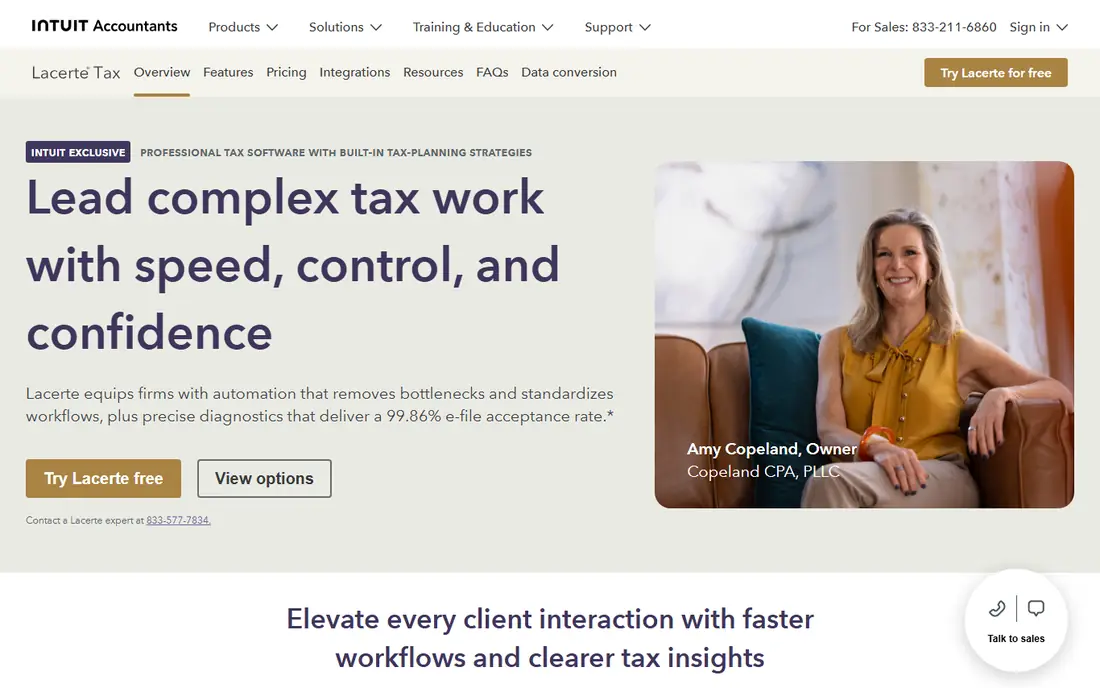
Lacerte is Intuit's top-end professional product, and it shows in the depth of its forms and its handling of involved returns. Firms that prepare trusts, estates, partnerships, corporations, and multi-state individual returns often value the way Lacerte lets preparers work from detailed input screens, then review the calculated return. That structure helps when a return has many schedules, elections, and state adjustments. Price is the honest trade-off. The published entry figure covers a pay-per-return license, and the full-season bill depends on how many returns you file and which states and modules you add. Smaller firms with mainly simple 1040s may find ProSeries or Drake Tax a better fit. Larger firms with complex work, or firms already comfortable in the Intuit family, may find the extra depth worth the cost.
- Deep forms coverage
- Input-based workflow for detailed returns
- Diagnostics and review tools
- Entry license is not an unlimited package
- Total cost rises with returns and states

ProSeries appeals to preparers who like to see the form as they work. Instead of answering only interview questions, you can move through the return itself, check entries in context, and spot problems before filing. That approach suits experienced preparers, and it also helps reviewers who want to trace a number back to its source without hunting through menus. ProSeries sits below Lacerte in price and depth, which makes it a practical middle choice for many 1040-focused firms. It still needs careful budgeting, because states, e-filing, and extra users can raise the total. Firms that want a browser-only workflow should look at ProConnect Tax instead. Firms that want a proven desktop product with Intuit support and a wide forms library will find ProSeries hard to ignore.
- Familiar form-based workflow
- Individual and business returns
- Intuit integrations
- Costs rise with states and add-ons
- Desktop-first design may suit some firms more than others
UltraTax CS is built for firms that need depth across related entities, state allocations, and complex business returns. When a client group includes individuals, partnerships, and corporations with shared data, the ability to carry information across returns and keep it consistent saves review time. Firms already using other Thomson Reuters CS products get the most from that shared setup, since client data and workflow tools sit in a familiar system. The main barrier is price transparency. Thomson Reuters does not publish a simple list price, so you will need a quote based on users, return volume, and states. That also means comparison takes more effort, and smaller firms may find the package larger than they need. For mid-size and larger firms with complex, multi-entity work, UltraTax CS is still one of the serious contenders to evaluate in a demo.
- Strong multi-state and entity support
- Fits the CS Professional Suite
- Detailed review features
- Pricing is quote-based
- Setup and training can take time
CCH Axcess Tax is Wolters Kluwer's cloud tax platform, aimed at firms that want staff in different offices, or working from home, to use the same system without desktop installs. Preparation, review, and client collaboration can sit in one cloud environment, and firms can add document management, workflow, and firm management tools from the wider Axcess range. That breadth is attractive when a firm is standardising on one vendor. As with other enterprise products, pricing requires a consultation, and the headline tax product is not the whole suite. Firms should ask what is included, what counts as an extra module, and how data moves between tax, documents, and workflow. For a growing multi-office firm, that homework is worth doing. For a solo preparer with a small 1040 practice, a simpler published-price product will usually be easier to buy and run.
- Cloud access from anywhere
- Integrated firm workflow options
- Broad return coverage
- Pricing is quote-based
- Full suite products are sold separately
TaxAct Professional gives budget-focused firms two useful routes: pay per return at a low entry price, or move to an unlimited bundle as volume grows. That flexibility helps seasonal practices and new firms that are not yet sure how many returns they will file. The product covers individual and business returns, with e-filing and the usual diagnostics, at a price point that undercuts several long-established rivals. The trade-off is polish and support depth. Some preparers find the interface less refined than Intuit or Thomson Reuters products, and the level of help you get can depend on the package you buy. If your returns are mainly straightforward 1040s and common business forms, TaxAct Professional offers strong value. If you handle highly complex returns every week, compare its forms coverage against Lacerte or UltraTax CS before switching.
- Low entry price for pay-per-return use
- Unlimited bundles available
- Individual and business returns
- Interface and support experience vary by plan
- Premium features cost more
TaxSlayer Pro is a practical pick for offices that file a large number of individual returns each season. Its main packages include unlimited 1040 filing, which removes the worry about per-return charges climbing as the season fills up. The web version suits firms that want cloud access without a full enterprise platform, while the desktop version suits offices with a settled local routine. Seasonal and high-volume preparers also value the simple structure: pick Classic, web, or Premium, and the core filing cost is clear. The limit appears on the most complex business and multi-entity work, where enterprise tools offer deeper handling. For a 1040-heavy practice, that limit rarely matters. For a firm moving into complex corporate work, test the forms you need most before you rely on TaxSlayer Pro alone.
- Unlimited 1040 filing on its main packages
- Desktop and web versions
- Straightforward pricing
- Business depth is narrower than top enterprise tools
- Add-ons raise the total
ProConnect Tax is Intuit's cloud answer for professionals, and its model fits firms that do not want a large annual desktop license. You work in a browser, buy a bank of returns, and file from anywhere, which suits small, distributed, or part-time practices. Integration with QuickBooks Online is a real plus for firms that already handle bookkeeping for the same clients, since client data can flow into the return with less retyping. The cost curve deserves attention. At low volume, pay-per-return pricing looks attractive. At high volume, an unlimited desktop package from Drake Tax, TaxAct Professional, or TaxSlayer Pro may work out cheaper. Firms outside the Intuit system also get less of the integration benefit. For a new cloud-native practice with modest volume, ProConnect Tax is a sensible, low-commitment starting point.
- Browser-based preparation
- Pay-per-return banks suit low volume
- QuickBooks Online integration
- Per-return costs add up at high volume
- Best value sits inside the Intuit system
ATX, from Wolters Kluwer, has served sole practitioners and small firms for years, and its appeal is a wide forms library at a published price. The entry pay-per-return package includes a small set of returns, while larger MAX and Total Tax Office packages cover more volume and business work. That ladder lets a firm grow without changing vendors at the first sign of growth. ATX is a desktop product at heart, so firms that want a fully cloud workflow may prefer CCH Axcess Tax. The interface also shows its age next to newer web tools. What ATX offers in return is familiarity, broad coverage, and pricing you can read before you call sales. For a small firm that values forms depth over a modern cloud dashboard, it remains a credible choice.
- Wide forms library with published prices
- Packages for solo and larger practices
- Wolters Kluwer support
- Desktop-first product
- Interface feels older than cloud rivals
How we picked these
We compared official product and pricing pages, vendor feature lists, and public reviews for professional tax products that are sold to preparers and firms in the United States. We focused on forms coverage, individual and business return support, desktop and cloud access, published pricing or quote transparency, and fit for different firm sizes. We did not claim hands-on testing of every product. Where pricing varies by volume, states, or modules, we used the vendor's published entry figure or marked the price as See website, and we recommend confirming a full-season quote before buying. This is general information, not professional tax advice.
What to check before you buy professional tax software
Start with your return mix, not the feature list. Count last season's 1040s, business returns, trust and estate returns, and multi-state filings, then check that each shortlisted product covers those forms without an expensive add-on. A product that looks cheap on entry price can become costly once states, e-filing, and extra users are added.
Match the pricing model to your volume
Pay-per-return suits low or uncertain volume, while unlimited bundles suit high-volume 1040 practices. Ask vendors for a written estimate based on your actual return count, states, and users, and compare that figure across vendors rather than comparing entry prices alone.
Test review, e-file, and client tools
Review tools, diagnostics, prior-year carryover, and e-file handling affect daily speed more than a long feature list. Check client portals, e-signatures, document collection, and support hours during tax season, since help in February matters more than help in July.