Best Tax Software for Self Employed in 2026: 8 Tools Compared
By ToolNimba Editorial Team November 8, 2026 10 min read

- Top pick
 FreeTaxUSA
Lowest-cost Schedule C filing
Starting priceFreeCheck out FreeTaxUSARead our review - Runner-up
 Cash App Taxes
Fully free filing
Starting priceFreeCheck out Cash App TaxesRead our review - Also great
 TurboTax
Most guided help
Starting price$139 per returnCheck out TurboTaxRead our review
How we researched this
We compared official pricing and feature pages, app store listings, privacy policies and public user reviews. Prices change, so check the provider's site before you pay.
Key takeaways
- FreeTaxUSA is our pick for confident self-employed filers, since federal filing is free even with a Schedule C, with state filing around $15.99.
- Cash App Taxes is fully free for federal and state filing, but it lacks multi-state support and live expert help.
- TurboTax Premium suits filers who want the most guided help and are willing to pay for it.
- H&R Block Self-Employed is the pick if you want in-person office backup alongside online filing.
- Prices change by season, so confirm federal and state totals before you file, not just the headline federal price.
Quick comparison
| Name | Best for | Starting price | Free plan | |
|---|---|---|---|---|
| FreeTaxUSA | Lowest-cost Schedule C filing | Free | Yes | Visit |
| Cash App Taxes | Fully free filing | Free | Yes | Visit |
| TurboTax | Most guided help | $139 per return | Yes | Visit |
 H&R Block | In-person backup | $130 per return | Yes | Visit |
 TaxAct | Mid-priced guided filing | $109.99 per return | Yes | Visit |
 TaxSlayer | Value with complex returns | $74.99 per return | Yes | Visit |
 Jackson Hewitt Online | Flat predictable price | $25 per return | No | Visit |
 IRS Free File | Eligible low-to-moderate income filers | Free | Yes | Visit |
The best tax software for self employed
Self-employed filing centers on Schedule C, self-employment tax, business deductions and, for many filers, estimated payments and 1099 forms. The tools below all handle Schedule C, but they differ sharply on price, support and state filing. This article is general information only, not tax advice, and tax rules for your situation may differ.

FreeTaxUSA is the value leader for self-employed filers who are comfortable answering questions without a polished interview. Federal filing is free for every tax situation, including Schedule C, self-employment tax and rental or investment forms, with state filing at $15.99 per state. A Deluxe upgrade adds extra support features for a small fee.
The interface is functional rather than friendly, and live professional help is a paid add-on rather than a core feature. If you know your deductions, keep clean records, and mainly need accurate forms at the lowest price, FreeTaxUSA is hard to beat. If you want a CPA to review your return, budget for the add-on or pick a higher-support tool.
- Federal filing free for all returns including Schedule C
- State filing $15.99 per state
- Broad form support
- Live expert help and audit support cost extra
- Interface is plainer than TurboTax
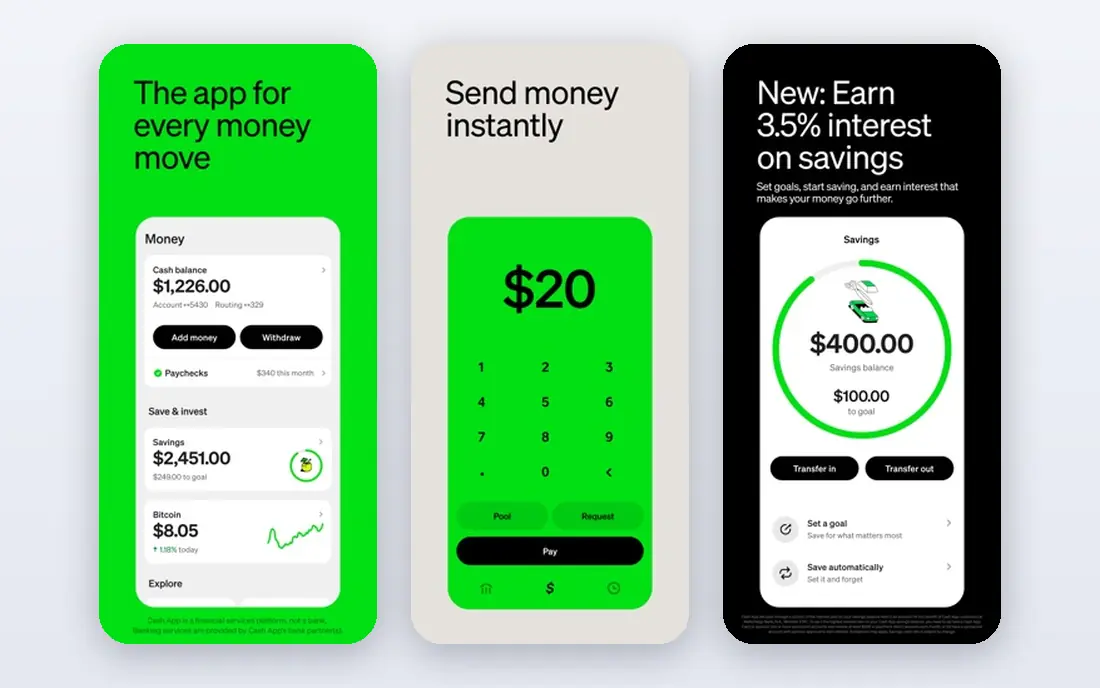
Cash App Taxes, formerly Credit Karma Tax, offers free federal and state filing with no upsell tiers. That includes Schedule C for many self-employed filers, plus W-2 and 1099 income, deductions and credits. For a single-state freelancer with a straightforward return, the total filing cost is zero, which no other major tool matches.
Limits matter. Cash App Taxes does not support multi-state, part-year or nonresident state returns, and it offers no live CPA help. If you moved states, earned income in several states, or need expert review, pick another tool. For a simple single-state return, it is the cheapest honest option available.
- Free federal and state filing with no paid tiers
- Covers Schedule C and many common forms
- Simple mobile flow
- No multi-state, part-year or nonresident state returns
- No live expert help

TurboTax Premium, which now combines the older Premium and Self-Employed tiers, is listed around $139 federal, plus a state fee, for guided filing with Schedule C support. Its interview walks through business income, expenses, home office, vehicle and health insurance questions in plain language, and it imports W-2, 1099 and brokerage data from many firms.
That polish costs more than rivals, and seasonal pricing means the price you see in January may differ from the price in March. Free Edition covers only qualifying simple returns, not Schedule C work, so do not budget on the free price for a self-employed return. If guided help and import depth matter most, TurboTax earns its premium. If price matters most, FreeTaxUSA covers the same forms for far less.
- Most polished guided interview
- Strong deduction finder
- Import from many banks and brokerages
- Live expert options
- Highest price in this list for self-employed tiers
- State fees add to the federal price
- Free edition covers only simple returns
H&R Block Self-Employed online is listed around $130 federal, plus $49 per state on paid plans in recent guides, with a free online tier for simple returns only. The distinct advantage is human backup: with thousands of offices, you can start online and finish with an in-person preparer if a question gets complex, a route no other online tool in this list offers at the same scale.
That backup comes at a price. For a confident filer with a clean Schedule C, H&R Block costs several times more than FreeTaxUSA for the same forms. For a filer with a new business, mixed income or a prior-year problem, the ability to talk to a person in an office can justify the extra cost. Confirm the current federal and state totals before filing, since seasonal pricing shifts.
- Self-Employed online tier plus in-person office help
- Live expert options
- Strong mobile app
- Higher price than value rivals
- State fee adds to the federal price
- Seasonal repricing applies
TaxAct Self-Employed is listed around $109.99 federal in recent guides, with a state fee on top, and a free tier for simple returns. It guides self-employed filers through Schedule C, deductions and self-employment tax, and it also sells separate products for business returns such as partnerships and S corporations, which matters if your business structure changes.
The experience is capable rather than delightful, and expert help may need a paid add-on. For a filer who wants a mainstream guided product without TurboTax pricing, TaxAct is a sensible middle ground. Check the state fee and any add-ons in your cart before comparing it with FreeTaxUSA, since those extras narrow the gap.
- Self-Employed tier with guided Schedule C help
- Separate business return products
- Solid mid-range price
- Expert help and some features need add-ons
- State fee adds to the total
- Interface is less polished than TurboTax
TaxSlayer Self-Employed is listed around $74.99 federal, plus $47.99 per state, in recent guides. It covers Schedule C, self-employment tax and many investment and rental forms, making it a value choice for filers whose returns are more complex than a single 1099. Simply Free covers narrow simple situations only, so self-employed filers should budget on the Self-Employed tier.
The state fee is high relative to the federal price, so a multi-state filer should compare totals, not federal prices alone. Support is solid for the price, but live expert help is less central than at TurboTax or H&R Block. For a single-state filer who wants guided help below the big-brand price, TaxSlayer is a strong pick.
- Self-Employed tier at a lower price than TurboTax or H&R Block
- Covers many complex forms
- Audit support options
- State fee of $47.99 adds to the total
- Interface is plainer
- Expert help sits on higher tiers
Jackson Hewitt Online stands out for price predictability. Recent guides list a flat $25 price that includes federal and state filing for all tax situations, including self-employed returns. That single number avoids the surprise of a state fee added late in checkout, which is a common frustration with other tools.
The product is DIY filing, not full preparation by a professional, and support is thinner than TurboTax or H&R Block premium tiers. For a confident filer who wants a known total and a simple flow, $25 flat is compelling. For a filer who needs expert review, budget for a higher-support tool instead.
- Flat $25 price includes federal and state for all tax situations
- Predictable total
- Simple DIY flow
- No free plan
- DIY product, not full preparation by a professional
- Support is thinner than big-brand tiers
IRS Free File is a government-supported route, not a single product. Eligible taxpayers with adjusted gross income generally at or below $89,000 for 2025 returns can file free through partner software, with some partners including state filing. That makes it a real option for lower-income self-employed filers, including gig workers and part-time freelancers.
Eligibility and partner rules vary, and not every partner covers every form or state combination. Start at the IRS Free File page, answer the eligibility questions, and pick a partner that covers Schedule C and your state. If your income exceeds the limit, FreeTaxUSA or Cash App Taxes will usually be cheaper than a paid brand tier.
- Free guided filing through IRS partners for eligible filers
- No cost for federal filing when eligible
- State filing included by some partners
- Income limit applies, generally $89,000 AGI for 2025 returns in recent guides
- Partner rules and form limits vary
How we picked these
We compared official pricing pages, IRS guidance and public tax guides for software that handles Schedule C and self-employment tax in October 2026. We favored tools that are still sold for current returns, cover 1099 income, and state their federal and state prices clearly. Prices are seasonal and change by filing year, so we used recent guide figures and marked totals to confirm at checkout. We did not claim hands-on filing, and this article is not tax advice. For complex business structures, talk to a tax professional.
What to check before you file
Start with your forms, not the brand. List every 1099, W-2, business expense category, and state where you earned income. That list decides whether a free tool covers you, whether multi-state support matters, and whether you need a separate business return product.
Next, compare the full total. Add federal price, state price per state, and any expert help or audit add-ons you actually want. A tool with a low federal price and a high state fee can cost more than a flat-price tool for a two-state filer.
Finally, keep records with the return. Save 1099s, expense receipts, mileage logs and home office calculations with your filed return copy. Good records matter more than software choice if the IRS asks questions later, and they make next year filing faster in any tool.
Sources
Frequently asked questions
What is the best tax software for self employed?
FreeTaxUSA is best for confident filers on price, since federal filing is free even with Schedule C. TurboTax is best for guided help, H&R Block is best for in-person backup, and Cash App Taxes is best for a fully free single-state return. Pick by support need and state count, not brand alone.
What is the best tax software for freelancers?
Freelancers with a single 1099 and simple expenses can file free with Cash App Taxes or FreeTaxUSA. Freelancers with many clients, home office or vehicle deductions may prefer TurboTax or TaxAct for guided deduction help. Compare the full federal plus state total before choosing.
What is the best free tax software for self employed?
Cash App Taxes is fully free for federal and state filing for supported single-state returns. FreeTaxUSA is free for federal filing in all situations, with state filing at $15.99 per state. IRS Free File is also free for eligible filers under the income limit.
Does TurboTax cover self employed taxes?
Yes. TurboTax Premium covers Schedule C, self-employment tax, business deductions and 1099 income, with live expert options on higher tiers. It is listed around $139 federal plus a state fee, so confirm the total at checkout.
What is the best tax software for 1099 income?
All tools here handle 1099 income, but support differs. FreeTaxUSA and Cash App Taxes handle common 1099s at low or no cost. TurboTax imports 1099 data from many payers and brokerages, which helps filers with many forms. Check import support for your specific payers.
Can I file self employed taxes for free?
Yes, in many cases. Cash App Taxes is free for supported returns, FreeTaxUSA is free for federal filing, and IRS Free File is free for eligible filers. State fees, multi-state returns and expert help are the usual reasons a free return becomes paid.