Best Tools for Vector Design in 2026: 9 Tools Compared
By ToolNimba Editorial Team October 29, 2026 11 min read

- Top pick
 Adobe Illustrator
Professional print and illustration
Starting price$22.99 per monthCheck out Adobe IllustratorRead our review - Runner-up
 Affinity Designer
One-time purchase pro design
Starting price$69.99Check out Affinity DesignerRead our review - Also great
 Inkscape
Free open-source vector editing
Starting priceFreeCheck out InkscapeRead our review
How we researched this
We compared official pricing and feature pages, app store listings, privacy policies and public user reviews. Prices change, so check the provider's site before you pay.
Key takeaways
- Adobe Illustrator is our pick for professional print and agency work, thanks to its precision, color tools, and industry file compatibility.
- Affinity Designer is the best one-time purchase alternative, with fast performance and strong print features at a single price.
- Inkscape is the best free option, with full vector editing and excellent SVG support at no cost.
- Figma suits UI and team design work, but it is not a replacement for a print-focused vector editor.
Quick comparison
| Name | Best for | Starting price | Free plan | |
|---|---|---|---|---|
| Adobe Illustrator | Professional print and illustration | $22.99 per month | Free trial (7 days) | Visit |
| Affinity Designer | One-time purchase pro design | $69.99 | No | Visit |
| Inkscape | Free open-source vector editing | Free | Yes | Visit |
 CorelDRAW | Print and layout workflows | See website | Free trial (15 days) | Visit |
 Figma | UI design and team collaboration | Free | Yes | Visit |
 Linearity Curve | Apple devices and illustration | Free | Yes | Visit |
 Sketch | Mac UI and product design | See website | Free trial (30 days) | Visit |
 Vectr | Simple browser vector editing | Free | Yes | Visit |
 Boxy SVG | Lightweight SVG editing | Free | Yes | Visit |
The best tools for vector design
Vector design tools differ in one key way, which is what the file is for. A logo for print needs CMYK color, precise paths, and reliable PDF or EPS export. A UI screen needs components, prototyping, and team collaboration in a browser. A simple icon needs speed and a clean SVG export. We compared official product pages, pricing pages, and file format support to sort the tools below by that end use.

Adobe Illustrator remains the professional standard for vector work, and the reason is compatibility as much as features. Print shops, packaging firms, and agencies expect Illustrator files or clean PDF and EPS exports from it, and its tools for paths, type, color, and effects are deep enough for complex illustration and branding work. Recent AI features, such as generative shape fill and text-to-vector tools, add speed for ideation, although final artwork still needs a human eye.
The cost is the main drawback. Illustrator lists at $22.99 per month on the annual billed-monthly individual plan, and that subscription never ends, unlike a one-time purchase. Beginners may also find the interface dense, with many panels and tools to learn. For a professional designer, a print studio, or anyone who hands files to clients and printers, Illustrator is still the safest, most capable pick on this list.
- Industry-standard vector precision
- Strong CMYK, spot color, and print workflows
- Large plugin and asset ecosystem
- Subscription cost adds up over time
- Learning curve is steep for beginners
- Desktop-first, not a browser tool

Affinity Designer, now part of Canva's Affinity range, is the best alternative for designers who dislike subscriptions. It offers professional vector, pixel, and layout tools in one app, with fast performance even on large files, and it handles CMYK color, PDF, EPS, and SVG export well enough for most print work. The single-app price, listed at $69.99 in app store listings, with a Universal Licence covering all Affinity apps at a higher one-time price, makes the long-term cost far lower than Illustrator.
The trade-offs are ecosystem and collaboration. Affinity has fewer plugins and fewer agency-standard templates than Illustrator, and team work is file-based rather than real-time in a browser. It also lacks Illustrator's generative AI suite. For a freelancer, illustrator, or small studio that wants pro tools without a monthly bill, Affinity Designer is our pick, and it pairs well with the other Affinity apps for photo and layout work.
- Fast performance
- One-time purchase with no subscription
- Strong CMYK, Pantone-related, and print export tools
- Smaller plugin ecosystem than Illustrator
- Collaboration is file-based, not real-time
- AI features are limited
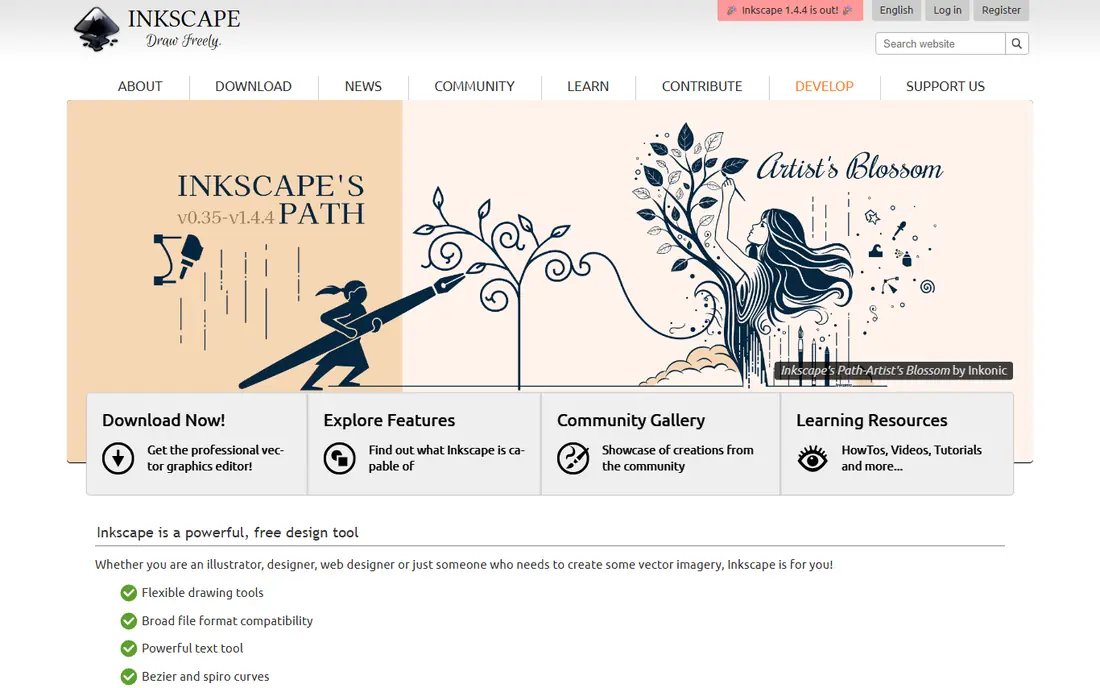
Inkscape is the best free vector editor, and it is not a toy version of a paid tool. It offers full path editing, boolean operations, text on paths, clones, filters, and extensions, and its native format is SVG, which makes it ideal for web graphics, icons, logos, and illustrations that need clean, editable vector code. The community around it is large, with tutorials, extensions, and templates that fill many gaps.
The limits are polish and print. The interface looks less refined than Affinity or Illustrator, and very complex files can feel slower. Commercial print workflows, especially CMYK and spot color, need manual checks and sometimes a second tool for final output. For a student, hobbyist, open-source user, or designer on a tight budget, Inkscape offers remarkable power at no cost, and it is the tool we recommend first to anyone learning vector design.
- Free and open-source with no subscription
- Excellent SVG support
- Powerful path, text, and extension tools
- Interface feels less polished
- Performance can lag on very complex files
- Print workflows need manual checks
CorelDRAW Graphics Suite suits print, signage, and layout work, especially in shops that produce brochures, packaging, vehicle wraps, and large-format graphics. It combines vector illustration with page layout, photo editing, and font management, so a small print shop can handle a job from design to output in one suite. File support is broad, and Corel offers both subscription and one-time purchase options, with subscription listings around $249 to $269 per year in recent comparisons.
The trade-off is market fit. CorelDRAW is less common than Illustrator in advertising agencies and less common than Figma in product design teams, so file exchange with those teams can need extra care. The interface also feels traditional next to Affinity or Linearity Curve. For a print-focused business, especially one that values layout and signage tools, CorelDRAW is a strong, proven choice.
- Strong print, layout, and signage tools
- Broad file format support
- Subscription or one-time purchase options
- Pricing varies by edition and region
- Less common in UI and web design teams
- Interface feels traditional
Figma is the best vector tool for product and UI design, and it belongs on this list for that reason, even though it is not a print editor. Teams can design screens together in a browser, reuse components, build prototypes, and hand files to developers with specs and assets, all in real time. The free tier covers starter projects, which makes it easy for a small team or student to begin.
The limit is print. Figma works in RGB, lacks the CMYK, spot color, and prepress controls of Illustrator or CorelDRAW, and its export is geared to screens, not to a press. A designer who needs both UI and print work will therefore pair Figma with Affinity Designer or Illustrator. For UI, web, and app design, though, Figma is the standard, and its collaboration alone justifies its place here.
- Real-time browser collaboration
- Components, variants, and prototyping for UI work
- Large plugin and community library
- Not a print-focused editor
- CMYK and print export are limited
- Needs an internet connection for full collaboration
Linearity Curve, formerly Vectornator, is the most pleasant vector editor for Apple users. It runs on Mac, iPad, and iPhone, with a clean, touch-friendly interface that makes drawing with a pencil or trackpad feel natural. It supports SVG, PDF, PNG, and other exports, and its Pro tier adds AI tracing, background removal, and unlimited files and exports, at $119.90 per year in recent listings.
The trade-offs are ecosystem and print depth. Linearity has fewer plugins, templates, and agency workflows than Illustrator, and print users should check CMYK and export settings for a specific press job. For an illustrator, student, or small team working mainly on Apple devices, and for social, branding, and digital illustration, Linearity Curve is a fast, enjoyable, and capable pick, with a useful free tier to start.
- Clean interface on Mac, iPad, and iPhone
- Good SVG, PDF, and image exports
- AI tracing and asset tools on Pro
- Pro costs $119.90 per year
- Smaller ecosystem than Illustrator
- Some advanced print features need care
Sketch is the Mac-native choice for UI and product design, and it predates Figma as the standard for many product teams. It offers vector editing, symbols, libraries, and a large plugin ecosystem, all in a fast, native Mac app that feels at home on macOS. Designers who prefer a desktop app to a browser tab, and who work in Apple-only teams, often prefer Sketch for that reason.
The limits are platform and print. Sketch runs only on Mac, so Windows or Linux teammates cannot edit files directly, and its print and prepress tools are weaker than Illustrator or CorelDRAW. Pricing is also seat-based and varies by plan, so check the current terms before budgeting. For a Mac-based product team that wants a native app with strong plugins, Sketch remains a solid, focused choice.
- Native Mac vector design with a strong plugin ecosystem
- Symbols and libraries for product design
- Clean interface
- Mac only
- Print features are limited
- Team collaboration needs Sketch Cloud and paid seats
Vectr is the simplest tool on this list, and that is its strength. It runs in a browser, needs no install, and offers basic vector shapes, paths, text, and layers in an interface a beginner can learn in an afternoon. That makes it a good pick for a quick logo draft, a classroom project, a social graphic, or a user who wants to try vector design without committing to a large app.
The limit is depth. Vectr lacks the path precision, color management, effects, and print tools of Inkscape, Affinity Designer, or Illustrator, and complex illustration will quickly hit its ceiling. A Pro version has been offered in the past, so check current pricing before relying on paid features. For a simple, free, browser-based start, Vectr is an easy recommendation. For serious work, move to Inkscape or Affinity Designer when you outgrow it.
- Free, simple, browser-based editing
- Easy to learn
- Real-time sharing and collaboration features
- Limited features compared with Inkscape or Illustrator
- Less suited to complex illustration or print work
Boxy SVG is a focused editor for people who work with SVG files for the web. It offers vector shapes, paths, text, gradients, and groups in a clean interface, and it produces tidy SVG code that developers can use directly. That makes it a good pick for icon designers, web developers, and anyone who edits SVG files by hand and wants a visual tool for the fiddly parts.
The trade-off is scope. Boxy SVG does not offer the illustration depth, layout tools, or print features of Illustrator, Affinity Designer, or CorelDRAW, and its full desktop features vary by platform and purchase. For web icons, simple logos, and SVG cleanup, it is fast and pleasant. For a full branding or print project, use it alongside a fuller editor, not instead of one.
- Lightweight, focused SVG editor
- Clean code output
- Good for icons and web graphics
- Fewer illustration tools than full editors
- Desktop app purchase for full features on some platforms
- No print suite
How we picked these
We compared official product pages, pricing pages, and file format support, and we favored tools that are still available in October 2026 and that offer real vector editing, not just image tracing or template design. We included free, one-time purchase, and subscription options, and desktop, browser, and Apple-focused tools, so different budgets and workflows are covered. We also kept print fit and UI fit separate, because a tool that excels at one often struggles at the other.
How to choose for your work
Start with the output, not the app. If the file goes to a printer, pick Illustrator, Affinity Designer, or CorelDRAW, and check CMYK, bleed, and export settings with your printer early. If the file goes to a screen, pick Figma for product work, Linearity Curve or Boxy SVG for illustration and icons, and Inkscape for a free, general-purpose option.
Then weigh cost against time. A subscription makes sense if you use the tool daily and need industry compatibility. A one-time purchase makes sense if you work alone and want predictable costs. A free tool makes sense if you are learning, or if your work is mainly for the web. Finally, test your real file type before you commit, by exporting a logo or screen, opening it in the next tool in your workflow, and checking that paths, colors, and text survive intact.