Best Tools for Virtual Tutoring in 2026: 9 Tools Compared
By ToolNimba Editorial Team October 29, 2026 8 min read

- Top pick
 Wyzant
Finding tutors across hundreds of subjects
Starting priceSee websiteCheck out WyzantRead our review - Runner-up
 Preply
Language and academic tutoring
Starting priceSee websiteCheck out PreplyRead our review - Also great
 Varsity Tutors
Structured tutoring programs
Starting priceSee websiteCheck out Varsity TutorsRead our review
How we researched this
We compared official pricing and feature pages, app store listings, privacy policies and public user reviews. Prices change, so check the provider's site before you pay.
Key takeaways
- Wyzant and Preply give the widest tutor choice, with rates set by each tutor rather than a flat price.
- Varsity Tutors suits families that want packaged programs and structured support, but pricing is quote based.
- Outschool works best for kids, with small group classes and one-on-one lessons across many subjects.
- Lessonspace and Bramble are built for the lesson itself, with whiteboards, video and session recordings.
- Tutors who run their own business should weigh marketplace reach against tools like scheduling and payment software that keep more of each fee.
Quick comparison
| Name | Best for | Starting price | Free plan | |
|---|---|---|---|---|
| Wyzant | Finding tutors across hundreds of subjects | See website | No | Visit |
| Preply | Language and academic tutoring | See website | No | Visit |
| Varsity Tutors | Structured tutoring programs | See website | No | Visit |
 Outschool | Kids classes and one-on-one tutoring | See website | No | Visit |
 Superprof | Local and online tutors worldwide | See website | No | Visit |
 Tutor.com | Tutoring through schools and libraries | See website | No | Visit |
 Wiingy | Affordable STEM tutoring | $15 per hour | Free trial | Visit |
 Lessonspace | Online lesson whiteboard and classroom | See website | Free trial | Visit |
 Bramble | Tutoring classroom with recordings | See website | Free trial | Visit |
The best tools for virtual tutoring
Virtual tutoring tools fall into two groups: marketplaces that connect students with tutors, and software that runs the lesson itself. We compared official feature pages, pricing pages and public documentation to build this list, covering both sides so students, parents and tutors can find their fit.
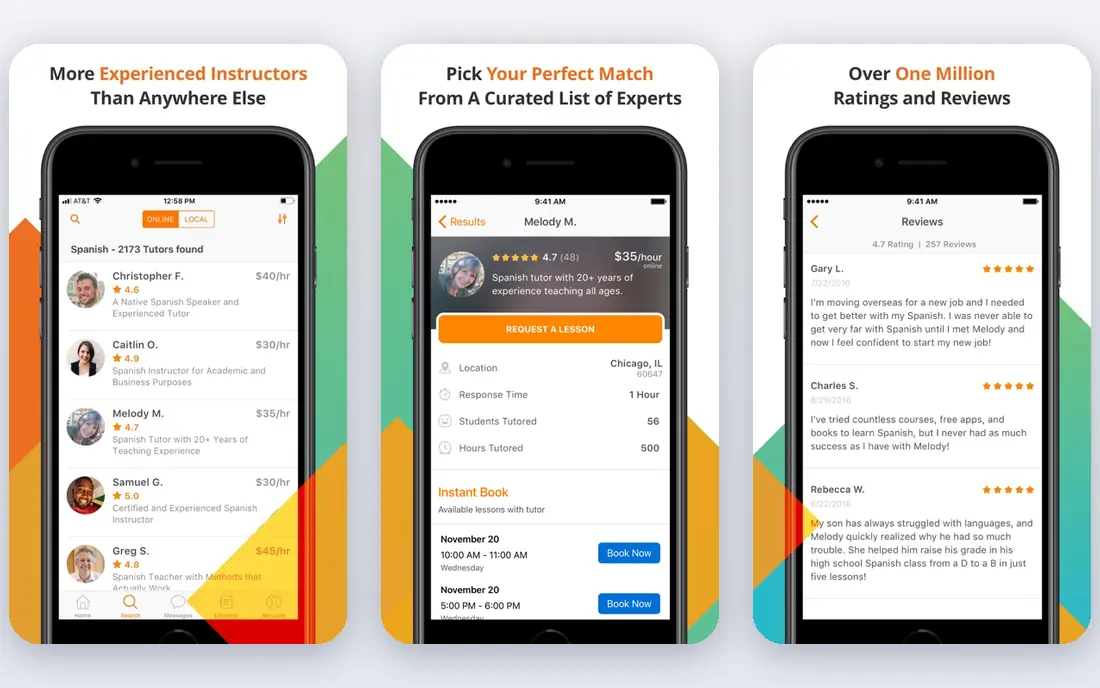
Wyzant is one of the largest tutor marketplaces in the US, covering school subjects, test prep, languages and professional skills. Each tutor sets their own hourly rate, and students pay per lesson after it happens, with a service fee added. Profiles show qualifications, reviews and response times.
The pay per lesson model suits families that want flexibility without a package commitment. The downside is price spread: rates run from budget options to several hundred dollars per hour for specialist tutors. Read profiles carefully and use the first lesson guarantee if the fit is wrong.
- Huge tutor pool
- Pay per lesson with no package required
- Tutor reviews and qualifications visible
- Rates vary widely by tutor
- Service fee added to tutor rates
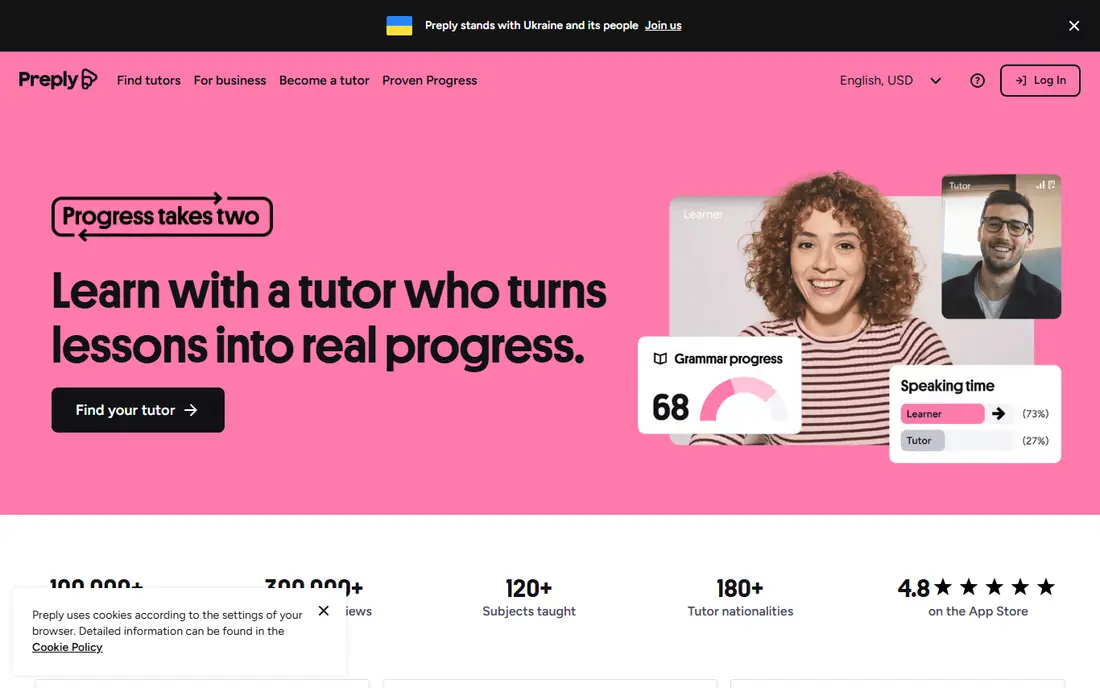
Preply started with language tutoring and now covers many academic subjects. Tutors set their own hourly rates, and students buy a set number of lessons per 28 day cycle. A trial lesson with a new tutor helps test the fit before committing to a package.
The subscription model rewards regular study but suits steady learners better than occasional users. Cancellation rules allow free changes up to 12 hours before a lesson. For language learning in particular, the tutor choice is hard to beat.
- Large language tutor pool
- Trial lesson with each tutor
- Flexible scheduling
- Subscription billing in 28 day cycles
- Tutor rates vary
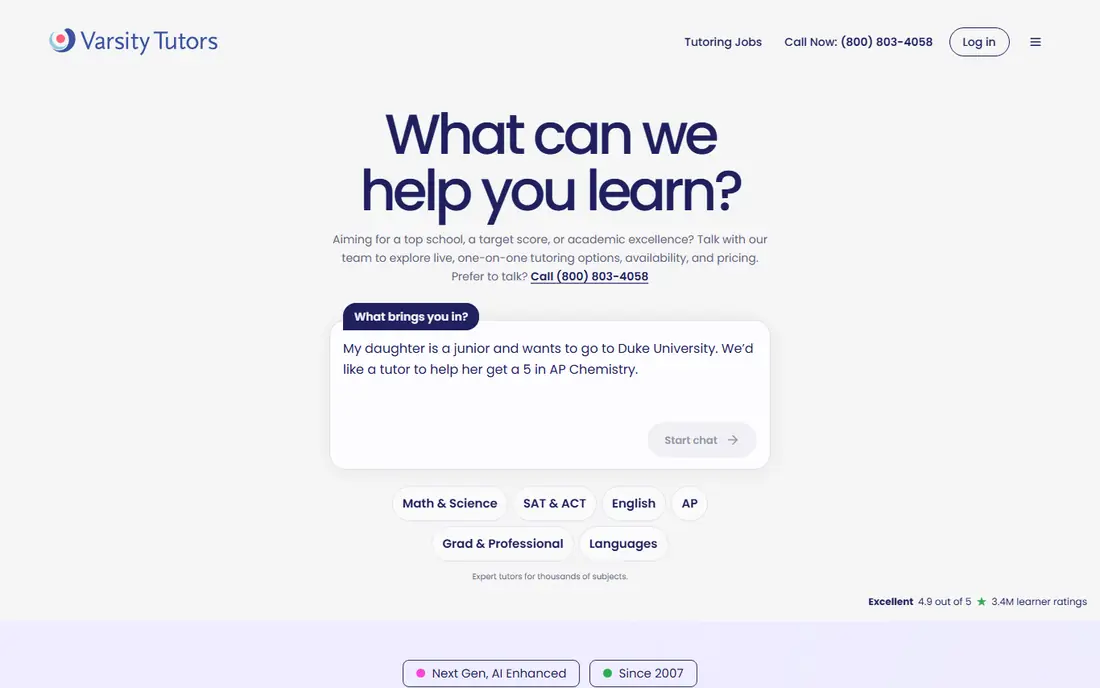
Varsity Tutors offers one-on-one tutoring, small group classes and test prep across school and college subjects. Tutors go through vetting, and programs can include learning assessments and progress tracking. Memberships add extras such as live group sessions and enrichment activities.
Pricing is quote based and packages are typically bought up front, which makes direct comparison harder. Families that want a managed program with support staff tend to value it, while bargain hunters may prefer a marketplace where they pick the tutor and pay per lesson.
- Vetted tutors and structured programs
- Group classes and test prep
- Learning membership extras
- Pricing is not published
- Packages usually paid up front
Outschool offers live online classes and tutoring for children, from math and reading to coding, art and music. Classes are small, teachers set their own prices, and parents can read reviews from other families before enrolling.
The range is the appeal: a child can get homework help and also join a class on a hobby in the same place. Quality varies by teacher, so reviews and trial classes matter. Pricing is per class or lesson, with no subscription required.
- Small group classes plus tutoring
- Wide range of subjects and interests
- Learner reviews
- Class quality varies by teacher
- Prices vary per class
Superprof lists tutors for academic subjects, music, sports, arts and professional skills, online or in person. Many tutors offer a first lesson free, and rates are set by the tutor. The directory is international, so US students will find plenty of local and remote options.
The sheer size of the directory is both a strength and a weakness: choice is huge, but vetting is lighter than on managed platforms. Check reviews, qualifications and the free first lesson before committing to a package.
- Very large tutor directory
- Many subjects including music and hobbies
- First lesson often free
- Tutor quality varies
- Platform fee structure can confuse
Tutor.com offers on-demand tutoring around the clock, with more than 4,000 vetted experts covering over 250 subjects, from school math and reading to university courses and career test preparation. Learner surveys from 2025 report an average rating of 4.6, and sessions run in a virtual classroom with tools for shared work.
The catch is access. Tutor.com works mainly through schools, universities and libraries, so individual learners usually reach it through their institution rather than signing up directly. If your school or library offers it, it is a strong option for help tonight; if not, a direct marketplace such as Wyzant or Preply may fit better.
- 24/7 on-demand tutoring
- More than 4,000 vetted experts
- Over 250 subjects
- K-12, higher education and career support
- Access usually comes through a school, university or library
- Less suited to direct consumer sign-up
Wiingy is a tutoring marketplace focused on affordable one-on-one lessons, with prices starting at 15 dollars per hour and no long term commitment. It covers math, science, coding, test prep and more, and students pay only for the hours they need.
The low entry price makes it attractive for families watching budgets. The tutor pool is smaller than Wyzant or Preply, so niche subjects may have fewer options. A free trial lesson helps judge quality before buying hours.
- Low starting price
- 350 plus subjects
- Free trial lesson
- Smaller tutor pool than giants
- Newer brand
Lessonspace is software for running online lessons, not a marketplace. Tutors get a collaborative whiteboard, document sharing, video chat and session recordings in a browser based room that students join with a link. It suits independent tutors who already have students and want a professional classroom.
The tool replaces patching together video calls and separate whiteboards. Pricing is subscription based with a free trial, so tutors should weigh it against free whiteboard tools if volume is low. For full time tutors, the polished setup pays for itself in lesson quality.
- Built for tutoring with whiteboard, documents and video
- Session recordings
- No install for students
- Paid plans needed for regular use
- Tutors must bring their own students
Bramble is a virtual classroom built for tutoring, with an interactive whiteboard, session recordings and tools for scheduling and payments. Tutors can manage bookings and students in one place rather than juggling separate apps.
The all in one approach appeals to tutors building an independent practice. It costs more than using a free video call app, and students join through the tutor's setup. For tutors who teach many hours a week, the time saved on admin is the main benefit.
- Designed for tutoring sessions
- Recordings and notes
- Scheduling and payments for tutors
- Smaller ecosystem than generic video tools
- Subscription cost for tutors
How we picked these
We compared official feature pages, pricing pages and public documentation for each tool, and favored products that are actively sold and supported in October 2026. We mixed tutor marketplaces with lesson software so the list serves students, parents and tutors. Prices come from vendor pages or, where pricing is quote based or tutor set, we say so plainly rather than guessing.
How to choose a virtual tutoring tool
Start with who you are. Students and parents should pick a marketplace first and judge tutors by reviews, trial lessons and rates. Tutors should pick lesson software that fits how they teach, then decide whether a marketplace or their own marketing brings students.
Use trial lessons
Most platforms offer a trial or first lesson guarantee. Use it to test communication style, tech setup and whether the tutor explains clearly. A good tutor on paper can still be a poor fit in a live session.
Watch the billing model
Pay per lesson suits occasional help, while subscriptions and packages reward regular study but can lock in unused hours. Check cancellation rules and whether unused hours roll over before paying.