Best Value Inventory Management Software in 2026: 9 Tools Compared
By ToolNimba Editorial Team November 7, 2026 9 min read

- Top pick
 Zoho Inventory
Small sellers who want the most for the least
Starting price$29 per monthCheck out Zoho InventoryRead our review - Runner-up
 Square for Retail
Shops already running on Square
Starting priceFreeCheck out Square for RetailRead our review - Also great
 Sortly
Simple visual tracking from a phone
Starting price$49 per monthCheck out SortlyRead our review
How we researched this
We compared official pricing and feature pages, app store listings, privacy policies and public user reviews. Prices change, so check the provider's site before you pay.
Key takeaways
- Zoho Inventory is the best value overall, with a usable free plan and paid plans from $29 per month.
- Square for Retail is the best value for shops already using Square at the till.
- Sortly is the simplest choice when you mainly need to know what is where, with photos and barcodes.
- inFlow suits wholesale and business-to-business sellers that need invoicing and showroom tools.
- Manufacturing and multi-channel tools such as Katana, Fishbowl and Cin7 cost more, so only buy them when that depth earns its keep.
Quick comparison
| Name | Best for | Starting price | Free plan | |
|---|---|---|---|---|
| Zoho Inventory | Small sellers who want the most for the least | $29 per month | Yes | Visit |
| Square for Retail | Shops already running on Square | Free | Yes | Visit |
| Sortly | Simple visual tracking from a phone | $49 per month | Yes | Visit |
 inFlow | Wholesale and business-to-business sellers | $99 per month | Free trial | Visit |
 Odoo Inventory | Teams that want one free app to start | Free | Yes | Visit |
 Veeqo | Marketplace sellers who ship themselves | Free | Yes | Visit |
 Katana | Makers and light manufacturers | $299 per month | Yes | Visit |
 Fishbowl | QuickBooks users with warehouse needs | $229 per month | Free trial | Visit |
 Cin7 | Multichannel brands outgrowing basic tools | $349 per month | Free trial | Visit |
The best value inventory management software
Value is not just the lowest monthly fee. A cheap tool that misses orders, double counts stock or forces a second system for shipping can cost more than a pricier one. The tools below are ranked on what you get for the price: order limits, user counts, locations, barcode scanning, accounting links and shipping support. We compared official pricing pages and public reviews, and we noted where a free plan is genuinely usable.
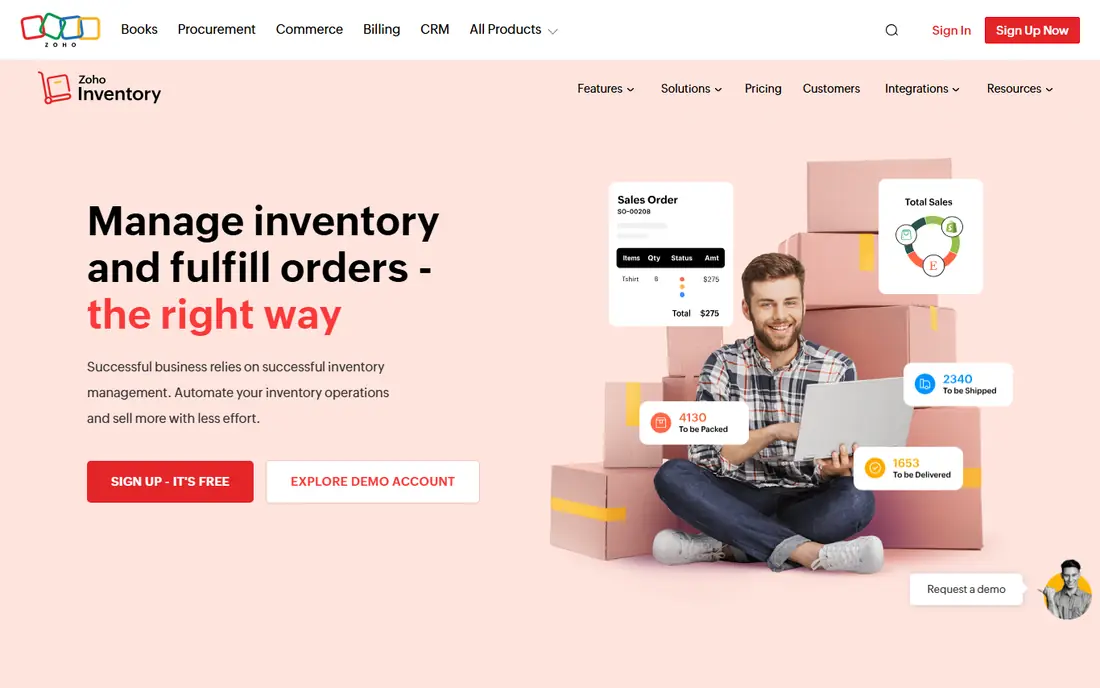
Zoho Inventory resets expectations for what a low price buys. The free plan handles 50 orders a month for one user at one location, which is enough for a side business or a new store to run properly. The Standard plan at $29 a month, billed annually, raises that to 500 orders, three users and two locations, and you pay per organization rather than per seat.
The catch is the tier structure. Order volume, user count and warehouse limits all rise with the plan, so a business that grows past 500 orders a month lands on a higher tier. Automation and fulfillment features also wait on higher plans. If you already use Zoho Books or Zoho CRM, the shared data makes the value case even stronger.
- Free plan covers 50 orders a month
- Flat per-organization pricing
- Strong Zoho integrations
- Paid plans cap orders, users and locations
- Advanced automation sits on higher tiers
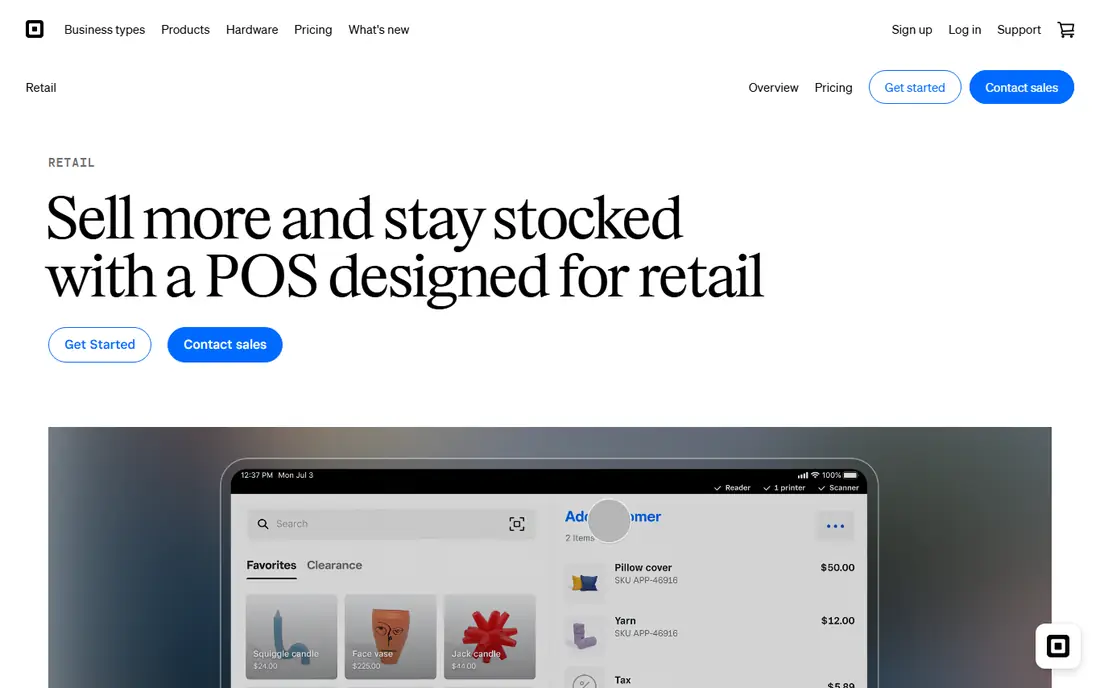
Square for Retail is the best value pick for a shop that already takes payments with Square. Stock counts, item variants and low-stock alerts sit in the same system as sales, so there is no second login and no sync to break. The free tier covers basic inventory, and paid plans add features such as purchase orders and vendor management.
The limit is depth. Multi-warehouse work, complex manufacturing and heavy wholesale ordering are beyond what Square is built for. If your shop is Square-based and your stock is straightforward, though, it is hard to argue for paying for a separate inventory tool.
- Inventory bundled with the till
- No separate monthly fee to start
- Easy for shop staff
- Limited advanced warehouse tools
- Best inside the Square system

Sortly is for teams that do not sell through a complex online store but still need to know what they own and where it is. Items are tracked with photos, folders and custom fields, and staff scan barcodes or QR codes on a phone to update counts. That visual approach works well for equipment, supplies, parts and small warehouses.
The trade-off is that Sortly is not a full order management system. It lacks the deep invoicing, purchasing and multichannel sync of Zoho or Cin7. For a team tracking assets and supplies rather than running an online store, that simplicity is the point, and the price stays reasonable.
- Photo-based items are easy to find
- Barcode and QR scanning
- Fast mobile counts
- Weaker order and accounting depth
- Paid plans needed for larger teams
inFlow is aimed at product businesses that sell to other businesses. Orders, invoicing, purchase orders and customer pricing live in one place, and the showroom feature lets wholesale buyers place orders in a structured way. That combination suits distributors, wholesalers and makers who sell in bulk.
The price is the honest catch. Entry plans cost more than Zoho or Sortly, and some integrations are narrower. If you sell mainly direct to consumers through one store, you may not need what inFlow adds. For wholesale work, the invoicing and pricing depth can pay for itself quickly.
- Built-in invoicing and showroom tools
- Clear order workflow
- Good for wholesale pricing
- Higher entry cost than Zoho
- Fewer integrations than some rivals
Odoo takes a different approach to value. Its standard plan lets a business use one app free, so a team can run inventory alone without a monthly fee, and add sales, accounting or manufacturing apps later. That flexibility suits teams that like to build a system piece by piece.
The cost is time. Odoo is powerful but needs setup, and teams that want a guided, out-of-the-box inventory tool may find it fiddly. Paid hosting and extra apps also change the total. For a technically confident team on a tight budget, it is one of the best value routes available.
- One app free in the standard plan
- Highly flexible
- Huge app ecosystem
- Setup takes effort
- Paid hosting and extra apps add cost
Veeqo is a strong value pick for sellers on Amazon, eBay, Shopify and similar channels. The free shipping plan covers label printing and order handling, and paid inventory plans add stock control across channels. Keeping inventory and shipping in one workflow cuts down on the manual matching that causes overselling.
The catch is that the free plan is shipping focused, not a full inventory system. Sellers who need deep warehouse or manufacturing features will need a paid tier or a different tool. For a marketplace seller who mainly needs to avoid stock mistakes and ship fast, Veeqo is well priced.
- Free shipping plan
- Marketplace and store integrations
- Inventory with shipping in one place
- Full inventory plans are paid
- Support and features vary by tier
Katana is not cheap, but it earns a place on value grounds for makers. It tracks raw materials, finished goods, production orders and bills of materials, so a business that builds what it sells can see what to make, what is missing and what it costs. The free tier covers a small catalog, which helps a maker test the approach.
For a pure reseller, Katana is poor value. The manufacturing depth is wasted, and cheaper tools cover stock and orders just as well. For a small manufacturer, though, replacing spreadsheets and a separate production tracker with one system can justify the monthly fee.
- Production planning and bills of materials
- Good multichannel sync
- Free tier for small catalogs
- Expensive for pure resellers
- Overkill without manufacturing
Fishbowl is built for businesses that live in QuickBooks and need real warehouse control. It handles multi-location stock, manufacturing, barcode scanning and order management, and it syncs with QuickBooks so accounting and stock stay aligned. That matters when stock errors start showing up in the accounts.
The price puts it out of reach for a tiny shop, and implementation is not a one-afternoon job. Teams also need to check which QuickBooks version and plan they use, since integration details vary. For a QuickBooks-based manufacturer or distributor, Fishbowl is still one of the best value options at its level.
- Deep warehouse and manufacturing features
- Strong QuickBooks integration
- Barcode scanning
- High entry price
- Setup and training take time
Cin7, formerly Cin7 Core, is for brands that sell across several channels and have outgrown a basic inventory tool. It centralizes stock, purchasing, warehousing and order automation, and it integrates with major stores, marketplaces and accounting tools. For a growing brand, that central view prevents the overselling and manual fixes that eat staff time.
The trade is cost and complexity. At $349 a month, it only makes sense once order volume and channel count justify it, and setup rewards a team that maps its workflows carefully. Smaller sellers should start with Zoho or Square and move to Cin7 when growth forces the issue.
- Strong multichannel and warehouse depth
- Automation for growing brands
- Broad integrations
- Highest entry price here
- Needs time to set up well
How we picked these
We compared official pricing pages, order and user limits, free plans and accounting integrations, plus public reviews. A tool earned a place when its price matched what it actually delivered for a small or growing business, not just when its headline rate was low. We noted where prices were billed annually and where free plans had real limits. We did not claim hands-on testing.
How to judge value for your business
Start with your monthly order count, SKU count and number of locations, then check those numbers against each plan limit. A plan that looks cheap but forces an upgrade in three months is not good value. Next, list the systems stock must talk to: your store, your marketplaces, your till and your accounting software. A tool that syncs with all of them saves hours that a cheaper, isolated tool cannot.
Also count the hidden costs. Barcode hardware, label printing, training time and any per-user fees all change the total. Finally, trial the tool with real products and real orders. Counting a small shelf of stock in the trial tells you more about fit than any feature list.
Sources
- https://www.zoho.com/inventory/pricing.html
- https://squareup.com/us/en/point-of-sale/retail/pricing
- https://www.sortly.com/pricing
- https://www.inflowinventory.com/pricing
- https://www.odoo.com/pricing
- https://www.veeqo.com/pricing
- https://katanamrp.com/pricing
- https://www.fishbowl.com/pricing
- https://www.cin7.com/pricing
Frequently asked questions
What is the best value inventory management software?
Zoho Inventory is the best value overall for most small sellers, thanks to its free plan and $29 per month Standard plan. Square for Retail beats it for shops already on Square, and Sortly wins for simple visual tracking.
Is there free inventory management software?
Yes. Zoho Inventory, Square for Retail, Sortly, Odoo Inventory and Veeqo all offer free plans or free tiers. Check order, item and user limits carefully, since free plans are designed for small volumes.
How much does inventory management software cost?
Small business tools run from free to around $99 a month, while manufacturing and multichannel tools run from about $229 to $349 a month. Enterprise systems are quote-based and cost far more.
Do I need barcode scanning?
Not always, but it speeds up counts and reduces errors. Sortly includes barcode and QR scanning on its free plan, and Fishbowl and Cin7 include mobile scanning on paid tiers. For inventories over a few hundred items, scanning usually pays for itself.
Can inventory software integrate with my accounting?
Yes. Most tools here integrate with QuickBooks, Xero or Zoho Books. Zoho Inventory syncs natively with Zoho Books, Fishbowl with QuickBooks and Xero, and inFlow with QuickBooks Online.