Best Vibe Coding Tools in 2026: 8 Tools Compared
By ToolNimba Editorial Team October 29, 2026 10 min read

- Top pick
 Lovable
Polished apps for non-technical founders
Starting price$25 per monthCheck out LovableRead our review - Runner-up
 Cursor
Developers in a real codebase
Starting price$20 per monthCheck out CursorRead our review - Also great
 GitHub Copilot
GitHub and VS Code workflows
Starting price$10 per monthCheck out GitHub CopilotRead our review
How we researched this
We compared official pricing and feature pages, app store listings, privacy policies and public user reviews. Prices change, so check the provider's site before you pay.
Key takeaways
- Lovable is our pick for non-technical founders who want a polished app from a prompt, with code they can export.
- Cursor is the best choice for developers who want AI help inside a real codebase they control and review.
- Credit and token limits are the real cost driver, so check how prompts are counted before comparing monthly prices.
- Vibe coding gets you most of the way to a working app, but production apps still need review, testing and security checks.
Quick comparison
| Name | Best for | Starting price | Free plan | |
|---|---|---|---|---|
| Lovable | Polished apps for non-technical founders | $25 per month | Yes | Visit |
| Cursor | Developers in a real codebase | $20 per month | Yes | Visit |
| GitHub Copilot | GitHub and VS Code workflows | $10 per month | Yes | Visit |
 Windsurf | Agentic IDE with simple quotas | $20 per month | Yes | Visit |
 Bolt.new | Fast browser prototypes | $25 per month | Yes | Visit |
 Replit | Build and host in one place | $20 per month | Yes | Visit |
 v0 | React and Next.js user interfaces | $30 per month | Yes | Visit |
 Claude Code | Terminal-first agentic coding | $20 per month | No | Visit |
The best vibe coding tools
We compared official pricing pages, feature lists and October 2026 pricing checks for the tools below. Vibe coding covers two different jobs: app builders that turn a prompt into a working app, and AI coding assistants that help a developer write and edit real code. Both count here, but they fit very different users, so we note the skill level for each pick.
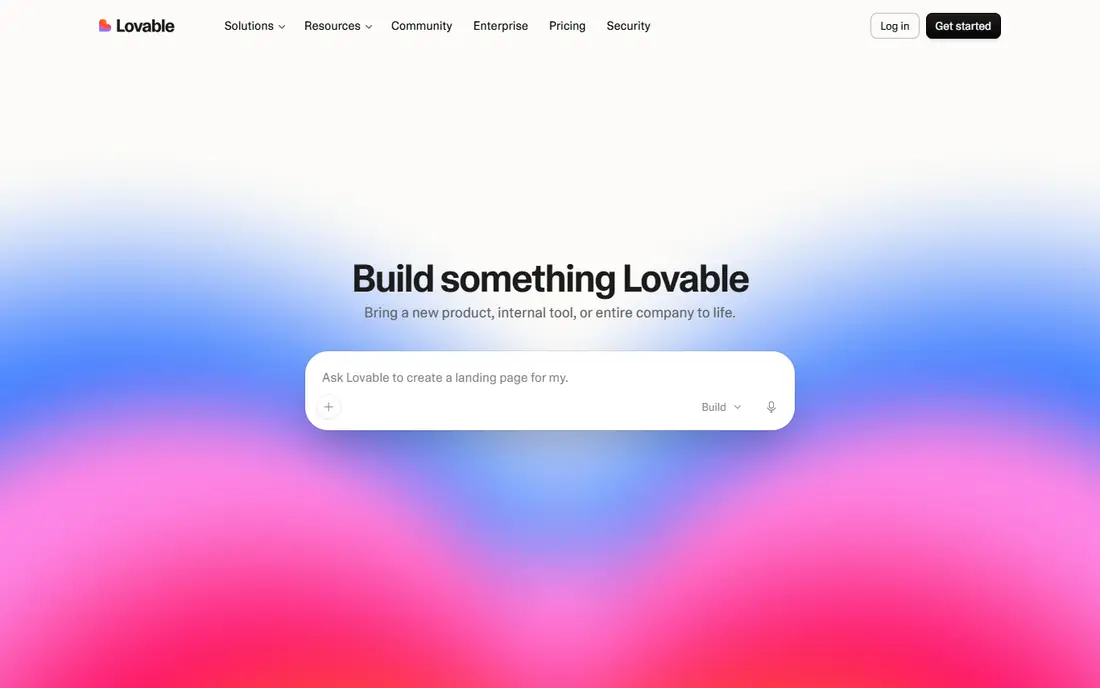
Lovable turns a plain-language description into a full-stack React app with a polished interface, and that output quality is why non-technical founders pick it first. You describe the app, refine it in chat, edit visually, and deploy from the same place. GitHub sync and code export mean the app is not locked inside Lovable forever, which matters if you later hire a developer.
The cost model needs attention. Paid plans start at $25 per month and use credits, with a limited free allowance each month, so a large project with many revisions can burn credits faster than expected. Lovable is best for a minimum viable product or a polished prototype, not for a complex production system built with no technical review at all.
- Prompt-to-app generation with polished interfaces
- GitHub sync and code export
- Built-in hosting
- Credit-based pricing can run out mid-project
- Complex apps still need technical help to finish
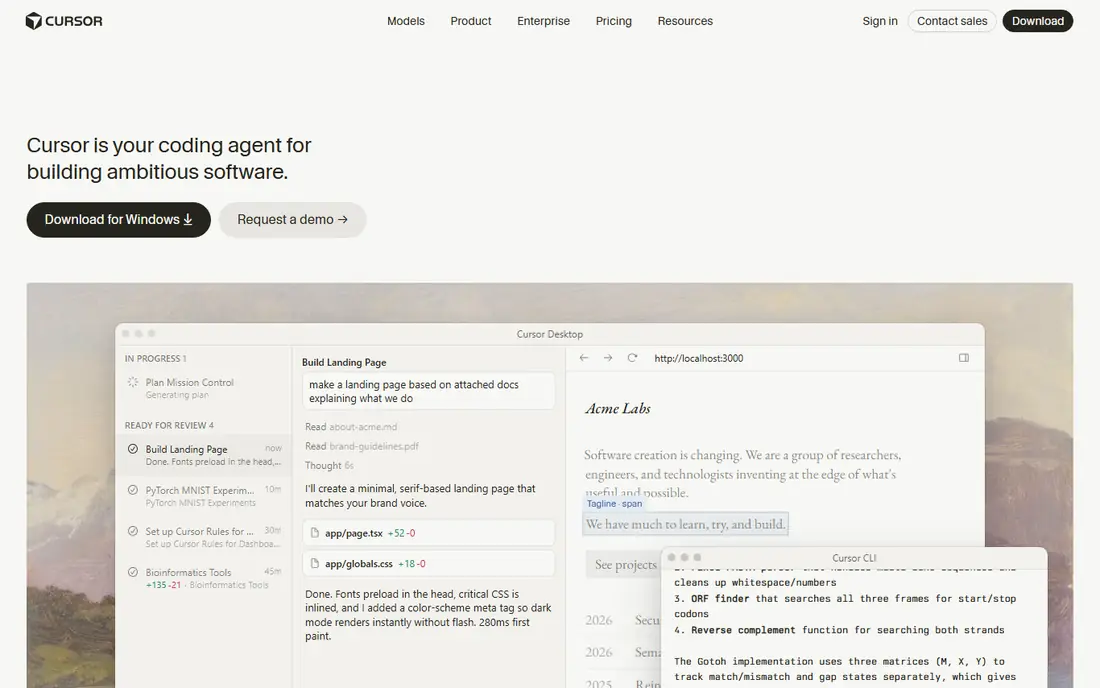
Cursor is an AI-native code editor built on VS Code, and it is the tool developers say they would miss most when it is gone. Agent mode plans a change, edits multiple files, runs terminal commands and shows a diff for approval, while tab completion predicts multi-line edits as you move through a file. That combination speeds up real work in a codebase you own, rather than generating a demo app in a sandbox.
Pricing starts at $20 per month for Pro in many listings, with Pro+ and Ultra tiers for heavier use, and a limited free Hobby plan. Since mid-2025, Cursor has used credit-based billing for manually chosen frontier models, while Auto mode stays unlimited, so heavy agent users can face higher bills. If you write code for a living and want AI inside your normal workflow, Cursor is the strongest pick here.
- Agent mode for multi-file changes
- Strong tab completion
- Codebase-aware suggestions
- Usage-based limits can push heavy users to higher tiers
- Interface is busy for newcomers
GitHub Copilot is the cheapest way into AI-assisted coding, at $10 per month for Pro, with Pro+ at $39 and Max at $100 for heavier use. It offers inline completions, chat and agent mode inside VS Code, JetBrains and GitHub itself, plus a coding agent that can work on pull requests. For a developer already living in GitHub, that integration is hard to beat.
The free tier is limited, with about 2,000 completions per month and restricted chat, and paid plans now use AI credits for chat and agent features. Inline completions stay unmetered on paid plans, which keeps daily coding cheap. Copilot is less of a vibe coding app builder than Lovable or Bolt, but it is the best value assistant for developers who already write code.
- Cheapest paid seat in this list
- Unlimited inline completions on paid plans
- Deep GitHub integration
- Free tier limits chat and agent features
- AI credits meter chat and agent use
Windsurf, now sold as Devin Desktop under Cognition in some listings, is an agentic IDE that pairs a full editor with an autonomous coding agent. Its Cascade agent can plan and execute multi-step changes, track terminal and clipboard context, and work across files with less prompt wrangling than a chat sidebar. The free plan offers unlimited tab completions with a light agent quota, which makes it the best free IDE option for many developers.
Paid Pro starts at $20 per month, with Max at $200 for heavy use, and quotas refresh on a daily and weekly cycle rather than burning credits unpredictably. That predictability appeals to developers who dislike surprise bills. Check the current site before buying, since the Windsurf name and redirect have changed during 2026, and confirm which product you are actually signing up for.
- Unlimited tab completions on the free plan
- Predictable daily and weekly agent quotas
- Strong Cascade agent flow
- Ownership and branding changed in 2026, so check the current product name
- Team pricing is higher
Bolt.new is the fastest way to go from an idea to a running prototype in a browser tab. You describe the app, it generates full-stack code, and you can deploy with one click, all without installing an editor or setting up a local environment. That zero-setup speed makes it ideal for hackathons, demos and testing an idea before committing to a full build.
The cost model is token-based, with a limited free token allowance and Pro from $25 per month, so long conversations and big revisions consume tokens quickly. Bolt prototypes also tend to need cleanup, testing and security review before they are safe for real users. Use it for speed and validation, then export the code to a proper editor when the idea proves itself.
- Full-stack apps generated in the browser with no setup
- One-click deploys
- GitHub sync
- Token-based pricing can surprise new users
- Prototypes need work to become production apps
Replit combines a cloud development environment, an AI agent and hosting in one place, so you can build, test and publish without leaving the browser. Its agent can generate an app, test its own builds and iterate, and separate development and production environments help when you move from a demo to a live app. That all-in-one setup suits beginners, students and small teams that want to ship quickly.
The free plan covers limited use, and Core starts at $20 per month, but usage-based costs for compute and AI can add up beyond the subscription. Replit is also a cloud workspace, so developers who want full local control or a specific toolchain may prefer Cursor or Claude Code. For a first app that needs to be live today, Replit removes the most friction.
- Cloud IDE plus hosting and deployment in one tab
- Autonomous agent that tests its own builds
- Good for learning
- Real costs can surprise users once usage and hosting add up
- Less control than a local editor
v0, by Vercel, is the best vibe coding tool if your main job is a frontend interface. You describe a page or a flow, it generates React and Next.js code with a clean design, and you can deploy to Vercel from the same workflow. Developers who already know React will find the output easy to read, edit and extend, which is not always true of app builders aimed at non-technical users.
The limits are scope and credits. v0 is strongest on interfaces, not on full backend logic, databases and authentication, so a complete app may need other tools. Pricing starts at $30 per user per month for Plus in many listings, with a small free credit allowance. Use v0 for UI work and landing pages, and pair it with a backend tool for a full product.
- Clean React and Next.js interface generation
- Deploys to Vercel
- Strong for frontend prototypes
- Focused on interfaces rather than full backends
- Credit-based pricing limits messages on lower tiers
Claude Code is a terminal-based agentic coding tool included with Claude plans, starting with Pro at $20 per month. It works across a whole repository, plans multi-file changes, runs tests and iterates, which suits experienced developers who live in the terminal and want an agent that can handle larger tasks. It also supports model context features that help it understand a codebase over time.
The obvious limit is audience. Claude Code assumes you can use a terminal, read diffs and review code, so it is not a vibe coding tool for non-technical founders in the Lovable sense. Heavy use also pushes many developers to Max plans at $100 or $200 per month. If you are a developer who prefers the terminal to an IDE, Claude Code is a strong alternative to Cursor and Windsurf.
- Strong repo-level agent work
- Terminal-native workflow
- Included with Claude Pro plans
- No free tier for the agent itself
- Terminal workflow excludes non-developers
How we picked these
We compared official pricing pages, feature lists and October 2026 pricing checks, and we favored tools that are available now, publish clear pricing or a clear usage model, and fit a real vibe coding job: prompt-to-app building or AI-assisted coding in a real codebase. We did not claim hands-on testing, and we noted where pricing or branding changed during 2026 so readers can verify the current terms.
How to choose the right tool
Start with your skill level, not the marketing. If you do not write code, pick Lovable, Bolt.new or Replit, and plan for technical help before launch. If you write code daily, pick Cursor, GitHub Copilot, Windsurf or Claude Code, and judge them on how well they fit your editor and your review habits. If you only need interfaces, v0 is the focused choice.
Next, check the usage model before you build anything large. Credits, tokens and AI credits are counted differently, and a cheap monthly rate can hide a small allowance. Build a small test app first, watch how much allowance it uses, and only then commit to a larger project. Finally, review generated code for security, especially authentication, payments and data handling, before letting real users in.