Best Video Generator Tool in 2026: 9 Tools Compared
By ToolNimba Editorial Team October 31, 2026 9 min read

- Top pick
 HeyGen
Marketing avatar videos
Starting price$29 per monthCheck out HeyGenRead our review - Runner-up
 Synthesia
Enterprise training videos
Starting price$29 per monthCheck out SynthesiaRead our review - Also great
 Runway
Cinematic text-to-video
Starting price$12 per monthCheck out RunwayRead our review
How we researched this
We compared official pricing and feature pages, app store listings, privacy policies and public user reviews. Prices change, so check the provider's site before you pay.
Key takeaways
- HeyGen and Synthesia lead for avatar videos, with HeyGen stronger for marketing and Synthesia stronger for enterprise training.
- Runway, Kling AI and Luma Dream Machine lead for cinematic text-to-video clips, but clips are short and need editing into longer videos.
- Pictory, InVideo AI and Lumen5 suit turning scripts, blogs and articles into finished social and marketing videos.
- Descript suits creators who edit video by editing text, especially for podcasts and talking-head videos.
- Free tiers usually add watermarks or cap minutes and credits, so check export limits before publishing.
Quick comparison
| Name | Best for | Starting price | Free plan | |
|---|---|---|---|---|
| HeyGen | Marketing avatar videos | $29 per month | Yes | Visit |
| Synthesia | Enterprise training videos | $29 per month | Yes | Visit |
| Runway | Cinematic text-to-video | $12 per month | Yes | Visit |
 Kling AI | Quality generative clips on a budget | See website | Yes | Visit |
 Pictory | Blog-to-video automation | $25 per month | Free trial | Visit |
 InVideo AI | Script-to-video marketing | See website | Yes | Visit |
 Lumen5 | Social video from text | $19 per month | Yes | Visit |
 Descript | Transcript-based video editing | $16 per month | Yes | Visit |
 Luma Dream Machine | Fast generative drafts | See website | Yes | Visit |
The best video generator tool
Video generator is a broad term. Some tools generate original clips from text prompts. Others turn a script into an avatar presenter. Others assemble stock footage, text and voiceover into a finished video. The tools below cover those three jobs, and each one is live and widely used for video creation in 2026.

HeyGen is the best avatar tool for most marketing teams. Users can pick an avatar, paste a script, choose a voice and generate a presenter video in minutes. Translation features help localise the same video for different markets without reshooting, which is useful for product, sales and social content. The free plan is limited to a few short videos, so regular publishing needs a paid plan. Avatar videos also suit explainers and marketing better than sensitive or personal messages, where a real presenter builds more trust. For fast, scalable presenter videos, HeyGen offers the best balance of quality and price.
- Realistic avatars and voice cloning
- One-click video translation
- Fast marketing video workflow
- Free plan limits videos and length
- Avatar videos can feel less personal than real presenters

Synthesia suits enterprise learning and development teams that need consistent training videos at scale. Templates, brand controls and compliance features help large organisations produce onboarding, compliance and product training without a studio. Avatars and languages cover global teams. Pricing rises with video minutes and features, so small teams should check the plan that covers their monthly volume. Synthesia is not a text-to-video clip generator like Runway. It is a presenter platform, and it excels when the job is a clear, structured explainer rather than a cinematic scene.
- Strong enterprise security and compliance
- Structured templates for training
- Many avatars and languages
- Higher plans needed for larger video volumes
- Less suited to cinematic generative clips
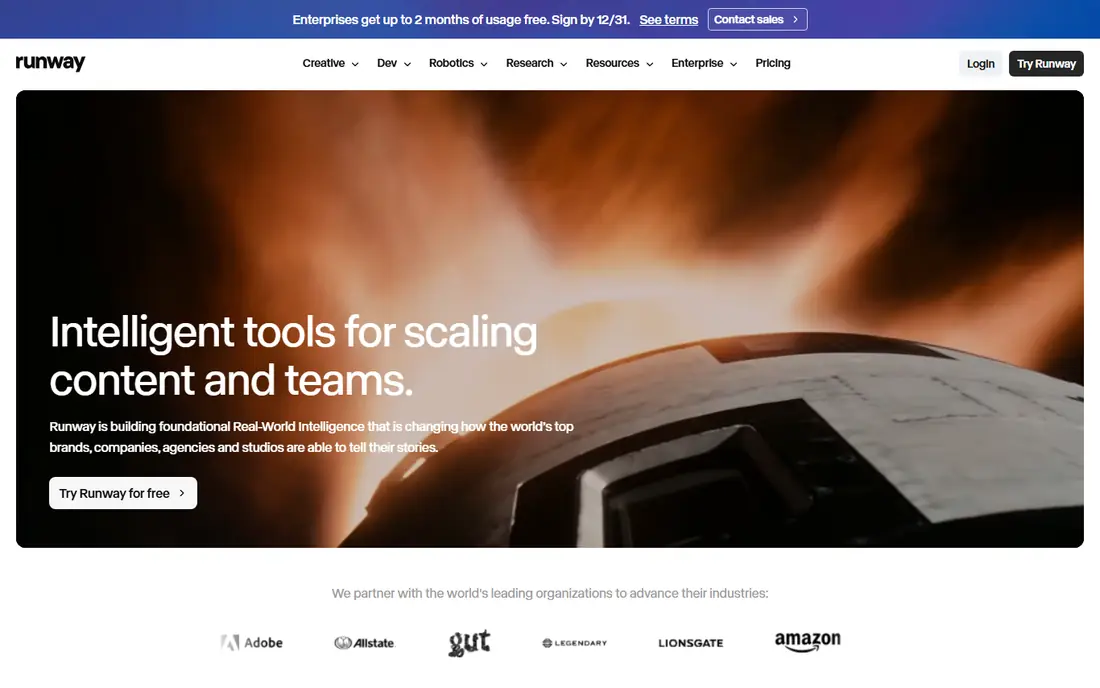
Runway is the creative choice for original video clips. Text-to-video and image-to-video models generate cinematic scenes, and editing tools for background removal, inpainting and motion tracking help finish those clips. For filmmakers, advertisers and social creators who need original footage without shooting, Runway offers the most control. Clips are short, typically seconds long, so longer videos need stitching and editing. Credits also limit heavy use, and prompt skill affects quality. Runway rewards users who learn camera, motion and style controls, and it is less suited to a quick script-to-video marketing workflow.
- Strong cinematic text-to-video and image-to-video
- Camera controls and editing tools
- Active model development
- Credit system can get expensive for heavy use
- Clips are short
- Learning curve for prompt control
Kling AI offers high-quality generative video at a lower entry cost than many rivals. Human motion, physics and scene coherence are strong for short clips, and free daily credits let creators test the model before paying. For social, advertising and creative prototyping, Kling gives good value. Free clips carry a watermark, and paid plans are credit based, so heavy users need to model credit use. Like Runway, Kling generates clips, not structured long videos. For budget-conscious creators who want cinematic clips, Kling is a strong alternative to Runway.
- Strong human motion and physics
- Free daily credits
- Good quality for the price
- Free output is watermarked
- Paid pricing varies by plan and credits
- Clips are short
Pictory suits content teams that repurpose written work into video. A blog post or script becomes a captioned video with stock footage, music and voiceover, and long videos can be cut into short clips for social platforms. That automation saves hours compared with manual editing for every post. The output needs human review. Without editing, Pictory videos can feel template-like, and there is no permanent free plan, only a trial. For teams that publish regularly and need a steady flow of social video from existing content, Pictory offers a practical workflow.
- Turns blogs, scripts and long videos into short videos
- Stock footage and voiceover
- Watermark-free on paid plans
- No permanent free plan
- Output can feel template-like without editing
- Pricing varies by billing term
InVideo AI helps marketers turn a topic, script or prompt into a finished video quickly. Templates, stock footage, captions and voiceover support social, ad and explainer videos without editing experience. The free tier lets users test the workflow before paying. Free exports are limited, and paid plans are priced per seat, so team costs need checking. Generative quality also depends on prompt clarity and stock selection. For fast marketing video at volume, InVideo AI is a strong, beginner-friendly choice.
- Script-to-video workflow from a topic or prompt
- Templates and stock library
- Fast social video creation
- Free exports are limited
- Paid pricing varies by seat and billing term
- Generative quality varies by prompt
Lumen5 turns text into social video with a simple, guided workflow. Users paste an article or script, pick a template, and edit scenes, captions and branding. That simplicity suits small businesses and social teams that need consistent video without learning a full editor. The free plan adds a branded outro, so clean exports need a paid plan. Lumen5 also focuses on assembled social video, not original generative clips. For a team that needs regular, on-brand social video from written content, it remains an easy and affordable option.
- Simple text-to-video for social
- Branded templates
- Easy caption and scene editing
- Free plan includes a branded outro
- Less generative clip quality than Runway or Kling
Descript suits creators who already record video or audio and want faster editing. Editing the transcript edits the video, which makes cutting filler words, mistakes and pauses far faster than timeline scrubbing. Studio sound, captions and publishing tools support podcasts and talking-head videos. Descript is not a clip generator like Runway, and users who need original AI footage should pair it with a generative tool. For podcasters, educators and YouTubers who record themselves, Descript can cut editing time more than any avatar or clip tool.
- Edit video by editing its transcript
- Strong podcast and talking-head workflow
- Filler word removal and studio sound
- Not a text-to-video generator
- Generative features are limited
- Higher plans needed for full AI features
Luma Dream Machine suits creators who need fast drafts to test an idea. Text and image prompts generate short clips quickly, which helps storyboard a scene, test a concept or prototype an ad before committing to a longer production. The workflow is simple and visual. Pricing and tiers have changed over time, so check the current plan before budgeting. Free output is limited and watermarked, and clips remain short. For rapid prototyping and creative exploration, Luma is a useful complement to Runway and Kling, rather than a full replacement for an editing suite.
- Fast text-to-video and image-to-video drafts
- Good for prototyping scenes
- Evolving model quality
- Pricing tiers have changed often
- Free tier limits and watermarks apply
- Clips are short
How we picked these
We compared official pricing and feature pages, app store listings and public reviews. We favoured tools that are live now, that generate or assemble video from text, scripts or prompts, and that publish enough pricing detail to compare. We excluded tools that had closed or discontinued, pure stock libraries with no generation, and tools whose video features could not be verified from the vendor.
How to choose for your video type
Name the video first. An avatar explainer, a cinematic clip, a social cutdown and a podcast edit are different jobs, and no single tool does all four well. Pick the category, then compare tools inside it on export quality, minutes or credits, and licensing.
Check exports and licensing
Confirm resolution, watermark rules, commercial use and whether generated clips can be used in client work or ads. A tool that looks cheap can become expensive if credits run out mid-project or if free exports carry a watermark.
Plan for editing
Generative clips are short and inconsistent across scenes. Budget time for editing, captions and sound, even with an AI tool. The best workflow often pairs a generator with an editor such as Descript or a standard video editor for the final cut.