Best Web Hosting Services for Small Business in 2026: 8 Hosts Compared
By ToolNimba Editorial Team November 7, 2026 10 min read

- Top pick
 Hostinger
Overall value
Starting price$2.99 per monthCheck out HostingerRead our review - Runner-up
 Bluehost
WordPress beginners
Starting price$2.95 per monthCheck out BluehostRead our review - Also great
 SiteGround
Support and reliability
Starting price$2.99 per monthCheck out SiteGroundRead our review
How we researched this
We compared official pricing and feature pages, app store listings, privacy policies and public user reviews. Prices change, so check the provider's site before you pay.
Key takeaways
- Hostinger is the best value pick for most small businesses, with low entry pricing and a simple control panel, but renewal prices are much higher.
- SiteGround is the best pick when support and reliability matter most, despite a steep renewal price, while DreamHost offers strong long-term value.
- Always compare the renewal price, not just the introductory price, because most shared hosts charge two to six times more after the first term.
- Managed WordPress hosts such as WP Engine and Kinsta cost more, but they save time on updates, security, and performance for revenue-generating sites.
Quick comparison
| Name | Best for | Starting price | Free plan | |
|---|---|---|---|---|
| Hostinger | Overall value | $2.99 per month | No | Visit |
| Bluehost | WordPress beginners | $2.95 per month | No | Visit |
| SiteGround | Support and reliability | $2.99 per month | No | Visit |
 DreamHost | Long-term value | $2.59 per month | No | Visit |
 HostGator | Scaling without switching | $2.75 per month | No | Visit |
 IONOS | Tightest first-year budget | $1 per month | No | Visit |
 WP Engine | Managed WordPress growth | $25 per month | No | Visit |
 Kinsta | High-traffic WordPress sites | $35 per month | No | Visit |
The best web hosting services for small business
A small business host needs to keep your site online, load pages quickly, and help you when something breaks. Price matters, but renewal pricing, support quality, and ease of use matter just as much. The hosts below cover budget shared hosting and premium managed WordPress hosting, so you can match the host to your site and budget.
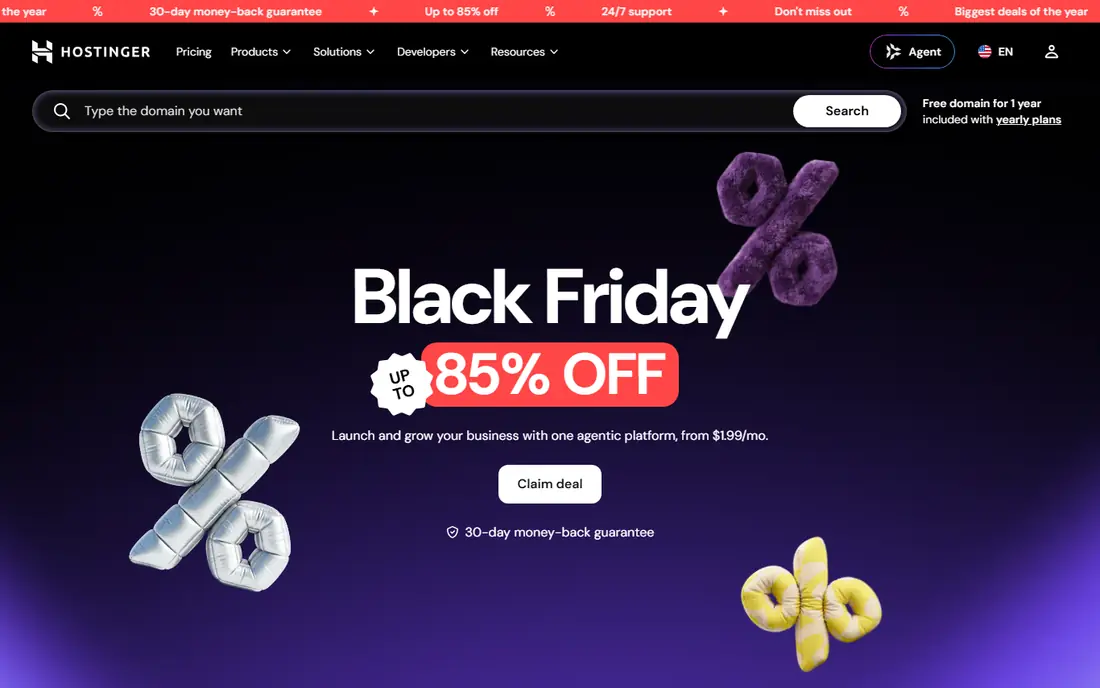
Hostinger is the best value host for most small businesses starting a new site. Its entry plans start at $2.99 per month on a longer term, and its hPanel control panel is simpler than traditional cPanel for beginners. Most plans include a free SSL certificate, and many include a free domain for the first year, which keeps startup costs low.
The renewal price is the catch. After the introductory term, Hostinger renews at around $10.99 per month, so the long-term cost is higher than the headline price suggests. Support is mainly through live chat, which suits most issues but may frustrate owners who prefer phone help. If you want low startup cost and a simple panel, Hostinger is a strong first host, but note the renewal date in your calendar.
- Low entry price
- Simple hPanel control panel
- Free SSL and domain on many plans
- Renewal price rises to around $10.99 per month
- Longer terms needed for the lowest price
- Support is mainly chat-based
Bluehost is a popular first host for WordPress beginners, partly because WordPress itself has long recommended it. Setup is straightforward: you can install WordPress during signup, choose a theme, and publish a basic business site the same day. A free domain for the first year and a free SSL certificate on many plans keep the first-year cost simple.
Renewals and checkout extras need attention. The entry price of $2.95 per month rises at renewal, and some plans sell email separately, so check what is included before you pay. Checkout also presents add-ons that can inflate the bill. For a first WordPress site with simple needs, Bluehost remains a solid, beginner-friendly pick, as long as you compare the renewal price first.
- WordPress recommended host
- Easy WordPress setup
- Free domain and SSL on many plans
- Renewal prices rise sharply
- Email is sold separately on some plans
- Upsells during checkout

SiteGround is the host we recommend when support and reliability matter more than the lowest price. Its support team is available by chat, phone, and tickets around the clock, and its Google Cloud infrastructure gives good speed and uptime for small business sites. The entry StartUp plan starts at $2.99 per month for 12 months, which is competitive for a first year.
Renewal pricing is the main drawback: the StartUp plan renews at around $17.99 per month, one of the steepest jumps in this list. The entry plan also covers only one website, so multi-site owners need a higher plan. If your site earns revenue and downtime costs you sales, SiteGround's support and reliability can justify the renewal price. If budget is tight, Hostinger or DreamHost may suit you better.
- Strong support by chat, phone, and tickets
- Google Cloud infrastructure
- Good speed and uptime
- Renewal price rises to around $17.99 per month
- Entry plan covers one site
- Storage limits are tighter than some rivals
DreamHost is a good long-term value pick for small businesses that want honest pricing and a long trial window. Its entry plan starts at $2.59 per month, and its 97-day money-back guarantee is far longer than the industry standard 30 days, which gives you time to test a real site. DreamHost is also employee-owned and independent, which appeals to owners who prefer not to use a large hosting group.
Support is mainly chat and email, with no phone support on basic plans, and its custom control panel takes a short time to learn if you are used to cPanel. Renewal prices rise to around $7.99 to $10.99 per month depending on term, which is still moderate compared with SiteGround. For owners who value a long guarantee and steady pricing, DreamHost is a strong choice.
- Long money-back guarantee at 97 days
- Transparent pricing
- Good for multiple sites on higher plans
- Renewal price rises to around $7.99 to $10.99 per month
- Support is mainly chat and email
- Control panel differs from cPanel
HostGator suits small businesses that expect to grow and want to stay with one host as traffic rises. Its shared plans start at $2.75 per month and include unmetered bandwidth on most plans, and its upgrade path to VPS and dedicated hosting means you can scale without migrating to a new provider. Setup is simple, and a free domain and SSL are included on many plans.
The downsides are renewal pricing and support consistency. Renewals rise to around $9.95 per month, and support experiences vary more than at SiteGround. The control panel also feels dated compared with Hostinger or SiteGround. If you plan to grow from shared hosting to VPS on the same host, HostGator's upgrade path is a real advantage. If you only need a small brochure site, a cheaper or better-supported host may suit you better.
- Unlimited bandwidth on most plans
- Easy upgrade path to VPS and dedicated hosting
- Simple setup
- Renewal price rises to around $9.95 per month
- Support quality varies
- Interface feels dated
IONOS offers the lowest first-year price in this list, with entry plans starting at $1 per month for the first term. That makes it attractive for a new business testing an idea, a landing page, or a first site on a very tight budget. IONOS also offers a clear path to VPS and dedicated hosting, so a growing site does not need to migrate early.
Renewal pricing is the trade-off, rising to around $8 to $10 per month after the first term, and the control panel takes more learning than Hostinger or Bluehost. Support experiences also vary. IONOS is best when first-year cost is the deciding factor and you are willing to learn a different panel. For longer-term value, compare its renewal price against DreamHost and Hostinger before you commit.
- Very low first-year price
- Room to scale to VPS and dedicated servers
- Includes domain and SSL on many plans
- Renewal price rises to around $8 to $10 per month
- Interface takes learning
- Support experience varies
WP Engine is a managed WordPress host, which means it handles updates, security, caching, and backups so you can focus on the business. Its entry plan starts at $25 per month, with staging sites for testing changes before they go live, and support from WordPress specialists. For a WordPress site that earns revenue, that managed service can save hours of maintenance and reduce downtime risk.
The price is the obvious barrier: $25 per month is far more than shared hosting, and some plugins are restricted for performance or security reasons. WP Engine is overkill for a simple brochure site with a few pages. Choose it when your WordPress site drives sales or leads, traffic is growing, and you want a specialist team handling the technical side.
- Managed WordPress updates and security
- Strong performance
- Staging sites and good support
- Higher price than shared hosting
- Plugin restrictions apply
- Overkill for a simple brochure site
Kinsta is the premium managed WordPress host in this list, built on Google Cloud with a focus on speed and reliability. Its entry plan starts at $35 per month, with managed security, daily backups, staging, and a custom dashboard that is easier than traditional panels for many owners. Pricing is flat, with no introductory discount and renewal jump, which makes long-term budgeting simpler.
Kinsta only hosts WordPress, so it will not suit a site built on another platform, and each plan has monthly visit limits that matter for high-traffic sites. For a high-traffic or revenue-critical WordPress site, Kinsta's speed and support can justify the price. For a new or low-traffic site, shared hosting at a fraction of the cost will serve you just as well until traffic grows.
- Fast Google Cloud performance
- Managed security and backups
- Clear, flat pricing with no renewal jump
- Highest entry price here
- WordPress only
- Visit limits apply on each plan
How we picked these
We compared hosts that small businesses actually use, using official pricing pages, plan descriptions, and public comparisons of uptime, speed, and support. We checked both introductory and renewal prices, because the gap between them is the most common surprise for small business owners. We included budget shared hosts and managed WordPress hosts, so readers can compare the full range rather than only the cheapest options.
What to check before you buy hosting
Start with renewal pricing and term length. A $2.99 per month price often requires a 12, 36, or 48-month prepayment, and the renewal rate can be two to six times higher. Calculate the total cost over three years, including domain renewal, email, and any add-ons, before you compare hosts. A host with a higher entry price but a lower renewal price can be cheaper over time.
Then check what your site actually needs. A brochure site with a few pages runs well on shared hosting, while a store or high-traffic blog benefits from managed WordPress hosting, caching, and a content delivery network. Confirm backup frequency, SSL inclusion, email accounts, and support hours, and test support with a pre-sales question. A host that answers quickly before you pay is more likely to answer quickly when your site is down.
Sources
Frequently asked questions
What is the best web hosting for a small business?
Hostinger is the best value pick for most small businesses, while SiteGround is best when support and reliability matter most. For a WordPress site that earns revenue, WP Engine or Kinsta may be better despite higher prices. The best host depends on your traffic, budget, and how much technical work you want to handle yourself.
How much should small business hosting cost?
Shared hosting typically costs $2 to $4 per month for the first term, rising to $8 to $18 per month at renewal. Managed WordPress hosting starts at $25 to $35 per month with flat pricing. Budget for domain renewal, email, and backups as well, and compare the three-year total rather than the first-month price.
Do I need managed WordPress hosting?
You need it if your WordPress site earns revenue, gets significant traffic, or you want updates, security, and backups handled for you. For a new or low-traffic site, shared hosting is usually enough, and you can move to managed hosting later as traffic grows. Migration tools from most managed hosts make that move easier than it sounds.
What is the difference between shared and managed hosting?
Shared hosting puts many sites on one server, which keeps costs low but limits performance and control. Managed WordPress hosting is optimized for WordPress, with caching, security, backups, and specialist support included. Managed hosting costs more, but it saves time and reduces the risk of a site outage or security issue.
Can I switch hosts later?
Yes, most hosts offer free or assisted migration, and WordPress sites can be moved with plugins or manual export. Switching is easiest before a site grows large, so do not let fear of migration lock you into a host with poor support or high renewals. Back up your site fully before any move, and test the new host before pointing your domain to it.
Does hosting affect search rankings?
Hosting affects speed and uptime, which in turn affect user experience and search performance. A slow or frequently offline site can lose visitors and rankings, while a fast, reliable host supports good performance. Hosting alone will not rank a site, but poor hosting can hold back otherwise good content and SEO work.