Best Website Platform for SEO in 2026: 10 Apps Compared
By ToolNimba Editorial Team November 7, 2026 10 min read

- Top pick
 WordPress
Most control over SEO
Starting priceFreeCheck out WordPressRead our review - Runner-up
 Wix
Easiest all-round builder
Starting price$17 per monthCheck out WixRead our review - Also great
 Squarespace
Design-led small business sites
Starting price$16 per monthCheck out SquarespaceRead our review
How we researched this
We compared official pricing and feature pages, app store listings, privacy policies and public user reviews. Prices change, so check the provider's site before you pay.
Key takeaways
- WordPress gives the most control over technical SEO, but you carry hosting, updates, and plugin upkeep.
- Wix and Squarespace suit small teams that want built-in SEO settings without managing a server.
- Webflow and Framer suit design-led sites where page speed and clean structure matter most.
- Shopify is the strongest pick here when selling online is the main job, not just publishing pages.
- Ahrefs and Semrush do not replace a good platform, but they show which pages and links need work.
Quick comparison
| Name | Best for | Starting price | Free plan | |
|---|---|---|---|---|
| WordPress | Most control over SEO | Free | Yes | Visit |
| Wix | Easiest all-round builder | $17 per month | Yes | Visit |
| Squarespace | Design-led small business sites | $16 per month | Free trial | Visit |
 Webflow | Design control and page speed | $15 per month | Yes | Visit |
 Shopify | Selling online with SEO basics covered | $29 per month | Free trial | Visit |
 Framer | Fast landing pages and startup sites | $10 per month | Yes | Visit |
 Ghost | Publishing and newsletters | See website | Free trial | Visit |
 Duda | Agencies building client sites | $19 per month | Free trial | Visit |
 Ahrefs | Finding links and ranking gaps | $129 per month | Free trial | Visit |
 Semrush | SEO, content, and competitor research in one suite | $139.95 per month | Free trial | Visit |
The best website platforms for SEO
The platforms below cover the main ways to build a search-friendly site, from open publishing tools to hosted builders, plus two SEO tools that pair with them.

WordPress remains the default answer when control matters more than convenience. You can set titles, meta descriptions, redirects, sitemaps, and schema with well-known plugins, and you can move hosts if performance drops. That freedom is why so many content sites and agencies still build on it, even when simpler builders exist.
The catch is upkeep. A self-hosted WordPress site needs updates, backups, and a decent host, and a careless plugin stack can hurt the speed gains you were chasing. WordPress.com removes much of that work, but plugin access sits on higher plans, so check the plan before you commit.
- Huge plugin choice, including SEO tools
- Full control over URLs, redirects, and metadata
- Works for blogs, business sites, and stores
- You manage hosting and updates on self-hosted sites
- Too many plugins can slow a site down
Wix suits owners who want a site live this week without hiring a developer. Its editor covers page titles, descriptions, URL slugs, and redirects, and its SEO setup checklist walks through the basics in plain language. For a local business, a portfolio, or a small store, that is often enough.
The trade-off is depth. Larger sites with heavy content plans or custom technical needs may find Wix less flexible than WordPress or Webflow. Treat it as a strong small-site platform, and confirm that its blogging, multilingual, and store limits fit your plans before you build a large archive on it.
- Built-in SEO settings and guidance
- Large template and app choice
- Fast setup for small business sites
- Less flexibility for large or complex sites
- Moving away later can be awkward
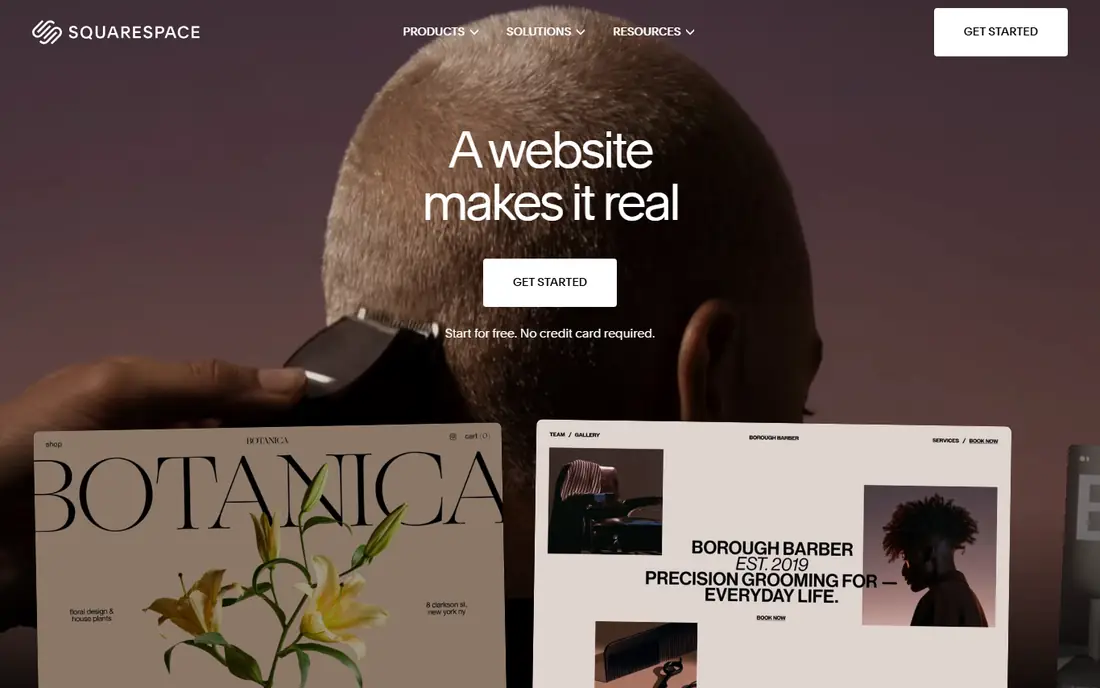
Squarespace wins on presentation. Its templates look finished with little tweaking, and titles, descriptions, and sitemap handling are built in rather than bolted on. Service businesses, restaurants, and creatives get a tidy site, booking or scheduling options, and a store without juggling several tools.
Choice is the limit here. The template range is smaller, and deep customization needs more workarounds than an open platform allows. If your site is mainly pages, a blog, and a modest store, Squarespace is a calm, capable pick. If you need complex catalogs or custom data, look at Shopify or WordPress instead.
- Polished templates
- Clean built-in SEO fields
- Scheduling and commerce in one account
- Fewer templates and extensions than Wix or WordPress
- Large catalog selling is weaker
Webflow is the pick for teams that care about both design and search performance. You control page structure, headings, meta fields, redirects, and sitemaps at a detailed level, and its hosting is built for fast delivery. Marketing teams use its CMS for blogs, case studies, and landing pages without waiting on developers for every change.
It asks more of you up front than Wix or Squarespace. Designers will feel at home, while beginners may need tutorials before the editor feels natural. Ecommerce is available, but stores with very large catalogs usually fit Shopify better.
- Fine control over structure, metadata, and redirects
- Clean code output
- Strong CMS for content sites
- Learning curve for non-designers
- Hosting stays with Webflow
Shopify is first a store platform, and its SEO tools serve that job well. Product titles, descriptions, URL handles, redirects, and blogging are all built in, and its hosted setup removes server worries. If most of your search traffic should land on products and collections, starting here saves time.
Pure publishing sites will feel the limits. Long-form content, complex taxonomies, and custom page types are easier on WordPress or Webflow. Use Shopify when commerce leads the site, and pair it with a blog plan that keeps content fresh rather than treating the blog as an afterthought.
- Strong store SEO fields, blogging, and redirects
- Fast hosted checkout
- Huge app store
- Content-heavy sites feel more constrained than on WordPress
- Apps add cost
Framer suits a launch page, a startup site, or a portfolio that must look current and load quickly. Publishing is simple, templates are modern, and basic SEO fields cover titles and descriptions without extra setup. Small teams can ship a sharp site in days.
Scale is where Framer shows its limits. CMS item caps on lower plans and the absence of a full store make it a poor fit for large content archives or serious ecommerce. Pick it for a focused site, and move to Webflow or WordPress if the site grows into a large library.
- Very fast publishing
- Modern templates
- Simple SEO fields for small sites
- CMS limits on lower plans
- Not built for large stores
Ghost is built for publishers. Writing, newsletters, and paid memberships sit in one tidy system, and its default output is clean and fast, which helps search and reading alike. News sites and independent publications that live or die by articles will like how little gets in the way.
It is not a general website builder. Business pages, stores, and complex layouts need more effort than on Wix or Squarespace. Choose Ghost when publishing is the business, and check its hosted pricing against your member count before you migrate a large list.
- Fast, focused publishing
- Memberships and newsletters built in
- Clean SEO defaults
- Smaller theme and plugin range
- Self-hosting needs technical care
Duda is made for people who build sites for others. Agencies get client permissions, white-label dashboards, and reusable sections that speed up multi-site work, plus the SEO fields client sites need. That agency focus is its real edge over general builders.
Solo owners may not need its team features, and its app range is smaller than WordPress or Wix. If you manage several client sites and want one dashboard for them, Duda earns its place. If you only need one site, a simpler builder will cost less attention.
- Client management and white-label options
- Solid SEO controls
- Fast multi-site setup
- Less known among solo owners
- Smaller app ecosystem than WordPress
Ahrefs is not a website platform, but it answers the question every platform choice raises: what is actually holding your rankings back. Its Site Explorer shows who links to you and to competitors, and its audit flags technical issues your builder may hide. Pair it with any platform on this list when search becomes a serious channel.
The price puts it out of reach for hobby sites, and its depth can overwhelm a first-time user. Start with its free tools for your own verified site, and upgrade when you have a content plan that needs competitor and link data every week.
- Large backlink index
- Competitor gap reports
- Rank tracking and site audits
- Price is high for small sites
- Learning curve for new SEOs
Semrush fits teams that want one subscription for keyword research, audits, backlink checks, and content planning. It pairs well with any website platform, because it measures the result of the platform choice rather than replacing it. Agencies like its reporting, and content teams like its topic suggestions.
Breadth is also its weakness, since casual users may pay for tools they rarely open. If you only need rank checks or a quick audit, start free and add a paid plan when weekly research becomes part of the routine.
- Keyword, backlink, and audit tools in one account
- Content ideas tied to search demand
- Reporting for clients
- Expensive for solo owners
- Some tools overlap with free options
How we picked these
We compared official pricing pages, feature pages, and help documentation for each platform, plus public reviews that describe setup, speed, and limits in everyday use. We gave extra weight to controls that affect search directly, such as titles, redirects, sitemaps, page speed, and structured data, rather than to design extras alone.
We did not claim hands-on testing we did not do. Where pricing differed by billing term or region, we used the commonly listed annual or entry plan and marked unclear cases as See website, so readers can confirm the current figure on the vendor page before buying.
How to choose a website platform for SEO
Start with the job of the site
A store, a blog, and a brochure site need different strengths. Stores should lean toward Shopify, publishers toward WordPress or Ghost, and design-led marketing sites toward Webflow or Framer. Picking by job first avoids paying for power you never use.
Check the SEO basics before the extras
Confirm that you can edit titles, descriptions, and URL slugs, set redirects, control indexing, and submit a sitemap without a paid add-on. Then check page speed on a real phone connection, since a pretty template that loads slowly will cost rankings and readers.
Plan for content and links, not just launch
A platform helps search only when publishing continues. Set a realistic posting schedule, plan internal links between related pages, and use a tool such as Ahrefs or Semrush monthly to find broken links and pages that deserve an update.
Sources
Frequently asked questions
Which website platform is best for SEO overall?
WordPress is the strongest all-round answer for control, because plugins cover technical SEO, schema, and redirects in depth. Wix and Squarespace are easier for small teams, and Webflow suits design-led sites. The best pick depends on who will maintain the site, not only on feature lists.
What are the best website SEO tools to pair with a platform?
Ahrefs and Semrush are the most complete paid options for keyword, link, and audit work. Google Search Console is free and should be set up on every site, since it shows how Google actually sees your pages. Use one paid tool well rather than collecting several.
Is Wix good for SEO in 2026?
Yes, for small and mid-sized sites. Wix covers titles, descriptions, redirects, and sitemaps, and its guided setup helps owners who are new to SEO. Larger content sites or stores with complex needs may still prefer WordPress, Webflow, or Shopify.
What is the best SEO tool website for news websites?
News sites need fast publishing, clean article structure, and strong internal linking, which suits WordPress or Ghost for the platform. For tools, pair Google Search Console with Ahrefs or Semrush to track which stories earn links and which older stories need updates.
Do I need to pay for SEO tools to rank?
No. Good content, clear titles, fast pages, and honest internal links will take a small site a long way, and Google Search Console is free. Paid tools help when you compete for valuable terms, track many pages, or study competitors in detail.