Best Cursor Alternatives in 2026: 10 Tools Compared
By ToolNimba Editorial Team November 7, 2026 10 min read

- Top pick
 GitHub Copilot
Keeping your current editor
Starting price$10 per monthCheck out GitHub CopilotRead our review - Runner-up
 Devin Desktop
Closest Cursor-style editor
Starting price$20 per monthCheck out Devin DesktopRead our review - Also great
 Claude Code
Terminal-first agent work
Starting price$20 per monthCheck out Claude CodeRead our review
How we researched this
We compared official pricing and feature pages, app store listings, privacy policies and public user reviews. Prices change, so check the provider's site before you pay.
Key takeaways
- GitHub Copilot at $10 per month is the cheapest complete paid alternative for most developers, while Cline and Aider cost nothing for the tool itself.
- Devin Desktop, formerly Windsurf, is the closest swap for developers who want a full AI editor rather than a plugin.
- The best cursor alternatives depend on where you work: keep your editor with Copilot, Zed or Cline, or move to a terminal agent with Claude Code or Aider.
- Open-source tools are free to install but still charge for model use, so compare your model bill with a flat subscription before choosing.
Quick comparison
| Name | Best for | Starting price | Free plan | |
|---|---|---|---|---|
| GitHub Copilot | Keeping your current editor | $10 per month | Yes | Visit |
| Devin Desktop | Closest Cursor-style editor | $20 per month | Yes | Visit |
| Claude Code | Terminal-first agent work | $20 per month | No | Visit |
 OpenAI Codex | ChatGPT subscribers | $20 per month | Yes | Visit |
 Zed | A fast native editor | $10 per month | Yes | Visit |
 Cline | Bring-your-own-key freedom | Free | Yes | Visit |
 Aider | Git-based terminal pairing | Free | Yes | Visit |
 Amazon Q Developer | AWS-focused teams | $19 per month | Yes | Visit |
 JetBrains AI | JetBrains IDE users | $10 per month | Yes | Visit |
 Replit | Browser-based building | $20 per month | Yes | Visit |
The best cursor alternatives
Cursor is not listed here, since this article covers replacements for it. We compared official product and pricing pages and public reviews, and we kept only tools that a developer can install or buy today and that handle AI edits across a real codebase.
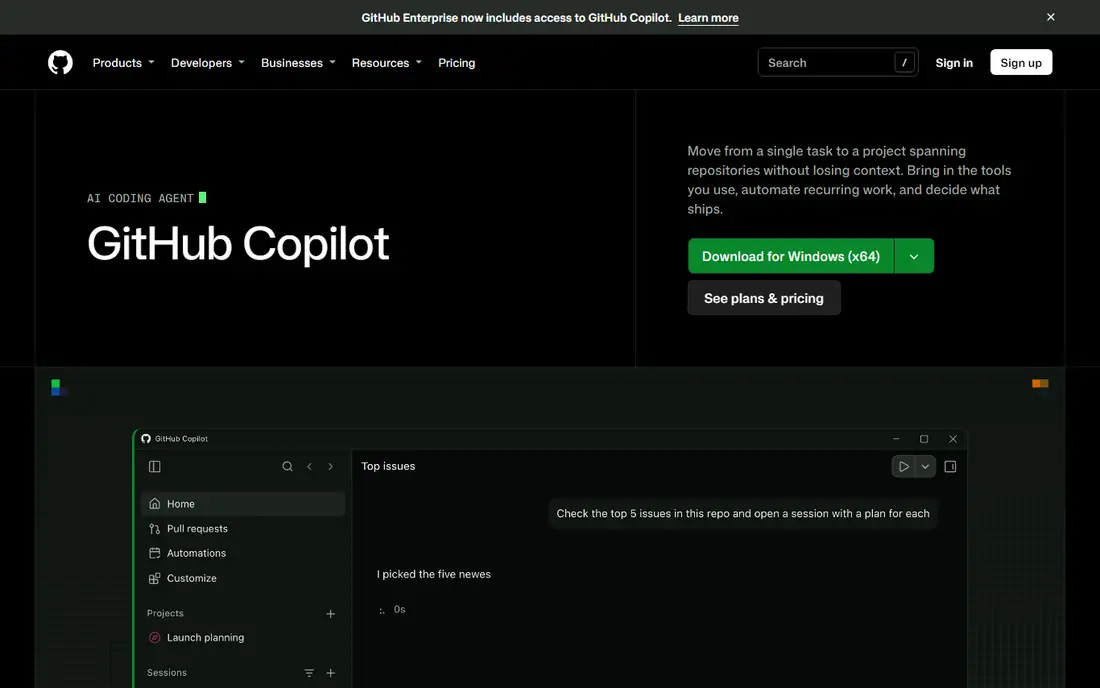
GitHub Copilot is our pick for most people leaving Cursor. It adds completions, chat and an agent mode to the editor you already use, and it draws on repository, issue and pull request context from GitHub. The free tier covers light use, and the $10 Pro plan is the lowest priced complete paid option in this list.
The catch is usage. Agent-heavy work uses credits, so a team that leans hard on agents may need a higher tier. If your code lives outside GitHub, some of the context advantage fades, though the editor support still makes it a solid choice.
- Works in VS Code, JetBrains, Neovim and Visual Studio
- Completions, chat and agent mode
- Deep GitHub context
- Heavy agent use can draw down monthly credits
- Strongest inside GitHub workflows
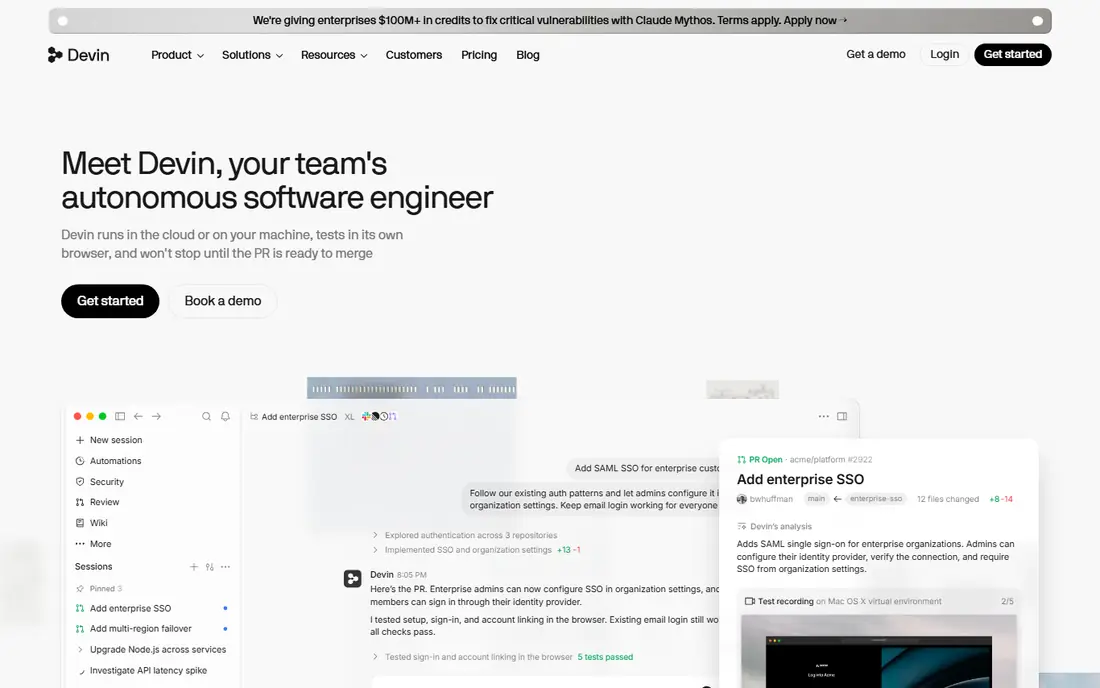
Devin Desktop, formerly known as Windsurf, is the closest direct replacement for Cursor. It is a full AI editor with agent workflows, codebase indexing and a command center view for running and reviewing several agents at once. Developers who liked Cursor's multi-file editing should feel at home quickly.
The free plan covers light use with a limited agent quota, and the paid plan starts at $20 per month. Solo developers who only need completions may find it more tool than they need, but teams that run agents in parallel will use the extra structure.
- Full agentic IDE
- Agent command center for managing several agents
- VS Code compatibility
- Higher entry price than Copilot
- Agent fleet features may exceed solo needs

Claude Code is built for developers who prefer the terminal to a full editor. It handles multi-step tasks across a codebase, reads and edits files, runs commands and explains its changes in the terminal. For large or tangled repos, that agent depth is its main selling point.
The entry point is a Claude Pro subscription at $20 per month, so there is no free standalone tier. If you want a visual editor with AI built in, look at Copilot or Devin Desktop instead. If you live in the terminal, Claude Code is a strong fit.
- Strong agent reasoning on large codebases
- Terminal workflow suits experienced developers
- Included with Claude Pro
- No free tier as a standalone tool
- Terminal-first design is not for everyone
OpenAI Codex brings OpenAI's coding models into the terminal and into supported editors. If you already pay for ChatGPT Plus at $20 per month, Codex adds real coding value without a second subscription. It handles multi-file tasks, tests and pull request style work.
The downside is lock-in to OpenAI models and pricing. Developers who want to switch models per task will prefer Cline or Zed with bring-your-own-key support. For ChatGPT subscribers, though, Codex is an easy addition.
- OpenAI models in the terminal and IDE
- Useful if you already pay for ChatGPT
- Agent workflows for real tasks
- Best value depends on a ChatGPT subscription
- Model choice is tied to OpenAI
Zed is the pick if editor speed matters more than anything else. It is a native editor, not an Electron app, so it opens fast and stays responsive on large projects. The free editor works with your own model keys, and the $10 Pro plan adds managed AI features.
The trade-off is ecosystem. VS Code has a far larger extension library, so some workflows will need workarounds in Zed. If you value speed and a clean, modern editor over extension depth, Zed is worth a week of real use.
- Very fast native editor
- Collaborative editing
- AI edit predictions and chat
- Smaller extension ecosystem than VS Code
- AI features are newer than rivals
Cline is an open-source AI coding agent that runs inside VS Code. You bring your own API keys, choose the model per task, and pay only for the model use you generate. That freedom suits developers who want to mix cheap models for routine edits with stronger models for hard problems.
The cost is setup and billing care. There is no flat monthly price to hide behind, so a careless model choice can run up a bill. If you like control and you track model costs, Cline gives you more freedom than any paid editor here.
- Open-source VS Code agent
- Works with many models
- No subscription for the tool itself
- You pay for model use separately
- Setup needs more care than a managed tool
Aider is a terminal pair programmer that edits code in step with Git. It maps your repo, makes edits, commits changes and works with a wide range of models through your own keys. For developers who already work in Git and the terminal, it feels natural and stays out of the way.
It is not a full editor, and it does not hold your hand through setup. Beginners will find Copilot or Devin Desktop easier. Experienced terminal users, though, often find Aider's Git discipline a real advantage on larger changes.
- Open-source terminal tool
- Strong Git integration
- Works with many models
- Terminal only
- You pay for model use
- Less hand-holding than editor tools
Amazon Q Developer suits teams building on AWS. It understands AWS services, helps with code, documentation and transformation tasks, and fits into editors and the command line. For a team that deploys to AWS daily, that context saves real time.
Outside AWS, the advantage narrows, and the $19 entry price is above Copilot's $10 plan. If your stack is AWS-heavy, shortlist it. If not, the general tools above will serve you better for less.
- Strong AWS context
- Works in editors and the terminal
- Security and code review features
- Best value inside AWS workflows
- Entry price above Copilot
JetBrains AI is the natural choice if you already live in IntelliJ IDEA, PyCharm, WebStorm or another JetBrains IDE. It adds AI completions, chat and code actions inside the IDE you know, without forcing a move to VS Code or a new editor. The free tier covers basic use, and paid plans start at $10 per month.
The limit is scope. It is an IDE assistant, not a standalone agentic editor, so developers who want full multi-agent workflows may still want Copilot or Claude Code alongside it. For JetBrains loyalists, it is the lowest-friction option.
- Native to IntelliJ, PyCharm and other JetBrains IDEs
- Completions, chat and refactoring help
- Familiar workflow
- Tied to JetBrains IDEs
- Agent depth varies by IDE
Replit is different from the rest of this list, because the whole workspace lives in the browser. Its AI agent can build, run and deploy apps from prompts, which suits prototypes, small products and learning projects. There is no local install to manage, and collaboration is built in.
That browser focus is also its limit. Large, complex codebases with strict local tooling may not fit Replit as well as a desktop editor. Use it when speed of building and sharing matters most, and keep a desktop editor for heavy repo work.
- Full workspace in the browser
- AI agent builds and deploys apps
- No local setup
- Browser workflow suits projects, not all large codebases
- Paid plan needed for serious use
How we picked these
We compared official product and pricing pages and public reviews, and we kept tools that handle AI edits across a real codebase and that a developer can buy or install today. We left out tools that had been acquired and folded into Cursor, tools with no public pricing, and tools that only offer chat without code editing. Prices are published entry prices found during research.
How to choose between them
Start with where you already work. If you are happy in VS Code, Copilot and Cline give you AI without moving editors. If you want a new editor built around agents, test Devin Desktop. If you live in JetBrains IDEs, start with JetBrains AI. If you live in the terminal, compare Claude Code and Aider on a real task.
Next, compare total cost, not just the headline price. A $10 subscription with included usage can beat a free tool once model bills are added, especially for heavy agent use. Run the same task in two tools for a week, track what you spend, and judge by completed work rather than by demo quality.
Test on a real task, not a demo
Pick a small but real job: fix a bug, add a feature, or refactor a messy module. Watch how each tool handles context, how often it needs correction, and how clean the resulting diff is. A tool that writes fast but needs heavy review is not saving time. Keep notes on those three points, and the right choice usually becomes clear.
Sources
Frequently asked questions
What are the best alternatives to Cursor for most developers?
GitHub Copilot is our pick for most developers, because it works in the editors teams already use and starts at $10 per month. Devin Desktop is the closest full-editor swap, while Cline suits developers who want model freedom and no subscription for the tool itself.
What is the best free alternative to Cursor?
Cline and Aider are both free to install as open-source tools, though you still pay for model use through your own keys. GitHub Copilot, Devin Desktop and Zed also offer free tiers, with limits on completions or agent use.
Is Windsurf still available as a Cursor alternative?
Windsurf was renamed Devin Desktop in 2026, after its acquisition by Cognition. The editor continues under the new name, with the same agentic IDE approach and a free tier for light use. If you see old Windsurf guides, read them as Devin Desktop guides.
Do Cursor alternatives work with my own API keys?
Yes, several do. Cline and Aider are built around bring-your-own-key use, and Zed supports your own keys for the free editor. Managed tools such as Copilot and Devin Desktop bundle model access into the subscription instead, which is simpler but less flexible.
Which Cursor alternative is best for AWS development?
Amazon Q Developer is the strongest fit for AWS-focused teams, because it understands AWS services and fits AWS deployment workflows. Its entry price is $19 per user per month, so compare it with Copilot if your AWS use is only occasional.
Can I use more than one of these tools at once?
Yes, and many developers do. A common mix is Copilot for daily completions plus Claude Code or Aider for larger agent tasks. Just watch total cost, since two subscriptions plus model bills can add up faster than one well-chosen tool.