Best Dedicated Server Alternatives in 2026: 8 Options Compared
By ToolNimba Editorial Team November 1, 2026 8 min read

- Top pick
 Hetzner Cloud
Best value VPS in Europe
Starting priceSee websiteCheck out Hetzner CloudRead our review - Runner-up
 DigitalOcean
Beginner-friendly cloud VPS
Starting price$4 per monthCheck out DigitalOceanRead our review - Also great
 Vultr
Global VPS reach
Starting price$2.50 per monthCheck out VultrRead our review
How we researched this
We compared official pricing and feature pages, app store listings, privacy policies and public user reviews. Prices change, so check the provider's site before you pay.
Key takeaways
- Hetzner Cloud offers the lowest cost per unit of memory in Europe, while DigitalOcean and Vultr offer wider global reach and simpler dashboards.
- Cloud platforms such as AWS and Google Cloud suit variable workloads, but their usage-based bills need monitoring.
- Managed options such as Cloudways and Liquid Web suit teams that do not want to run a server themselves.
- Our pick for most small projects is Hetzner Cloud in Europe or DigitalOcean elsewhere, depending on where your visitors live.
Quick comparison
| Name | Best for | Starting price | Free plan | |
|---|---|---|---|---|
| Hetzner Cloud | Best value VPS in Europe | See website | No | Visit |
| DigitalOcean | Beginner-friendly cloud VPS | $4 per month | Free trial | Visit |
| Vultr | Global VPS reach | $2.50 per month | No | Visit |
 Akamai Linode | Steady Linux VPS | $5 per month | No | Visit |
 AWS EC2 | Variable cloud workloads | See website | Yes | Visit |
 Google Compute Engine | Google Cloud workloads | See website | Yes | Visit |
 Cloudways | Managed cloud hosting | $11 per month | Free trial | Visit |
 OVHcloud | Low-cost VPS with DDoS protection | See website | No | Visit |
The best dedicated server alternatives
A dedicated server gives you a whole machine, but it also gives you a fixed bill and full maintenance responsibility. Virtual private servers, cloud instances, and managed hosting offer similar control with more flexibility, lower entry cost, and easier scaling. The eight below cover those paths.
Hetzner Cloud is our value pick for projects based in Europe. Its shared CPU plans offer generous memory and traffic for a low monthly price, and NVMe storage keeps common workloads responsive. For a small site, app, or self-hosted stack, a single Hetzner instance often covers far more than its price suggests.
The limits are geography and support style. Hetzner has fewer regions than DigitalOcean or Vultr, and US plans differ from European plans, so check the region and price for your location before you commit. Support is mainly through tickets rather than phone. If your visitors are in Europe and you are comfortable managing Linux, Hetzner is hard to beat on price.
- Very low cost per unit of memory
- Generous traffic allowance in Europe
- NVMe storage
- Fewer global regions than rivals
- Support is mainly ticket-based
DigitalOcean Droplets are virtual servers with a clean dashboard, one-click app installs, and strong documentation. Beginners can launch a server, add a firewall, and set up snapshots without learning a complex cloud console. Managed databases, object storage, and Kubernetes sit alongside Droplets for teams that outgrow a single server.
Entry Droplets start at $4 per month, but a 4 GB instance costs more, and backups add to the bill. DigitalOcean also offers trial credits for new accounts. Choose DigitalOcean when ease of use, documentation, and a broad managed ecosystem matter more than the lowest possible VPS price.
- Clear dashboard
- Large tutorial library
- Managed databases and Kubernetes
- Higher cost per unit of memory than Hetzner
- Backups cost extra
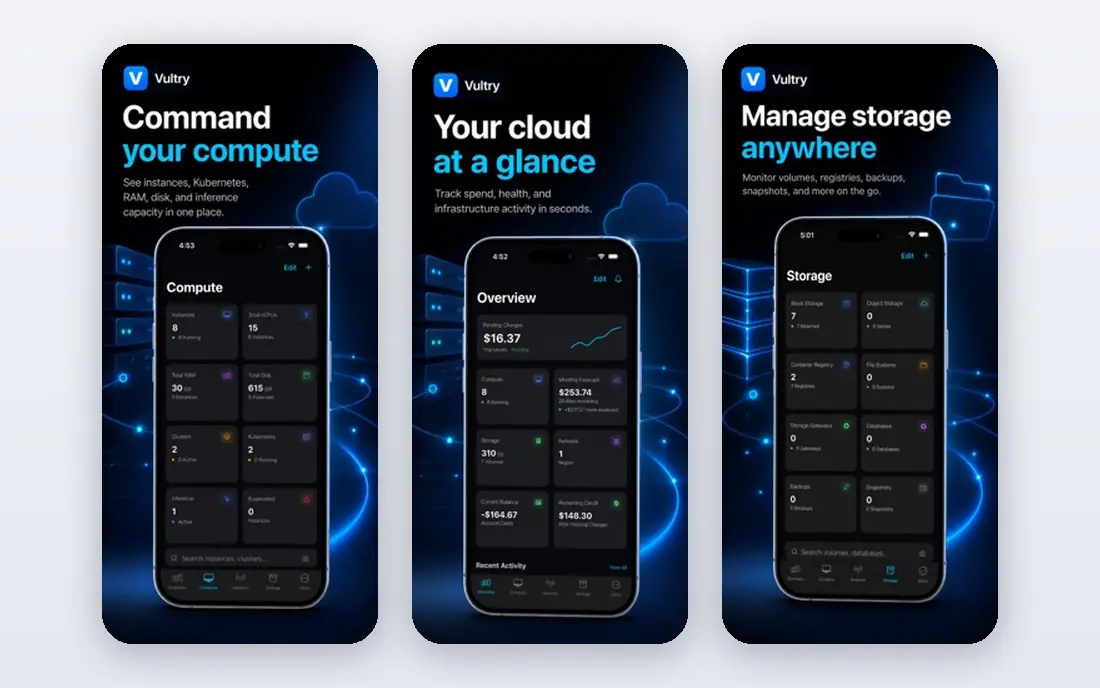
Vultr offers cloud compute instances in many regions, with regular and high-frequency CPU options. Hourly billing suits short tests and variable projects, and the wide region list helps teams serve visitors in Asia, South America, and other areas where Hetzner has less coverage. NVMe storage is standard on many plans.
Vultr is mainly a self-managed VPS provider, so you still own server updates, backups, and security. That is fine for developers, but teams that want managed support should look at Cloudways or a larger cloud. For global reach at a low entry price, Vultr is a strong dedicated server alternative.
- Many global regions
- Flexible instance types
- Hourly billing
- Support and managed services are thinner than larger clouds
Linode, now part of Akamai, offers shared, dedicated CPU, and high-memory instances with predictable monthly pricing. It has a long track record with Linux developers, and its support is often praised in public reviews. Object storage, managed databases, and Kubernetes are available alongside compute.
The interface is more technical than DigitalOcean, which may slow absolute beginners. Linode also lacks some of the managed app ecosystem of larger clouds. If you want a steady, well-supported Linux VPS with clear pricing, Linode is a safe choice.
- Predictable pricing
- Strong support reputation
- Broad Linux options
- Dashboard feels more technical than DigitalOcean
- Managed services are narrower
Amazon EC2 lets you run virtual servers in many sizes, from tiny instances to large machines with GPUs, across many regions. You can scale up, scale down, or use spot pricing for flexible workloads, and you can link EC2 to storage, databases, and networking services in the same cloud. That flexibility is why many companies move from a dedicated server to EC2.
The trade-off is cost control and complexity. Bills depend on instance type, storage, traffic, and region, and the console can overwhelm newcomers. A free tier covers limited usage for new accounts. Choose EC2 when your workload varies, you need many regions, or you already use AWS services.
- Huge instance choice
- Global regions
- Deep service ecosystem
- Usage-based bills can surprise
- Console is complex for beginners
Google Compute Engine offers virtual machines on Google's infrastructure, with custom machine types, global regions, and links to Google storage, databases, and analytics. Its network performance is a real strength for global apps, and sustained-use discounts can lower costs for steady workloads.
Like AWS, pricing depends on machine type, storage, and traffic, so you need to monitor usage. New accounts get free tier and trial credits. Choose Compute Engine if your team already uses Google Cloud, or if Google's network and data tools are central to your app.
- Strong global network
- Flexible machine types
- Sustained-use discounts
- Pricing is usage-based
- Best value comes with Google Cloud experience
Cloudways adds a managed layer on top of DigitalOcean, Vultr, AWS, Google Cloud, and other infrastructure. You pick a cloud and a server size, and Cloudways handles setup, security patches, backups, and app installs for common platforms such as WordPress and Laravel. That saves time for teams without a server admin.
The managed layer costs more than the raw VPS underneath, and you give up some low-level control. A free trial lets you test the dashboard first. If you want cloud flexibility without managing Linux yourself, Cloudways is a practical middle path between shared hosting and a dedicated server.
- Managed layer on major clouds
- Simple app setup
- Support included
- Costs more than raw VPS
- Less control than a bare server
OVHcloud offers VPS plans at low entry prices, with NVMe storage and built-in anti-DDoS protection. That protection matters for public-facing sites that have faced attacks, and European data centers suit companies with European visitors or data needs. OVHcloud also sells dedicated servers, so you can move back up if a VPS is not enough.
Plan details, prices, and support options differ by region, so check the page for your location carefully. The dashboard is less polished than DigitalOcean for beginners. For a low-cost VPS with strong DDoS protection, OVHcloud is worth comparing alongside Hetzner and Vultr.
- Low entry VPS prices
- Built-in DDoS mitigation
- European data centers
- Interface and support vary by region
- Plan details differ by location
How we picked these
We compared official feature pages, pricing pages, and public reviews for services that are live in October 2026 and truly replace a dedicated server for hosting, apps, or sites. We favored providers with clear entry pricing where published, real global or regional coverage, and a path to scale. Where a vendor does not publish a single starting price, we say so rather than repeating an estimate as fact.
What to check before you switch
Start with your workload, not the server size. List CPU, memory, storage, traffic, and any special needs such as GPUs, Windows, or compliance rules. A VPS with shared CPU suits steady small sites, while dedicated CPU or cloud instances suit sustained heavy work. Check traffic allowances and overage rates, since a cheap plan with low traffic can become expensive.
Next, decide who manages the server. Unmanaged VPS plans require you to handle updates, firewalls, backups, and recovery. Managed hosting costs more but removes much of that work. Test backups and restore before you move production traffic, and keep your old server running until the new setup proves stable. Finally, check region latency for your visitors, since a server on another continent can slow a site more than a small CPU difference.
When a dedicated server still wins
A dedicated server still makes sense for sustained heavy CPU use, strict compliance needs, or workloads that need full hardware control. For most small and mid-size projects, though, a VPS or cloud instance offers similar performance with lower cost and easier scaling.