GitHub Alternatives in 2026: 9 Platforms Compared
By ToolNimba Editorial Team October 31, 2026 10 min read

- Top pick
 GitLab
All-in-one DevSecOps
Starting priceFreeCheck out GitLabRead our review - Runner-up
 Bitbucket
Atlassian teams
Starting priceFreeCheck out BitbucketRead our review - Also great
 Azure DevOps
Microsoft and Azure teams
Starting priceFreeCheck out Azure DevOpsRead our review
How we researched this
We compared official pricing and feature pages, app store listings, privacy policies and public user reviews. Prices change, so check the provider's site before you pay.
Key takeaways
- GitLab is the closest all-in-one replacement for GitHub, with hosting, CI/CD, security scanning and issue tracking in one platform.
- Bitbucket suits teams already on Jira and Confluence, while Azure DevOps suits Microsoft and Azure-centred teams.
- Gitea, Forgejo and Codeberg suit open-source values and self-hosting, but you take on more maintenance work.
- AWS CodeCommit is closed to new customers, so do not shortlist it for a new project.
- Migration cost matters: check import tools, CI minutes, permissions and private repo limits before you move a team.
Quick comparison
| Name | Best for | Starting price | Free plan | |
|---|---|---|---|---|
| GitLab | All-in-one DevSecOps | Free | Yes | Visit |
| Bitbucket | Atlassian teams | Free | Yes | Visit |
| Azure DevOps | Microsoft and Azure teams | Free | Yes | Visit |
 Gitea | Lightweight self-hosting | Free | Yes | Visit |
 Codeberg | Nonprofit open-source hosting | Free | Yes | Visit |
 Forgejo | Community-governed self-hosting | Free | Yes | Visit |
 SourceHut | Minimalist email-driven development | $4 per month | No | Visit |
 Radicle | Peer-to-peer code collaboration | Free | Yes | Visit |
 SourceForge | Open-source project hosting and downloads | Free | Yes | Visit |
The best GitHub alternatives
GitHub is the default code host for many developers, but teams leave for many reasons: cost, control, privacy, self-hosting or a closer fit with their existing tools. The alternatives below range from full commercial platforms to lightweight self-hosted forges. We compared official pricing pages, free tiers, CI/CD features, self-hosting options and import tools.

GitLab is the most complete GitHub replacement. It combines Git hosting, merge requests, CI/CD, container registries, security scanning and project management, so a team can run most of its delivery pipeline without adding many separate tools. It is available as SaaS, single-tenant SaaS and self-managed software, which gives larger teams deployment choice.
The cost and weight are the trade-offs. Premium is $29 per user per month, and Ultimate is quote-based, so large teams pay a lot for the full feature set. Self-managed GitLab also needs more server resources than Gitea or Forgejo. For teams that want one platform from commit to deploy, GitLab is still our pick for most people.
- Hosting, CI/CD, security scanning and issue tracking in one product
- SaaS or self-managed options
- GitHub import tools
- Premium pricing is $29 per user per month
- Self-hosting needs more resources than lighter forges
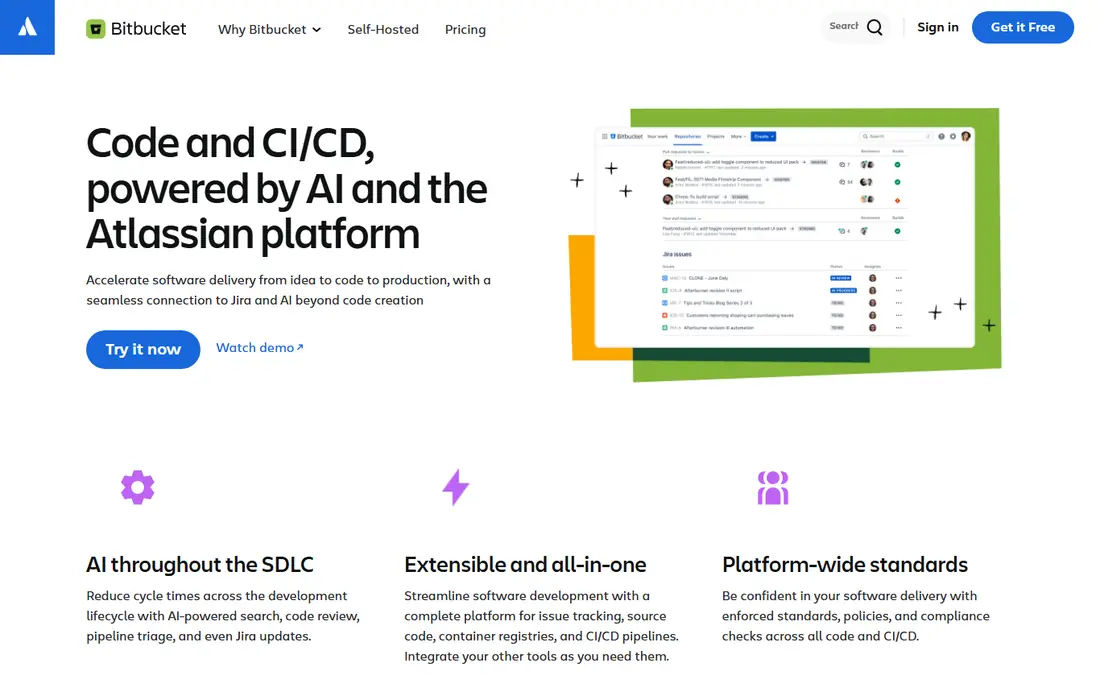
Bitbucket is the obvious GitHub alternative if your team already lives in Jira and Confluence. Issues, pull requests and deployments link to Jira tickets, and Bitbucket Pipelines provides CI/CD without a separate service. The free cloud tier covers up to five users, and paid plans start at a low per-user price compared with GitLab.
Outside Atlassian, Bitbucket is less compelling. Its ecosystem is smaller than GitHub or GitLab, and Pipelines minutes need watching on larger projects. Atlassian is also phasing out Bitbucket Data Center, with new sales ended in 2026 and end of life planned for 2029, so long-term self-hosting teams should plan around cloud or another forge.
- Deep Jira and Confluence integration
- Free tier for up to five users
- Built-in Pipelines CI/CD
- Weaker outside the Atlassian stack
- Pipelines minutes are metered
- Data Center sales are being phased out
Azure DevOps bundles Azure Repos for Git hosting, Azure Boards for work tracking, Azure Pipelines for CI/CD, plus test plans and artefacts. For .NET, Azure and Microsoft 365 teams, that integration is a real advantage, and the first five Basic users are free, with further users at $6 per user per month in published pricing.
The main limit is motive. If you are leaving GitHub because you want to leave Microsoft-owned platforms, Azure DevOps does not solve that. Its interface also feels less modern than GitHub or GitLab to many developers. For Microsoft-centred enterprises, though, it is a solid, well-supported alternative.
- Repos, Boards and Pipelines in one suite
- First five users free on Basic
- Deep Azure integration
- Still Microsoft-owned, so it does not suit a leave-Microsoft move
- Interface feels dated to some teams
Gitea is the pick for teams that want to host code on modest hardware. It runs as a single lightweight binary, offers issues, pull requests, wikis and package registries, and Gitea Actions provides CI/CD that is largely compatible with GitHub Actions workflows. Self-hosted Gitea is free, and a managed cloud option exists for teams that do not want to run a server.
Self-hosting is also the cost. You own updates, backups, security patches and uptime, and the plugin and integration ecosystem is smaller than GitHub's. Gitea suits solo developers, homelabs and small teams that value control and low resource use over a managed service.
- Very light single-binary install
- Free self-hosted use
- Gitea Actions for CI/CD
- GitHub import tools
- Smaller ecosystem than GitHub
- You handle updates, backups and security
- Governance concerns led to the Forgejo fork
Codeberg is a nonprofit, community-owned code host based in the EU, powered by Forgejo. It is free for open-source projects, funded by donations, and it appeals to developers who want hosting without a large commercial owner. It offers Git hosting, issues, pull requests and CI through Woodpecker, with a focus on free software values.
Resources are volunteer-scale, with soft limits around repo count and size, so Codeberg is not a place for large private commercial codebases. It also expects projects to be open source. For open-source maintainers who want a values-led home, Codeberg is our pick, but commercial teams should choose GitLab, Bitbucket or self-hosted Forgejo instead.
- Free nonprofit hosting for open-source projects
- EU-based and community-owned
- Forgejo-powered
- Soft limits on repos and size
- Volunteer-scale resources
- Not suited to closed commercial projects
Forgejo is a fork of Gitea, created to keep the forge under community governance and free software principles. It offers similar features: Git hosting, issues, pull requests, wikis and Forgejo Actions for CI/CD, with low resource use. Teams that liked Gitea but worried about its governance often choose Forgejo instead.
The trade-offs match Gitea: you run the server, handle security and accept a smaller ecosystem than GitHub or GitLab. Forgejo suits privacy-focused teams, cooperatives and open-source groups that want self-hosting with community control. If you want a managed service with support, GitLab or Bitbucket will be easier.
- Free software only
- Community-governed
- Light resource use
- Forgejo Actions for CI/CD
- Smaller ecosystem
- You run the server and its upkeep
- Fewer managed hosting options
SourceHut, often written sr.ht, takes a different approach. It uses email for patches and discussion, with separate services for Git hosting, builds, issue tracking and mailing lists. That model suits kernel, BSD and minimalist developers who prefer plain text, scriptable tools and full build machines over web-based pull requests.
For most teams, that model is a hurdle. Developers used to GitHub pull requests will need to learn email workflows, and SourceHut has no GitHub importer of the same kind. SourceHut is a strong pick for its niche, and a poor pick for a team that wants a drop-in GitHub replacement.
- Minimalist, email-based workflows
- Full virtual machines for builds
- No JavaScript-heavy interface
- No GitHub-style pull request flow
- Learning curve for email workflows
- Smaller community
Radicle is a peer-to-peer code collaboration network built on Git. Instead of a central host, developers share repos directly, with identities and collaboration handled across nodes. That removes dependence on a single company or server, which appeals to developers who want full control over their code hosting.
Decentralisation has costs. A repo is only available when a node hosting it is online, and the surrounding tools for CI, issues and discovery are less mature than GitHub or GitLab. Radicle suits experimental teams and developers who value decentralisation above convenience. For most companies, a hosted or self-hosted forge will be more practical.
- Decentralised, peer-to-peer Git hosting
- No central server required
- Free open-source software
- Someone must run a node for availability
- Smaller ecosystem
- CI and collaboration tools are less mature
SourceForge is one of the oldest open-source hosting sites, with project pages, file downloads, mirrors, forums and Git hosting. It still suits open-source projects that need public downloads and a project home, especially for desktop software distributed as installers. It is free for open-source projects, which keeps it accessible for small maintainers.
Modern team workflows are its weakness. SourceForge does not match GitHub, GitLab or Bitbucket for pull request flow, CI/CD depth and private team collaboration. Use it for public open-source distribution, not as your main private team forge, unless your project specifically needs its download and mirror system.
- Long-running open-source host
- Download mirrors and project pages
- Free for open-source projects
- Interface and workflow feel dated
- Less suited to modern team CI/CD and private repos
How we picked these
We compared official pricing and feature pages, free tiers, CI/CD options, self-hosting support and migration tools. We excluded AWS CodeCommit because it is closed to new customers, even though existing customers can still use it. We kept a mix of commercial, nonprofit, self-hosted and decentralised options so different motives for leaving GitHub are covered.
How to migrate from GitHub
Test imports with a real repo first
Use the import tool on a real repo with issues, pull requests, wikis and CI workflows, not just a tiny test repo. Check what transfers cleanly and what needs manual work, especially CI files, secrets, branch protection rules and large files. A trial migration will reveal gaps before you move a whole organisation.
Price CI minutes, users and private repos
Free tiers often limit users, private repos or CI minutes, and those limits decide the real cost. Count your team, your private repos and your monthly CI usage, then price that group on each platform. Also check permissions, SAML or SSO needs and audit features if your company requires them.
Plan for discovery and community
GitHub's network effect is real: developers find projects, report issues and contribute there. Moving to a smaller host can reduce discovery, so plan how contributors will find you, how you will handle issues and whether you will mirror a public repo on GitHub while hosting development elsewhere. For private team code, that concern matters less.
Sources
- https://about.gitlab.com
- https://bitbucket.org
- https://azure.microsoft.com/en-us/products/devops
- https://about.gitea.com
- https://codeberg.org
- https://forgejo.org
- https://sourcehut.org
- https://radicle.xyz
- https://sourceforge.net
- https://www.jamdesk.com/blog/best-github-alternatives
- https://aiproductivity.ai/blog/github-alternatives/