Best MailerLite Alternatives in 2026: 9 Tools Compared
By ToolNimba Editorial Team October 31, 2026 9 min read

- Top pick
 Mailchimp
All-round email marketing
Starting price$13 per monthCheck out MailchimpRead our review - Runner-up
 Kit
Creators and newsletters
Starting price$33 per monthCheck out KitRead our review - Also great
 Brevo
Value and SMS plus email
Starting price$9 per monthCheck out BrevoRead our review
How we researched this
We compared official pricing and feature pages, app store listings, privacy policies and public user reviews. Prices change, so check the provider's site before you pay.
Key takeaways
- Brevo is the best value alternative, with a free plan based on emails sent rather than contacts alone.
- Kit suits creators and newsletter writers, with a large free plan for up to 10,000 subscribers.
- Mailchimp remains the safest all-rounder, but its free plan is now limited to 250 contacts.
- ActiveCampaign suits teams that need deep automation, while Constant Contact suits local businesses and events.
Quick comparison
| Name | Best for | Starting price | Free plan | |
|---|---|---|---|---|
| Mailchimp | All-round email marketing | $13 per month | Yes | Visit |
| Kit | Creators and newsletters | $33 per month | Yes | Visit |
| Brevo | Value and SMS plus email | $9 per month | Yes | Visit |
 Constant Contact | Local businesses | $12 per month | No | Visit |
 ActiveCampaign | Advanced automation | $15 per month | No | Visit |
 GetResponse | Funnels and webinars | $19 per month | No | Visit |
 AWeber | Simple reliable email | $15 per month | Yes | Visit |
 Moosend | Affordable automation | $9 per month | No | Visit |
 Flodesk | Beautiful flat-rate design | See website | No | Visit |
The best MailerLite alternatives
MailerLite is popular for its clean editor and fair pricing, but its free plan has shrunk and some users want stronger automation, better ecommerce tools, or creator features. The alternatives below cover those gaps, and each one is priced for a different list size and workflow.
Mailchimp is still the name most small businesses know, and its editor remains one of the easiest to use. Building a clean email takes minutes, templates look modern, and integrations cover Shopify, WooCommerce, WordPress and hundreds of other tools. Essentials starts at $13 per month for 500 contacts, with Standard at $20 per month adding automations and testing features.
The catch is scale. The free plan, once generous, now covers 250 contacts and 500 sends per month, and costs rise fast past 5,000 contacts. Support for free users is also limited. If you are a small business that wants one familiar tool and can pay once you grow, Mailchimp is safe. If you are cost-sensitive at scale, Brevo or Moosend will be cheaper.
- Excellent drag-and-drop editor
- 300 plus integrations
- Solid reporting and templates
- Free plan now covers only 250 contacts
- Pricing rises sharply as lists grow
- Free users get no human support
Kit, formerly ConvertKit, is built for creators, authors, coaches and newsletter writers rather than general small businesses. Its free plan covers up to 10,000 subscribers, which is far larger than Mailchimp or MailerLite free tiers, though paid features such as visual automations require a paid plan starting at $33 per month. Forms, landing pages and simple product sales fit a creator workflow well.
The trade is polish and price. Email design is simpler than Mailchimp, and ecommerce automation is less deep than Klaviyo or ActiveCampaign. For a creator whose main job is growing a list and selling digital products, Kit's free tier and focus outweigh those limits. For a store that needs deep purchase automation, look at ActiveCampaign or Klaviyo instead.
- Free plan for up to 10,000 subscribers
- Creator-friendly forms and landing pages
- Visual automation builder
- Paid plans start higher than rivals
- Ecommerce features are thinner
- Design tools are simpler than Mailchimp
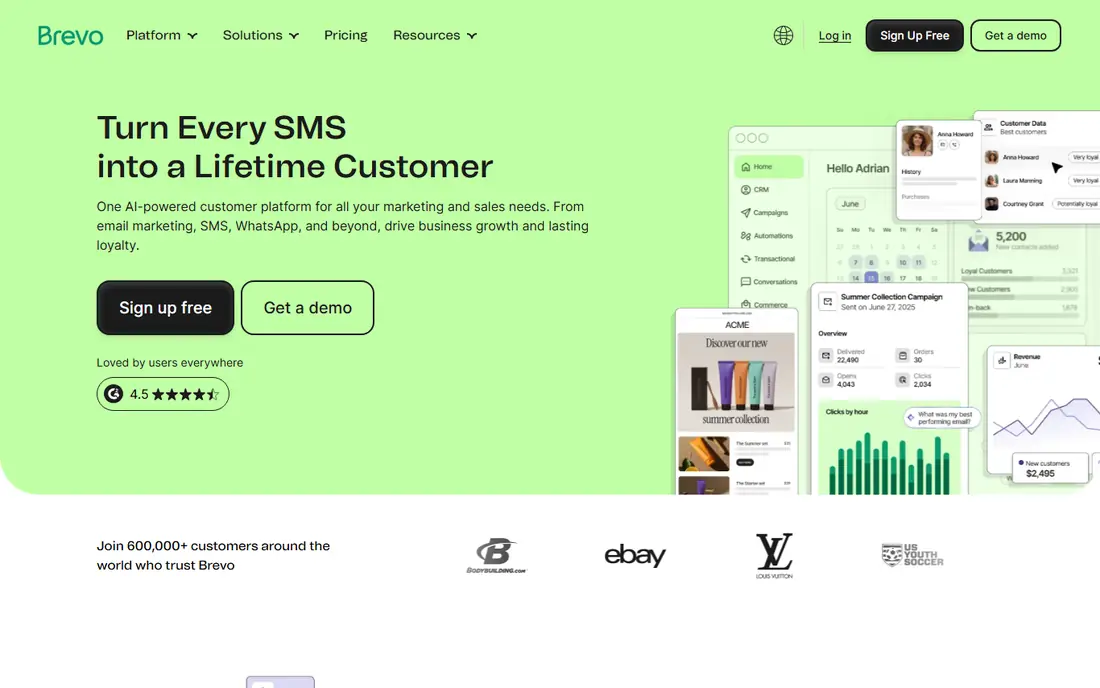
Brevo, formerly Sendinblue, is our value pick. The free plan allows 300 emails per day with unlimited contacts, and paid plans start at $9 per month, priced mainly by email volume rather than list size alone. That model suits businesses with a large list that emails infrequently, and the platform also covers SMS, WhatsApp campaigns and a basic CRM in the same account.
Design and ease of use lag behind Mailchimp slightly, and some users find automation setup less intuitive at first. Deliverability is solid when you authenticate your domain and warm up a new list gradually. If your priority is low cost without losing core automation, Brevo is the first alternative to test.
- Free plan with 300 emails per day
- Pricing based on emails sent
- SMS and CRM in one platform
- Template design is less polished
- Automation learning curve
- Contact limits on some plans need care
Constant Contact suits local businesses, nonprofits and event organizers who want email plus events and social posting in one simple tool. The editor is easy, templates are clean, and support is more hands-on than many rivals. Paid plans start at $12 per month, with a trial rather than a permanent free plan.
Automation is the weakness. Journeys are simpler than ActiveCampaign or Kit, and advanced segmentation is limited. That is fine for a restaurant, salon or charity sending regular updates and event invites, but less so for a store with complex purchase flows. If simplicity and support matter more than automation depth, Constant Contact fits well.
- Very easy editor
- Event management and social tools
- Good support for beginners
- No permanent free plan
- Automation is limited
- Pricing rises with list size
ActiveCampaign is the pick when automation is the main job. You can build multi-step journeys based on purchases, site behavior, tags and engagement, start from hundreds of recipes, and add CRM features for sales follow-up. Entry pricing is listed at $15 per month, with a 14-day trial rather than a free plan, and costs at 5,000 contacts are higher than Brevo or Moosend.
The learning curve is real. A simple newsletter can be built quickly, but a full automation system needs planning, testing and list hygiene to work well. Small teams should start with one or two journeys, such as welcome and abandoned cart, before building more. For businesses that live on automation, that effort pays back in saved time and better targeting.
- Deep automation and segmentation
- 900 plus automation recipes
- CRM and sales features
- No free plan
- Steeper learning curve
- Costs rise with contacts and features
GetResponse combines email marketing with conversion funnels, landing pages and webinars, which suits course creators and small ecommerce brands that want one platform for a launch. You can build a funnel from signup to sale, host a live webinar, and follow up by email without stitching three tools together. Paid plans start at $19 per month, with a trial for testing.
The interface packs a lot in, so new users may find it busier than MailerLite or Constant Contact. Webinar attendee limits and funnel features also vary by plan, so check the tier that matches your launch size. If webinars and funnels are central to your sales, GetResponse is a strong alternative. If you only send newsletters, a simpler tool will be faster.
- Email plus funnels, landing pages and webinars
- Good automation builder
- Ecommerce integrations
- No permanent free plan in most comparisons
- Interface can feel busy
- Webinar limits vary by plan
AWeber has served small businesses for years, and its strength is reliability rather than novelty. Signup forms, landing pages, simple automations and reporting cover the core email job well, and deliverability practices are solid when you follow list hygiene basics. Paid plans start at $15 per month, with a free plan for smaller lists in current comparisons.
The look and automation depth lag behind newer rivals. Templates are functional rather than striking, and complex journeys are better built in ActiveCampaign. For a small business that wants a dependable tool without learning a new system every year, AWeber remains a safe, if unglamorous, choice.
- Reliable deliverability
- Easy automation for beginners
- Landing pages and signup forms
- Design templates feel dated to some users
- Pricing is mid-range
- Advanced automation is limited
Moosend is a budget alternative that still includes automation, which sets it apart from other low-cost tools that reserve automation for higher tiers. Entry pricing is listed at $9 per month, with an editor and templates that are easy to learn. For a small store or service business that needs welcome flows and segmentation without paying ActiveCampaign prices, Moosend is worth testing.
The ecosystem is smaller. Integrations cover the main ecommerce and CRM tools, but the list is shorter than Mailchimp or ActiveCampaign, and support availability varies. Check that your store, forms and CRM connect cleanly before migrating a large list. If they do, Moosend offers strong value for the price.
- Low entry price
- Automation and segmentation included
- Easy editor
- No permanent free plan
- Smaller integration list
- Support hours vary
Flodesk takes a different pricing approach: a flat monthly rate that does not rise as your list grows, which is attractive for creators whose lists are growing fast. Templates are modern and design-led, the editor is simple, and setup takes little time. That combination suits designers, photographers, coaches and newsletter writers who care about how emails look.
Automation and analytics are simpler than ActiveCampaign or Kit, and ecommerce segmentation is thinner. If your list is growing and your emails are mainly beautiful newsletters and launches, flat pricing can save a lot over time. If you need deep purchase automation, the savings may not outweigh the missing features.
- Flat-rate pricing regardless of list size
- Beautiful templates
- Very easy to use
- Automation and analytics are simpler
- No permanent free plan
- Ecommerce features are limited
How we picked these
We compared official pricing pages and 2026 email platform comparisons for tools that serve US small businesses and creators today. We favored tools with a clear free plan or trial, published entry pricing, and a distinct strength over MailerLite, whether that is value, creator features, automation or design. We did not claim hands-on testing, and we noted where free plans have shrunk.
How to migrate without losing subscribers
Export your MailerLite list with tags and custom fields, clean bounces and inactive contacts first, and import in small batches to the new tool. Authenticate your sending domain with SPF, DKIM and DMARC before your first large send, and warm up by sending to your most engaged subscribers first. Keep MailerLite running until the first few campaigns in the new tool deliver well.
Compare price at your real list size
Entry prices mislead. Price each tool at your current list size and at double that size, and check whether billing is per contact, per email sent, or flat rate. A tool that looks cheap at 500 contacts can become expensive at 10,000, while a flat-rate tool such as Flodesk does the opposite.