Best Postman Alternatives in 2026: 9 Tools Compared
By ToolNimba Editorial Team October 31, 2026 10 min read

- Top pick
 Bruno
Git-native offline API client
Starting priceFreeCheck out BrunoRead our review - Runner-up
 Hoppscotch
Browser-based open source client
Starting priceFreeCheck out HoppscotchRead our review - Also great
 Insomnia
REST, GraphQL, and gRPC testing
Starting priceFreeCheck out InsomniaRead our review
How we researched this
We compared official pricing and feature pages, app store listings, privacy policies and public user reviews. Prices change, so check the provider's site before you pay.
Key takeaways
- Bruno is the best free alternative for most developers, since it is open source, offline-first, and stores collections as plain files in Git.
- Hoppscotch is the best browser alternative, with no install needed and a self-hosted option for teams that want full data control.
- Insomnia suits developers who need strong REST, GraphQL, and gRPC support in a mature desktop client.
- Apidog is the strongest all-in-one alternative for teams that need design, mocking, testing, and docs in one workspace with free collaboration.
- Thunder Client and HTTPie suit developers who want to stay in VS Code or the terminal, rather than switching to a separate app.
Quick comparison
| Name | Best for | Starting price | Free plan | |
|---|---|---|---|---|
| Bruno | Git-native offline API client | Free | Yes | Visit |
| Hoppscotch | Browser-based open source client | Free | Yes | Visit |
| Insomnia | REST, GraphQL, and gRPC testing | Free | Yes | Visit |
 Apidog | All-in-one API platform | Free | Yes | Visit |
 Thunder Client | API testing inside VS Code | Free | Yes | Visit |
 HTTPie | Terminal-first API client | Free | Yes | Visit |
 Yaak | Local-first desktop client | Free | Yes | Visit |
 SoapUI | SOAP and REST enterprise testing | Free | Yes | Visit |
 Kreya | gRPC-first API testing | Free | Yes | Visit |
The best postman alternatives apps
Postman remains a capable API platform, but its 2026 free plan limits team collaboration, which has pushed many developers to alternatives. We compared official pricing and feature pages, plus public reviews, to find clients that import Postman collections, work offline where needed, and fit different team styles.
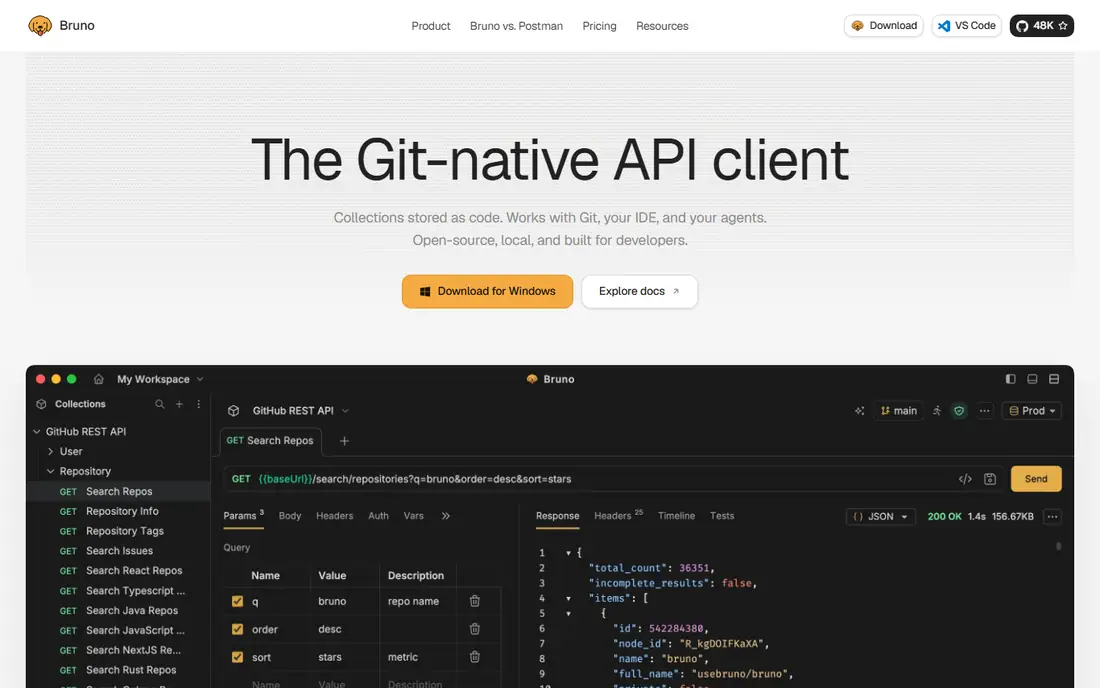
Bruno is our pick for most developers leaving Postman. It is an open source desktop client that stores collections as plain-text files in your project, so you can branch, diff, review, and merge API work with Git, just like code. No cloud sync, no account, and no login are needed for core use, which also helps with security and data control.
Bruno imports Postman collections, supports environments and variables, and runs on Windows, Mac, and Linux. Paid Pro, listed from $6 per user per month in recent reviews, adds team and enterprise features. The trade-off is that Bruno is a client, not a full platform, so built-in documentation and cloud mocking are thinner than Apidog. For developers who want a fast, local client, Bruno is hard to beat.
- Open source and local-first
- Collections stored as plain text files in Git
- No account needed for core use
- No built-in cloud docs or mock server in the free client
- Team features rely on Git workflow
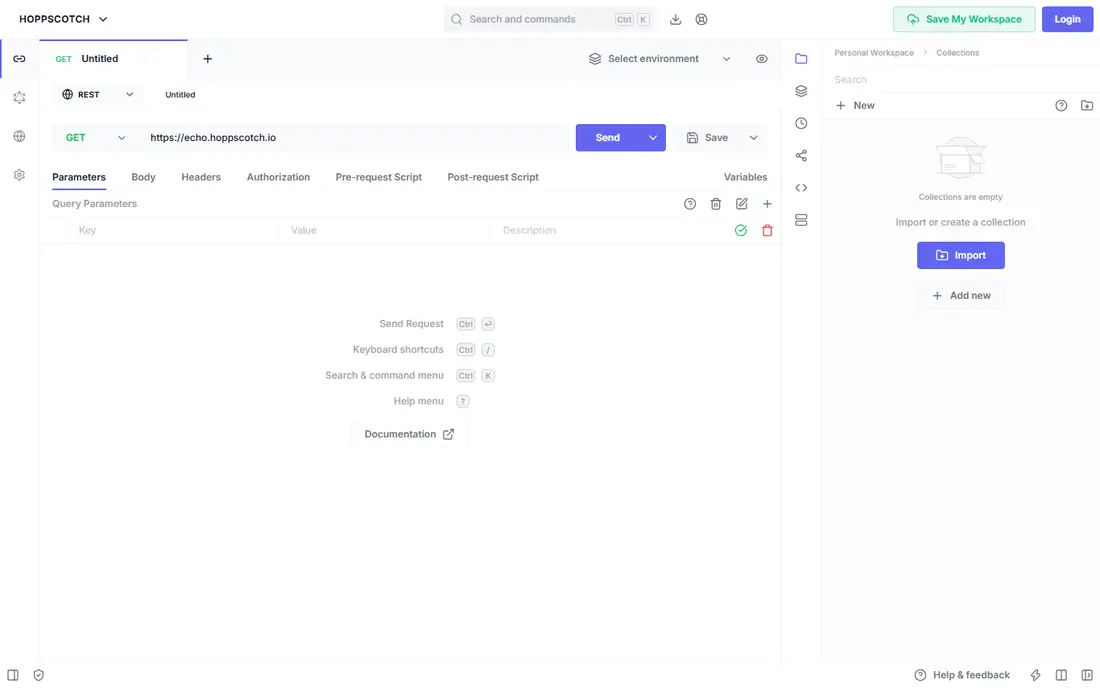
Hoppscotch is the best browser alternative to Postman. Open it in a tab, send a request, and inspect the response without installing anything. It is open source, with a large community, and it can be self-hosted for free if your team wants full data ownership. That combination suits teams that work across machines or cannot install desktop apps easily.
Cloud team features, such as shared workspaces and advanced collaboration, need a paid plan, listed from $6 per user per month in recent reviews for organisations. Self-hosting avoids that cost but needs server setup. For quick testing, demos, and open source workflows, Hoppscotch is fast and flexible.
- Runs in a browser with no install
- Open source and self-hostable
- Supports REST, GraphQL, and WebSockets
- Full team features need a paid cloud plan or self-hosting
- Browser limits can affect some local workflows
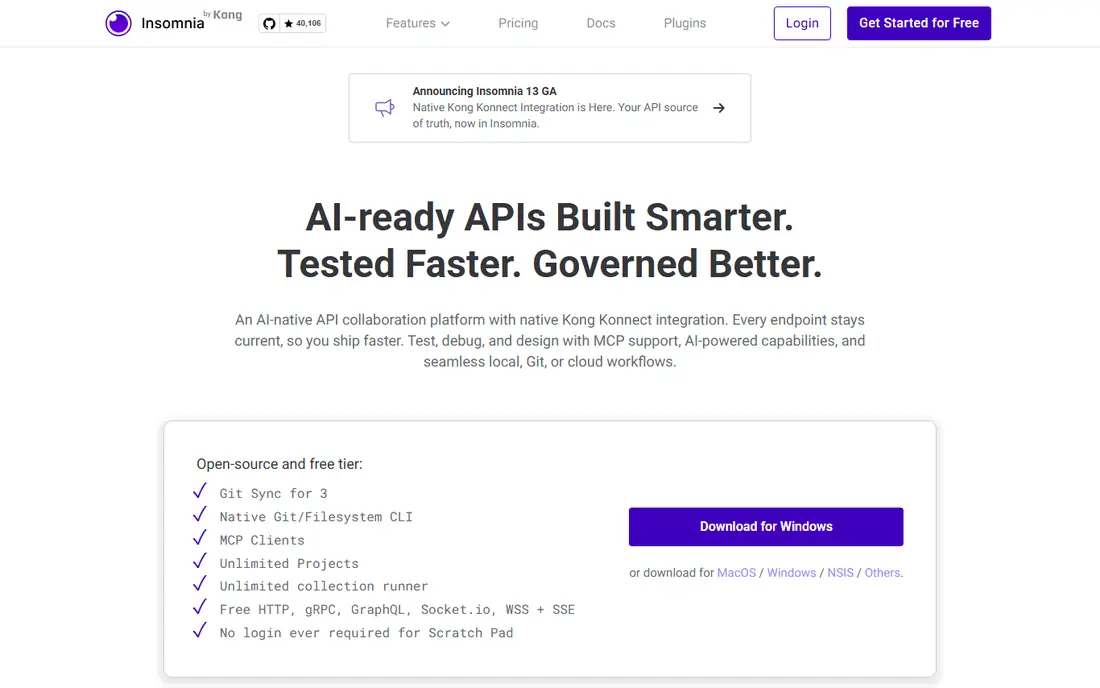
Insomnia, maintained by Kong, is a mature API client with a clean interface for REST, GraphQL, gRPC, and WebSockets. It handles environments, authentication, and request chaining well, and it imports Postman collections for migration. Local-only projects, available since version 8.3 as noted in reviews, let you work without cloud sync.
Collaboration on the free tier is limited to individual use, with paid plans from $12 per user per month as listed in recent reviews for team features. If you work solo or in a small team that can share files, Insomnia's free tier is strong. If you need cloud team workspaces, compare its paid tier with Apidog and Hoppscotch.
- Mature desktop client
- Strong GraphQL and gRPC support
- Clean interface for requests and environments
- Free tier is individual only for collaboration
- Paid plans needed for team sync
Apidog is the closest full-platform replacement for Postman in this list. It combines visual API design, debugging, mocking, automated testing, and interactive documentation in one workspace. Its free plan, as listed in recent coverage, supports up to 4 users with real-time collaboration, which is more generous for small teams than Postman's current free tier.
That breadth makes Apidog heavier than Bruno or Hoppscotch, so solo developers who only need to send requests may prefer a lighter client. For teams that need docs, mocks, and tests alongside requests, Apidog saves the cost of separate tools. Check the current free and paid tiers on its pricing page, since team limits change.
- Design, debugging, mocking, testing, and docs in one workspace
- Free plan supports up to 4 users as listed
- Imports Postman collections
- Heavier than a simple client
- Advanced team features need paid plans
Thunder Client is a VS Code extension that brings API testing into the editor. You can send requests, manage collections, and test endpoints without leaving your code. That workflow suits developers who spend most of their day in VS Code and want to keep API work next to the code it tests.
Free use covers basic requests and collections, with a Starter plan from $3 per user per month as listed in recent reviews for higher limits. Thunder Client is VS Code only, so developers on other editors should use Bruno, Hoppscotch, or Insomnia instead. For VS Code users, it is the lowest-friction alternative.
- Runs inside VS Code with no app switch
- Simple request and collection workflow
- Good for VS Code users
- VS Code only
- Collection runs and advanced features have limits on free tier
HTTPie started as a command-line tool for sending HTTP requests, and it remains a favourite for terminal-first developers. The CLI is free and open source, with readable output, JSON support, and authentication helpers. A web app and desktop app extend the same workflow for users who prefer a graphical interface.
Paid desktop plans start at $5 per user per month as listed in recent reviews, mainly for collaboration and advanced features. The CLI itself stays free, so developers who live in a terminal can use HTTPie without paying. If you prefer a graphical client, Bruno or Insomnia will feel more familiar.
- Free open source CLI
- Web app needs no account for basic use
- Clean, readable terminal output
- Desktop app collaboration needs a paid plan
- Terminal workflow suits developers more than non-technical users
Yaak is a newer local-first API client that focuses on speed and privacy. Collections live on your filesystem, no account is needed for core use, and it supports REST, GraphQL, and gRPC. That local-first approach appeals to developers who want Bruno-style control with a different interface and workflow.
As a newer tool, Yaak's plugin ecosystem and team features are less mature than Insomnia or Apidog. For solo developers and small teams that share collections through files or Git, Yaak is a clean, fast option. Check its current pricing page for any paid team tiers before adopting it for a larger team.
- Local-first design with no account needed
- Supports REST, GraphQL, and gRPC
- Imports Postman collections
- Newer than Insomnia and Bruno, so plugin ecosystem is smaller
- Team features are still maturing
SoapUI, from SmartBear, is the enterprise pick for teams that still work with SOAP APIs alongside REST. Its open source version supports functional testing, assertions, and load testing, which goes beyond simple request sending. That depth matters for legacy systems, banking integrations, and other SOAP-heavy environments.
The interface feels dated, and setup is heavier than Bruno or Hoppscotch for a quick test. SoapUI is not the best choice for a developer who only needs to send a few REST requests. For teams that must test SOAP services, automate functional tests, and run load checks, SoapUI remains a proven, free starting point, with a paid ReadyAPI upgrade for larger teams.
- Strong SOAP and REST support
- Functional and load testing
- Long history in enterprise API testing
- Interface feels dated next to modern clients
- Setup is heavier for simple request testing
Kreya is built for gRPC, which sets it apart from general API clients. It handles server reflection, streaming calls, and gRPC project organisation natively, rather than treating gRPC as an add-on. That focus helps backend teams that build microservices with gRPC and need to test streaming and metadata reliably.
For REST-only work, Kreya is less compelling than Bruno or Insomnia, since its strengths lie in gRPC. For gRPC-heavy teams, Kreya's free tier covers core testing, with paid plans for team features. If your APIs are mostly gRPC, shortlist Kreya alongside Insomnia and Yaak, and test streaming support with your own services.
- Built gRPC-first with server reflection and streaming
- Clean project and environment handling
- Free tier for core use
- Less suited to REST-only teams
- Smaller community than Insomnia or Bruno
How we picked these
We compared official pricing and feature pages for API clients that import Postman collections, plus public reviews of free-tier limits in 2026. We favoured tools with a clear free tier, active maintenance, and a distinct fit, such as Git-native, browser-based, gRPC-first, or VS Code-based work. We left out API platforms that are paid-only with no free client, and tools that could not be verified as still maintained.
How to migrate from Postman
Export and import collections first
Most tools in this list import Postman collection JSON, so start by exporting your collections from Postman. Import them into your chosen alternative, then test a few requests in each collection to confirm environments, variables, and authentication carried over. Scripts written against Postman's runtime may not port automatically, so check those separately.
Choose Git or cloud sharing deliberately
Bruno and Yaak share through files and Git, which fits code-centric teams and avoids seat costs. Hoppscotch, Apidog, and Insomnia offer cloud workspaces, which fit teams that want shared, always-synced collections. Pick the model that matches how your team already shares code and docs, not just the cheapest free tier.
Test auth, environments, and scripts
Authentication, environment variables, and pre-request scripts are where migrations break. Test each auth type you use, such as OAuth, bearer tokens, and API keys, and confirm environment switching works. If you rely heavily on Postman scripts, budget time to rewrite them for the new client's scripting model.
Keep Postman for a transition period
Do not delete Postman on day one. Run the new client alongside Postman for a few weeks, migrate collections in batches, and keep Postman as a reference until the new workflow is stable. That overlap prevents lost collections and lets your team learn the new tool without pressure.