PowerPoint Alternatives in 2026: 9 Tools Compared
By ToolNimba Editorial Team October 29, 2026 9 min read

- Top pick
 Google Slides
Free real-time collaboration
Starting priceFreeCheck out Google SlidesRead our review - Runner-up
 Canva
Visual decks and marketing design
Starting priceFreeCheck out CanvaRead our review - Also great
 Keynote
Apple users who want polished animation
Starting priceFreeCheck out KeynoteRead our review
How we researched this
We compared official pricing and feature pages, app store listings, privacy policies and public user reviews. Prices change, so check the provider's site before you pay.
Key takeaways
- Google Slides is the best free alternative for most people, especially for shared editing in a browser.
- Canva suits visual decks and marketing teams, while Prezi suits presenters who want a non-linear, zooming style.
- Gamma and Pitch help small teams make polished decks fast, but check export and credit limits before you commit.
- If you must deliver an editable PowerPoint file, test the export early, since formatting can shift between tools.
Quick comparison
| Name | Best for | Starting price | Free plan | |
|---|---|---|---|---|
| Google Slides | Free real-time collaboration | Free | Yes | Visit |
| Canva | Visual decks and marketing design | Free | Yes | Visit |
| Keynote | Apple users who want polished animation | Free | Yes | Visit |
 Prezi | Non-linear, zooming presentations | Free | Yes | Visit |
 Gamma | Fast AI decks shared by link | Free | Yes | Visit |
 Pitch | Team pitch decks with tracking | Free | Yes | Visit |
 Visme | Data-heavy and infographic decks | Free | Yes | Visit |
 LibreOffice Impress | Free offline slides without a subscription | Free | Yes | Visit |
 Zoho Show | Free slides inside the Zoho suite | Free | Yes | Visit |
The best PowerPoint alternatives
PowerPoint remains the standard file format for many offices, but it is not the only way to make a good deck. Some alternatives are free, some are better for teamwork, and some use AI to draft slides from a prompt. We compared official pricing pages and feature pages to find options that work for students, teachers, small teams, and presenters.
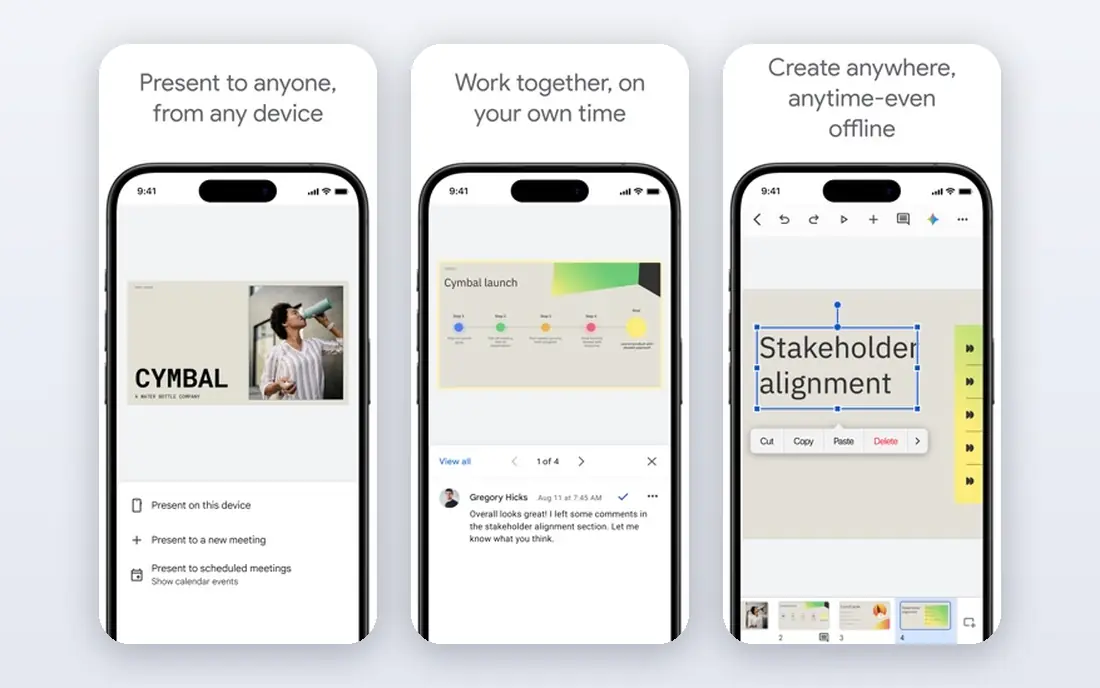
Google Slides is the easiest alternative to recommend. It is free, it runs in a browser, and it lets a team edit the same deck at the same time without sending files back and forth. Comments, suggestions, and version history make group work far simpler than email attachments.
The limits show up in design depth. You will not get every PowerPoint animation, chart control, or template feature, and a complex imported file may need cleanup. For school work, team updates, and everyday business decks, those limits rarely matter. If your main need is a clean, shared deck, start here.
- Free with a Google account
- Several people can edit at once
- Autosaves and version history included
- Fewer advanced design and animation controls than PowerPoint
- Needs internet for full features
- Export can shift complex formatting
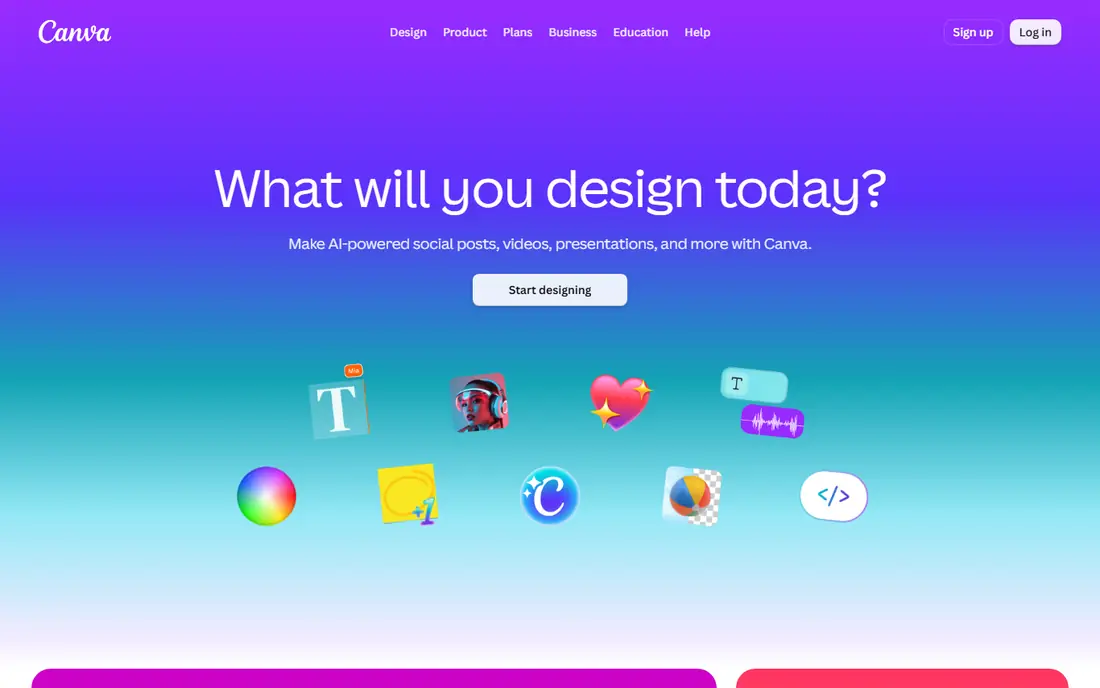
Canva is a design platform first and a slide tool second, which is why its decks often look polished with little effort. Templates, photos, icons, and fonts are built in, and the same account can make social graphics, posters, and documents. That breadth helps marketing teams and small businesses that need more than slides.
The trade-off is control. Canva is not built for dense data decks or for strict PowerPoint compatibility, and premium content sits behind a paid plan. If you want a good-looking deck fast and you do not need deep chart or file controls, Canva is a strong pick. Check the Pro price in your region before you budget for a team.
- Huge template and asset library
- Easy drag-and-drop editor
- Brand kit and team tools on paid plans
- Free plan limits premium assets and AI uses
- Not a full PowerPoint replacement for complex files
- Paid Pro price varies by region
Keynote is free for Apple users and it shows in the polish. Transitions, builds, and media handling feel refined, and the app works well on Mac, iPad, and iPhone. For a presenter who values how a deck moves, Keynote often beats a browser tool.
Windows users face a limit, since the full app is Apple-only, though iCloud in a browser offers a way in. Export to PowerPoint also deserves a test run, since fonts and effects can change. If you live in the Apple world and present often, Keynote is a no-cost upgrade over a basic slide tool.
- Free on Apple devices
- Smooth transitions such as Magic Move
- Strong typography and media handling
- No native Windows app
- PowerPoint export needs checking
- Fewer business templates than Canva
Prezi breaks away from slide-by-slide order. You build a canvas, then zoom between topics as you talk, which suits teaching, training, and sales stories where the big picture matters. Built-in polls and questions also help a live audience stay involved.
That style is not right for every deck. A formal report or a file that must be read alone may work better as standard slides, and heavy zooming can distract if it is used on every point. Prezi offers a free Basic plan, with paid plans from $7 per month on annual billing. Use it when the talk itself is the product, not the file.
- Zooming canvas for storytelling
- Live polls and audience activities
- AI help to start a deck
- Style can distract if overused
- Paid plans start at $7 per month
- Less suited to standard file delivery
Gamma is built for speed. Give it a prompt or an outline and it drafts a deck in a card-based web format, which you can then edit and share by link. That suits founders, consultants, and teams that need a first draft fast and do not want to start from a blank slide.
Credits are the catch. The free plan gives a limited starting allowance, and paid plans from $9 per month add more credits and features. The web format also feels different from a classic slide file, so test exports if a client expects PowerPoint. For quick internal decks and web sharing, Gamma is one of the fastest tools here.
- Prompt-to-deck creation in minutes
- Card-based web format
- Easy sharing by link
- Free credits are limited
- Web format differs from classic slides
- Paid plans start at $9 per month
Pitch is made for teams that send decks and want to know what happens next. You can build a polished pitch deck, share it by link, and see how viewers engage with it. That feedback helps sales and fundraising teams follow up at the right time.
The free plan is useful for solo work, but paid plans from $13 per month add the deeper team and analytics features. Template choice is also narrower than Canva, so design-heavy teams may still use Canva for assets. If your deck is a sales tool rather than a one-off talk, Pitch earns a close look.
- Free plan with unlimited presentations
- Clean templates
- Viewer analytics on shared decks
- Paid plans start at $13 per month
- Analytics and advanced features sit on paid tiers
- Smaller template range than Canva
Visme goes past slides into reports, infographics, and interactive documents. That makes it a good fit for teams that present data often, since charts and maps are built in rather than pasted from another app. The editor also handles branded content well on paid plans.
Free projects carry Visme branding, and the paid Starter plan starts at $12.25 per month on annual billing. Advanced widgets take time to learn, and a simple slide deck may not need that depth. For data-rich presentations, reports, and training materials, Visme offers more than a basic slide tool.
- Charts, maps, and data widgets
- Templates for reports and infographics
- Free Basic plan to try
- Paid Starter plan starts at $12.25 per month
- Free exports carry branding
- Learning curve for advanced widgets
LibreOffice Impress
Best for: Free offline slides without a subscription
LibreOffice Impress is the offline, no-subscription option. It is part of the free LibreOffice suite, it runs on Windows, Mac, and Linux, and it can open and save PowerPoint files. That makes it a practical choice for a student, a nonprofit, or anyone who wants to avoid a monthly bill.
The design and template library feel older than Canva or Gamma, and very complex PowerPoint files can shift in formatting. For straightforward decks, class talks, and community presentations, those limits are easy to live with. If you want free software that you own and can use offline, Impress is the clear pick.
- Free and open source
- Works offline
- Opens and saves PowerPoint files
- Interface feels dated
- Fewer modern templates
- Complex PowerPoint files may need cleanup
Zoho Show is a free, browser-based slide tool that fits naturally into Zoho Workplace. It supports real-time collaboration, clean templates, and an AI assistant for drafting content. For a small business already using Zoho Mail, Docs, or CRM, the shared login and links are a real convenience.
Outside Zoho, the case is weaker, since Google Slides has a larger community and more shared templates. Export to PowerPoint should also be tested before a client delivery. If you already use Zoho, Show is a free and capable addition. If not, Google Slides is usually the simpler free choice.
- Free for individuals
- Real-time collaboration
- AI assistant and Zoho app links
- Smaller community and template range than Google Slides
- Best value inside Zoho
- PowerPoint export needs a check
How we picked these
We compared official pricing and feature pages, and we favored tools that are still maintained, offer a free plan or a free version, and can export or share a finished deck. We did not claim hands-on testing. We also noted where free plans limit credits, assets, or exports, since those limits change the real cost of a tool.
How to choose the right alternative
Start with how the deck will be used. A live talk, a shared team deck, a client file, and a web link each favor a different tool. Picking for the delivery method avoids a late scramble to fix formatting.
Check the export before the deadline
If a client or teacher expects a PowerPoint file, export a test deck early. Check fonts, charts, animations, and slide order. Fixing those issues a day before delivery is far easier than fixing them an hour before.
Count the real cost
Free plans differ a lot. Some limit AI credits, some add branding, and some limit premium assets. Add up the plan you actually need, not the headline free tier, and compare that number across tools.
Match the tool to the presenter
A confident presenter may enjoy Prezi or Keynote animation. A team that edits together will value Google Slides or Pitch. A solo founder in a hurry may prefer Gamma. The best tool is the one your team will actually use well.