Best Academic Writing Software in 2026: 9 Tools Compared
By ToolNimba Editorial Team November 12, 2026 9 min read

- Top pick
 Scrivener
Long theses and books
Starting price$59.99 one-timeCheck out ScrivenerRead our review - Runner-up
 Grammarly
Everyday editing across apps
Starting priceFreeCheck out GrammarlyRead our review - Also great
 ProWritingAid
Deep manuscript editing
Starting priceFreeCheck out ProWritingAidRead our review
How we researched this
We compared official pricing and feature pages, app store listings, privacy policies and public user reviews. Prices change, so check the provider's site before you pay.
Key takeaways
- Scrivener suits long theses and books, with a binder, corkboard, and outline for complex multi-chapter work.
- Grammarly and ProWritingAid suit editing and clarity, with Grammarly stronger across apps and ProWritingAid stronger on long manuscripts.
- Zotero is the best free citation manager for most students, with browser capture and Word and Google Docs support.
- Overleaf suits math-heavy and collaborative scientific papers, with LaTeX templates and real-time co-writing.
- These tools support legitimate writing and editing. Submitting others work as your own is academic misconduct, and AI output must follow your institution rules.
Quick comparison
| Name | Best for | Starting price | Free plan | |
|---|---|---|---|---|
| Scrivener | Long theses and books | $59.99 one-time | Free trial | Visit |
| Grammarly | Everyday editing across apps | Free | Yes | Visit |
| ProWritingAid | Deep manuscript editing | Free | Yes | Visit |
 Zotero | Free citation management | Free | Yes | Visit |
 Overleaf | Collaborative LaTeX papers | Free | Yes | Visit |
 Mendeley | Reference library and PDFs | Free | Yes | Visit |
 Microsoft Word | Standard academic formatting | See website | Free trial | Visit |
 Google Docs | Collaborative drafting | Free | Yes | Visit |
 LanguageTool | Grammar checks in many languages | Free | Yes | Visit |
The best academic writing software
Academic writing needs three things: a place to draft long work without losing structure, a way to edit clearly, and a system for citations that stays accurate. The tools below cover those jobs for students, researchers, and authors. They are framed around legitimate writing and editing support. Submitting others work as your own is academic misconduct, and any AI help must follow your institution and publisher rules.
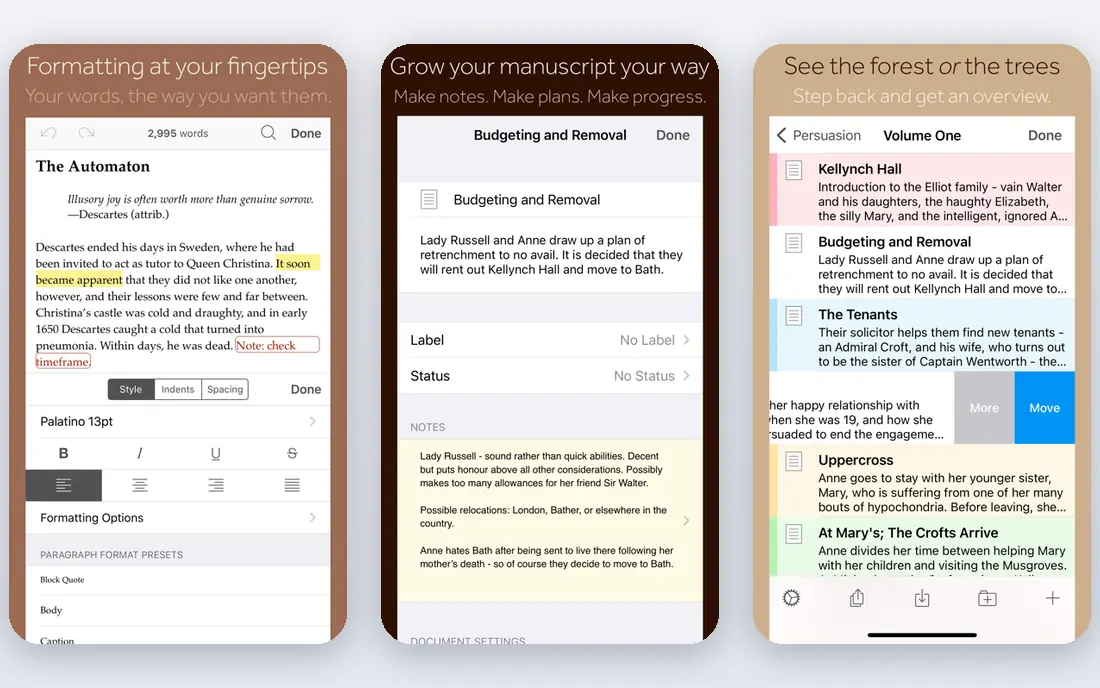
Scrivener, from Literature and Latte, is built for long-form writing. A thesis, dissertation, or book can be split into chapters and sections in the binder, rearranged on the corkboard, and compiled into Word, PDF, or EPUB at the end. Research notes, PDFs, and images can sit beside the draft, so sources stay close while you write.
Pricing is a one-time purchase of $59.99 for Mac or Windows, with an education price and a separate iOS app, plus a 30-day trial counted by days of use. The learning curve is real, since Compile and project settings take time to learn. For a long academic project, that upfront learning pays off in structure and control.
- Binder, corkboard, and outliner for long projects
- Research kept beside the draft
- One-time purchase
- Learning curve for new users
- Desktop licenses are platform-specific
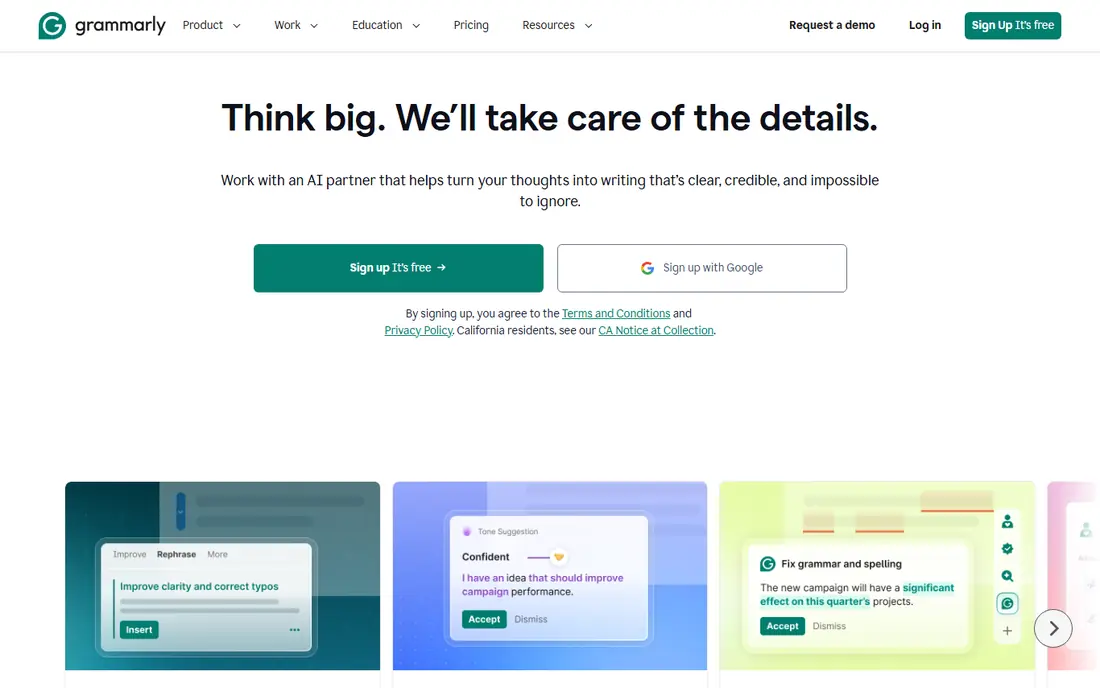
Grammarly checks grammar, spelling, tone, and clarity wherever you type, including browser, desktop, mobile, Word, and Google Docs. The free tier covers basic correctness, while Pro, listed at $12 per month billed yearly or $30 month to month, adds clarity, engagement, plagiarism detection, and a larger AI prompt allowance.
The strength is coverage. A student who writes in email, Docs, Word, and a learning platform gets consistent checks everywhere. The limit is depth on very long manuscripts, where ProWritingAid reports go further. For everyday academic editing, Grammarly is the most convenient starting point.
- Works across browser, Word, Docs, and mobile
- Free tier covers basic checks
- Plagiarism check on Pro
- Pro is subscription-only
- Style depth is lighter than ProWritingAid on long manuscripts
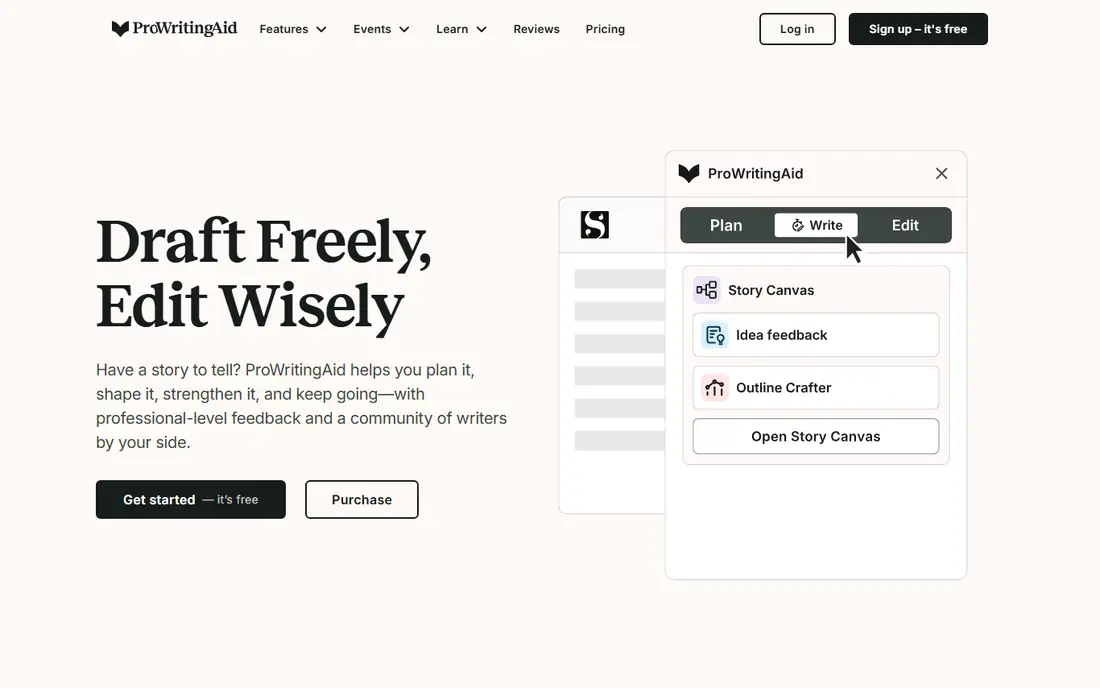
ProWritingAid is a manuscript-analysis suite, with reports on pacing, echoes, sticky sentences, dialogue tags, readability, and passive voice across a whole document. Premium is listed at $10 per month billed yearly or $30 month to month, with a $399 lifetime option for Premium. It integrates with Scrivener, Word, and Google Docs, which matters for long-form writers.
The free tier caps checks at 500 words at a time, so it suits short pieces rather than full thesis edits. Plagiarism checks are bought separately rather than bundled. For a dissertation or book writer who wants deep style analysis and a one-time purchase option, ProWritingAid is the stronger editor here.
- Many style and structure reports
- Scrivener integration
- Lifetime purchase option
- Free tier caps words per check
- Interface feels dated
- Plagiarism checks cost extra
Zotero is a free, open source reference manager. A browser extension captures books, articles, and web pages with citation details, PDFs can be organized into collections, and Word and Google Docs plugins insert citations and build bibliographies in many styles. Free storage covers most student needs, with paid storage from $20 per year for larger libraries.
The limit is storage, not features. Students with thousands of PDFs will need a paid storage tier or a linked file setup. For reliable, free citation management that works across classes and research projects, Zotero is the default recommendation.
- Free and open source
- One-click browser capture
- Word and Google Docs integration
- Free storage is limited
- Large PDF libraries need paid storage
Overleaf lets researchers write LaTeX papers together in real time, without installing a LaTeX system locally. Journal templates, equation handling, figure placement, and version history help STEM writers produce correctly formatted papers. The free plan covers basic collaborative writing, while paid tiers add more projects, full document history, and extra features.
The catch is LaTeX itself. Writers used to Word will need time to learn markup, and that cost is only worth it for math-heavy or template-driven papers. For collaborative scientific writing, Overleaf removes most of the setup pain that used to make LaTeX hard to share.
- Real-time LaTeX collaboration
- Journal templates
- Equations and figures handled well
- LaTeX learning curve
- Paid tiers needed for many projects and full history
Mendeley combines a reference manager with a PDF reader and annotation tools. Users can organize papers into folders, highlight and annotate PDFs, and insert citations into Word documents. A free tier covers basic use, with paid storage for larger libraries.
Long-term users have noted interface and product changes over recent years, so new users should trial it with a small library first. For a student who wants PDF reading, annotation, and citations in one account, Mendeley remains a solid free starting point alongside Zotero.
- PDF organization and annotation
- Citation plugins for Word
- Free basic use
- Free storage limits apply
- Interface changes have frustrated some long-term users
Microsoft Word remains the standard many universities and journals expect for final submissions. Styles, headings, footnotes, cross-references, table of contents, and track changes cover the formatting and review workflow that academic work requires. Most students already have access through a university license, which lowers the real cost.
Standalone pricing varies by plan and region, so we list it as See website. Collaboration in Word is workable but less fluid than Google Docs for simultaneous editing. For a final thesis or journal manuscript that must match a template exactly, Word is still the safest choice.
- Standard for submission formatting
- Strong styles, footnotes, and track changes
- Widely required by journals
- Subscription pricing for full desktop use
- Collaboration is weaker than Google Docs
Google Docs is free with a Google account and excels at collaborative drafting. Multiple writers and advisors can edit, comment, and suggest changes in real time, with version history to roll back mistakes. It pairs well with Zotero for citations, and it exports to Word for final formatting.
The limit is formatting depth. Complex Word templates, advanced styles, and precise journal layouts are harder to control in Docs. For early drafts, group projects, and advisor feedback, Docs is the fastest shared workspace. For final submission, export to Word and check the template before sending.
- Free real-time collaboration
- Comments and version history
- Pairs well with Zotero
- Formatting control is weaker than Word
- Offline use needs setup
LanguageTool checks grammar, spelling, and style in many languages, with browser extensions and integrations for common editors. The free tier covers basic checks, while premium tiers add advanced style, tone, and vocabulary suggestions. That multilingual coverage suits international students and researchers writing in a second language.
Depth varies by language, with English and major European languages covered best. For a writer who needs reliable multilingual grammar help at a low cost, LanguageTool is a useful complement to Grammarly or ProWritingAid, rather than a full replacement for a citation manager or drafting tool.
- Grammar and style checks in many languages
- Browser and editor integrations
- Free tier available
- Depth varies by language
- Premium features needed for advanced style checks
How we picked these
We compared official product pages, pricing pages, and current comparison guides for tools that truly support academic drafting, editing, or citation work. We favored tools that are available now, that serve students and researchers, and that cover different budgets, including strong free options. We did not claim hands-on testing. Where pricing varied by education discount or region, we used the standard listed figure and noted education options in the write-up.
How to build an honest academic workflow
Draft in a tool that keeps structure, such as Scrivener or Word, edit with Grammarly, ProWritingAid, or LanguageTool, and manage sources in Zotero or Mendeley from the first week. Cite as you write, rather than adding references at the end, since late citation work is where errors and missed sources creep in.
Use AI help within the rules
Check your institution and publisher rules before using AI drafting, paraphrasing, or editing help. Some allow editing support, while others restrict generated text or require disclosure. Keep your own notes, drafts, and sources, so you can show your work if asked. Submitting others work as your own is academic misconduct, even if a tool produced the text.
Sources
- https://www.literatureandlatte.com
- https://www.grammarly.com
- https://www.prowritingaid.com
- https://www.zotero.org
- https://www.overleaf.com
- https://www.mendeley.com
- https://www.microsoft.com
- https://docs.google.com
- https://languagetool.org
- https://dev.to/stimlau/grammarly-vs-prowritingaid-in-2026-which-editor-earns-the-subscription-3734
- https://blog.chapter.pub/scrivener-pricing/
- https://medium.com/@masoncarterauthor/26-best-academic-writing-software-for-2027-64bc82061a31
Frequently asked questions
What is the best academic writing software for a thesis?
Scrivener suits a long thesis best, thanks to its binder, corkboard, and outline for multi-chapter work. Pair it with Zotero for citations and Grammarly or ProWritingAid for editing. For final formatting, check your university template in Word before submission.
Is there free academic writing software?
Yes. Google Docs, Zotero, and the free tiers of Grammarly, ProWritingAid, Overleaf, Mendeley, and LanguageTool cover drafting, editing, and citations at no cost. Paid tiers add storage, advanced reports, and project limits, but a student can complete strong work on free tools alone.
What is the best citation manager?
Zotero is the best free citation manager for most students, with browser capture and Word and Google Docs plugins. Mendeley suits users who want PDF annotation in the same app. Both support many citation styles, so check which styles your department requires.
Can I use Grammarly for academic writing?
Yes, for legitimate editing support, including grammar, clarity, and plagiarism checks on Pro. Follow your institution rules on AI features, keep your own analysis and argument, and disclose AI use where required. Grammarly does not replace your own thinking, research, or citation work.
Is Scrivener worth it for students?
For a short essay, no, since Google Docs or Word is enough. For a dissertation, thesis, or book-length project, the $59.99 one-time price and the education discount make Scrivener good value, if you invest time in learning its binder, corkboard, and Compile workflow.