Best Active Directory Management Tools in 2026: 9 Tools Compared
By ToolNimba Editorial Team November 12, 2026 9 min read

- Top pick
 ManageEngine ADManager Plus
Midsize AD teams
Starting price$595 per yearCheck out ManageEngine ADManager PlusRead our review - Runner-up
 SolarWinds Access Rights Manager
Access reviews
Starting priceSee websiteCheck out SolarWinds Access Rights ManagerRead our review - Also great
 Quest Active Roles
Large enterprise AD
Starting priceSee websiteCheck out Quest Active RolesRead our review
How we researched this
We compared official pricing and feature pages, app store listings, privacy policies and public user reviews. Prices change, so check the provider's site before you pay.
Key takeaways
- ManageEngine ADManager Plus is the best starting point for many midsize teams, thanks to bulk actions, delegation and a free edition.
- SolarWinds Access Rights Manager and Quest Active Roles suit larger environments where access reviews and least privilege control matter most.
- Pricing in this category is usually annual and based on domains, technicians or users, so get a written quote for your exact environment.
- A trial in a test domain is essential, since AD tools touch identity data and a poor fit creates risk as well as extra work.
Quick comparison
| Name | Best for | Starting price | Free plan | |
|---|---|---|---|---|
| ManageEngine ADManager Plus | Midsize AD teams | $595 per year | Yes | Visit |
| SolarWinds Access Rights Manager | Access reviews | See website | Free trial | Visit |
| Quest Active Roles | Large enterprise AD | See website | Free trial | Visit |
 Adaxes | Automation and self-service | See website | Free trial | Visit |
 Cayosoft Administrator | Hybrid AD management | See website | Free trial | Visit |
 Netwrix Auditor | Auditing and change tracking | See website | Free trial | Visit |
 Lepide Active Directory Auditor | Change auditing | See website | Free trial | Visit |
 ManageEngine ADAudit Plus | Real-time AD auditing | See website | Free trial | Visit |
 Specops uReset | Self-service password reset | See website | Free trial | Visit |
The best active directory management tools
Active Directory management tools help IT teams create and update users in bulk, delegate safe tasks to help desk staff, enforce approval workflows and prove who had access to what. The tools below cover different strengths, from daily administration to auditing and self-service, so pick based on your largest pain point.
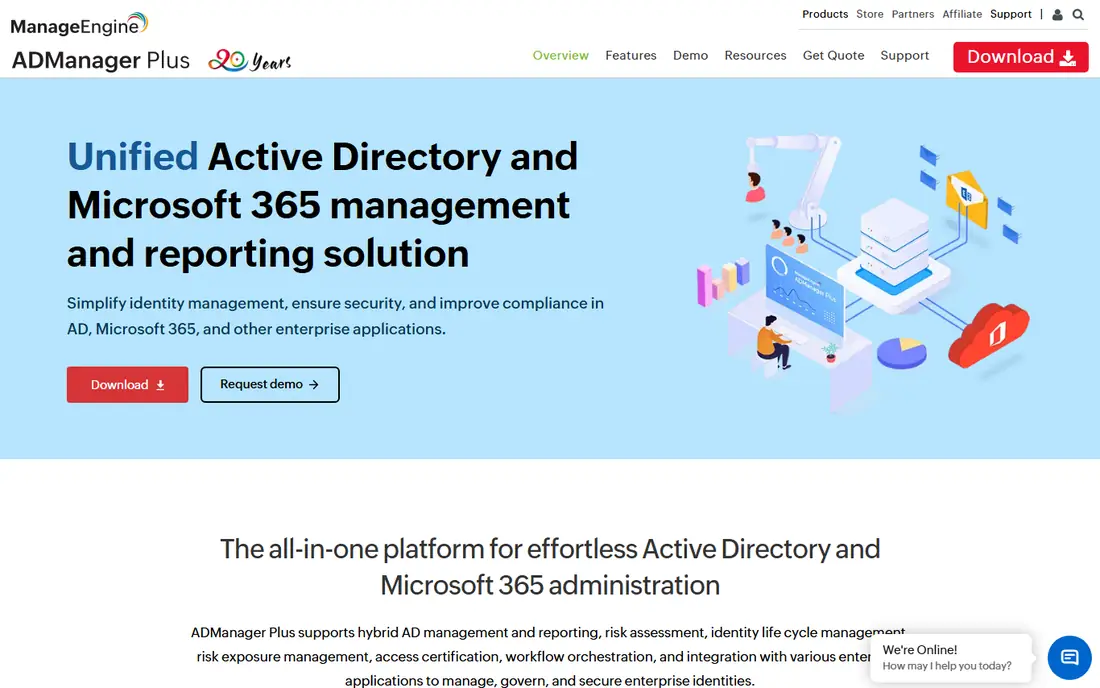
ADManager Plus is a web-based tool for managing Active Directory, Entra ID, Exchange and Microsoft 365 objects without heavy PowerShell scripting for routine tasks. Standard starts at $595 per year and Professional at $795 per year for one domain in recent listings, with a free edition limited to 100 domain objects. Bulk creation, template-based provisioning and role-based delegation are the core strengths.
Professional adds workflow automation and deeper Microsoft 365 management, which many teams need once help desk delegation grows. The main cost risk is scale: each extra domain and technician tier adds to the annual license. For a midsize team that wants fewer scripts and clearer reports, it is a strong first trial.
- Bulk user management
- Strong delegation controls
- Over 150 built-in reports in recent summaries
- Pricing scales with domains and technicians
- Advanced workflow features need Professional
SolarWinds Access Rights Manager
Best for: Access reviews
SolarWinds Access Rights Manager helps teams see who can access files, folders and AD resources, then clean up excess rights. A web portal lets business owners approve access requests and review permissions for their own teams, which spreads the review work beyond IT. That model suits organizations trying to enforce least privilege without auditing every permission by hand.
The catch is configuration depth. Some provisioning templates and advanced setup steps require more technical effort than a simple admin console suggests. Pricing is not a simple monthly figure, so request a quote based on users, domains and whether you need perpetual or subscription licensing.
- Clear access visualization
- Business owner approvals
- Useful for least privilege reviews
- Some provisioning setup feels technical
- Pricing is quote based

Quest Active Roles is built for large and complex AD environments where policy, approval and automation must stay consistent across domains. It lets admins define provisioning rules once, delegate scoped tasks safely and audit changes across the directory. That consistency matters when many help desk teams and business units touch identity data.
For a small single-domain shop, Active Roles may be more than needed, and both price and rollout effort reflect its enterprise focus. For a large organization with strict governance needs, it is one of the most credible options in this list. Plan a pilot with one business unit before a full rollout.
- Strong policy based provisioning
- Good for complex multi-domain environments
- Approval workflows
- Enterprise pricing and implementation effort
- Overkill for a single small domain
Adaxes combines AD management, automation and self-service in a web interface that help desk staff can use without full domain admin rights. Admins can build rules for user creation, group updates, deprovisioning and approvals, then delegate only the tasks each role needs. That balance of control and delegation is its main appeal.
The risk is rule sprawl. Without clear naming and documentation, automation rules can become hard to audit over time. Start with a small set of high-volume tasks, such as joiner and leaver workflows, and expand only after those rules prove stable in production.
- Flexible automation rules
- Web interface for delegated tasks
- Self-service options
- Rule design needs planning
- Pricing varies by environment size
Cayosoft Administrator manages Active Directory and hybrid Microsoft 365 environments from one console, which helps teams still moving between on-premises AD and cloud identity. Delegated administration lets help desk staff handle scoped tasks, while automation covers routine provisioning and cleanup. For hybrid shops, that single view reduces context switching.
The community and third-party content around Cayosoft is smaller than for the largest vendors, so expect to rely more on vendor documentation and support. Get a quote for your user count and hybrid scope, and test both on-premises and cloud tasks during the trial, not just one side.
- Unified on-premises and cloud management
- Useful for hybrid identity
- Delegated admin
- Smaller community than ManageEngine
- Pricing needs a vendor quote
Netwrix Auditor focuses on answering who changed what, when and from where across AD and related systems. That audit trail supports compliance work and incident review, and alerts can flag risky changes such as privilege escalation or group membership changes. Reports help teams show auditors a clear history without digging through raw logs.
It is not a replacement for a provisioning tool. If your main need is creating users in bulk, pair Netwrix with ADManager Plus, Active Roles or Adaxes. If your main need is proving control and catching unexpected changes, Netwrix is a strong specialist pick.
- Detailed change auditing
- Useful compliance reports
- Alerts for risky changes
- Primarily an auditing tool, not a full provisioning suite
- Setup needs tuning
Lepide Active Directory Auditor tracks changes to users, groups, computers, organizational units and Group Policy, with alerts for changes that need quick review. That visibility helps small and midsize teams spot accidental deletions, permission changes and policy edits before they cause wider problems. Reports can be scheduled for managers and auditors.
Like Netwrix, Lepide is an auditor first. Daily user creation and delegation still need an admin tool or careful PowerShell work. Use Lepide when audit evidence and change alerts are the gap, and budget time to tune alerts so the team does not ignore them.
- Clear change reports
- Real-time alerts
- Useful for AD and Group Policy auditing
- Auditing focus means limited provisioning
- Interface can feel busy
ADAudit Plus gives real-time visibility into AD changes, logons, account lockouts and Group Policy edits. It suits teams that need to know immediately when a privileged account changes or a lockout pattern suggests an attack or a misconfiguration. Compliance templates help map activity to common frameworks without building every report from scratch.
Buyers should clarify the overlap with ADManager Plus, which also includes reports. In general, ADManager Plus is the admin tool and ADAudit Plus is the deeper auditing tool. Trial both only if you need both jobs; otherwise pick the one that matches your main gap.
- Real-time AD change auditing
- Logon and account lockout tracking
- Compliance reports
- Overlap with ADManager Plus reports can confuse buyers
- Needs tuning for large domains
Specops uReset lets users reset passwords and regain access to accounts themselves after verifying identity, which can cut a large share of routine help desk calls. Multi-factor verification options help keep self-service safe, and admins can set policies for which users and devices can use it. For teams drowning in password tickets, that single improvement can free real staff time.
It does not replace a full AD management suite. Provisioning, group management and reporting still need another tool or native AD tools. Use uReset as a focused add-on when password resets are your clearest cost and user frustration point.
- Secure self-service password reset
- Multi-factor options
- Reduces help desk tickets
- Narrow focus
- Needs integration planning with existing identity systems
How we picked these
We compared official product pages, pricing pages and recent third-party comparisons, and we favored tools that still support current AD and hybrid Microsoft environments in 2026. We mixed administration, auditing and self-service tools because the search term covers all three jobs, and we state that split clearly so readers do not buy an auditor expecting provisioning. Enterprise pricing is often quote based, so we use See website where a public starting price could not be verified on the vendor page.
What to check before you buy
Run a trial in a test domain first. Create, move, disable and delete test users, delegate a task to a help desk account and check that approvals and reports match what you expect. A tool that looks simple in a demo can behave differently with your organizational unit structure, group nesting and hybrid sync setup.
Also check licensing math carefully. Some tools charge by domain and technician, others by user or managed object, and those models give very different totals for the same company. Get the quote in writing for your domain count, technician count and user count, and ask what happens when you add a domain or exceed the free object limit. Finally, confirm backup and rollback plans for bulk actions, since a bulk update mistake spreads faster than a single manual error.
Sources
- https://www.manageengine.com/products/ad-manager/
- https://www.solarwinds.com/access-rights-manager
- https://www.quest.com/products/active-roles/
- https://www.adaxes.com
- https://www.cayosoft.com
- https://www.netwrix.com
- https://www.lepide.com
- https://www.manageengine.com/products/active-directory-audit/
- https://specopssoft.com
Frequently asked questions
What is the best Active Directory management tool for a small business?
ManageEngine ADManager Plus is a good starting point, since its free edition covers small environments and its paid Standard plan starts at $595 per year in recent listings. Test bulk creation and delegation with your real organizational units before paying. Smaller teams that only need password resets may start with Specops uReset instead.
Do I still need PowerShell if I buy an AD management tool?
For routine tasks, a good tool reduces PowerShell use a lot, but it does not remove it entirely. Complex migrations, custom reporting and unusual automation may still need scripts. Think of the tool as a safer daily interface, with PowerShell kept for edge cases and bulk jobs the tool does not cover well.
What is the difference between AD management and AD auditing?
Management tools create, update, delegate and deprovision accounts and groups. Auditing tools record and report who made those changes, when they happened and whether they were risky. Many teams need both, but they are different jobs, so check which job each product actually covers before you buy.
Can these tools manage Entra ID and Microsoft 365 as well?
Some can, including ADManager Plus, Cayosoft Administrator and Quest Active Roles, but the depth varies by plan and module. Confirm that the specific Microsoft 365 tasks you need, such as license assignment or mailbox management, are included on the tier you plan to buy. Do not assume hybrid support means full parity with on-premises AD.
How do I prove least privilege access with these tools?
Use access reviews, delegation reports and change audits together. Require business owners to review permissions for their teams on a schedule, limit help desk roles to scoped tasks and alert on privilege changes. A tool helps collect the evidence, but the review schedule and approval policy are what make least privilege real.