Best AI Image Upscaling Tools in 2026: 8 Tools Compared
By ToolNimba Editorial Team November 11, 2026 9 min read

- Top pick
 Topaz Gigapixel
Faithful photo enlargement
Starting price$149 per yearCheck out Topaz GigapixelRead our review - Runner-up
 Upscayl
Free local upscaling
Starting priceFreeCheck out UpscaylRead our review - Also great
 Magnific
Creative AI art upscaling
Starting price$39 per monthCheck out MagnificRead our review
How we researched this
We compared official pricing and feature pages, app store listings, privacy policies and public user reviews. Prices change, so check the provider's site before you pay.
Key takeaways
- Topaz Gigapixel leads for faithful photo detail and print work.
- Upscayl is the best free, local option with no uploads.
- Magnific leads for creative AI art upscaling with control over interpretation.
- Lets Enhance suits browser-based batch work for marketing and product images.
- VanceAI suits flexible credit-based upscaling for varied image types.
Quick comparison
| Name | Best for | Starting price | Free plan | |
|---|---|---|---|---|
| Topaz Gigapixel | Faithful photo enlargement | $149 per year | Free trial | Visit |
| Upscayl | Free local upscaling | Free | Yes | Visit |
| Magnific | Creative AI art upscaling | $39 per month | Free trial | Visit |
 Lets Enhance | Browser batch upscaling | $9 per month | Free trial | Visit |
 VanceAI | Flexible credit upscaling | $9 per month | Free trial | Visit |
 ON1 Resize AI | Print-focused enlargement | See website | Free trial | Visit |
 HitPaw FotorPea | Desktop upscaling plus restoration | $21.99 per month | Free trial | Visit |
 Remini | Mobile photo enhancement | See website | Free trial | Visit |
The best AI image upscaling tools
The best ai image upscaling software adds pixels with judgement, not just size. Faithful tools suit photos and product images, while creative tools suit art and campaigns. Match the model to the image, and check results at full zoom before you publish.
Topaz Gigapixel fits photographers and print shops. Its main strength is faithful detail recovery for real photos. Its models aim to restore detail rather than invent a new image, which matters for faces and textures. The catch is creative AI art may benefit from a more interpretive tool. Test it on your hardest photo at your target print size. We would shortlist it if photo fidelity matters more than creative change. When you trial Topaz Gigapixel, test it on the exact job you listed for faithful photo enlargement. Use real data, real users and real deadlines, and write down what worked, what failed and what cost extra. That short trial record will tell you more than a demo, and it makes the final choice easier to defend to colleagues or family.
- Multiple models for photos and faces
- Local GPU processing
- Batch folders
- Plugin options
- Subscription cost is high
- Needs a capable computer for fast batches
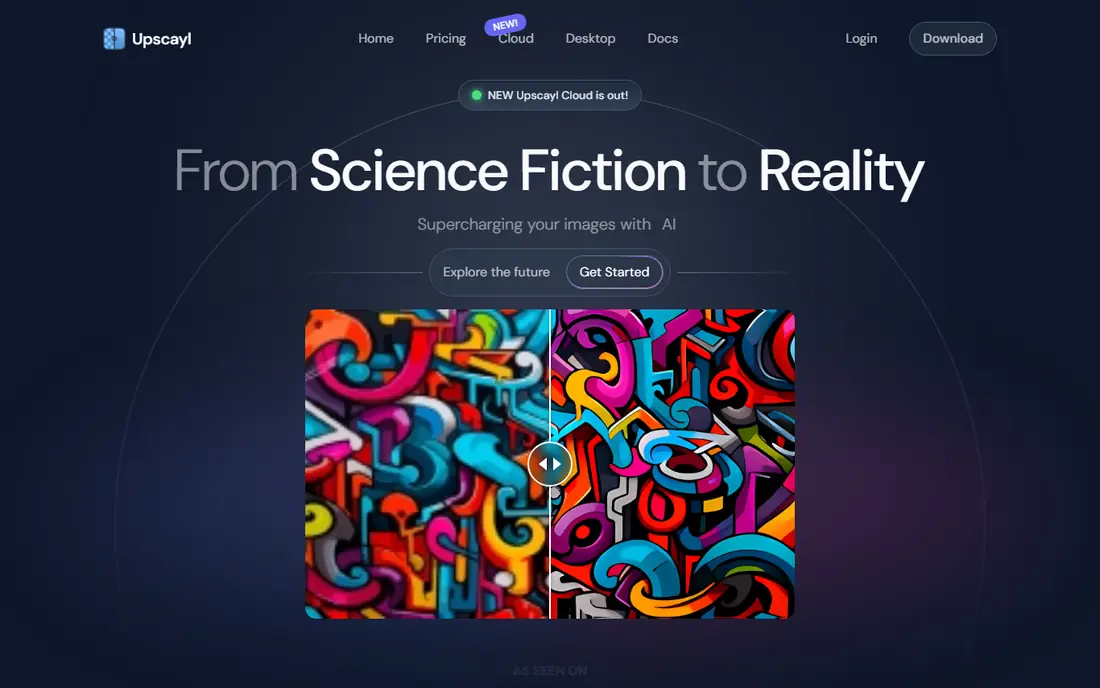
Upscayl fits privacy-minded users and hobbyists. Its main strength is free upscaling on your own machine. Because it runs locally, your images never leave your computer, and there is no credit meter. The catch is batch and model setup is less polished than paid tools. Try two models on the same image and compare at full zoom. We would shortlist it if budget is zero and privacy matters. When you trial Upscayl, test it on the exact job you listed for free local upscaling. Use real data, real users and real deadlines, and write down what worked, what failed and what cost extra. That short trial record will tell you more than a demo, and it makes the final choice easier to defend to colleagues or family.
- Free and open source
- Runs locally
- No uploads
- No watermarks on output
- Needs a decent GPU for speed
- Model choice takes learning
Magnific fits AI artists and campaign designers. Its main strength is creative enlargement for generated art. Magnific can add rich detail to AI art, with controls for how far it should reinterpret. The catch is that freedom is a risk for factual images. Use low creativity for near-faithful work and check every output. We would shortlist it if your source is art, not a factual photo. When you trial Magnific, test it on the exact job you listed for creative ai art upscaling. Use real data, real users and real deadlines, and write down what worked, what failed and what cost extra. That short trial record will tell you more than a demo, and it makes the final choice easier to defend to colleagues or family.
- Creative and classic models
- Up to 16x
- Creativity and resemblance controls
- Results can invent detail
- Cost rises with use
- Not ideal for factual product photos
Lets Enhance fits marketing teams and online sellers. Its main strength is easy browser upscaling for product and marketing images. You can upload, pick a model for products or text, and process a batch without installing software. The catch is credits run out fast on large batches. Start with the free credits on your real images. We would shortlist it if you want browser convenience and batches. When you trial Lets Enhance, test it on the exact job you listed for browser batch upscaling. Use real data, real users and real deadlines, and write down what worked, what failed and what cost extra. That short trial record will tell you more than a demo, and it makes the final choice easier to defend to colleagues or family.
- Browser-based
- Multiple models
- Batch up to 20 images
- Up to 16x
- Credit limits apply
- Quality varies by model and image type
VanceAI fits users with varied image types. Its main strength is flexible upscaling across image types. VanceAI covers photos, anime and text with separate models, so one account can handle mixed work. The catch is credit math can confuse first-time buyers. Buy a small credit pack first and test each model. We would shortlist it if your images vary a lot in type. When you trial VanceAI, test it on the exact job you listed for flexible credit upscaling. Use real data, real users and real deadlines, and write down what worked, what failed and what cost extra. That short trial record will tell you more than a demo, and it makes the final choice easier to defend to colleagues or family.
- Web and desktop options
- Models for photos, anime and text
- Batch tools
- Credit system needs care
- Desktop and web features differ
ON1 Resize AI fits photographers who print large. Its main strength is prints sized for paper and viewing distance. ON1 Resize AI helps you target a print size and paper, not just a pixel count. The catch is web-only users may not need its print tools. Set your target print size before you upscale. We would shortlist it if large prints are the end goal. When you trial ON1 Resize AI, test it on the exact job you listed for print-focused enlargement. Use real data, real users and real deadlines, and write down what worked, what failed and what cost extra. That short trial record will tell you more than a demo, and it makes the final choice easier to defend to colleagues or family.
- Print presets and paper options
- Works as a plugin
- One-time purchase options in the past
- Print focus may be overkill for web-only use
- Pricing varies by offer
HitPaw FotorPea fits users who want more than upscaling. Its main strength is an all-in-one desktop enhancer. FotorPea pairs upscaling with restoration, so old photos can gain both size and clarity. The catch is the bundle costs more if you only need size. Trial it on an old photo and a clean photo. We would shortlist it if you also need restoration, not just size. When you trial HitPaw FotorPea, test it on the exact job you listed for desktop upscaling plus restoration. Use real data, real users and real deadlines, and write down what worked, what failed and what cost extra. That short trial record will tell you more than a demo, and it makes the final choice easier to defend to colleagues or family.
- Desktop upscaling with restoration and color tools
- Batch support
- Free tier adds watermarks
- Monthly cost is higher than some web tools
Remini fits phone users enhancing portraits. Its main strength is quick mobile enhancement for faces. Remini is built for phone photos and faces, with a simple tap-to-enhance flow. The catch is print and batch users should pick a desktop tool. Test it on a real portrait, not a demo image. We would shortlist it if your photos live on your phone. When you trial Remini, test it on the exact job you listed for mobile photo enhancement. Use real data, real users and real deadlines, and write down what worked, what failed and what cost extra. That short trial record will tell you more than a demo, and it makes the final choice easier to defend to colleagues or family.
- Mobile-first enhancement
- Face-focused models
- Easy sharing
- Mobile workflow limits batch and print control
- Subscription needed for full use
How we picked these
We compared official feature pages, pricing pages and app store listings, and we kept only products that exist and work in October 2026 and truly fit the topic. We favoured clear pricing, usable free plans or trials where they exist, and features that match the main job. We did not claim hands-on testing, and we left out products that had closed, changed focus or did not fit, even when they were well known nearby. Prices change, so treat the figures here as a snapshot from October 2026 and confirm the current price on the vendor site before you pay. Where we could not verify a price, we wrote See website rather than guessing.
How to choose an AI image upscaling tool
Faithful or creative first
For product photos, documents and portraits, pick a faithful model and check small text and textures at full zoom. For art and campaigns, a creative model can add detail, but it can also invent features that were never there. Never use a creative upscale as proof of a factual detail.
Match upscale size to output
A social post needs far less than a poster. Upscaling to 16x rarely helps if the source is tiny, and it can look plastic. Aim for the pixel size your output needs, then stop. Test 2x and 4x first.
Check cost per image
Subscriptions suit steady work, credits suit occasional work, and free local tools suit privacy and volume. Count your monthly images, including failed tries, before you pick a billing model.
Sources
Frequently asked questions
What is the best ai image upscaling software overall?
Topaz Gigapixel is best for faithful photos, Upscayl is best free, and Magnific is best for creative AI art. Lets Enhance is a strong browser all-rounder. Pick by image type, not by a single winner.
What are the best rated ai image upscaling tools for photos?
Topaz Gigapixel and ON1 Resize AI lead for photos and prints. Lets Enhance and VanceAI also handle photos well in a browser. Compare the same photo at full zoom before you decide.
Can AI upscaling recover lost detail?
It can estimate detail and sharpen edges, but it cannot recover detail that was never captured with certainty. Treat reconstructed text, faces and textures as estimates and check them against the real subject.
Is free AI upscaling good enough?
Yes for many uses. Upscayl gives strong free local results with no uploads. Paid tools add models, batch polish and support, but free tools cover casual and many professional web jobs.
How much should I upscale an image?
Upscale only to the size your output needs. For a poster, calculate pixels from print size and viewing distance. For web, 2x or 4x is usually enough, and higher ratios can look artificial.