Best AI Tool for Documentation in 2026: 8 Tools Compared
By ToolNimba Editorial Team November 11, 2026 8 min read

- Top pick
 Mintlify
Docs-as-code teams that want polish
Starting price$450 per monthCheck out MintlifyRead our review - Runner-up
 GitBook
Mixed technical and non-technical editors
Starting price$65 per site per monthCheck out GitBookRead our review - Also great
 ReadMe
API-first products and developer hubs
Starting price$250 per monthCheck out ReadMeRead our review
How we researched this
We compared official pricing and feature pages, app store listings, privacy policies and public user reviews. Prices change, so check the provider's site before you pay.
Key takeaways
- Mintlify and GitBook lead for polished developer docs, but their pricing models differ sharply.
- ReadMe leads for interactive API references, while Document360 leads for governed knowledge bases.
- AI search and AI answers are often paid add-ons, so check allowances before you buy.
- Open-source options cost nothing in license fees but need engineering time for hosting and upkeep.
Quick comparison
| Name | Best for | Starting price | Free plan | |
|---|---|---|---|---|
| Mintlify | Docs-as-code teams that want polish | $450 per month | Yes | Visit |
| GitBook | Mixed technical and non-technical editors | $65 per site per month | Yes | Visit |
| ReadMe | API-first products and developer hubs | $250 per month | Yes | Visit |
 Document360 | Support-led knowledge bases at scale | See website | Free trial | Visit |
 Archbee | Visual docs and internal knowledge | $80 per month | No | Visit |
 Scribe | Step-by-step guides from real workflows | Free | Yes | Visit |
 Notion | Flexible internal wikis and team knowledge | $10 per user per month | Yes | Visit |
 Fern | API docs generated from OpenAPI specs | See website | Yes | Visit |
The best AI tools for documentation
We compared official feature pages, pricing pages, and app store listings to put this list together. Use the table above for a fast shortlist, then read the full write-up for the product that matches your budget and your main job.

Mintlify is a strong pick for docs-as-code teams that want polish. Mintlify is the pick when design quality and developer workflow matter most. Its main strengths are high design polish; ai assistant features; code-linked docs workflow in practice, which helps explain why it keeps showing up in shortlists for this topic. The catch is worth naming before you sign up. Pro price is high for a small team. That trade-off matters most if you plan to use the product every day, because small limits add up over time. Check the current pricing page and the plan limits before you commit, since vendors change tiers during the year.
- High design polish
- AI assistant features
- Code-linked docs workflow
- Pro price is high for a small team
- AI credits and overages need checking

GitBook is a strong pick for mixed technical and non-technical editors. GitBook suits a team where engineers and non-engineers edit docs together. Its main strengths are polished editor; git sync; ai search and chat options on higher plans in practice, which helps explain why it keeps showing up in shortlists for this topic. No product here is perfect, and this one is no exception. Per-site plus per-user pricing can grow fast. If that limit touches your main use case, the next option on this list may fit better. If it does not, the strengths above may outweigh it for your team or your household.
- Polished editor
- Git sync
- AI search and chat options on higher plans
- Per-site plus per-user pricing can grow fast
- AI chat allowances vary
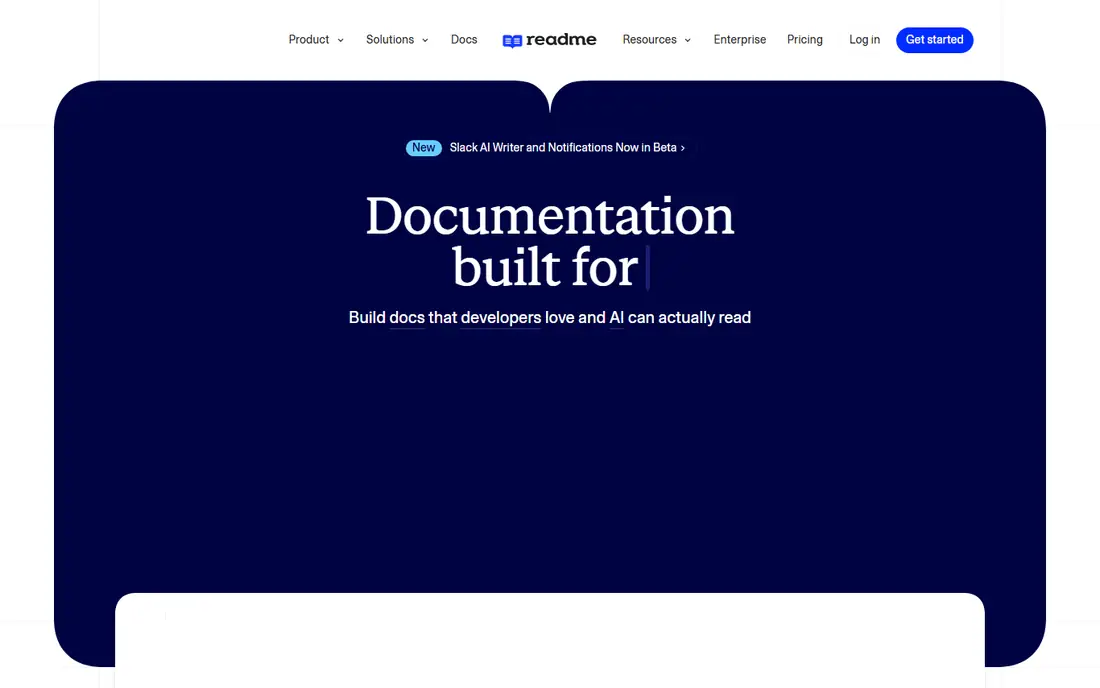
ReadMe is a strong pick for api-first products and developer hubs. ReadMe is the best pick for an API product that needs a true developer hub. Its main strengths are interactive api reference; api explorer; ai answer options in practice, which helps explain why it keeps showing up in shortlists for this topic. Before you choose, weigh that weakness against the fit. Entry price is high for a small API. A short trial, a free plan, or a demo call will tell you more than any feature list. Bring your real workload to that trial, not a toy example.
- Interactive API reference
- API explorer
- AI answer options
- Entry price is high for a small API
- Full AI answers can be an add-on
Document360 is a strong pick for support-led knowledge bases at scale. Document360 fits a larger support team that needs governance and review control. Its main strengths are approval workflows; versioning; ai search and answer options on quoted plans in practice, which helps explain why it keeps showing up in shortlists for this topic. The catch is worth naming before you sign up. Pricing is quoted for AI features. That trade-off matters most if you plan to use the product every day, because small limits add up over time. Check the current pricing page and the plan limits before you commit, since vendors change tiers during the year.
- Approval workflows
- Versioning
- AI search and answer options on quoted plans
- Pricing is quoted for AI features
- Setup can feel heavy for a tiny team
Archbee is a strong pick for visual docs and internal knowledge. Archbee suits a team that wants visual editing without a Git-first workflow. Its main strengths are visual editor; reusable snippets; conditional content for audiences in practice, which helps explain why it keeps showing up in shortlists for this topic. No product here is perfect, and this one is no exception. AI features are thinner than Mintlify or GitBook. If that limit touches your main use case, the next option on this list may fit better. If it does not, the strengths above may outweigh it for your team or your household.
- Visual editor
- Reusable snippets
- Conditional content for audiences
- AI features are thinner than Mintlify or GitBook
- Smaller ecosystem
Scribe is a strong pick for step-by-step guides from real workflows. Scribe is the best pick for how-to guides and onboarding docs made from real clicks. Its main strengths are captures steps automatically; fast guide creation; easy sharing in practice, which helps explain why it keeps showing up in shortlists for this topic. Before you choose, weigh that weakness against the fit. Not a full API docs platform. A short trial, a free plan, or a demo call will tell you more than any feature list. Bring your real workload to that trial, not a toy example.
- Captures steps automatically
- Fast guide creation
- Easy sharing
- Not a full API docs platform
- Deeper docs sites need another tool
Notion is a strong pick for flexible internal wikis and team knowledge. Notion fits internal knowledge and team wikis, especially where non-developers write most docs. Its main strengths are flexible pages and databases; easy editing for non-developers; ai writing help in practice, which helps explain why it keeps showing up in shortlists for this topic. The catch is worth naming before you sign up. Not a true API reference tool. That trade-off matters most if you plan to use the product every day, because small limits add up over time. Check the current pricing page and the plan limits before you commit, since vendors change tiers during the year.
- Flexible pages and databases
- Easy editing for non-developers
- AI writing help
- Not a true API reference tool
- Public docs polish is weaker than Mintlify
Fern is a strong pick for api docs generated from openapi specs. Fern suits an API-first team that wants docs generated directly from its spec. Its main strengths are generates polished api docs from specs; sdk generation options; modern design in practice, which helps explain why it keeps showing up in shortlists for this topic. No product here is perfect, and this one is no exception. Narrower focus than GitBook or Document360. If that limit touches your main use case, the next option on this list may fit better. If it does not, the strengths above may outweigh it for your team or your household.
- Generates polished API docs from specs
- SDK generation options
- Modern design
- Narrower focus than GitBook or Document360
- Pricing needs checking per project
How we picked these
We started with products that exist and work in October 2026 and that truly fit the topic, then we checked each official homepage and pricing page. We favored products with clear pricing, a usable free plan or trial where one exists, and features that match the main job in the keyword. We left out products that had closed, changed focus, or did not fit the topic, even when they were well known in a nearby category. We did not claim hands-on testing. Our comparison rests on official documentation, pricing pages, app store listings, and public help pages. Prices change, so treat the figures here as a snapshot from October 2026 and confirm the current price before you pay.
Choosing an AI documentation tool
Start with your audience. Public API users need interactive references and search, support users need clear answers and workflows, and internal teams need a wiki they will actually update. One tool rarely serves all three audiences equally well. Next, check how AI help is priced. Some tools include AI writing help, while AI search and AI chat answers may sit on higher plans or use credit pools. Test AI answers on your real docs, not on demo content, and check accuracy on edge cases. Finally, check the update workflow. Docs that lag behind code lose trust fast. A tool that syncs with Git or generates from specs will stay current with less manual work than a tool that needs copy-paste updates for every release.
Sources
Frequently asked questions
What is the best AI tool for documentation?
Mintlify is the best polished docs-as-code pick, while GitBook is best for mixed editor teams. ReadMe is best for API hubs, and Document360 is best for governed knowledge bases. Your audience and workflow should decide.
What are the best AI documentation platforms for software teams?
Mintlify, GitBook, ReadMe, and Fern cover most software team needs, from public docs to API references. Document360 and Archbee suit support and internal knowledge. Notion works best for internal wikis.
What is the best rated software documentation AI for API docs?
ReadMe and Fern are the strongest API-focused picks on this list. ReadMe offers an interactive hub, while Fern generates docs from OpenAPI specs. Test both with your real spec before you commit.
Can AI write my documentation for me?
AI can draft, summarize, and update docs, but it still needs human review for accuracy, especially for API behavior and security steps. Use AI to speed drafting and search, and keep an owner who checks facts before publishing.
Is there a free AI documentation tool?
Mintlify, GitBook, ReadMe, Notion, Scribe, and Fern offer free plans or free tiers in the sources we checked. Free plans suit a single site or small team, while AI search, chat, and larger teams usually need a paid plan.