Best AI Tools for Lawyers in 2026: 10 Tools Compared
By ToolNimba Editorial Team November 11, 2026 10 min read

- Top pick
 Harvey
Large firms and corporate legal teams
Starting priceSee websiteCheck out HarveyRead our review - Runner-up
 CoCounsel
Westlaw firms wanting AI research
Starting priceSee websiteCheck out CoCounselRead our review - Also great
 Lexis+ AI
Research on the LexisNexis stack
Starting priceSee websiteCheck out Lexis+ AIRead our review
How we researched this
We compared official pricing and feature pages, app store listings, privacy policies and public user reviews. Prices change, so check the provider's site before you pay.
Key takeaways
- Harvey and CoCounsel are the enterprise benchmarks for research and document review, but both use custom pricing and seat minimums.
- Lexis+ AI and vLex Vincent AI suit firms that want AI grounded in a licensed legal database with checkable citations.
- Spellbook and Robin AI suit contract work, with Spellbook inside Word and Robin AI offering a free tier for review.
- LawDroid Copilot, Paxton AI, and Clio Duo suit solos and small firms that need lower cost or practice management integration.
- AI output must be verified by a licensed lawyer before it is used or filed. This article is not legal advice.
Quick comparison
| Name | Best for | Starting price | Free plan | |
|---|---|---|---|---|
| Harvey | Large firms and corporate legal teams | See website | No | Visit |
| CoCounsel | Westlaw firms wanting AI research | See website | No | Visit |
| Lexis+ AI | Research on the LexisNexis stack | See website | No | Visit |
 vLex Vincent AI | Multi jurisdiction legal research | See website | Free trial | Visit |
 Luminance | Large scale contract and document review | See website | No | Visit |
 Spellbook | Contract drafting inside Microsoft Word | See website | Free trial | Visit |
 Robin AI | Contract review with a free tier | See website | Yes | Visit |
 Ironclad | In house contract lifecycle management | See website | No | Visit |
 Paxton AI | Solo and small firm research | See website | Free trial | Visit |
 LawDroid Copilot | Affordable solo and small firm assistant | $25 per month | Free trial | Visit |
The best ai tools for lawyers
Legal AI tools differ from general chatbots because the best ones ground answers in licensed legal content and link claims to sources you can check. That grounding matters, because a confident but wrong citation can cause real harm. The tools below cover research, drafting, review, and practice management.
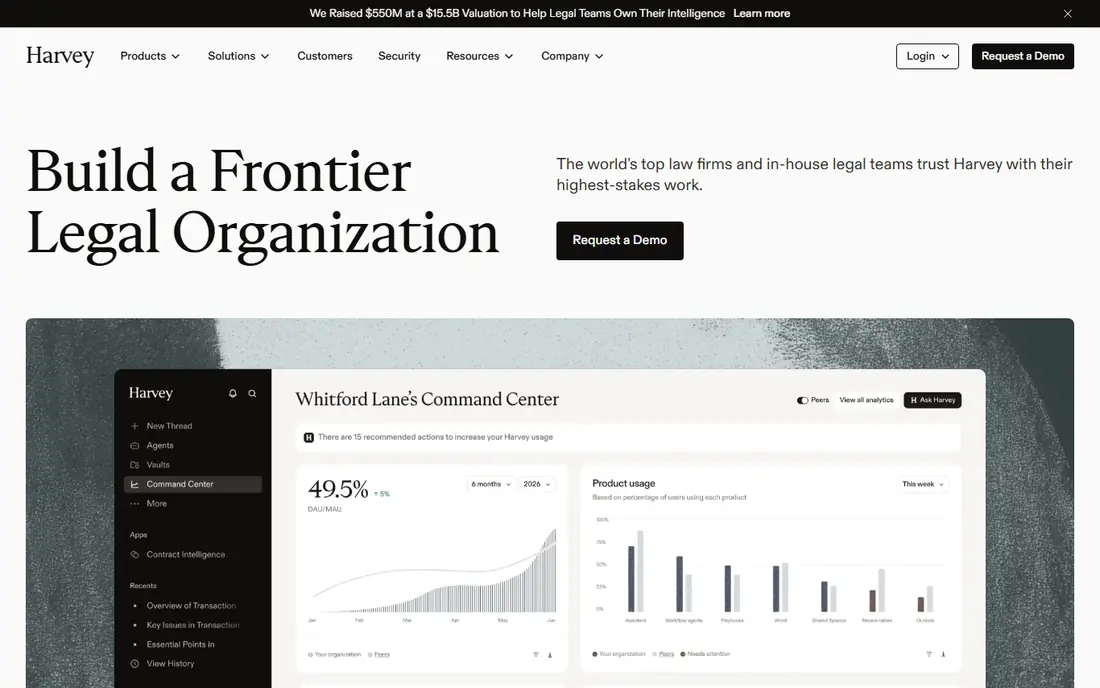
Harvey is the benchmark many large firms compare against, with tools for research, drafting, and reviewing thousands of documents at once. Its Vault feature suits due diligence and litigation review, while Workflows let firms codify repeatable tasks. Large firms and corporate legal departments use it for high volume work where speed across a deal room matters.
The barrier is price and scale. Harvey does not publish prices, and reported quotes rise sharply for smaller seat counts. Solos and small firms will find better value elsewhere, but large firms with heavy review loads should trial it first.
- Assistant, Vault, and Workflows for large document sets
- Strong enterprise adoption
- Deep research modes
- Custom pricing with seat minimums
- Overkill and costly for small firms
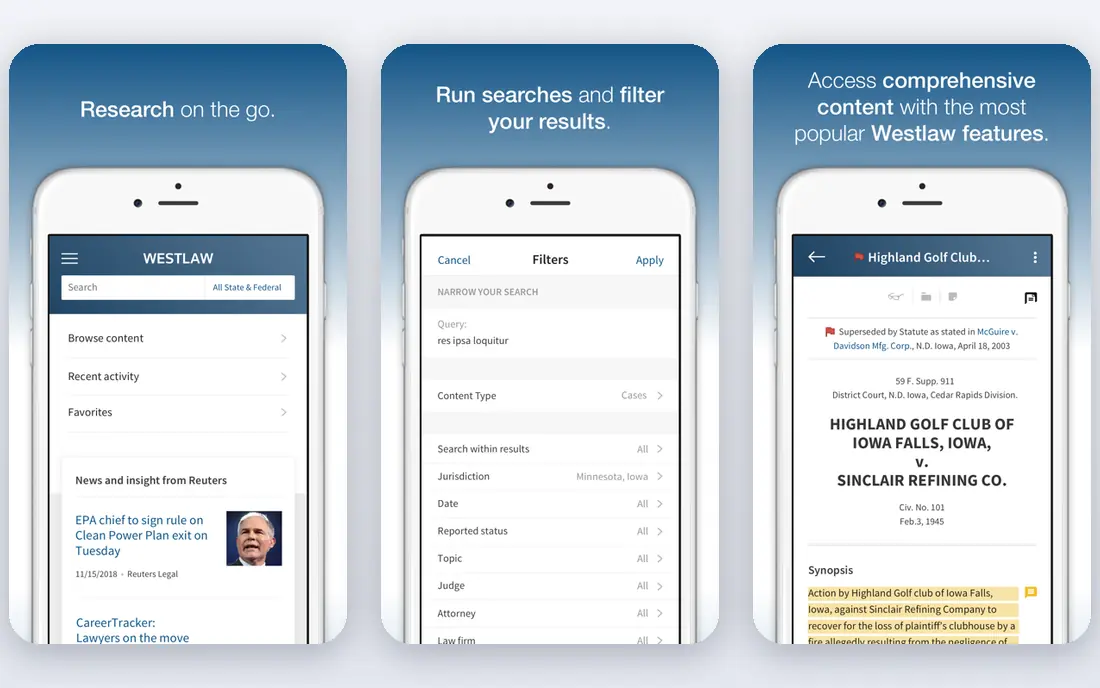
CoCounsel, from Thomson Reuters, brings AI assistance to Westlaw research, document review, and drafting, with answers linked to Westlaw and Practical Law sources. That grounding is its main advantage over a general chatbot, because lawyers can check each claim against primary law and trusted secondary sources. Litigators and research heavy firms benefit most.
Pricing is custom and depends on your Westlaw bundle and seat count. Firms that do not already use Westlaw should compare the total bundle cost, not just the AI add on, before deciding.
- Grounded in Westlaw and Practical Law
- Research, drafting, and review in one assistant
- Strong citation links
- Custom pricing
- Best value if you already pay for Westlaw

Lexis+ AI, including Protege features, lets lawyers ask research questions in plain language and get answers tied to LexisNexis content, with citation checking built in. That link to source material helps reduce the risk of fabricated citations that general models can produce. Research heavy firms that already subscribe to Lexis+ get the most value.
As with CoCounsel, the total cost depends on your existing Lexis subscription and the AI add on. Firms outside the Lexis ecosystem should weigh switching costs before choosing it for AI alone.
- Grounded in LexisNexis primary law
- Shepardizing and citation checks
- Conversational research
- Custom pricing
- Best for firms already on Lexis+
vLex Vincent AI suits firms that work across borders, with a library covering many countries and legal systems. It helps researchers find cases, legislation, and commentary beyond a single jurisdiction, which is hard for US only tools to match. Cross border firms and international practices benefit most.
Depth varies by jurisdiction, so check coverage for the countries you actually practice in before you commit. A trial focused on your real research questions will show whether its library fits your work.
- Covers many countries and jurisdictions
- Large document library
- Research assistant features
- Custom pricing
- Depth varies by jurisdiction
Luminance uses its own legal AI models to review large contract sets, flag unusual clauses, and speed due diligence. Transactional teams handling hundreds of contracts in a deal will find its review speed and anomaly detection useful. Enterprise controls and security features suit corporate legal departments and large firms.
Pricing is custom and enterprise focused, which puts it out of reach for most solos. If your work is contract heavy at scale, Luminance is worth a demo. If you review a handful of contracts a month, a drafting tool will serve you better.
- Built for high volume review
- Anomaly detection in contracts
- Enterprise grade controls
- Enterprise pricing
- More than small firms need
Spellbook lives inside Microsoft Word, which is where most lawyers already draft contracts. It suggests clauses, reviews drafts against your preferences, and helps flag risks without forcing you to move documents into a separate platform. That workflow fit is why small and mid size firms adopt it quickly.
Pricing is not fully published, so you will need to check the current plan page or talk to sales. For contract drafting and review, though, the Word integration alone makes Spellbook a strong pick.
- Works inside Word where lawyers already draft
- Clause suggestions and review
- 7 day trial reported
- Pricing is not fully published
- Contract focus only
Robin AI reviews contracts, extracts key clauses, and summarizes terms, with a free tier that lets you test the core workflow before paying. That low barrier helps solos and small firms that need contract help without an enterprise contract. Paid plans add deeper review and integration options.
Free tier limits mean heavy users will need a paid plan, and the depth of review varies by document type. For occasional contract review, Robin AI is one of the most accessible options here.
- Free tier for basic review
- Contract summaries and clause extraction
- Lawyer reviewed options
- Full features need paid plans
- Enterprise controls vary by tier
Ironclad is a contract lifecycle platform with AI features for drafting, review, redlining, and approval workflows. In house legal teams use it to manage the whole contract process, not just a single review step, with controls for who can approve what. That breadth suits companies with steady contract volume.
It is enterprise focused, with custom pricing and implementation work. Small firms that only need drafting help will find Spellbook or Robin AI simpler and cheaper.
- Full contract lifecycle from drafting to signature
- AI review and redlining
- Workflow automation
- Enterprise focused pricing
- Implementation takes planning
Paxton AI is built for solos and small firms that want legal research without an enterprise sales process. It covers US federal and state law, with self serve pricing reported around 499 dollars per month or a lower annual rate, and a free trial. That transparency is rare in this category and helps small firms budget.
Its library is smaller than Westlaw or Lexis, so research depth may differ on niche questions. For general research and drafting support at a small firm, Paxton is a practical middle ground between a general chatbot and an enterprise platform.
- Self serve signup
- US federal and state law coverage
- Published pricing reported
- Smaller library than Westlaw or Lexis
- Higher monthly price than general chatbots
LawDroid Copilot is one of the cheapest real legal AI assistants here, starting around 25 dollars per month with a trial. It suits solos and small firms that want help with research, drafting, and client communication without enterprise pricing. The low price makes it easy to trial alongside a general chatbot.
Depth and library coverage are thinner than Harvey, CoCounsel, or Lexis+ AI, so complex research still needs verification against primary sources. For everyday drafting help at a low cost, LawDroid is a sensible start.
- Low entry price
- Built for solos and small firms
- Trial available
- Less depth than enterprise tools
- Smaller feature set
How we picked these
We compared official product pages, pricing pages, and recent legal AI comparisons for tools that are built for lawyers and that are available in the US today. We favored tools grounded in legal databases, tools with clear contract or research strengths, and tools that cover both enterprise and solo needs. We did not claim hands-on testing, and we used See website where vendors publish custom pricing only. AI output must be verified by a licensed lawyer before it is used, filed, or relied on by a client.
How to choose an AI tool for your practice
Start with the job, not the model
Research, contract drafting, high volume review, and practice management are different jobs. A research tool grounded in Westlaw or Lexis fits litigation, while a Word add in fits contract drafting. Buying one tool for every job usually means it does none of them well.
Check grounding and citation links
Ask whether answers link to primary law and trusted secondary sources you can open and check. Tools grounded in a legal database reduce, but do not remove, the risk of fabricated citations. Every citation still needs a human check before filing.
Protect client confidentiality
Use business or enterprise tiers with no training guarantees for client data where possible, and confirm storage, retention, and access terms before you upload matter documents. Avoid pasting sensitive client information into consumer tools that may use inputs for training.
Budget for seat minimums and renewals
Enterprise legal AI often carries seat minimums, multi year terms, and renewal increases. Ask about minimums, contract length, and renewal caps before you sign, and trial the tool on your real matters first.
Sources
Frequently asked questions
What is the best AI tool for lawyers?
Harvey and CoCounsel lead for large firms, thanks to their research depth and document review scale. For solos and small firms, Spellbook for contracts and LawDroid Copilot for general assistance offer better value, while Paxton AI suits small firm research.
Can AI tools replace a lawyer?
No. AI tools speed research, drafting, and review, but a licensed lawyer remains responsible for the work, must verify every citation and conclusion, and must exercise independent judgment. This article is not legal advice, and AI output must be verified by a licensed lawyer.
Do AI legal tools hallucinate case law?
Yes, especially general models that are not grounded in a legal database. Tools tied to Westlaw, LexisNexis, or vLex reduce that risk by linking answers to sources, but they do not remove it. Always check citations against primary sources before filing.
How much do AI tools for lawyers cost?
Prices range from about 25 dollars per month for solo tools to custom enterprise quotes that can reach hundreds or more per user per month for large firms. Most enterprise vendors do not publish prices, so expect a sales quote based on seats and bundle.
Is client data safe in AI legal tools?
It depends on the tier and vendor terms. Prefer enterprise or business tiers with no training guarantees, clear retention terms, and access controls. Avoid consumer tiers for confidential client work, and confirm the vendor's data terms in writing.
What is the best AI tool for contract drafting?
Spellbook is our pick for drafting inside Word, because it works where lawyers already write. Robin AI suits contract review with a free tier, while Ironclad and Luminance suit larger teams with high contract volume.