Best Android Cleaner App in 2026: 7 Apps Compared
By ToolNimba Editorial Team November 9, 2026 9 min read

- Top pick
 Norton Clean
Free cleaning with no ads
Starting priceFreeCheck out Norton CleanRead our review - Runner-up
 CCleaner
Best-known all-round cleaner
Starting priceFreeCheck out CCleanerRead our review - Also great
 AVG Cleaner
Junk plus photo cleanup
Starting priceFreeCheck out AVG CleanerRead our review
How we researched this
We compared official pricing and feature pages, app store listings, privacy policies and public user reviews. Prices change, so check the provider's site before you pay.
Key takeaways
- Norton Clean is our pick for most people, because it is free, has no ads, and focuses on junk files and leftover APKs.
- CCleaner is the best-known cleaner, with a solid free tier, though its free version shows ads and Premium costs $19.99 per year.
- AVG Cleaner suits people who also want photo cleanup, since it finds duplicate and low-quality photos as well as junk files.
- SD Maid is the pick for advanced users who want fine control over exactly what gets deleted.
- Android already includes storage tools in Settings, so a cleaner app should earn its place by saving you real time, not by promising speed boosts.
Quick comparison
| Name | Best for | Starting price | Free plan | |
|---|---|---|---|---|
| Norton Clean | Free cleaning with no ads | Free | Yes | Visit |
| CCleaner | Best-known all-round cleaner | Free | Yes | Visit |
| AVG Cleaner | Junk plus photo cleanup | Free | Yes | Visit |
 Avast Cleanup | Junk and photo cleanup | Free | Yes | Visit |
 SD Maid | Advanced file control | Free | Yes | Visit |
 Files by Google | Simple Google storage help | Free | Yes | Visit |
 Systweak Android Cleaner | Junk and duplicate files | Free | Yes | Visit |
The best Android cleaner apps
Android phones fill up with cached files, leftover installers, and duplicate photos, and the built-in storage screen does not always make cleanup easy. The apps below remove junk, flag large files, and in some cases tidy your photo library. We compared app store listings and published 2026 cleaner comparisons, and we favored apps from known vendors with clear permissions. Treat any app that promises a dramatic speed boost with caution, since no cleaner can fix an old battery or a full storage chip on its own.
Norton Clean is the easiest recommendation on this list because it does the core job without the usual trade-offs. It scans for junk files, residual files left after uninstalls, and old APK installers, then lets you review before deleting. There are no ads and no subscription, since Norton offers it as a companion to its security products, which makes it a calm experience on older or budget phones.
The trade-off is scope. You will not get a deep photo analyzer, battery tools, or a VPN bundled in, and that is actually a plus if you only want cleanup. For most Android users, Norton Clean plus the storage tools already in Settings covers the job. Start here before paying for anything else.
- Completely free with no ads
- Finds junk, cache, and leftover APK files
- Lightweight and simple
- Fewer extras than paid rivals
- No photo analyzer as deep as AVG Cleaner
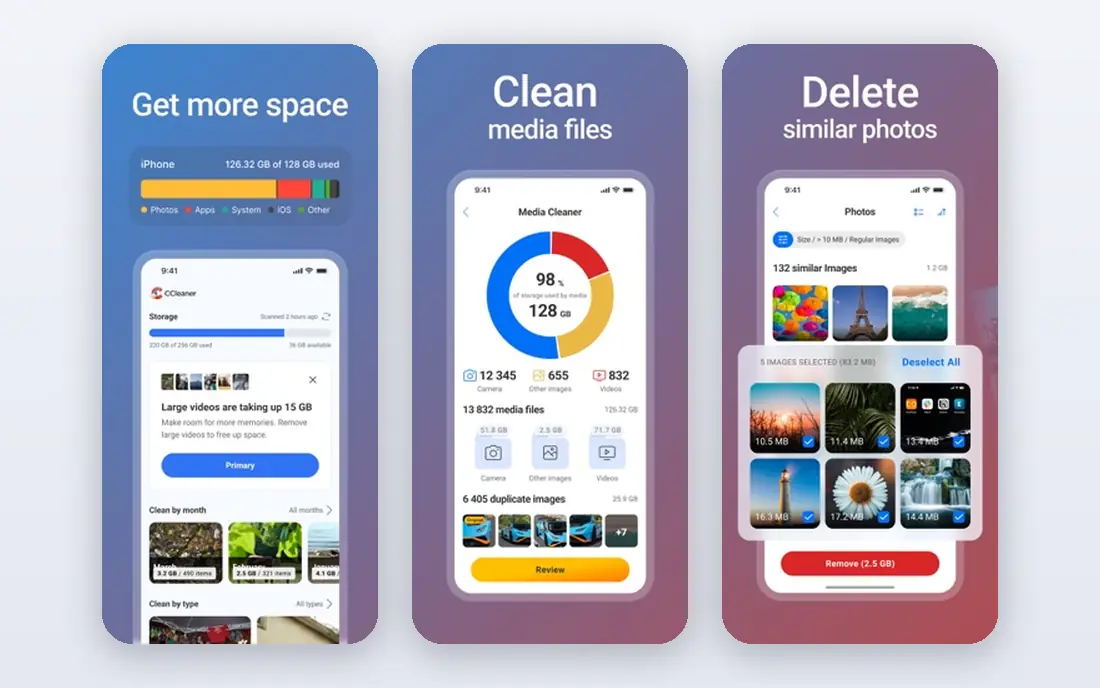
CCleaner brings the desktop classic to Android, with junk cleaning, app management, and storage analysis in one app. The free tier covers the core cleanup, and scan results tend to be more restrained than the inflated savings claims some rivals show. If you already know CCleaner from a PC, the Android version will feel familiar right away.
The free version displays ads, and recent store reviews complain about ad frequency, which is the main reason to consider Premium at $19.99 per year. Premium removes ads and adds features such as scheduled cleaning. If ads bother you, Norton Clean does the same core job free without them, so weigh that before subscribing.
- Familiar brand from desktop
- Honest scan results
- Premium removes ads and adds scheduling
- Free version shows ads
- Premium costs $19.99 per year
- Some features duplicate Android Settings
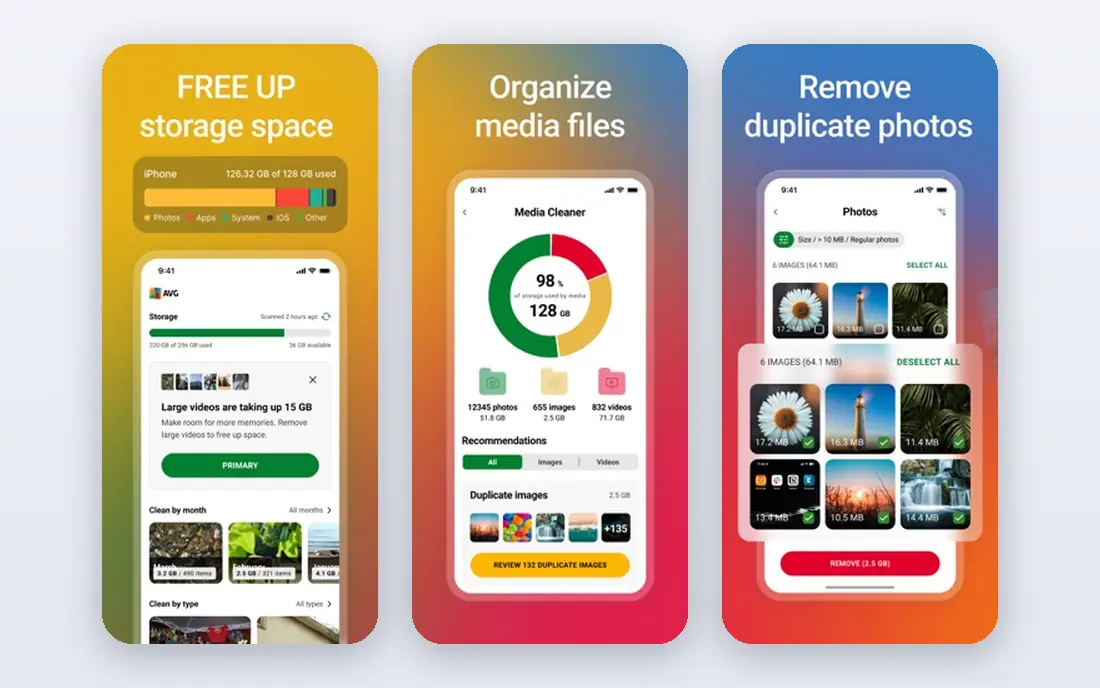
AVG Cleaner goes beyond junk files by analyzing your photo library for duplicates and low-quality shots, which is often where the real storage savings hide. Its app analyzer also flags apps that drain data, storage, or battery, and its one-tap analysis makes a quick weekly cleanup easy. The app is free to install, with a large user base on Google Play.
The downsides are ads and broad permissions, including accessibility access for stopping background apps, so read the permission prompts before granting everything. Premium pricing varies by plan, so check the listing in the Play Store. If photo cleanup is your main goal, AVG Cleaner earns its place. If you only need junk removal, Norton Clean is simpler.
- Finds duplicate and low-quality photos
- App analyzer flags draining apps
- One-tap cleaning
- Contains ads
- Asks for broad permissions
- Premium features sit behind a subscription
Avast Cleanup, from the same parent company as AVG, offers a similar mix: junk cleaning, photo analysis, and app management in a straightforward interface. It is a solid choice if you already use Avast security products and want one vendor for both. Regular updates and a large install base mean the app is actively maintained, which matters for a tool with deep storage access.
Free users will see ads and prompts to upgrade, and the premium tier is where the quieter experience lives. Since Avast and AVG share a parent company, the two apps overlap a lot, so there is little reason to install both. Pick the one whose photo tools you prefer and delete the other.
- Junk cleaner plus photo and app analysis
- Large vendor with regular updates
- Simple interface
- Contains ads in the free tier
- Premium upsells can feel pushy
- Same parent company as AVG Cleaner
SD Maid is the cleaner for people who want to see exactly what will be deleted and why. Its corpse finder, system cleaner, and app cleaner show files in detail instead of hiding them behind a single big savings number. Pro adds scheduled scans and extra tools for a one-time purchase of about $4.99, with no subscription, which is rare in this category.
The interface is technical, and some deep cleaning features need root access, which most users should not bother with. Casual users may find SD Maid more detail than they want. If you are comfortable with file systems and you dislike vague cleaner claims, SD Maid is the most honest tool on this list.
- Fine-grained control over what is deleted
- Scheduled scans in Pro
- One-time Pro purchase at $4.99
- Interface is technical
- Full power needs root on some devices
- Not for casual users
Files by Google is less a dedicated cleaner and more a file manager with smart cleanup suggestions. It flags large files, duplicate files, memes, and unused apps, and it lets you share files offline with nearby devices. Because it comes from Google, it is free, maintained, and unlikely to push aggressive upsells or dubious speed claims.
Cleaning depth is basic compared with SD Maid or AVG Cleaner, and its suggestions can be cautious, so you may still need to delete files by hand. For most users, though, Files by Google plus Android Settings is enough, and it is the safest starting point if you do not want to grant a third-party cleaner broad access.
- Free with no subscription
- Smart suggestions for large files and duplicates
- Offline file sharing
- Cleaning depth is basic
- Suggestions can be conservative
- Tied to Google services
Systweak Android Cleaner covers the standard ground: junk files, cache, and duplicate files, with a simple scan-and-review flow. Its duplicate finder is useful on phones where the same photos and downloads have piled up across folders. The app is free to install, with premium options in the listing for users who want more.
The smaller user base means fewer public reviews to lean on than CCleaner or AVG Cleaner, so check the current Play Store listing and permissions before installing. It works best as a second option if the bigger names do not suit you, rather than a first pick for everyone.
- Junk cleaning plus duplicate file finder
- Simple one-tap scans
- Useful for photo and file duplicates
- Smaller user base than the big brands
- Premium pricing varies by listing
How we picked these
We compared app store listings, vendor pages, and published 2026 cleaner comparisons, and we kept only apps that are live on Android, focus on storage and junk cleanup, and come from identifiable vendors. We weighed free-tier quality, ads, permissions, photo cleanup, and whether pricing was published or subscription-based. We did not claim hands-on testing; our comparison rests on public listings, vendor documentation, and user-review reporting.
What a cleaner app can and cannot do
A cleaner can delete cached files, leftover APKs, and duplicates, and that can free real storage, sometimes hundreds of megabytes. It cannot make an old phone fast, fix a worn battery, or replace deleting large videos and unused apps yourself. Check Settings, then Storage, first, and look at what is actually using space. If photos and videos dominate, a photo cleanup tool helps more than a junk cleaner. If the phone is slow, try removing unused apps and restarting before paying for any cleaner.
Sources
- https://www.ccleaner.com
- https://www.avg.com
- https://www.avast.com
- https://www.norton.com
- https://sdmaid.darken.eu
- https://www.google.com
- https://www.systweak.com
- https://appvulture.com/apps-like/avg-cleaner-storage-cleaner/
- https://play.google.com/store/apps/details?id=com.avg.cleaner&alt=en-se
- https://play.google.com/store/apps/details?id=com.piriform.ccleaner&hl=en&gl=US
Frequently asked questions
What is the best android cleaner app for free?
Norton Clean is our pick for free cleaning, because it is free with no ads and covers junk, cache, and leftover APK files. Files by Google is a strong free alternative if you want a file manager with cleanup suggestions and no third-party permissions to weigh.
What is the best phone cleaning app for photos?
AVG Cleaner is the strongest pick here, since its photo analyzer finds duplicate and low-quality photos as well as junk files. Avast Cleanup offers similar photo tools, and Files by Google flags duplicates and large media files for free.
Is CCleaner safe for Android?
CCleaner is a long-established product from a known vendor, and its Android app is widely used. Review what it plans to delete before confirming, as with any cleaner, and note that the free version shows ads while Premium at $19.99 per year removes them.
Do Android cleaner apps really speed up your phone?
They can free storage, which helps if storage is nearly full, but they cannot fix aging hardware, a worn battery, or a phone full of large apps. Freeing space, removing unused apps, and restarting will usually help more than any cleaner claim about speed.
What is the best free phone cleaning app with no ads?
Norton Clean stands out because it is free and ad-free, which is unusual in this category. Most rivals, including CCleaner, AVG Cleaner, and Avast Cleanup, show ads in their free tiers or push a paid upgrade.
Should I pay for an Android cleaner app?
Most people should not need to. Start with Norton Clean or Files by Google for free, and only pay if you want scheduled cleaning, an ad-free experience, or deeper photo tools. SD Maid Pro at about $4.99 one-time is the cheapest paid option worth considering.