Best Animation Software for Beginners in 2026: 9 Tools Compared
By ToolNimba Editorial Team November 12, 2026 10 min read

- Top pick
 Blender
Free 2D and 3D animation in one app
Starting priceFreeCheck out BlenderRead our review - Runner-up
 Pencil2D
Learning frame-by-frame basics
Starting priceFreeCheck out Pencil2DRead our review - Also great
 OpenToonz
Studio-style 2D animation for free
Starting priceFreeCheck out OpenToonzRead our review
How we researched this
We compared official pricing and feature pages, app store listings, privacy policies and public user reviews. Prices change, so check the provider's site before you pay.
Key takeaways
- Free tools like Blender, Pencil2D, and Krita cover real animation work, so beginners do not need to pay to start.
- Pick by animation type first: frame-by-frame drawing, rigged characters, 3D, or template video each need a different tool.
- Simple tools teach timing and movement faster than complex studio software, even if the output looks plainer at first.
- Paid tools earn their price when you need templates, exports for clients, or a smoother path into studio work.
Quick comparison
| Name | Best for | Starting price | Free plan | |
|---|---|---|---|---|
| Blender | Free 2D and 3D animation in one app | Free | Yes | Visit |
| Pencil2D | Learning frame-by-frame basics | Free | Yes | Visit |
| OpenToonz | Studio-style 2D animation for free | Free | Yes | Visit |
 Krita | Painted animation for illustrators | Free | Yes | Visit |
 Synfig Studio | Vector animation without drawing every frame | Free | Yes | Visit |
 FlipaClip | Mobile frame-by-frame animation | Free | Yes | Visit |
 Animaker | Template animated videos | Free | Yes | Visit |
 Powtoon | Explainer videos for school and work | Free | Yes | Visit |
 Adobe Animate | Vector animation for web and video | $22.99 per month | Free trial | Visit |
The best animation software for beginners
We compared official feature pages, pricing, and platform support for tools that a beginner can actually learn without a studio background. The list covers hand-drawn animation, rigged and tweened animation, 3D, and template video, so you can match the tool to the kind of animation you want to make.
Blender is the most generous deal in creative software. It is a complete 3D animation suite, with modelling, rigging, animation, rendering, and video editing, and it costs nothing. For beginners, the Grease Pencil tools are the hidden gem, since you can draw frame-by-frame 2D animation inside a 3D space and move the camera around it.
The honest catch is the learning curve. The interface packs many professional features into one window, and your first week can feel confusing. That cost is worth paying if your goal is 3D characters, short films, or game art, since the free tutorial library is unmatched. Start with a structured beginner course and one small project, not the full manual.
- Full 3D pipeline plus Grease Pencil 2D tools
- Free forever
- Huge tutorial community
- Interface can overwhelm new users
- 3D basics take weeks to learn well
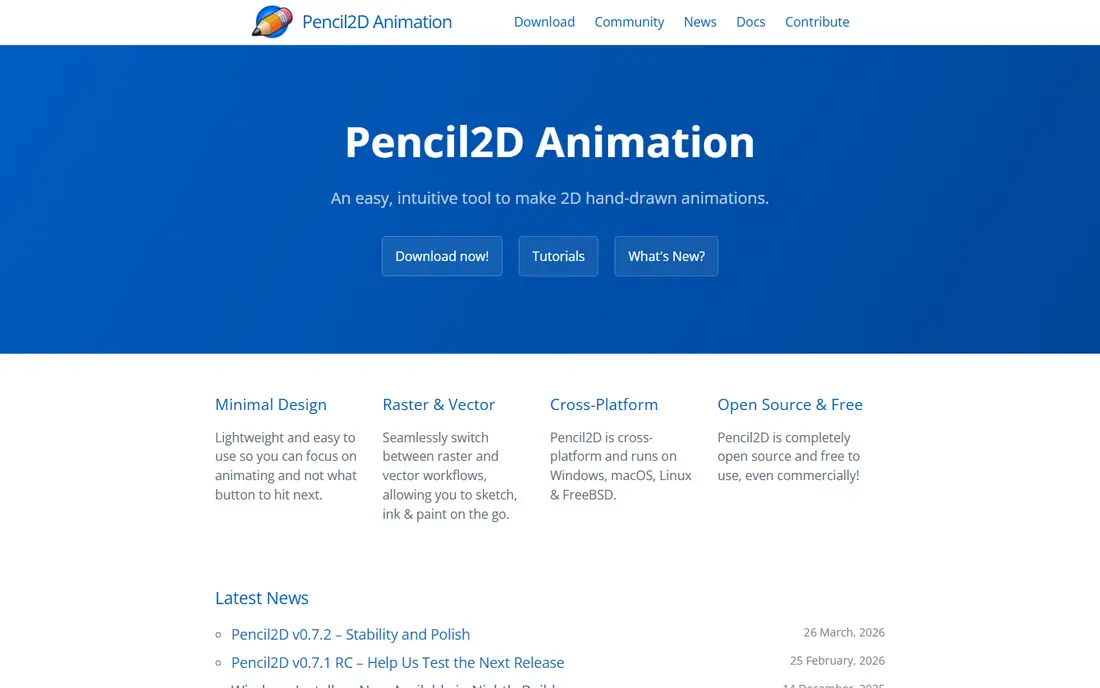
Pencil2D is the simplest tool on this list, and that is its strength. You draw one frame at a time, use onion skinning to see the previous and next frames faintly behind your drawing, and play the result back. There are bitmap and vector layers, a basic timeline, and an audio track, and little else to distract you.
That minimal design is also its limit. You will not find character rigging, effects, or compositing, so a longer film will outgrow it. For a first animation class, a school project, or a quick test of an idea, Pencil2D teaches timing, spacing, and squash and stretch faster than any complex app. It runs well on older computers too.
- Very simple interface
- Bitmap and vector layers
- Onion skinning for smooth motion
- No rigging or compositing
- Slows down on long, complex projects
OpenToonz is open-source software based on the Toonz system once used in studio production. It handles scanned drawings, vector work, effects, and compositing in one pipeline, so it suits beginners who want to learn how a real 2D production works rather than just sketching short clips. The price is free, which makes that depth unusually accessible.
The interface is less polished than modern commercial tools, and some guides are hard to follow. If you are willing to spend a few evenings learning the workflow, OpenToonz gives you a path from rough drawings to a finished scene without paying for a studio licence. If you want instant results, start with Pencil2D or FlipaClip first.
- Professional 2D pipeline
- Effects and compositing
- Open source
- Interface feels dated
- Setup and learning take patience
Krita is mainly a digital painting app, but its animation timeline makes it a strong choice for artists who already draw. You get a deep brush set, layers, and colour tools, plus onion skinning and frame management for short animated scenes. If your animation style is painterly or hand-drawn, Krita lets you keep your painting quality while you learn motion.
Animation is not the centre of Krita, so you will not find rigging or advanced compositing here, and large frame counts can strain slower machines. Pick Krita when drawing quality matters as much as movement, or when you already paint in Krita and want to animate without learning a second app.
- Strong brush engine
- Animation timeline and onion skinning
- Good file support
- Animation is secondary to painting
- Can slow down on heavy projects
Synfig Studio takes a different route from frame-by-frame tools. You draw vector shapes, set key poses, and let the software tween the movement between them. That approach suits cut-out style animation, motion graphics, and simple character work, where redrawing every frame would take too long.
The interface is more technical than Pencil2D or FlipaClip, and the learning curve is real, but the payoff is speed on longer scenes. If you like the idea of rigging simple characters and reusing poses, Synfig is a free way to learn that workflow. If you love hand-drawn texture, Krita or Pencil2D will feel more natural.
- Tweening fills in movement between key poses
- Vector tools
- Free and open source
- Interface is technical
- Hand-drawn feel is harder to achieve
FlipaClip brings frame-by-frame animation to phones and tablets, which makes it ideal for students, kids, and creators who sketch on the go. You draw each frame with a finger or stylus, add audio, and export a video to share. The touch interface is simple enough that a beginner can finish a first short clip in one sitting.
A phone screen is not ideal for detailed work, and the free version has limits that a subscription removes. Still, for learning timing on the bus, in class, or on the sofa, FlipaClip is the lowest-friction start on this list. Pair it with a stylus and a tablet if you plan to draw longer scenes.
- Touch-friendly drawing
- Onion skinning and audio
- Easy sharing to video
- Small screen limits detail
- Advanced features need a subscription
Animaker is for people who need an animated video, not an animation education. You pick a template, swap in characters, text, and voiceover, and export a short explainer, social video, or class presentation. Because it runs in a browser, there is nothing to install, and the character builder saves time on design.
The trade-off is originality. Template videos can look similar to each other, and the free tier limits exports and adds branding. If your goal is a clear video for work or school this week, Animaker is faster than learning frame-by-frame drawing. If your goal is to become an animator, use it alongside a drawing tool, not instead of one.
- Large template and character library
- Browser-based
- Easy voice and text tools
- Free exports carry limits and watermarks
- Template look can feel generic
Powtoon is similar to Animaker in spirit, with a focus on explainer videos, lessons, and presentations. Its drag-and-drop editor, templates, and built-in characters let a beginner build a polished short video without drawing skill. Teachers and small business owners often use it for quick explainers that would take far longer in a drawing app.
The free plan is limited in video length, resolution, and branding, and the style is clearly template-based. That is fine for a work presentation, but not for a personal animated film. Choose Powtoon when clarity and speed matter more than a unique art style.
- Simple drag-and-drop editor
- Presentation and video templates
- Browser-based
- Free plan limits length and quality
- Less suited to artistic animation
Adobe Animate is the paid, professional option for 2D vector animation, used for web animation, cartoons, and interactive content. Its drawing tools, timeline, and symbol system let you reuse characters and props, which speeds up longer projects. Integration with other Adobe apps helps if you already use Photoshop or Illustrator.
The subscription is the main barrier, and beginners may find the toolset deep at first. A free trial lets you test whether vector animation suits you before paying. Pick Adobe Animate if you want a clear path into professional 2D work and you are ready to pay for that polish. Otherwise, start free and move here later.
- Strong vector drawing and timeline
- HTML5 and video exports
- Adobe ecosystem integration
- Subscription cost
- Learning curve for new animators
How we picked these
We compared official feature pages, pricing, and platform support, and we kept only tools that are available now and that a beginner can learn without prior studio training. We favoured free tools where the free version does real work, and we included template tools because many beginners need a finished video, not just animation practice. We left out high-end studio-only software with no beginner route, and tools that had no working free or trial path.
How to choose your first animation tool
Decide what kind of animation you want to make before you download anything. A hand-drawn short, a 3D character test, and a work explainer each point to a different tool, and picking the wrong category wastes weeks. Write down one project, such as a 30-second clip, and choose the simplest tool that can finish it.
Start small and finish something
Your first project should be short, with one character or object and one simple movement. A bouncing ball, a walking cycle, or a 20-second explainer teaches timing, spacing, and export settings without overwhelming you. Finishing a small piece matters more than starting a large film you never complete.
Learn timing before effects
New animators often chase effects, filters, and fancy brushes. Timing, spacing, and clear poses matter far more. Use onion skinning, play your work back often, and compare it with reference video. Once movement reads clearly, effects will add polish instead of hiding weak motion.
Plan for exports early
Check export options before you invest hours in a project. Frame-by-frame tools export video, template tools may limit resolution on free plans, and 3D tools need render time. Knowing the export limits early stops a finished project from getting stuck behind a paywall or a slow render.
Sources
Frequently asked questions
What is the best free animation software for beginners?
Pencil2D is best for pure frame-by-frame learning, Krita is best for painted animation, and Blender is best if you want 3D as well. All three are free, so you can try each one for a day and keep the one that feels most natural.
Is Blender too hard for a beginner?
Blender can feel hard in the first week because it packs many professional tools into one window. It is still a good beginner choice if you follow a structured course and start with one small project, especially for 3D or Grease Pencil 2D work.
What is the best animation app for beginners on a phone?
FlipaClip is our pick for mobile frame-by-frame animation, since it is touch-friendly, free to start, and exports video easily. For template videos on a phone or browser, Animaker and Powtoon are simpler if drawing is not your goal.
Do I need a drawing tablet to animate?
No, though a tablet helps for hand-drawn work. Mouse drawing works in Pencil2D, Synfig, and Blender, and template tools need no drawing at all. Buy a tablet only after you know you enjoy drawing animation regularly.
Can beginners make money with animation software?
Yes, but it takes practice and a portfolio, not just software. Template tools can produce client videos sooner, while frame-by-frame and 3D skills take longer to build but open wider creative work. Start with small personal projects and build a reel before seeking paid work.