Best App for Cheap Flights in 2026: 9 Apps Compared
By ToolNimba Editorial Team November 10, 2026 10 min read

- Top pick
 Google Flights
Research and price tracking
Starting priceFreeCheck out Google FlightsRead our review - Runner-up
 Skyscanner
Flexible dates and destinations
Starting priceFreeCheck out SkyscannerRead our review - Also great
 KAYAK
All-in-one search and trip tools
Starting priceFreeCheck out KAYAKRead our review
How we researched this
We compared official pricing and feature pages, app store listings, privacy policies and public user reviews. Prices change, so check the provider's site before you pay.
Key takeaways
- Google Flights is the best starting point for research, with price tracking, fare history, and flexible date tools.
- Skyscanner suits flexible travelers, while Hopper suits travelers who want a buy-now-or-wait prediction.
- Going is the best cheap flights app for deal discovery, since it sends curated deals you were not already searching for.
- Always compare the final total with the airline direct, since third-party fees, bags, and seat costs can erase a small saving.
Quick comparison
| Name | Best for | Starting price | Free plan | |
|---|---|---|---|---|
| Google Flights | Research and price tracking | Free | Yes | Visit |
| Skyscanner | Flexible dates and destinations | Free | Yes | Visit |
| KAYAK | All-in-one search and trip tools | Free | Yes | Visit |
 Hopper | Price predictions and alerts | Free | Yes | Visit |
 Momondo | Finding low fares from many sellers | Free | Yes | Visit |
 Kiwi.com | Creative multi-carrier routes | Free | Yes | Visit |
 Going | Curated flight deal alerts | Free | Yes | Visit |
 Expedia | Flight plus hotel bundles | Free | Yes | Visit |
 Skiplagged | Hidden-city and low-fare search | Free | Yes | Visit |
The best app for cheap flights
We compared search coverage, flexible date tools, price alerts, booking options, and fees, focusing on apps that help ordinary travelers find a lower honest total, not just a lower headline fare.
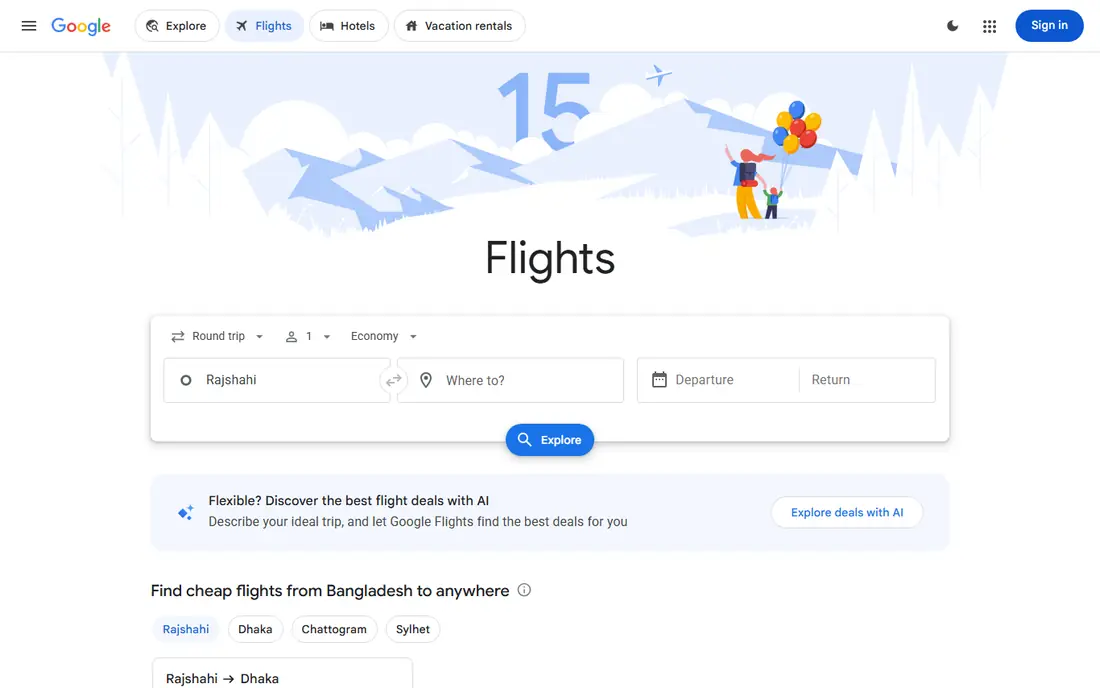
Google Flights is our pick for research, even though it is a website rather than a dedicated app. The date grid and price graph make it easy to see cheaper days, and the Explore map helps flexible travelers find low fares without a fixed destination. Price tracking sends alerts when a tracked fare changes, which is more useful than checking the same route every day.
The main limit is that Google Flights does not book most flights itself. You will usually complete the purchase with the airline or a listed seller, so compare the final total, including bags and seats, before you pay. Used as a research desk, with booking direct where possible, it is the most reliable starting point among the best cheap flight apps.
- Strong price tracking and fare history
- Flexible date and Explore map tools
- Broad airline coverage
- No native mobile app
- Booking usually moves to the airline or a partner site
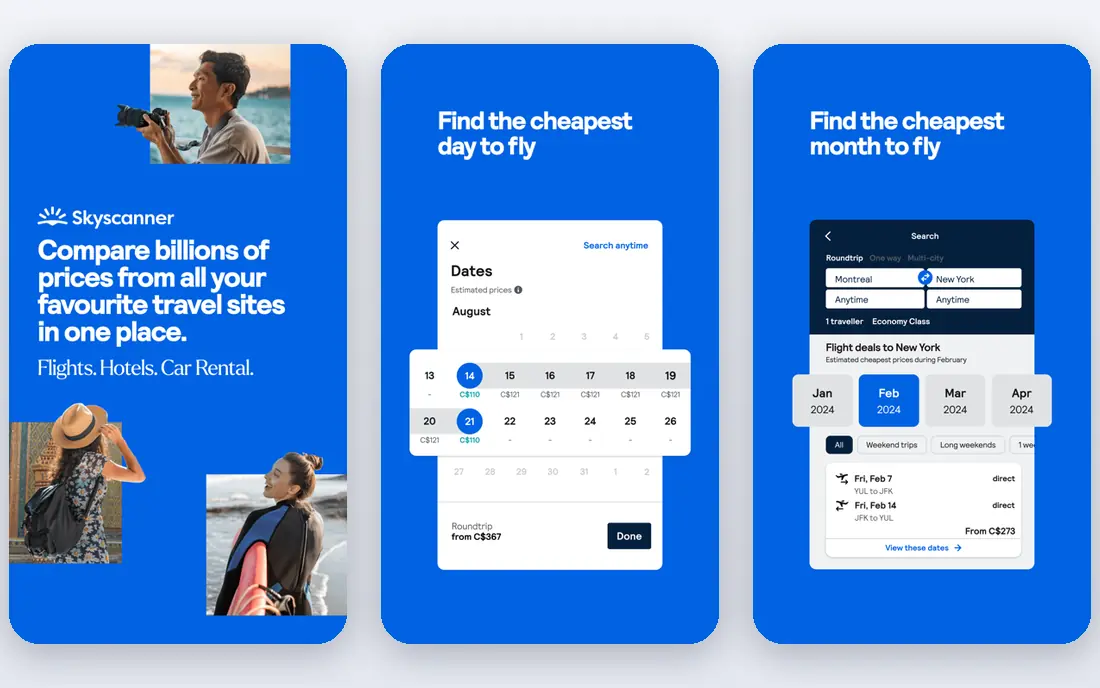
Skyscanner suits travelers who can shift dates or destinations. The Everywhere search shows low fares from your home airport without a fixed destination, and the whole-month view makes it easy to pick a cheaper week. That flexibility is where the largest savings often appear, especially for leisure trips without fixed dates.
As with other search tools, Skyscanner usually hands you to an airline or a third-party seller to book. Some sellers add fees or offer weaker customer support, so check the seller, the baggage terms, and the total price before you commit. For searching the whole market, including smaller sellers and budget carriers, Skyscanner remains one of the best cheap flights app options.
- Everywhere destination search
- Whole-month fare views
- Wide airline and seller coverage
- Booking moves to airlines or third parties
- Seller quality varies, so check reviews and terms
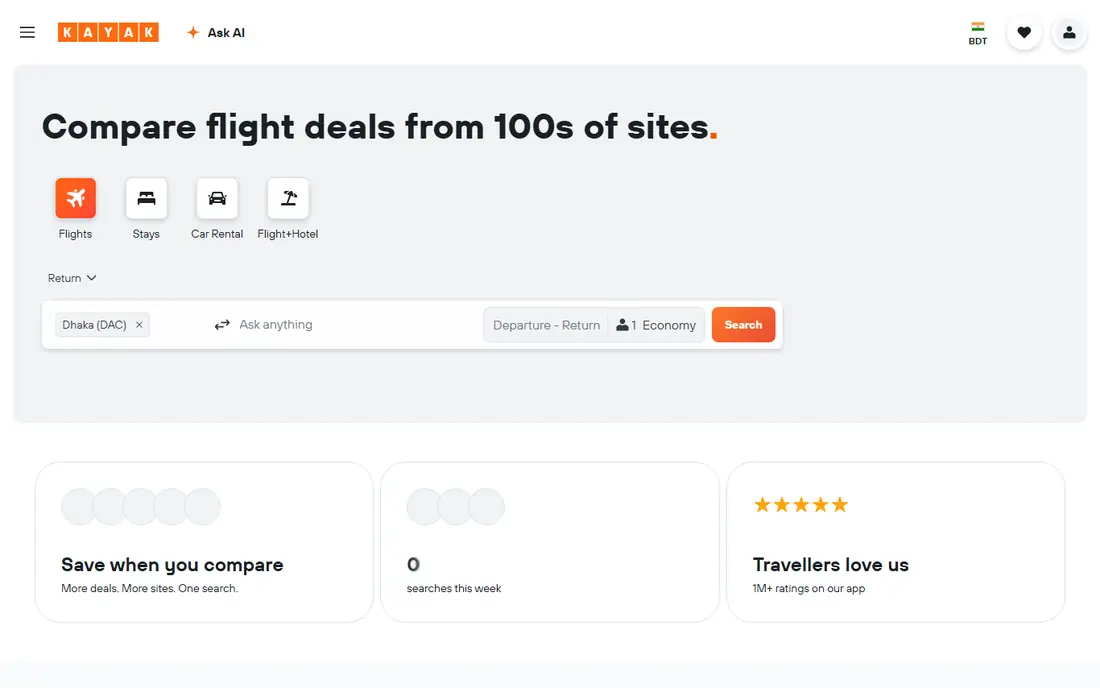
KAYAK works well for travelers who want search, tracking, and trip tools in one app. Filters for stops, times, airports, and baggage help narrow a large set of results, and price alerts keep you informed without daily manual checks. Hacker Fares, which combine separate tickets, can lower a fare, but they also change the rules if a flight is delayed or cancelled, so read the terms carefully.
The app also helps after booking, with trip organization and flight tracking, which is useful for multi-leg trips. The main caution is the same as with other aggregators: booking through a third party can make changes harder than booking direct. Use KAYAK to find and compare fares, then weigh the saving against the benefit of booking with the airline.
- Strong filters and fare tools
- Trip management and price alerts
- Hacker Fares can combine tickets
- Third-party booking can complicate changes
- Some features are web-first rather than app-first
Hopper answers the question every traveler asks: should I book now or wait. Its predictions and color-coded guidance give a clear recommendation, and watch alerts notify you when a fare moves. For travelers with a fixed route and some flexibility on timing, that guidance can prevent an early purchase at a peak price or a long wait that ends in a higher fare.
Predictions are probabilistic, so a schedule change or a fare sale can break the forecast. Hopper also sells add-ons and flexibility plans, so review every line in the cart before you pay. The safest pattern is to use Hopper for timing, then book direct with the airline when the price is right, unless Hopper offers a clear total saving after fees.
- Buy-now-or-wait predictions
- Watch alerts for specific trips
- Fare freeze option on some bookings
- Predictions are estimates, not guarantees
- Booking through Hopper adds a middleman
- Paid add-ons need careful review
Momondo is worth checking after Google Flights and Skyscanner, because it searches a wide set of smaller online travel agencies that larger tools sometimes miss. That breadth can surface a lower international fare, especially on routes with many sellers and complex connections. Price graphs also help you see whether a fare is typical for that route or unusually low.
The trade-off is seller quality. A very low fare from an unfamiliar seller may include strict change rules, slow support, or extra fees at checkout. Check the seller name, the total price, and the baggage and change terms before you book. For pure fare discovery, Momondo earns its place, but booking direct remains the safer default when the price gap is small.
- Searches many smaller sellers
- Useful price graphs
- Strong for international routes
- Low headline fares may come from sellers with strict terms
- Booking support varies by seller
Kiwi.com suits adventurous travelers and complex itineraries. It combines carriers that do not normally partner, creating routes and multi-city trips that standard search tools may not show. For a traveler willing to accept a self-transfer, where you collect bags and re-check in, the saving can be real, especially on long or multi-stop journeys.
That saving comes with risk. A delay on the first leg can mean a missed second flight with no automatic rebooking, so allow long connection times and check visa and baggage rules for each leg. Kiwi.com also has its own booking terms, so read them before you pay. For simple direct flights, a standard search tool is usually better, but for creative routing, Kiwi.com is a useful extra check.
- Finds self-transfer routes other tools miss
- Virtual interlining can lower complex trip costs
- Good for multi-city trips
- Self-transfers carry missed-connection risk
- Change and refund rules can be strict
Going works differently from a search app. Instead of waiting for you to search, it sends curated flight deals from your home airports, including mistake fares and unusually low international prices. That makes it the best cheap flight app for travelers who are flexible and happy to plan a trip around a deal, rather than fitting a deal to fixed dates.
The free tier covers basic alerts, while the premium tier adds more departure airports and faster deal notices. Deals can sell out quickly, so you need to be ready to check dates and book. Going does not replace a search tool for a fixed trip, but paired with Google Flights or Skyscanner, it covers the deals you would otherwise never find.
- Sends deals you were not searching for
- Free tier for basic alerts
- Premium tier adds more airports and mistake fares
- Deals depend on your home airports
- You must act fast on the best fares
- Premium tier is paid
Expedia earns a place when the trip includes a hotel, not just a flight. Bundling flight and hotel can lower the combined total, even when the flight alone is not the cheapest on the market. The app also makes it easy to manage the whole trip, with hotel, flight, and car details in one place, which suits families and longer stays.
For flight-only bookings, Expedia is usually not the lowest option, and third-party booking can complicate changes. Compare the bundle total with booking flight direct and hotel separately, including taxes and fees, before you assume a saving. When the bundle wins, Expedia is a practical choice, especially for travelers who value one booking record for the whole trip.
- Bundles can lower the combined trip cost
- Large hotel and flight inventory
- Useful rewards and trip tools
- Flight-only fares are rarely the lowest
- Bundle savings depend on the hotel choice
Skiplagged is known for hidden-city ticketing, where you book a flight with a connection in your real destination and skip the final leg. That can lower some fares, but it carries real risks: airlines may cancel the return leg, frequent flyer credit may be affected, and checked bags will travel to the ticketed final destination. It is not a tactic for every traveler, and it should never be used with checked luggage.
Outside hidden-city fares, Skiplagged also finds conventional low fares, so it works as a standard search check. Use it with full awareness of the risks, book only one-way trips for hidden-city ideas, and carry only hand luggage. For most travelers, the safer value is in its normal fare search, with hidden-city options treated as a high-risk extra, not a default plan.
- Finds conventional low fares plus hidden-city options
- Useful for flexible travelers
- Clear fare comparisons
- Hidden-city ticketing can violate airline rules and risks lost bags or cancelled return legs
- Not suited for checked bags
How we picked these
We compared official app and website features, pricing and alert options, and recent independent guides from 2026, and we kept only apps that are actively available to US travelers. We favored tools that cover a distinct job, such as research, flexible search, prediction, deal alerts, or bundles, rather than listing near-identical search engines. We also noted where booking moves to a third party, since that changes support and change rules even when the fare looks lower.
How to use these apps together without overpaying
Start with Google Flights for research and price tracking, then cross-check Skyscanner and Momondo for seller coverage. Use Hopper for the buy-or-wait call on a fixed route, and let Going surface deals you were not planning. That sequence covers research, market coverage, timing, and discovery without paying for several premium tiers.
Book smart after you find the fare
Compare the final total, not the headline fare, including bags, seat selection, and payment fees. When the direct airline price is close, booking direct usually gives easier changes and better support during disruption. For third-party bookings, check the seller name, change rules, and refund terms before you pay, and save screenshots of the total and the itinerary.
Sources
Frequently asked questions
What is the best app for cheap flights overall?
Google Flights is the best app for cheap flights for research, because it combines price tracking, fare history, and flexible date tools in one free service. Skyscanner is the best complement for flexible dates and seller coverage. The best apps for cheap flights work best together, with one tool for research and another for alerts or discovery.
What is the best cheap flights app for flexible travelers?
Skyscanner is the best cheap flights app for flexible travelers, thanks to Everywhere search and whole-month fare views. Going is also strong if you can plan around a deal from your home airport. Flexibility on dates, times, and nearby airports usually saves more than any single app feature.
Do flight price alerts actually save money?
Yes, when you act on them. Google Flights, Skyscanner, KAYAK, and Hopper alerts notify you when a tracked fare changes, so you do not need to check manually every day. Alerts save money only if you book when a good fare appears, since the lowest fares on popular routes can rise quickly.
Should I book with the app or direct with the airline?
Book direct when the price is close, since direct bookings usually make changes, refunds, and disruption support easier. Third-party apps can be worth it when the total saving is clear after fees, bags, and seat costs. Always compare the final total, not just the first price shown.
Is hidden-city ticketing safe?
Hidden-city ticketing carries risks, including cancelled return legs, lost checked bags, and possible action under airline rules. It is not safe for trips with checked luggage or return flights you need to keep. If you use Skiplagged, use it mainly for conventional fare search, and treat hidden-city options as a high-risk choice for one-way, hand-luggage-only trips.
Can I find cheap flights without a fixed destination?
Yes. Skyscanner Everywhere search and the Google Flights Explore map show low fares from your home airport without a fixed destination. Going also sends deals from your home airports that can inspire a trip. Flexible dates and nearby airports usually increase the saving, so check those options before you lock in a destination.