Best App for Tracking Expenses and Receipts in 2026: 8 Apps Compared
By ToolNimba Editorial Team November 10, 2026 10 min read

- Top pick
 Expensify
Team expense reports
Starting price$5 per user per monthCheck out ExpensifyRead our review - Runner-up
 Dext
Accountant-led receipt capture
Starting priceSee websiteCheck out DextRead our review - Also great
 Zoho Expense
Low-cost small team tracking
Starting priceFreeCheck out Zoho ExpenseRead our review
How we researched this
We compared official pricing and feature pages, app store listings, privacy policies and public user reviews. Prices change, so check the provider's site before you pay.
Key takeaways
- Expensify is the strongest all-round choice for teams that need receipt scans, reports and reimbursements in one app.
- Dext suits accountants and high-volume businesses that need detailed line-item extraction into accounting software.
- Zoho Expense is the best low-cost start for freelancers and small teams, with a free plan for up to three users.
- QuickBooks Online and Xero make sense if you already use them for accounting, since receipt data stays in one system.
- Check scan limits, currency support and accounting integrations before you commit, since those three factors decide daily usefulness.
Quick comparison
| Name | Best for | Starting price | Free plan | |
|---|---|---|---|---|
| Expensify | Team expense reports | $5 per user per month | Yes | Visit |
| Dext | Accountant-led receipt capture | See website | Free trial | Visit |
| Zoho Expense | Low-cost small team tracking | Free | Yes | Visit |
 QuickBooks Online | Accounting plus receipts | See website | Free trial | Visit |
 Xero | Small business accounting | See website | Free trial | Visit |
 Ramp | Card-led team spending | Free | Yes | Visit |
 Wave | Very small business tracking | Free | Yes | Visit |
 SparkReceipt | Receipts, income and expenses | See website | Free trial | Visit |
The best app for tracking expenses and receipts
An expense and receipt app should turn a photo of a receipt into a categorized, searchable record without manual typing, then send that record to reports, reimbursements or accounting software. We compared official pricing pages, feature pages and recent comparisons for the apps below, focusing on scan accuracy, scan limits, approval workflows, card options and accounting integrations.
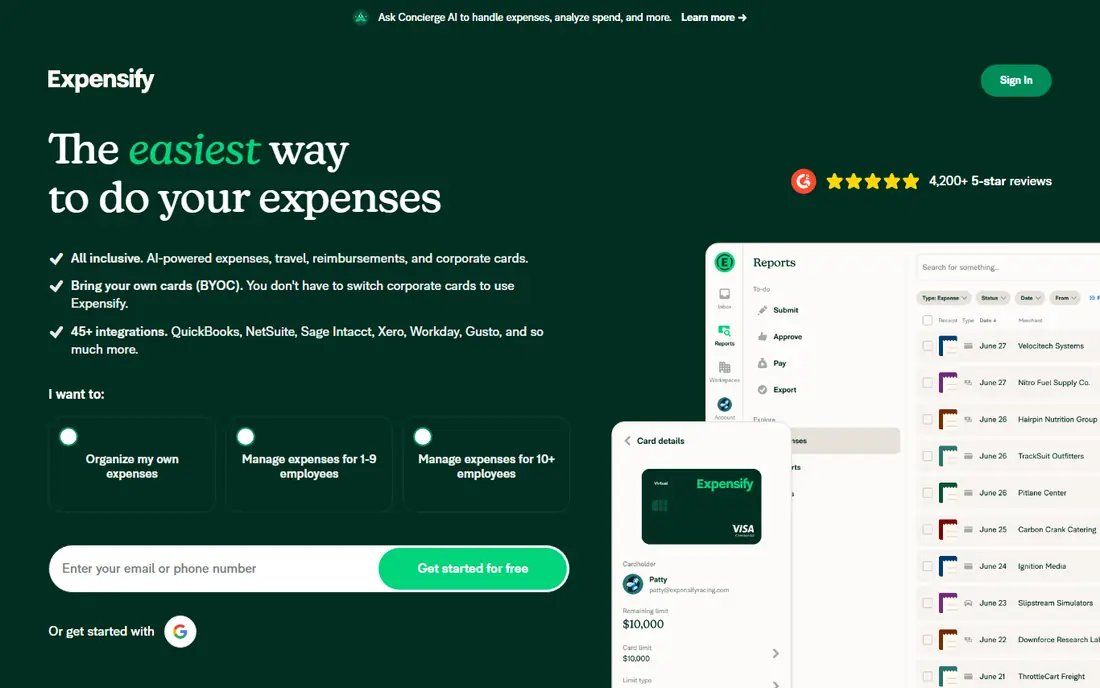
Expensify is built around the full team workflow, from a photo of a receipt to a paid reimbursement. SmartScan reads merchant, date and total from a receipt photo, builds an expense report automatically, and routes it for approval. That flow suits a manager who approves expenses weekly and a finance lead who needs clean reports without chasing paper receipts.
The limits are worth noting. Expensify captures totals well but is less detailed on full line items than an accountant-focused tool, which matters if you need tax splits by item. Pricing also scales per member, so a large team should model the total before committing. For most small and mid-size teams, the speed from scan to reimbursement outweighs those limits.
- SmartScan receipt capture
- Fast expense reports and reimbursements
- Built-in card and travel options
- Line-item detail is thinner than Dext
- Costs scale per member
- Advanced features need higher plans
Dext is the tool accountants reach for when receipt volume is high and accuracy matters. It extracts line items and tax data from receipts, bills and bank statements, then publishes clean records into accounting software. For a business with hundreds of receipts a month, or a firm managing several clients, that extraction quality saves hours of manual entry and correction.
A solo freelancer will find Dext costly unless their accountant already uses it, in which case the shared workflow is a benefit. The interface is also geared to bookkeeping, not to a casual personal budget. Choose Dext when your bottleneck is accurate bookkeeping at volume, and choose Expensify or Zoho Expense when your bottleneck is team reports and reimbursements.
- Detailed line-item and tax extraction
- Strong publishing into Xero, QuickBooks and Sage
- Built for high volume
- Higher price for a solo user
- Accountant workflow may feel heavy for a simple team
- Volume-based pricing needs checking
Zoho Expense is the budget pick that still feels like a proper business tool. The free plan covers up to three users with a monthly scan allowance, while paid plans add more scans and automation. Autoscan reads receipts, mileage tracking covers travel, and multi-currency support helps a small team that buys across borders. For a freelancer or a three-person team, that free start is hard to ignore.
The free scan limit will bind a business with heavy receipt volume, and its OCR is described in comparisons as more basic than Dext for complex line items. Integration is also strongest inside Zoho, though it connects to other accounting tools as well. If your receipt count is modest and your budget is tight, Zoho Expense is the sensible first choice.
- Free plan for up to three users
- Autoscan receipt capture
- Mileage and multi-currency support
- Free scan limit is modest
- OCR is simpler than Dext
- Best value inside the Zoho suite
QuickBooks Online suits a business that already does its accounting there. Receipt capture feeds directly into expense records, bank reconciliation and tax categories, so there is no export step to maintain. An accountant who already works in QuickBooks can review the same records without a second login, which simplifies year-end work.
Buying QuickBooks only for receipt scanning would be wasteful, since the suite costs more than a focused expense app and carries a learning curve. For a business that needs invoicing, payroll and accounting as well as receipts, the combined value is clear. Start with the plan that matches your accounting needs, then use receipt capture as part of that workflow rather than as a standalone tool.
- Receipt capture inside full accounting
- Bank reconciliation and tax reports in one place
- Widely supported by accountants
- Receipt capture is one feature inside a larger suite
- Plan pricing rises with features
- Learning curve for non-accountants
Xero offers a similar combined case to QuickBooks, with a different feel and a strong small business following. Receipts and bills can be captured and matched to bank transactions, invoices and payroll sit in the same system, and many accountants work in Xero daily. For a small business that wants one accounting home for money in and money out, Xero is a credible choice.
Team expense workflows are less central here than in Expensify. Approval chains, per-diem rules and corporate cards are not the main focus, so a larger team with complex reimbursement rules may need a dedicated expense tool alongside Xero. For a small team where the owner approves most expenses, Xero receipt capture plus its accounting reports will cover daily needs.
- Receipt and bill capture inside accounting
- Strong bank feeds
- Popular with small business accountants
- Expense features are less team-focused than Expensify
- Plan limits apply
- Receipt tools vary by plan
Ramp changes the workflow by starting with the card, not the receipt. Teams get corporate cards with spending limits and category controls, and receipt capture is tied to the card transaction so finance sees spend in real time. That model cuts the usual chase for missing receipts, since the transaction already exists and the receipt completes it.
The model fits teams better than solo users. A freelancer who pays from a personal account will get less value, and full accounting still needs an integration with tools such as QuickBooks or Xero. For a growing US team that wants control before spending happens, rather than reports after it, Ramp is a strong and low-cost starting point, since its core product is free.
- Corporate cards with built-in controls
- Receipt capture tied to card transactions
- Real-time spending visibility
- Card-led model suits teams, not solo receipt logging
- Accounting depth needs integrations
- US-focused availability
Wave is a free accounting option for very small businesses, freelancers and side businesses that need invoicing and expense tracking without a monthly fee. You can record income and expenses, send invoices and track basic finances in one place, which is enough for many micro-businesses at the start. That free core is the reason Wave still appears on shortlists despite newer rivals.
Receipt capture needs a paid add-on or a Pro plan, so the headline free price does not cover the full receipt workflow. Team approvals and advanced expense controls are also thinner than Expensify or Ramp. Use Wave when your business is small, your receipt volume is low and free accounting matters more than a polished team expense system.
- Free accounting for very small businesses
- Receipt capture through a paid add-on or Pro plan
- Simple invoicing included
- Receipt capture is not free in the base plan
- Fewer team approval features
- Support options are limited on free plans
SparkReceipt focuses on the receipt itself, using whole-document AI to read messy, faded or foreign receipts and turn them into income and expense records. It supports a wide range of currencies and syncs with QuickBooks and Xero, which makes it useful for a business that deals with suppliers or travel across borders. The all-round scope, receipts plus income and expenses, suits a small business that wants one log rather than several tools.
The trade-off is scale and brand depth. SparkReceipt is smaller than Expensify or Dext, and its accountant workflow is lighter than Dext for high-volume firms. For a small business with varied receipts and a need for clean exports, it is a practical middle ground between a free simple log and a full accountant platform.
- Whole-document AI receipt reading
- Supports many currencies
- Syncs with QuickBooks and Xero
- Smaller brand than Expensify or Dext
- Pricing varies by users
- Accountant features are lighter than Dext
How we picked these
We compared official pricing and feature pages, plus recent receipt and expense comparisons, and kept only apps that capture receipts and turn them into categorized expenses. We favored a mix of team tools, accountant tools, accounting suites and low-cost options, and we noted where receipt capture is free, limited or tied to a paid add-on. Prices change often, so verify scan limits and plan prices on the vendor site before you commit.
What to check before you choose
Receipt apps look alike in screenshots, but daily use depends on scan quality, limits and where the data ends up. The checks below help you pick a tool you will still use in six months.
Test scans with your real receipts
Photograph five of your typical receipts, including a faded one, a long one and one in another currency if relevant, and check how much the app reads correctly. A tool that reads totals but misses tax or line items will create manual work for your accountant. Repeat the test on a second day, since scan quality can vary with lighting and photo angle.
Check scan limits and approval needs
Confirm how many scans your plan includes each month, what happens when you exceed that limit, and whether approvals, mileage and multi-currency support are included or paid extras. A free plan that caps scans at a low number can become costly once your business grows, while a team plan that lacks approvals will frustrate a manager quickly.
Confirm the accounting path
Decide where receipt data must end up: a report for reimbursement, a bookkeeping system, or a spreadsheet for taxes. Test the export or sync to that destination before you migrate a backlog. A clean sync to QuickBooks, Xero or Sage is worth more than a long feature list that ends in manual CSV work.
Sources
- https://www.aifininsights.com/2026/10/best-ai-apps-for-eu-freelancers-to.html
- https://sparkreceipt.com/en-ca/blog/best-receipt-scanner-app-canada/
- https://www.lido.app/blog/best-receipt-ocr-software
- https://www.expensify.com
- https://www.dext.com
- https://www.zoho.com
- https://quickbooks.intuit.com
- https://www.xero.com
- https://ramp.com
- https://www.waveapps.com
- https://sparkreceipt.com
Frequently asked questions
What is the best app to track spending?
For personal spending, a budgeting app with bank sync may suit you better than a business expense tool. For business spending and receipts, Expensify suits teams, Zoho Expense suits small teams on a budget, and QuickBooks or Xero suit businesses that want receipts inside accounting. Match the tool to whether you need reports, bookkeeping or both.
What is the best expense tracking app?
Expensify is our pick for most teams because it covers scanning, reports and reimbursements in one workflow. Dext is better for accountant-led bookkeeping at high volume, while Zoho Expense is better for a low-cost start. The best app for you depends on receipt volume, team size and your accounting software.
What is the best receipt and expense tracking app for freelancers?
Zoho Expense and Wave are strong freelancer options, since both offer free starting points and simple expense records. SparkReceipt also suits a freelancer with varied or foreign receipts. Choose based on scan limits and whether you need the data in QuickBooks, Xero or a simple spreadsheet for taxes.
Can I scan receipts for free?
Yes, with limits. Zoho Expense offers a free plan with a monthly scan allowance, Expensify has a limited free option, and Wave offers free accounting with receipt capture as a paid add-on. Check the scan cap and export options, since a free plan that locks exports will cost you time later.
Do expense apps work with QuickBooks and Xero?
Most do. Expensify, Dext, SparkReceipt and Ramp sync or export to QuickBooks and Xero, while QuickBooks Online and Xero include receipt capture inside accounting itself. Confirm the sync direction and whether line items, tax and categories transfer cleanly, not just totals.
What is the difference between Expensify and Dext?
Expensify is a team expense platform focused on reports, approvals and reimbursements, while Dext is an accountant-focused capture tool focused on detailed extraction into bookkeeping software. Choose Expensify for team workflows and Dext for high-volume, line-item bookkeeping.